

Close Menu
TechurzTechurz
    What's Hot

    Station F ramps up as a launchpad for Europe’s hottest AI startups

    July 6, 2026

    Smart glasses maker Even Realities hits $1B valuation with $150M funding led by Meituan, Tencent

    July 6, 2026

    Uber’s European expansion plans may have hit a speed bump

    July 5, 2026
    X (Twitter) Pinterest YouTube LinkedIn WhatsApp
    Tech Pulse
    • Station F ramps up as a launchpad for Europe’s hottest AI startups
    • Smart glasses maker Even Realities hits $1B valuation with $150M funding led by Meituan, Tencent
    • Uber’s European expansion plans may have hit a speed bump
    • IQM, Europe’s first public quantum company, admits the future of the tech is uncertain
    • Indian tech tycoon bets $30M of his own money to build AI alternative to Microsoft Office
    X (Twitter) Pinterest YouTube LinkedIn WhatsApp
    TechurzTechurz
    • Home
    • Tech Pulse
    • Future Tech
    • AI Systems
    • Cyber Reality
    • Disruption Lab
    • Signals
    TechurzTechurz
    Home - Guides - Reset a Ring Doorbell: A Simple Step-by-Step Guide
    Guides

    Reset a Ring Doorbell: A Simple Step-by-Step Guide

    TechurzBy TechurzMay 25, 2025Updated:May 12, 2026No Comments3 Mins Read
    Share Facebook Twitter Pinterest LinkedIn Tumblr Reddit Telegram Email
    Reset a Ring Doorbell: A Simple Step-by-Step Guide
    Share
    Facebook Twitter LinkedIn Pinterest Email


    Table of contents
    1 The Download
    2 How to Reset a Ring Doorbell to Fix an Issue
    3 How to Reset a Ring Doorbell to Disconnect Your Account
    4 FAQ

    The Download

    • The quickest way to fix an issue is to reset the Ring Doorbell to factory settings.
    • Press the orange setup button for 10 seconds. It’s finished when the light stops flashing.
    • To disconnect your account from the Ring app: Device Settings > General Settings > Remove this Device.

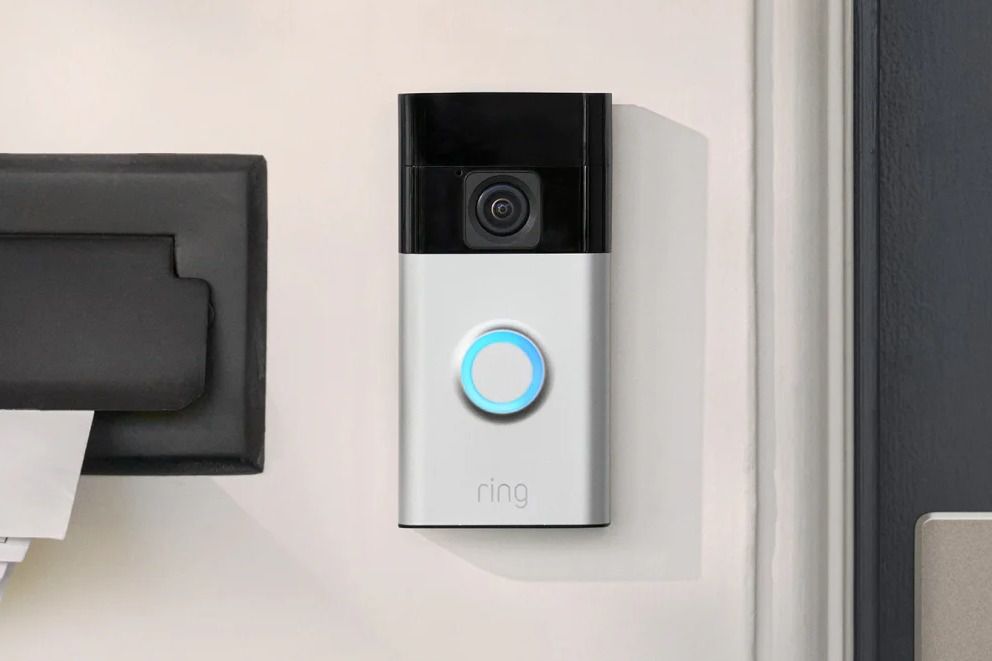
    This article explains how to reset a Ring Doorbell. Instructions apply to all devices, including Ring Doorbell, Ring Doorbell 2/3/4, and Ring Doorbell Pro.

    How to Reset a Ring Doorbell to Fix an Issue

    You may experience a hardware or connectivity issue with your Ring Doorbell, such as the device not connecting to Wi-Fi properly. You may also experience a problem with a special feature, such as night vision.

    In such cases, follow these steps to reset the Ring Doorbell:

    1. Find and press the orange setup button on the back of the Ring Doorbell for at least 10 seconds.

      • For Ring Doorbell 2, 3, and 4, press and hold the button below the camera, on the top right.
      • For Ring Doorbell Pro, press and hold the button on the right side of the camera.

      Depending on your device, you’ll need to undo the security screw and remove the faceplate to find the button.

    2. Release the button. The ring light flashes to indicate that it’s resetting.

    3. The light goes off when the reset is complete.

    How to Reset a Ring Doorbell to Disconnect Your Account 

    Another reason to reset a Ring doorbell is so you can sell it or give it to another user. Follow the above steps, then disconnect the doorbell from your account on the Ring app so it can be registered and used by someone new.

    These instructions apply to iOS 9.3 or newer and Android 5.0 or newer.

    1. Open the Ring app, then tap the Ring Doorbell you wish to disconnect.

    2. Tap Device Settings > General Settings.

    3. Tap Remove this Device and confirm the device’s removal.

      Deleting your Ring Doorbell from the app removes video recordings from your phone. Make sure you download any videos you want to keep.

    FAQ

    • How do I install a Ring doorbell?

      To install a Ring doorbell, first, download the Ring app and create an account. Next, tap Set up a Device > Doorbells, scan the doorbell’s QR code, and follow the setup prompts. On the Ring doorbell, press and release the orange button on the back and follow the prompts to connect the doorbell to Wi-Fi.

    • How do I charge a Ring doorbell?

      You’ll charge the Ring doorbell via the included Micro USB cable, which you can plug into any USB charging source. Fully charging the Ring doorbell battery can take up to six or eight hours.

    • How do I change the Ring doorbell sound?

      You can select ringtones via the Ring doorbell app. Launch the app and select Menu > Devices. Choose the chime you want to change and select Audio Settings > Chime Tones. Finally, select your new Ring doorbell sound.

    Thanks for letting us know!

    Get the Latest Tech News Delivered Every Day

    Subscribe

    Tell us why!

    Other

    Not enough details

    Hard to understand

    doorbell Guide Reset Ring simple StepbyStep
    Share. Facebook Twitter Pinterest LinkedIn Tumblr Email
    Previous ArticleThese are my top 15 favorite Memorial Day lawn and outdoor deals right now
    Next Article Best Pizza Ovens for 2025
    Techurz
    • Website

    Related Posts

    Opinion

    Slate Auto’s radically simple electric truck starts at $24,950

    June 24, 2026
    Opinion

    Ultrahuman ramps up U.S. push with Ring Pro as Oura tightens its grip

    March 24, 2026
    Opinion

    Sandbar secures $23M Series A for its AI note-taking ring

    March 10, 2026
    Add A Comment
    Latest Tech Pulse

    College social app Fizz expands into grocery delivery

    September 3, 20252,290

    12 Father’s Day E-Card Sites That Are Actually Good

    June 4, 202523

    SolarSquare in talks to raise up to $60M as India’s rooftop solar market draws major VC interest

    May 23, 202622
    Stay In Touch
    • YouTube
    • WhatsApp
    • Twitter
    • Pinterest
    • LinkedIn

    Techurz helps readers stay ahead of digital change with clear, practical, future focused technology intelligence written today,searched tomorrow.

    X (Twitter) Pinterest YouTube LinkedIn WhatsApp
    Company
    • About Us
    • Contact Us
    • Our Authors / Editorial Team
    • Write For Us
    • Advertise
    Policy
    • Editorial Policy
    • Privacy Policy
    • Terms and Conditions
    • Affiliate Disclosure
    • Cookie Policy
    • Disclaimer
    • DMCA
    Explore
    • AI Systems
    • Cyber Reality
    • Future Tech
    • Disruption Lab
    • Signals
    • Tech Pulse
    • Sitemap

    Join the Techurz Brief

    The future does not arrive suddenly.
    Stay ahead with fast, sharp tech signals.

    Type above and press Enter to search. Press Esc to cancel.