


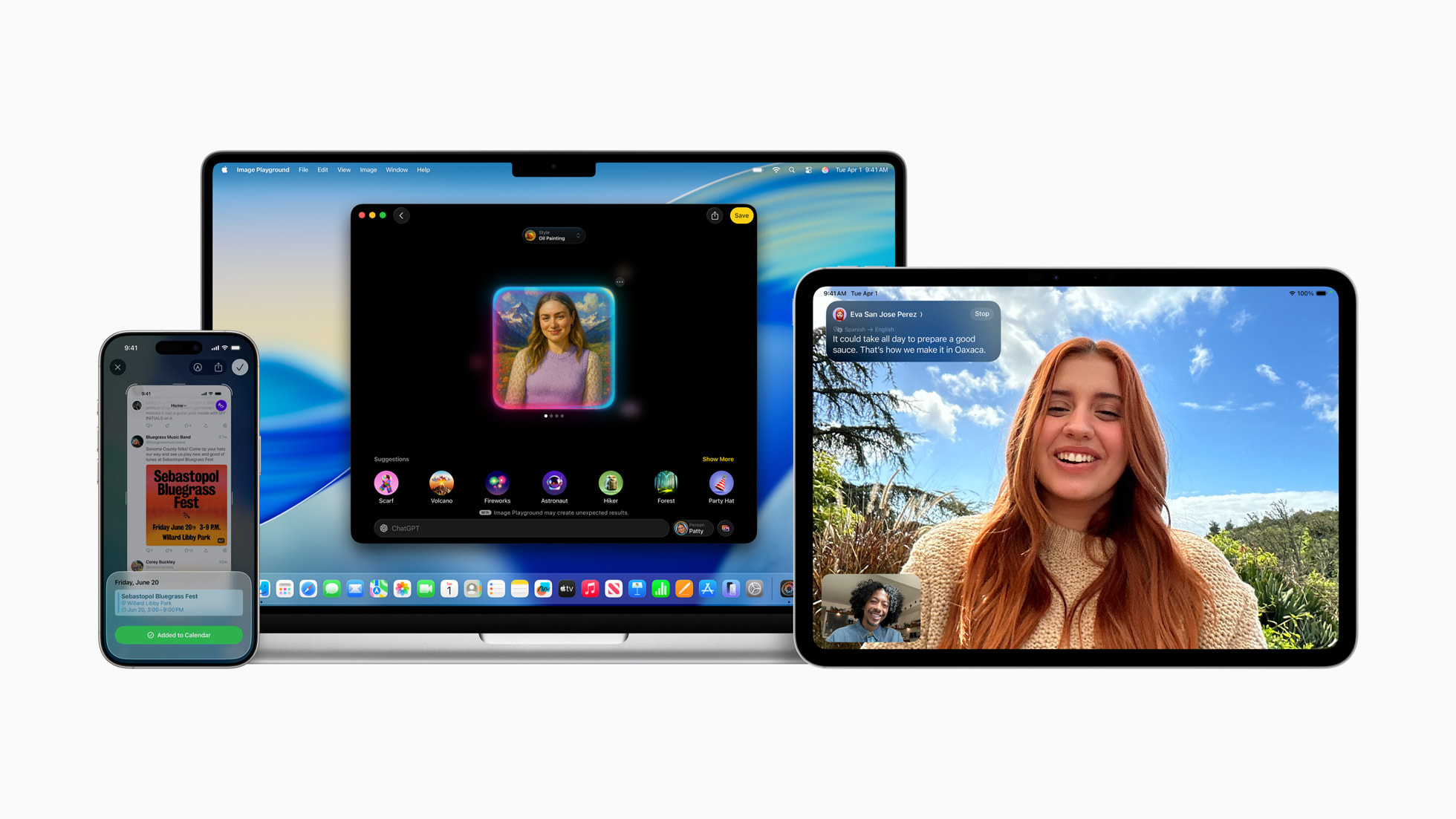
Apple just announced major free upgrades coming to Apple Intelligence-compatible devices, set to arrive as part of iOS 26, iPadOS 26, macOS 26, and watchOS 26 later this year.
The new AI features coming to these devices were sporadically showcased throughout WWDC 2025, so we’ve compiled a list of all the major announcements to give you a breakdown of every Apple Intelligence announcement at the event.
Unfortunately, Apple didn’t showcase the Siri AI upgrade we’d been hoping for, but the Cupertino-based company did unveil a lot of new software improvements powered by Apple Intelligence.
You may like
Here are the six major Apple Intelligence upgrades announced at WWDC 2025.
1. Live Translation
(Image credit: Apple)
Live Translation “helps users communicate across languages when messaging or speaking,” and is integrated directly into Messages, FaceTime, and the Phone app.
Live Translation will be able to automatically translate messages, add translated live captions to FaceTime, and on a phone call the translation will be spoken aloud throughout the conversation, completely removing language barriers using AI.
Privacy won’t be an issue either, as Apple says the new translation tool runs on Apple’s own AI models and “users’ personal conversations stay personal.”
2. Genmoji and Image Playground upgrades
(Image credit: Lance Ulanoff / Future)
Apple launched Genmoji and Image Playground as part of the first wave of Apple Intelligence features, and now the company is improving its generative AI image tools.
Users can now turn text descriptions into emojis as well as mix together emojis and combine them with descriptions to create something new. You’ll also be able to change expressions and adjust personal attributes of Genmojis made from photos of friends and family members.
Image Playground is now getting ChatGPT support to allow users to access brand-new styles such as oil painting and vector art. Apple says, “users are always in control, and nothing is shared with ChatGPT without their permission.”
3. Visual Intelligence can now see your screen
Visual Intelligence might’ve already been the best Apple Intelligence feature, but now the exclusive iPhone 16 AI tool is even better.
At WWDC, Apple announced that Visual Intelligence can now scan your screen, allowing users to search and take action on anything they’re viewing across apps.
You’ll be able to ask ChatGPT questions about content on your screen via Apple Intelligence, and this new feature can be accessed by taking a screenshot. When using the same buttons as a screenshot, you’ll be asked to save, share the screenshot, or explore more with Visual Intelligence.
As someone who loves Gemini’s ability to see your screen, I’m incredibly excited to see how Visual Intelligence tackles its newfound power that lets it analyze what you’re doing on your device.
4. Apple Intelligence on Apple Watch
(Image credit: Lance Ulanoff / Future)
The world’s most popular smartwatch just got AI functionality in the form of Workout Buddy, a workout experience with Apple Intelligence that “incorporates a user’s workout data and fitness history to generate personalized, motivational insights during their session.”
Apple says the new feature is a “first-of-its-kind workout experience” and will offer “meaningful inspiration in real time” to keep you motivated on your exercise.
Once Apple Intelligence has analyzed your workout data, “a new text-to-speech model then translates insights into a dynamic generative voice built using voice data from Fitness+ trainers, so it has the right energy, style, and tone for a workout.”
Workout Buddy is the first exclusive Apple Intelligence feature on Apple Watch and will require an Apple Intelligence-supported iPhone nearby. At launch, Workout Buddy will be available in English and across the following workout types: “Outdoor and Indoor Run, Outdoor and Indoor Walk, Outdoor Cycle, HIIT, and Functional and Traditional Strength Training.”
5. Third party apps have Apple Intelligence access
(Image credit: Apple)
While this announcement might not grab any headlines, it’s a big one for the future of Apple Intelligence: Developers now have access to Apple’s Foundation Models.
What does that mean exactly? Well, app developers will be able to “build on Apple Intelligence to bring users new experiences that are intelligent, available when they’re offline, and that protect their privacy, using AI inference that is free of cost.”
Apple’s example is an education app using the Apple Intelligence model to generate a quiz from your notes, without any API costs.
This framework could completely change the way we, users, interact with our favorite third-party apps, now with the ability to tap into Apple’s AI models and make the user experience even more intuitive.
6. AI-powered Shortcuts
Last but not least, Apple announced Apple Intelligence powers for the Shortcuts app. This is a major upgrade to one of the best apps on Apple devices, allowing users to “tap into intelligent actions, a whole new set of shortcuts enabled by Apple Intelligence.”
Apple says “Shortcuts are supercharged with Apple Intelligence,” and you’ll also be able to tap into ChatGPT to superpower your Shortcuts.
Just like the Shortcuts app, the true power here will come down to user creations and how people tap into this new ability. As someone who uses Shortcuts on a daily basis, I’m incredibly excited to see how Apple Intelligence improves the experience.
7. Everything else
(Image credit: Apple)
Alongside these six major announcements, Apple also announced that Apple Intelligence will scan and identify relevant actions from your emails, websites, notes, and other content, and then automatically categorize them in the Reminders app.
Elsewhere, Apple Wallet can now “identify and summarize order tracking details from emails sent from merchants or delivery carriers. This works across all of a user’s orders, giving them the ability to see their full order details, progress notifications, and more, all in one place.”
Finally, Messages is getting Apple Intelligence poll functionality, which can detect when a poll might come in handy. The Messages app is also getting AI-generated backgrounds that can be created for each conversation using Image Playground.
