


Feeling overwhelmed with different apps for emails and your tasks? Spike lets you combine the two. But is this tool actually worth using, or will you get another gimmicky app that promises the world and delivers nothing?
Creating and Customizing To-Do List Tasks in Spike
Though not initially intuitive, creating a to-do list of items in Spike is straightforward when you get the hang of it. Tapping the profile icon in the top left-hand corner and selecting Tasks is the easiest way to do this.
From there, you can customize your to-do list tasks in several ways. For example, you can create simple checklist subitems. If you need to go into more detail, you can use headings, make tables, and create bulleted lists.
Trying to turn emails into to-do list tasks was very difficult, however. I’d only use this app for to-do lists if I wanted to unify everything. It’s worth thinking about if this is an issue for you before ditching Gmail or your other email app.
Organizing Your Calendar
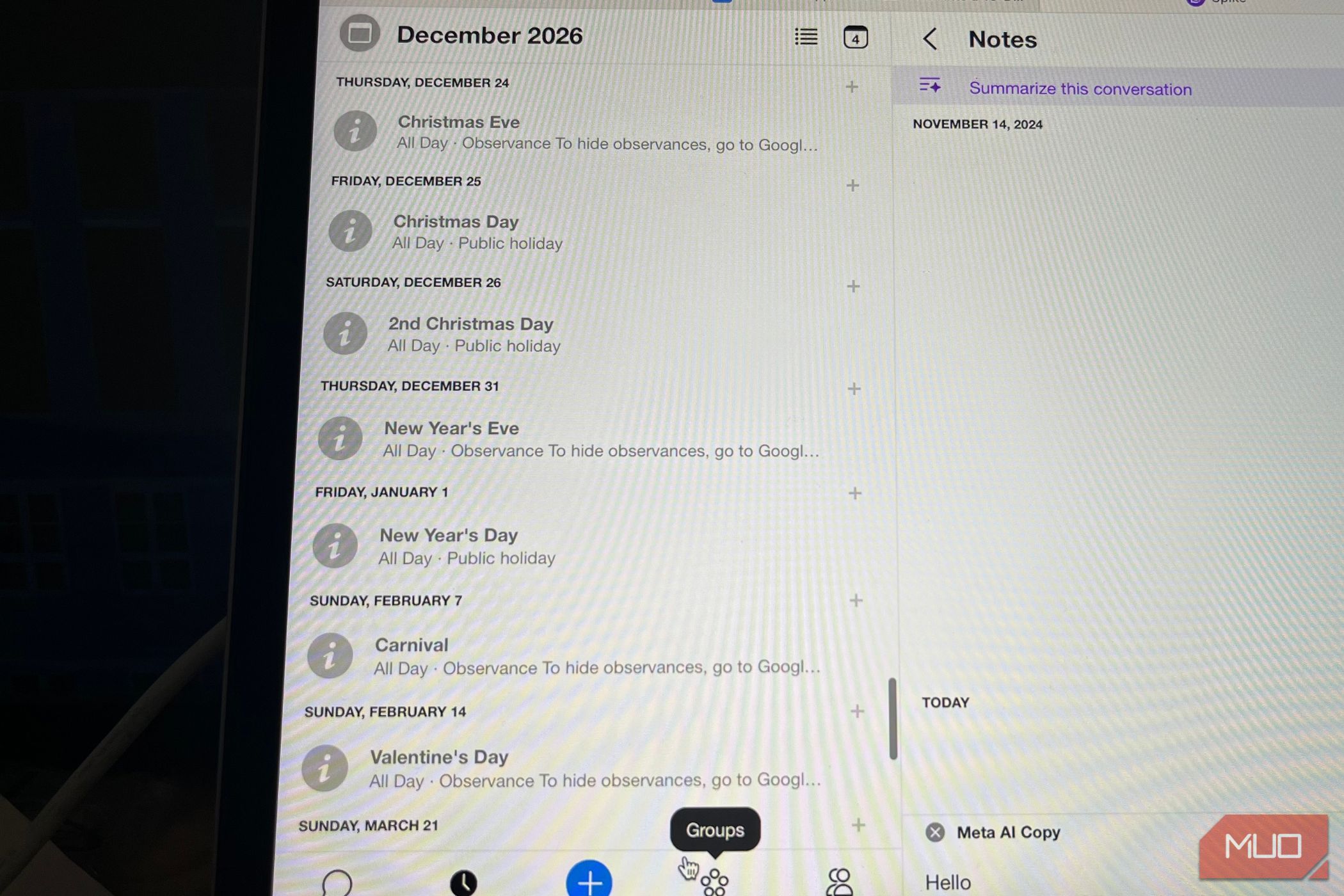
Organizing the calendar in Spike is pretty simple. The app imports anything from Google Calendar into your schedule, meaning you don’t have to start from scratch. Moreover, it’s very easy to access the in-app calendar; you just have to click on the clock icon at the bottom of the screen.
Manually adding new events is simple, too. Simply find the date you want to do this for and select the + icon. Everything else is very similar to the features you’ll find when creating an event in Gmail and other apps. Besides setting up individual tasks, you can make recurring ones and add links/attachments if needed.
When using the calendar in Spike, you can change the view based on:
If you’ve scrolled too far, you can jump back to the current day. Doing so makes it easier to keep track of current and upcoming events.
Using the Notes Feature
Spike has a helpful Notes feature that works similarly to Google Keep and Apple Notes. You can use these for more comprehensive project overviews and to collaborate with others. If you have to keep track of important information, such as how to download an external file, this feature is a helpful place to keep everything.
This feature is really useful if you need to organize your studying. For example, I can imagine it would have helped me keep my thesis workflow organized without anywhere near as much clutter as I had with paper notes. For long-term work projects, having this tool in the same app as emails can help avoid context-switching, too.
Many of the other features are similar to task customization in Spike. If I were to switch to the app permanently, this feature would be one of the primary reasons why. It felt like having a Notion dashboard in an email app, which was nice.
Utilizing Spike AI
Spike AI is one of the app’s flagship features. You can summarize emails and write with AI, too, if needed. The summarization tool is decent enough; I got all the key aspects I needed with minimal fuss. However, the free version only offers 10 free credits per month.
With the free version of Spike, you can use AI to write content, too. You can pick from:
- Message
- Blog Post
- List
- Paragraph
You have the option to choose from multiple tones, too, such as casual and firm. Moreover, you can pick your preferred length.
After filling these details and providing instructions, Spike developed an email draft. I could then readjust it to fit my preferred tone and to add the most essential information. It wasn’t too different from other email apps, to be honest. However, free users only get 10 monthly AI email/message credits.
Spike AI has more features if you get the full version, such as feed summarization.
An Easy Way to Respond to Emails
Spike’s email response layout is one of the app’s best features, and it makes everything very easy to organize. When opening a message in the app, you can reply as if it’s an ordinary chat. This, in my opinion, is much easier than opening a new email box; communication feels more frictionless.
In addition to this way of typing, it’s also possible to get the standard email box if you’d prefer. The option for both is nice, though, especially if you want an alternative to Telegram and other instant messaging apps.
Controlling When You Send Emails
Spike lets you choose when you want to send emails. You can pick whether you’d like to do this later in the same day, tomorrow, or next week. If none of these work for you, you can select a custom time and date. The feature will stay gray if your message is empty.
This tool works the same way as if you wanted to schedule emails in Gmail or a similar app (which is one of the best ways to use Gmail as a minimalist). While not necessarily unique, it is nice to have. You’ll find the tool at the bottom of your email draft on the right-hand side.
Collaborating With Others
With a free Spike plan, you get one teamspace. You can create groups to enable easier collaboration and communication; besides being useful for professional work and studying, you can use this if you have various hobbies and need to contact people via email.
Spike also has collaborative documents, which works in a similar way to Google Docs. Besides inviting others to work within the same place, you’re able to control their editing permissions. If you don’t want to grant full access, you can change this to viewing instead.
You get more capabilities if you upgrade to a paid subscription, such as a collaborative inbox.
Spike Pricing
The basic version of Spike is free and includes a free email address, 60 days of search history, and limited access to Spike AI. You can upgrade for unlimited search history, a shared inbox, and other features.
Spike has email and Teamspace features; below are the prices for the Teamspace plans.
Subscription
Pricing (Monthly)
Pricing (Annual)
Team
$5/mo
$48/yr
Business
$10/mo
$96/yr
Meanwhile, these are the prices if you just want an Email subscription
Subscription
Pricing (Monthly)
Pricing (Annual
Pro
$8/mo
$60/yr
Ultimate
$16/mo
$120/yr
Is Spike Worth Using?
When I first used Spike, I thought the app was revolutionary and genuinely convinced I would change over permanently. But since using it more, I’ve toned down my opinions. The app has some nice features, such as conversational email. However, I was disappointed at its lack of intuitiveness. Furthermore, I still needed to organize my email manually with a free plan.
Upgrading to a paid subscription might be worthwhile as you’ll get access to more features and fewer AI limits. Moreover, I can see the benefits of using it when collaborating with others. I don’t think I’d be upset if I were working for a company that integrated Spike, for example.
However, I didn’t find a reason to move permanently from Gmail to Spike; I’d even argue that I prefer Outlook to it. I can use similar tools in Gmail, such as Google Keep, and the app was easier to navigate.
