


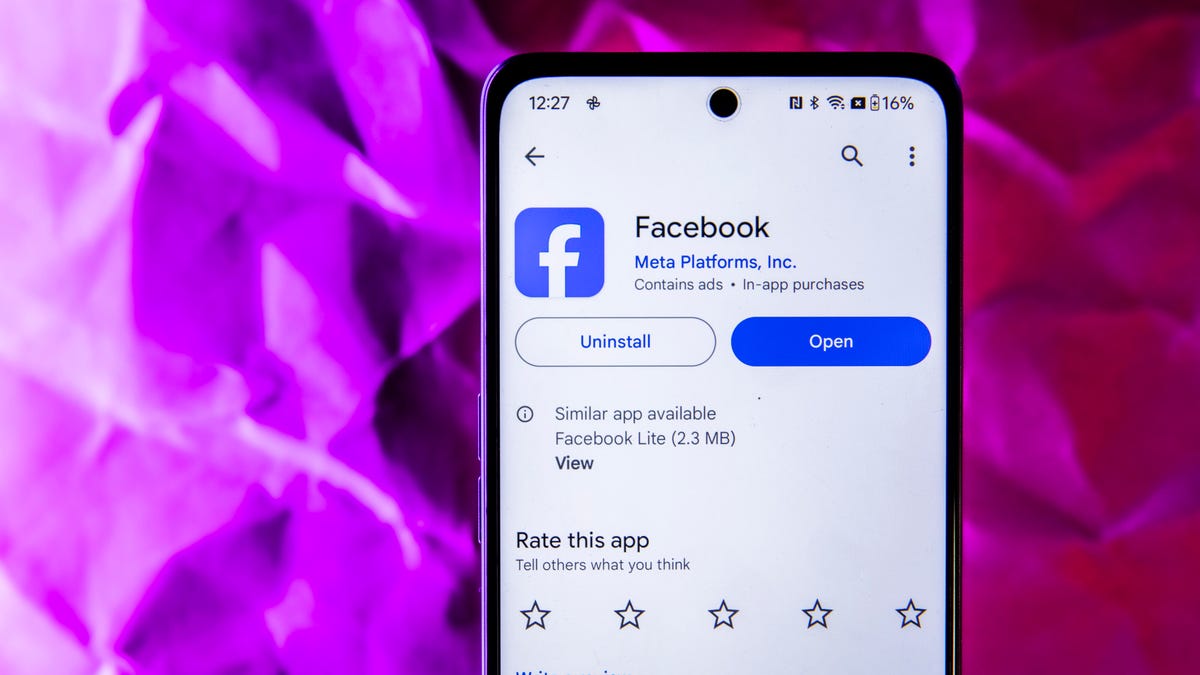
For many people, 2025 is the year they examine and readjust their social media habits. And for many of those people, this means leaving certain platforms like Facebook entirely. Whether they’re mad about the removal of fact-checking on Meta platforms, or they’re uneasy about Meta AI being able to view their entire camera roll, they’ve decided to delete their account and head for the door. However, before you leave your Facebook era behind entirely, it’s worth ensuring you don’t leave your data behind.
With years of photos, and a treasure trove of personal information, plenty of users are wondering how to collect their data before deleting their account. If you’re one of those people, read on to see how to get rid of your Facebook permanently, while snagging all your information on the way out.
For anyone who’s completely done with Facebook, deleting your account is the only way to fully separate yourself from the platform. If you aren’t quite sure, deactivating your account can let you try life off Facebook without risking deletion. Downloading your data and deleting Facebook does take some time, but we have all the details for you on what to expect and how to save everything before you delete your account entirely.
Before deleting your account, find and remove your third-party Facebook logins
For years, third-party developers like Spotify and DoorDash have let you log in using your Facebook account. This allows you to log in without needing to remember another password, but if you’re planning on deleting Facebook, you’ll need to update your login settings. That’s because if you delete your account first, there won’t be a Facebook account for you to log in through.
Thankfully, there’s a simple way to discover which of your sites and apps are linked to Facebook, and disconnect them before deleting your account.
To find and disconnect the online services linked to your Facebook account:
-
Sign in to Facebook.
-
Go to Settings & privacy > Settings > Apps and websites. (Apps and websites is on the left, but you’ll need to scroll down a bit. It’s nested under Your Activity.)
-
Select Remove next to the associated app to remove the third-party login.
Don’t lose access to apps and services you use Facebook to log in to.
After you disconnect other sites and apps from Facebook, you’ll need to adjust how you log in to them moving forward. Navigate to those specific apps and sites to set new passwords or passkeys, or log in using another single-service sign-on option, like Google.
What’s the difference between deactivating and deleting your Facebook account?
If you’re trying to disengage from Facebook, you have two basic options. You can delete your account entirely, or you can deactivate it.
Deactivating your Facebook account is temporary and could help if you’re trying to spend less time on the app or you need a break from social media. Alternatively, deleting your account entirely means you’ll no longer exist on the social media network.
Whether you deactivate or delete your account, a few things will remain the same. Your profile, posts, photos and timeline will be inaccessible to other users. If anyone searches for your account, you won’t appear in results.
Likewise, any photos you’ve posted will disappear, including pictures other people were tagged in. Any third-party logins, like Spotify or Pinterest, will no longer work either, so you’ll need to tweak how you log in to those accounts before deleting Facebook, unless you want to recover them later.
Deactivating your account doesn’t delete your data, and you can reactivate it whenever you like. The important thing to remember is that deactivating your account means Facebook can still track your online activity, especially if you use third-party logins.
Deactivating your account means you can return to it, but once the 30-day period of deleting an account finishes, that account is gone forever. If you aren’t ready to completely delete Facebook, deactivation is the way to go. When you deactivate your account, you’ll still be able to send messages, and third-party logins will still work, though Facebook-related features will be disabled.
What will deleting your Facebook account do (and not do)?
Deleting your Facebook account will remove your visible presence from the social media network, but it doesn’t remove everything you ever touched on the platform. Deleting Facebook also severs ties to Facebook Messenger, but your messages to friends will still be accessible to them.
If you use your Facebook information to log in to MetaQuest, all information on MetaQuest will also be deleted. This includes your app purchases and your achievements. It also means you won’t be able to return any apps through MetaQuest, and that all remaining store credits will disappear. Other Meta platforms, like Instagram and WhatsApp, won’t be affected by a Facebook deletion. If you want to leave those platforms, you’ll need to delete those accounts independently.
Next, download all your personal data from Facebook
Plenty of folks have been using Facebook for years to stay in touch with friends and family, or as an easy place to collect photos. If there’s data on Facebook that you want to save before you delete your account, here’s how to grab it.
-
Log in to Facebook.
-
Go to Settings & Privacy > Settings > Account Center.
-
Select Your information and permissions.
-
Select Download your information.
-
Select Download or transfer information.
-
Select the profiles you’d like to download information from.
-
Select Next.
-
When asked how much information you want, click Available information. Note that this includes everything except data logs, which are the records of details that can be associated with you. If you want those, click Specific types of information and make sure Data Logs is selected at the bottom of the list.
-
Select Download to device.
-
In the Create files to download options, click Date range and set it to All time.
-
Leave the format set to HTML — doing so puts your data in an easy-to-navigate format.
-
To save high-resolution copies of photos and videos you’ve posted to Facebook, change the Media Quality option from Medium to High.
-
Finally, click Create files. Facebook will then gather all your information and send you an email when it’s ready to be downloaded. It can take some time for this to happen — it’s not an instant process.
Make sure you grab all the personal data you want to keep before deleting your account.
Finally, delete your Facebook account
Once you’ve downloaded the data you don’t want to lose from Facebook, the final step is to delete your account.
Facebook will give you a list of items to consider before deleting your account. It includes info about downloading your information, and a reminder that if you’re the sole admin of a Facebook Page it will be deleted unless you grant another account admin privileges.
Once you’re ready to go, here’s how to delete your Facebook once and for all.
-
Log in to Facebook.
-
Go to Settings & Privacy > Settings > Account Center.
-
Select Personal details under Account Settings.
-
Select Account ownership and control.
-
Select Deactivation or deletion.
-
Choose the account or profile you want to delete.
-
Select Delete account and then select Continue.
-
Click Continue then follow the instructions to confirm.
What if you change your mind and don’t want to delete Facebook?
Though deleting your Facebook profile is a permanent decision, it doesn’t happen instantly. It takes 30 days for an account deletion to be completed in the system, which means you have time to cancel the process if you decide you want to keep your account. All you need to do is log back in to your account before reaching that 30-day mark.
