

Close Menu
TechurzTechurz

    Subscribe to Updates

    Get the latest creative news from FooBar about art, design and business.

    What's Hot

    Delve whistleblower strikes again, with alleged receipts about ‘fake compliance’

    March 31, 2026

    Popular AI gateway startup LiteLLM ditches controversial startup Delve

    March 30, 2026

    What we’re looking for in Startup Battlefield 2026 and how to put your best application forward

    March 30, 2026
    Facebook X (Twitter) Instagram
    Trending
    • Delve whistleblower strikes again, with alleged receipts about ‘fake compliance’
    • Popular AI gateway startup LiteLLM ditches controversial startup Delve
    • What we’re looking for in Startup Battlefield 2026 and how to put your best application forward
    • ScaleOps raises $130M to improve computing efficiency amid AI demand
    • Qodo raises $70M for code verification as AI coding scales
    • Elon Musk’s last co-founder reportedly leaves xAI
    • From Moon hotels to cattle herding: 8 startups investors chased at YC Demo Day
    • Aetherflux reportedly raising Series B at $2 billion valuation
    Facebook X (Twitter) Instagram Pinterest Vimeo
    TechurzTechurz
    • Home
    • AI
    • Apps
    • News
    • Guides
    • Opinion
    • Reviews
    • Security
    • Startups
    TechurzTechurz
    Home»Guides»How to Change Your Google Home Alarm Sound
    Guides

    How to Change Your Google Home Alarm Sound

    TechurzBy TechurzJuly 12, 2025No Comments3 Mins Read
    Share Facebook Twitter Pinterest LinkedIn Tumblr Reddit Telegram Email
    How to Change Your Google Home Alarm Sound
    Share
    Facebook Twitter LinkedIn Pinterest Email


    The Download

    • Google Nest displays: Swipe up > tap the Alarms > Settings > Alarm tone > select new tone. 
    • Music or media alarms: Google Home app > Automations > Create.

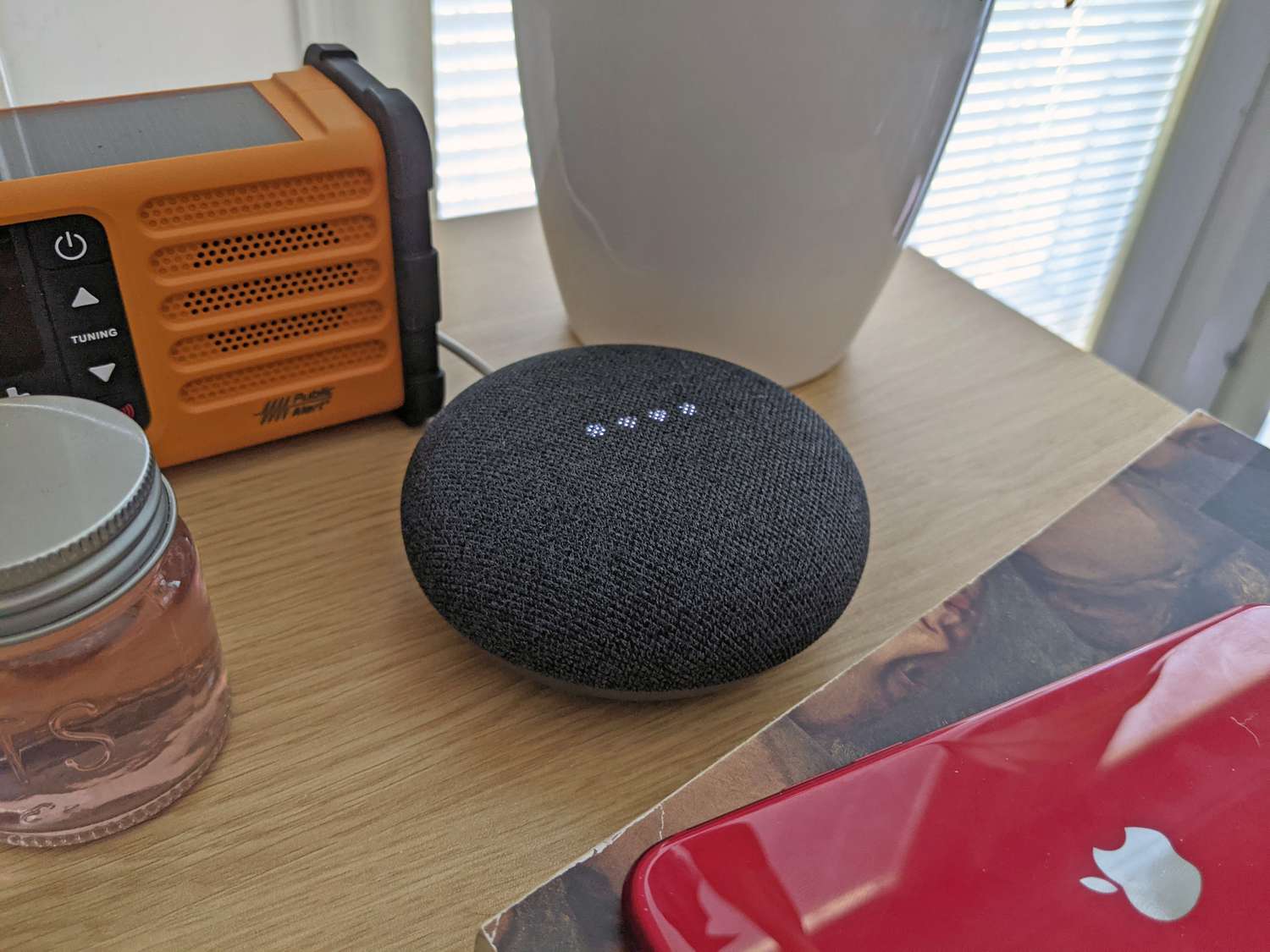
    This article explains how to change the Google Home alarm sound, including the Google Home default alarm tone and how to get Google Home to wake you up with music.

    How to Change the Alarm Tone on a Google Nest Display

    If you have a Nest display, like Nest Hub or Nest Hub Max, and it has the latest firmware, you can change its default alarm tone.

    This step requires a touchscreen, so you can’t do it on devices that don’t have one.

    Here’s how to change the alarm tone on a Google Nest display:

    1. Swipe up from the bottom of the display.

    2. Tap Alarms.

    3. Tap Settings.

    4. Tap Alarm tone.

    5. Choose a time for the alarm, and tap Set.

    6. Choose a tone, and tap Set.

      You can also choose to make the alarm repeat, include a sunrise alarm, and set the alarm to trigger a routine during this step.

    7. When you’re done changing the settings, tap Done.

    How to Set a Media Alarm on Google Home

    While you can’t choose a custom tone for Google Home alarms that you didn’t set on a Nest display, you can set a media alarm by creating a routine.

    Google discontinued media and character alarms via Google Assistant; scheduling and managing routines in the Google Home app is the only method for adding music to an alarm.

    This type of alarm uses a song instead of an alarm tone. To do this, you request an alarm with a specific song, artist, or radio station.

    Google Home then pulls the necessary song or radio station from your default music streaming service and uses it instead of the default alarm tone.

    To create a Routine, open the Google Home app > tap Automations > Create.

    Can You Change the Alarm Sound on Google Home?

    While you can change the alarm sound on Google Home, there are some limitations on exactly how you can change it and what you can change it to, depending on which Google Home speaker or Nest display you’re using.

    • On Nest devices with a screen: Users can change the default alarm tone. Don’t worry; Google provides a nice variety of options.
    • Google Home or Nest speaker without a screen: Use the Google Home app to create and manage a custom routine with an alarm set to a song through a linked music service.

    FAQ

    • How would I change the alarm sound on a Google Home Mini?

      If you’re using the Google Home Mini smart speaker, you can’t change the general alarm tone. But, like the Google Home smart speaker, you can set your favorite music as your alarm by creating a routine from Automations in the Google Home app.

    • Can I use Spotify to set my Google Home alarm sound?

      Yes. To set a music alarm using Spotify on your Google Home smart speaker, you’ll first need to link Spotify to Google Home. In the Google Home app, tap Settings > Music > Spotify > Link Account > choose one of the options to make a new account or log in (such as Yes, and share) > Agree and link. Spotify will now be your default music service. Use voice commands to set alarms using your preferred Spotify artist, songs, or playlist.

    Thanks for letting us know!

    Get the Latest Tech News Delivered Every Day

    Subscribe

    Tell us why!

    Other

    Not enough details

    Hard to understand

    alarm Change Google Home sound
    Share. Facebook Twitter Pinterest LinkedIn Tumblr Email
    Previous ArticlePrime Day is over, but our favorite laptop deals are still live
    Next Article Microsoft Authenticator will delete your passwords soon
    Techurz
    • Website

    Related Posts

    Opinion

    Google, Accel India accelerator choses 5 startups and none are ‘AI wrappers’

    March 16, 2026
    Opinion

    Google completes $32B acquisition of Wiz

    March 11, 2026
    Opinion

    Fig Security emerges from stealth with $38M to help security teams deal with change

    March 3, 2026
    Add A Comment
    Leave A Reply Cancel Reply

    Top Posts

    College social app Fizz expands into grocery delivery

    September 3, 20252,288 Views

    A Former Apple Luminary Sets Out to Create the Ultimate GPU Software

    September 25, 202516 Views

    The Reason Murderbot’s Tone Feels Off

    May 14, 202512 Views
    Stay In Touch
    • Facebook
    • YouTube
    • TikTok
    • WhatsApp
    • Twitter
    • Instagram
    Latest Reviews

    Subscribe to Updates

    Get the latest tech news from FooBar about tech, design and biz.

    Most Popular

    College social app Fizz expands into grocery delivery

    September 3, 20252,288 Views

    A Former Apple Luminary Sets Out to Create the Ultimate GPU Software

    September 25, 202516 Views

    The Reason Murderbot’s Tone Feels Off

    May 14, 202512 Views
    Our Picks

    Delve whistleblower strikes again, with alleged receipts about ‘fake compliance’

    March 31, 2026

    Popular AI gateway startup LiteLLM ditches controversial startup Delve

    March 30, 2026

    What we’re looking for in Startup Battlefield 2026 and how to put your best application forward

    March 30, 2026

    Subscribe to Updates

    Get the latest creative news from FooBar about art, design and business.

    Facebook X (Twitter) Instagram Pinterest
    • About Us
    • Contact Us
    • Privacy Policy
    • Terms and Conditions
    • Disclaimer
    © 2026 techurz. Designed by Pro.

    Type above and press Enter to search. Press Esc to cancel.