


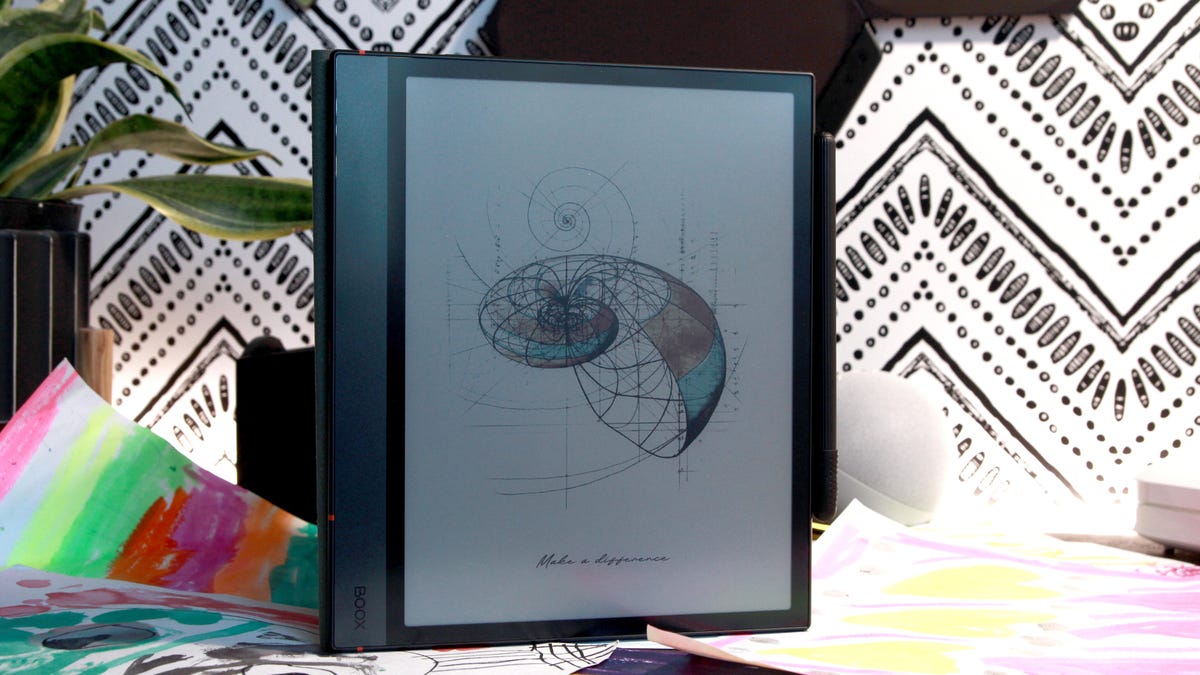
ZDNET’s key takeaways
- The Boox Note Air 4C is a color ePaper tablet for notes and reading, available for $500.
- The tablet’s display is crisp and paper-like, and the included pen is accurate and sensitive, making it easy to create highly detailed sketches.
- The Note Air 4C isn’t cheap, at $530, and the included pen is much thicker than the tablet, so it falls off easily.
For months now, I’ve used the Boox Note Air 4C tablet as my go-to digital notebook. This tablet is the perfect companion for those who like taking notes on the go, but it’s also become the best substitute for my bullet journal.
Writing on the Boox Note Air 4C tablet feels similar to writing on paper, though it’s never exactly the same. However, the included pen is fast and responsive. The pressure-sensitive Boox pen is unforgiving, providing a contrasting experience to the Apple Pencil Pro.
Also: This $210 Android tablet feels just like my Surface Pro – and the battery is just as good
I’ve been using the Apple Pencil Pro on the iPad Mini 7 and iPad Air, and it makes calligraphy easy, disguising mildly uneven strokes and making most handwritten cursive fonts look appealing. The Boox pen on the Note Air 4C is better than the Apple Pencil Pro for more precise, meticulous work, like sketching and drawing. The pressure-sensitive mechanism also works beautifully for calligraphy, but it sometimes fails to transition smoothly from thick to thin lines.
I’m an avid bullet-journaler — I love the freedom of creating calendar and page layouts that suit my needs. Naturally, I transitioned to making the Boox Note Air 4C my new journal, especially because bullet journaling as a hobby is hard to maintain, with work consuming a lot of my time and my kids consuming my pens.
The Boox Note Air 4C’s 10.3-inch display is a Kaleido 3 color E Ink screen. This display’s black-and-white resolution is 300 ppi, but its color resolution is only 150 ppi. Color images won’t appear crisp and detailed on the Boox Note Air 4C; instead, they look slightly blurry and noisy.
Also: Can an iPad replace a MacBook? I tested the M3 Air for weeks, and here’s my verdict
The Kaleido 3 display, also used in the Kindle Colorsoft, uses a base monochromatic E Ink layer with electrophoretic technology that renders sharp detail at 300 ppi. But adding color is done through a color filter array layered on the black-and-white screen. This divides each pixel into RGB subpixels, each taking up the space of a single pixel, halving the color display’s resolution.
An example of the visual texture when using color
Maria Diaz/ZDNET
Aside from photos often looking unintelligible from up close, this display also shows some color images with a denim-like texture, which bothers some users. The Boox Note Air 4C colors are also limited, so you don’t get a full spectrum of over 16 million colors, and they look more muted than on traditional tablets. The same applies to other color ePaper devices, like the Kindle Colorsoft and reMarkable Paper Pro.
Though muted, I like the Boox Note Air 4C colors because they keep the same aesthetic throughout my work. I like having a dedicated note-taking tablet, so I don’t mind the limitations of color ePaper.
Also: I tested an E Ink tablet that runs on Android, and it made my Kindle feel insufficient
Performance-wise, the Boox Note Air 4C runs on Android 13, with an octa-core processor and 6GB of RAM. It has up to 64GB of internal storage, expandable up to 2TB with a microSD card. Don’t expect it to be as fast as an iPad, though. While you can considerably speed up its refresh rate by changing its settings, the Note Air 4C is sluggish compared to a traditional tablet — but is not as slow as a Kindle.
Pressure-sensitive pen test
Maria Diaz/ZDNET
Some ghosting issues are common with E Ink tablets, including the Note Air 4C, when switching from one page to another, but this didn’t bother me.
My bigger complaints with the Boox Note Air 4C are highly specific. Depending on the content, each page takes a long time to render, up to 30 seconds, which can get annoying. The display’s palm recognition fails when I’ve zoomed in to work on detailed drawings, shifting my image with the accidental touch of my hand, and causing the tablet to pause to render for a few seconds.
Also: This 14-inch Samsung tablet gave me a productivity boost (and is even better for entertainment)
The Boox’s AI features have a lot of room for improvement, but that’s common across many companies’ AI offerings. I tried all the features and found they failed so often that it was best to keep them toggled off. The most glaring one was when the tablet automatically “corrected” my drawings, inadvertently deleting part of my work.
The Boox Note Air 4C tablet’s Smart Scribe AI features.
Maria Diaz/ZDNET
I also wish handwriting optical character recognition (OCR) were possible by default, but it’s included as an AI feature and isn’t very accurate. Handwriting conversion tends to require computer resources that are often beyond a tablet’s capabilities, which may be why the Boox Note Air 4C, like the reMarkable Paper Pro, doesn’t offer it as a default feature.
The Boox’s pen attaches magnetically to the side of the tablet but is prone to falling off, likely due to the tablet’s 5.8 mm thin profile. I recommend buying a case to keep the pen attached when transporting. The pen works with electromagnetic resonance (EMR), so it doesn’t need charging; it attaches magnetically for convenience.
Also: I tested an E Ink tablet worthy of replacing my Remarkable (and it wins in some ways)
The Boox Note Air 4C works wonderfully as a bullet journal, especially because the pen is accurate and responsive, making precise drawing or coloring easy. I can save all my pages in a single, lightweight device and don’t have to lug around a pencil case full of pens and markers when I want to sit down and catch up on my journaling. I also like the bonus of adding external files, like photos, to add memories without printing them out.
ZDNET’s buying advice
After weeks of use, my nib is ready for a replacement.
Maria Diaz/ZDNET
The Boox Note Air 4C is great for professionals and creatives. It’s not a productivity tablet or one to replace a laptop, but it is perfect for note-takers who like handwriting, journalers, reading enthusiasts, and even designers.
Aside from other Boox tablets, the only real competitor for the Boox Note Air 4C is the reMarkable Paper Pro, a color ePaper tablet that retails for $629. Though both tablets share similar shortcomings, I’d choose the Boox Note Air 4C of the two. Aside from being over $100 cheaper, the new Boox is an Android tablet and doesn’t require a paid subscription to access extra features, as reMarkable does with the Connect membership.
Also: The best iPad stylus of 2025: Expert tested
Like any traditional Android tablet, the Boox Note Air 4C lets you download any apps available in the Google Play Store, like games and social media apps. But those looking for a device focused on writing and reading can keep their Boox tablet distraction-free. I downloaded the Kindle app for reading, Google Docs for work, and OneDrive to transfer files and add photos to my notes, keeping my Boox Note Air4 C as a versatile device.
