

Close Menu
TechurzTechurz
    What's Hot

    Kog is going deeper to squeeze more inference out of GPUs

    August 14, 2026

    Investors sue Selena Gomez alleging fraud tied to her mental health startup

    August 13, 2026

    Databricks wanted to raise $1B, investors wanted $15B. It settled on $5B at a $190B valuation.

    August 13, 2026
    X (Twitter) Pinterest YouTube LinkedIn WhatsApp
    Tech Pulse
    • Kog is going deeper to squeeze more inference out of GPUs
    • Investors sue Selena Gomez alleging fraud tied to her mental health startup
    • Databricks wanted to raise $1B, investors wanted $15B. It settled on $5B at a $190B valuation.
    • Why Sandbar thinks it’s voice-enabled ring can avoid the AI hardware graveyard
    • How a $250 million acquisition collapsed into allegations of fraud and forged signatures
    X (Twitter) Pinterest YouTube LinkedIn WhatsApp
    TechurzTechurz
    • Home
    • Tech Pulse
    • Future Tech
    • AI Systems
    • Cyber Reality
    • Disruption Lab
    • Signals
    TechurzTechurz
    Home - AI - Chrome is finally getting one of my favorite features – that other browsers have long offered
    AI

    Chrome is finally getting one of my favorite features – that other browsers have long offered

    TechurzBy TechurzJuly 22, 2025Updated:May 10, 2026No Comments3 Mins Read
    Share Facebook Twitter Pinterest LinkedIn Tumblr Reddit Telegram Email
    Chrome is finally getting one of my favorite features - that other browsers have long offered
    Share
    Facebook Twitter LinkedIn Pinterest Email


    Elyse Betters Picaro / ZDNET

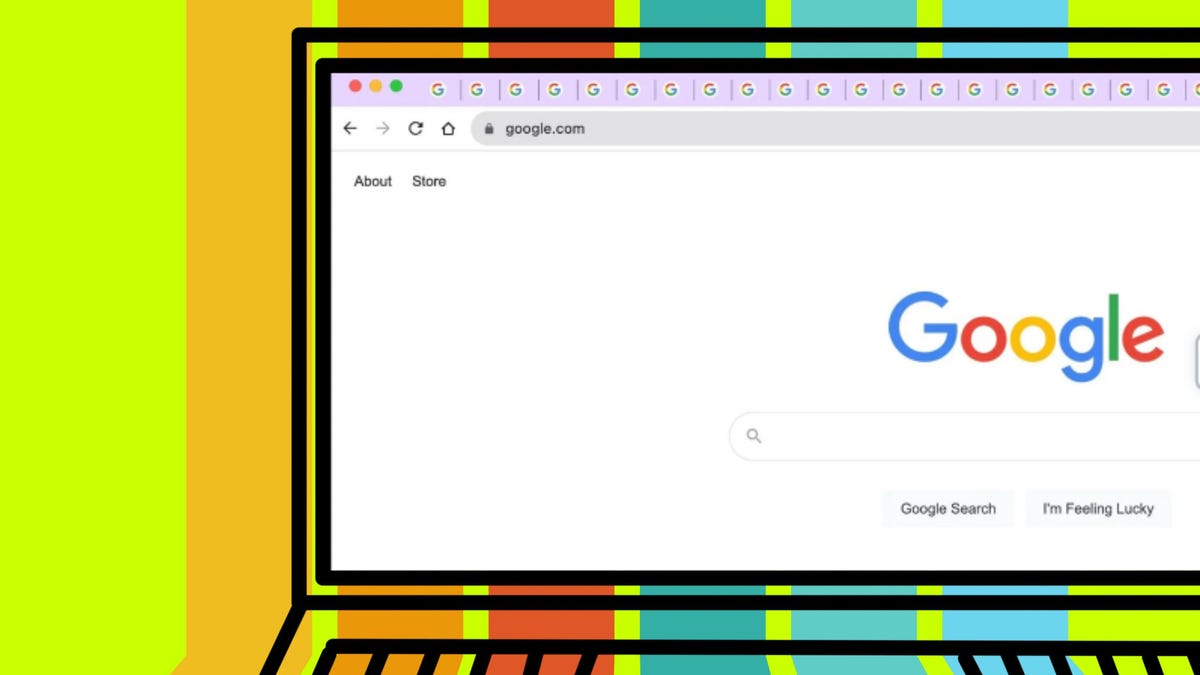
    Chrome is catching up to other browsers with vertical tabs. This feature has been requested for years and is already available in several popular browsers, such as Firefox, Microsoft Edge, Brave, and Vivaldi. And given that Edge, Brave, and Vivaldi are also based on Chromium, this should have been a no-brainer for Google all along.

    Table of contents
    1 No more third-party extensions
    2 I’m a huge fan of vertical tabs
    3 Alternatives to try

    No more third-party extensions

    Well, according to Windows Report, the Chromium Gerrit (a code review system for Chromium projects) now has an entry labeled “[Vertical Tabs] add feature flag.” Then there’s the “[Vertical Tabs] Add a TabsMetricProvider to log VerticalTabs state” in this commit. That commit reads, “This metrics provider is used for metrics filtering. For right now this metric is just logging the feature state, however it will in the future log whether the vertical tabstrip is being rendered.”

    Also: 7 browser features I can’t live without that Chrome doesn’t offer

    To date, the only way to get vertical tabs on Chrome has been to use third-party extensions, but even those are not always quite on the mark.

    Keep in mind that development on vertical tabs for Chromium has only just begun, so it will be some time before it makes its way to Chrome. However, when the feature does finally land, you can be certain that it will change the landscape of browser UIs and (if I had to venture a guess) every other browser on the planet will follow suit (if they haven’t already).

    I’m a huge fan of vertical tabs

    I find vertical tabs make the browser UI cleaner and tabs easier to manage. 

    Also: The best secure browsers for privacy in 2025: Expert tested

    Unfortunately, my default browser (Opera) doesn’t make use of vertical tabs because of the sidebar, but I hope this might change the company’s mind and make it possible to include vertical tabs. I’ve found the combination of workspaces and vertical tabs makes for an incredibly efficient browser experience. If you’ve not given that combination of features a try, I highly recommend you do.

    Alternatives to try

    Until vertical tabs land on Chrome, I would suggest you give Microsoft Edge or Brave a try. 

    Also: Too many tabs? Try these browsers with better tab management than Chrome

    Both browsers do vertical tabs very well, and Edge even includes workspaces, so you get the best of both worlds. Microsoft Edge and Brave are available for Linux, MacOS, and Windows.

    Get the morning’s top stories in your inbox each day with our Tech Today newsletter.

    Browsers Chrome favorite features finally long offered
    Share. Facebook Twitter Pinterest LinkedIn Tumblr Email
    Previous ArticleI tested the latest Kindle Paperwhite and it has the one feature I’ve been waiting for
    Next Article Apple starts selling its products directly in Saudi Arabia
    Techurz
    • Website

    Related Posts

    Opinion

    Databricks hits $188B valuation, extending its run as AI’s favorite second act

    July 17, 2026
    Opinion

    Humble Robotics’ CEO says the tech finally caught up to the vision for autonomous vehicles

    July 1, 2026
    AI Systems

    The Future of AI Systems: 7 Architectural Shifts Driving the AI Revolution

    June 13, 2026
    Add A Comment
    Latest Tech Pulse

    College social app Fizz expands into grocery delivery

    September 3, 20252,290

    12 Father’s Day E-Card Sites That Are Actually Good

    June 4, 202523

    SolarSquare in talks to raise up to $60M as India’s rooftop solar market draws major VC interest

    May 23, 202622
    Stay In Touch
    • YouTube
    • WhatsApp
    • Twitter
    • Pinterest
    • LinkedIn

    Techurz helps readers stay ahead of digital change with clear, practical, future focused technology intelligence written today,searched tomorrow.

    X (Twitter) Pinterest YouTube LinkedIn WhatsApp
    Company
    • About Us
    • Contact Us
    • Our Authors / Editorial Team
    • Write For Us
    • Advertise
    Policy
    • Editorial Policy
    • Privacy Policy
    • Terms and Conditions
    • Affiliate Disclosure
    • Cookie Policy
    • Disclaimer
    • DMCA
    Explore
    • AI Systems
    • Cyber Reality
    • Future Tech
    • Disruption Lab
    • Signals
    • Tech Pulse
    • Sitemap

    Join the Techurz Brief

    The future does not arrive suddenly.
    Stay ahead with fast, sharp tech signals.

    Type above and press Enter to search. Press Esc to cancel.