

Close Menu
TechurzTechurz
    What's Hot

    Bending Spoons defies SaaS slump, surges 40% on first day of trading

    July 1, 2026

    Humble Robotics’ CEO says the tech finally caught up to the vision for autonomous vehicles

    July 1, 2026

    Autonomous vehicle hype is back, and Humble Robotics is bringing it to freights

    July 1, 2026
    X (Twitter) Pinterest YouTube LinkedIn WhatsApp
    Tech Pulse
    • Bending Spoons defies SaaS slump, surges 40% on first day of trading
    • Humble Robotics’ CEO says the tech finally caught up to the vision for autonomous vehicles
    • Autonomous vehicle hype is back, and Humble Robotics is bringing it to freights
    • Builders Stage agenda revealed for Disrupt 2026
    • Startup Battlefield Australia application closes in days: Apply before July 6
    X (Twitter) Pinterest YouTube LinkedIn WhatsApp
    TechurzTechurz
    • Home
    • Tech Pulse
    • Future Tech
    • AI Systems
    • Cyber Reality
    • Disruption Lab
    • Signals
    TechurzTechurz
    Home - Guides - Why Your Apple TV Isn’t Powering On + How to Solve It
    Guides

    Why Your Apple TV Isn’t Powering On + How to Solve It

    TechurzBy TechurzJuly 26, 2025Updated:May 12, 2026No Comments3 Mins Read
    Share Facebook Twitter Pinterest LinkedIn Tumblr Reddit Telegram Email
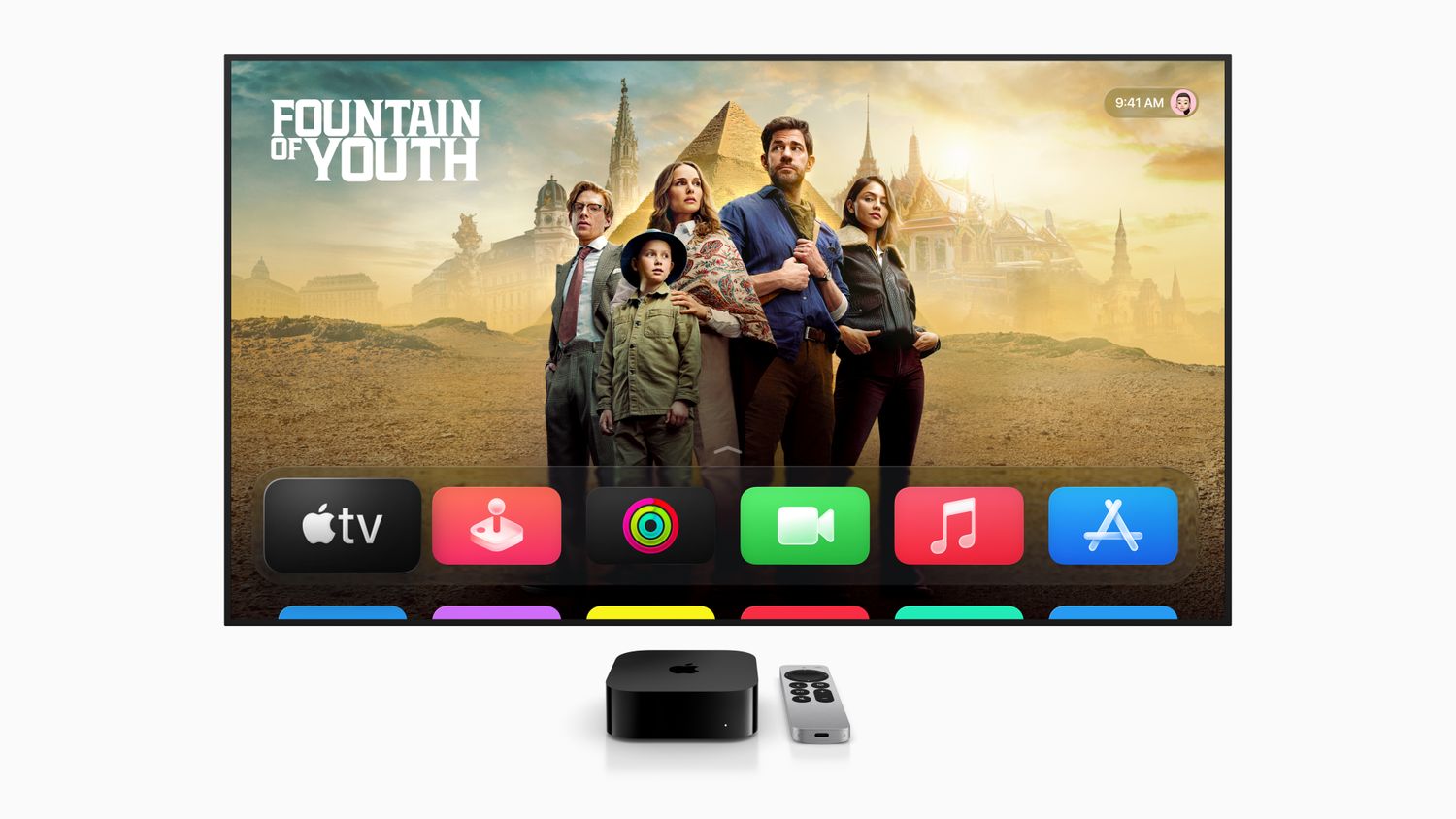
    Why Your Apple TV Isn’t Powering On + How to Solve It
    Share
    Facebook Twitter LinkedIn Pinterest Email


    When you have your sights set on catching the latest episode of your favorite series, nothing’s worse than sitting down to discover that your Apple TV won’t turn on. If your Apple TV does not power on successfully, try these fixes.

    Information in this article applies to all Apple TV models through Apple TV 4K.

    Table of contents
    1 How to Fix an Apple TV That Does Not Power On
    2 If You Still Can’t Turn It On
    3 Causes of an Apple TV That Does Not Power On

    How to Fix an Apple TV That Does Not Power On

    The Apple TV indicator light, a small LED on the front of the device, is your first clue to the likely problem—and solution. Start with this information and work through the following potential fixes.

    1. Restart the Apple TV. Unplug the Apple TV from the outlet. Wait five seconds and then plug it back in. A restart can fix many problems you may experience with the Apple TV.

    2. Reseat the HDMI cable. Unplug the HDMI cable from both the Apple TV and television. Then plug both ends back in again. This action forces the signal to refresh. When the Apple TV status indicator light is stable, the problem is most likely with the TV or the connection to the TV.

    3. Try a different HDMI cable. The current one you’re using may be faulty and the root of the problem.

    4. Check the HDMI input. Confirm the television is on the proper HDMI input for the Apple TV. Check the back of the television to see which port the Apple TV is plugged into. If the TV has multiple ports, try a different one starting with HDMI 1 or Input 1.

    5. Check the power outlet. When you don’t see an Apple TV indicator light, be sure that the Apple TV is plugged into the wall and the socket is correctly receiving power. If the outlet works correctly, use a different Apple TV power cord if one is available.

    6. Restore the Apple TV software. If the Apple TV status indicator light flashes for more than a minute, the Apple TV may be experiencing a software problem and needs to be restored using your PC or Mac.

    If You Still Can’t Turn It On

    There’s a limited amount of troubleshooting you can perform at home for your Apple TV.

    If the Apple TV still doesn’t work after trying these fixes, use the app to schedule an appointment with Apple Support to take the unit to a local Apple Store for repair. A technician can provide proper assistance for the product.

    Causes of an Apple TV That Does Not Power On

    Most of the reasons an Apple TV won’t turn on are related to power, cables, and connections. These issues are relatively easy to test for.

    If cable and power checks don’t resolve anything, it’s also possible the your Apple TV has a software problem or requires repair with an Apple technician.

    Thanks for letting us know!

    Get the Latest Tech News Delivered Every Day

    Subscribe

    Tell us why!

    Other

    Not enough details

    Hard to understand

    Apple Isnt Powering solve
    Share. Facebook Twitter Pinterest LinkedIn Tumblr Email
    Previous ArticleThe 12 best laptops for high school and college students
    Next Article Move over Samsung and Kioxia, Exascend’s 30.72TB SSD says it’s cooler, smaller, and cheaper to run
    Techurz
    • Website

    Related Posts

    Opinion

    This chip startup just raised $135M on a bet that AI’s biggest bottleneck isn’t compute — it’s memory

    May 29, 2026
    Opinion

    Apple acquires video editing software company MotionVFX

    March 16, 2026
    Opinion

    Former Apple engineer raises $5M for a note-taking pendant that only records your voice

    March 12, 2026
    Add A Comment
    Latest Tech Pulse

    College social app Fizz expands into grocery delivery

    September 3, 20252,290

    SolarSquare in talks to raise up to $60M as India’s rooftop solar market draws major VC interest

    May 23, 202622

    Future of Digital Privacy and Security: 7 Truths Nobody Tells You

    May 25, 202619
    Stay In Touch
    • YouTube
    • WhatsApp
    • Twitter
    • Pinterest
    • LinkedIn

    Techurz helps readers stay ahead of digital change with clear, practical, future focused technology intelligence written today,searched tomorrow.

    X (Twitter) Pinterest YouTube LinkedIn WhatsApp
    Company
    • About Us
    • Contact Us
    • Our Authors / Editorial Team
    • Write For Us
    • Advertise
    Policy
    • Editorial Policy
    • Privacy Policy
    • Terms and Conditions
    • Affiliate Disclosure
    • Cookie Policy
    • Disclaimer
    • DMCA
    Explore
    • AI Systems
    • Cyber Reality
    • Future Tech
    • Disruption Lab
    • Signals
    • Tech Pulse
    • Sitemap

    Join the Techurz Brief

    The future does not arrive suddenly.
    Stay ahead with fast, sharp tech signals.

    Type above and press Enter to search. Press Esc to cancel.