

Close Menu
TechurzTechurz
    What's Hot

    Valor Equity Partners looks to raise a $2.5B Fund VII, per Bloomberg

    June 24, 2026

    Superhuman acquires AI detection startup GPTZero

    June 23, 2026

    HaloBraid raises $7M from Seven Seven Six to end the six-hour hair salon appointment

    June 23, 2026
    X (Twitter) Pinterest YouTube LinkedIn WhatsApp
    Tech Pulse
    • Valor Equity Partners looks to raise a $2.5B Fund VII, per Bloomberg
    • Superhuman acquires AI detection startup GPTZero
    • HaloBraid raises $7M from Seven Seven Six to end the six-hour hair salon appointment
    • 4 days left to save up to $190 on Founder Summit 2026
    • Fika Jobs raises $4M to build a video-first hiring platform where AI agents interview candidates
    X (Twitter) Pinterest YouTube LinkedIn WhatsApp
    TechurzTechurz
    • Home
    • Tech Pulse
    • Future Tech
    • AI Systems
    • Cyber Reality
    • Disruption Lab
    • Signals
    TechurzTechurz
    Home - Guides - Everything You Need to Know to Update Your Fire Stick
    Guides

    Everything You Need to Know to Update Your Fire Stick

    TechurzBy TechurzAugust 9, 2025Updated:May 12, 2026No Comments3 Mins Read
    Share Facebook Twitter Pinterest LinkedIn Tumblr Reddit Telegram Email
    Everything You Need to Know to Update Your Fire Stick
    Share
    Facebook Twitter LinkedIn Pinterest Email


    Table of contents
    1 The Download
    2 Steps to Update Your Amazon Fire Stick
    3 When to Update a Firestick
    4 Amazon Fire TV Software Update: Things to Remember

    The Download

    • Open Settings on the Fire Stick and then choose My Fire TV > About > Check for System Update.
    • If there is an update, download and install it. After the download, select Install System Update.
    • Firestick updates happen automatically, so a manual check isn’t necessary.

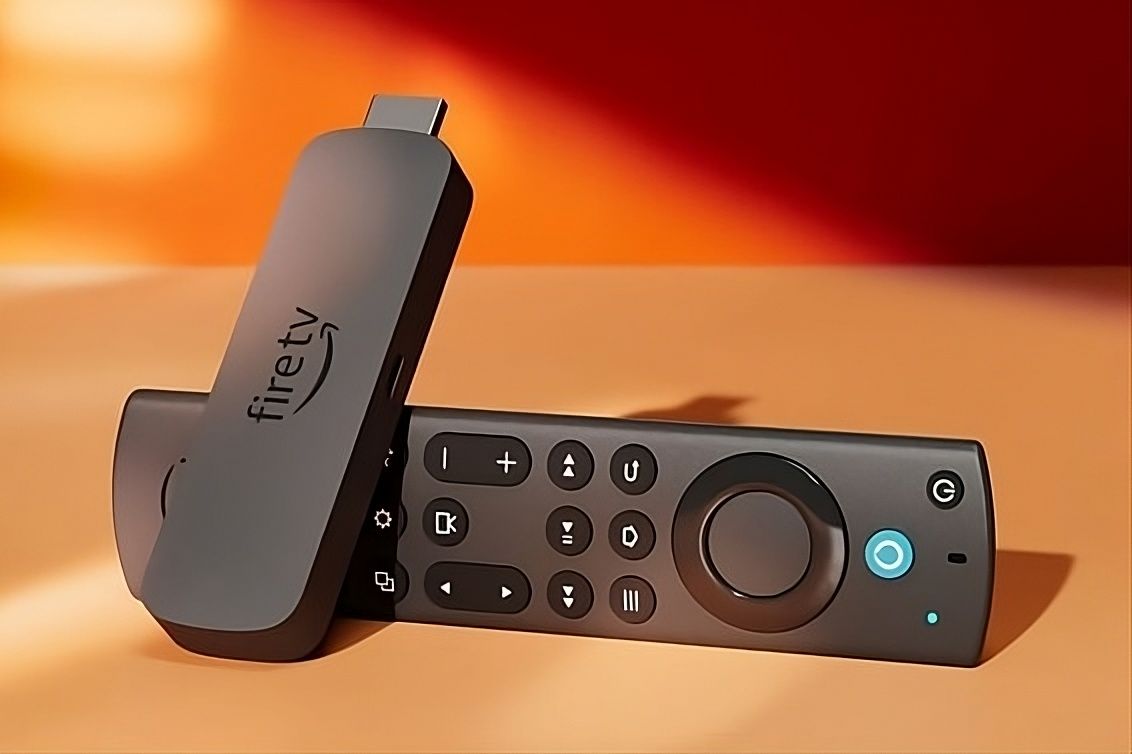
    This article explains how to update a Firestick (aka Amazon Fire Stick). Updates happen automatically to introduce new functions and improve performance, but you can also trigger a Firestick update yourself at any time.

    Steps to Update Your Amazon Fire Stick

    Updating a Firestick is extremely easy, but the option to do is hidden away in an area of the device you probably don’t look through often. Follow these steps to check for a system update:

    1. Select Settings from the Fire TV home screen.

    2. Select My Fire TV.

      Depending on your device, this option might be called Device & Software, Device, or System.

    3. Choose About from the list of options.

    4. Select Check for System Update.

    5. The device searches for the latest patch, which automatically downloads if it’s available. Once it’s downloaded, select Install System Update.

      Alternatively, the update installs automatically the next time you restart the Fire TV, or after the device is idle for more than 30 minutes.

    When to Update a Firestick

    Performing a manual update shouldn’t be necessary. The software should automatically update when a new version is available and the device is connected to the internet.

    If you prefer taking matters into your own hands, it’s worth checking for updates regularly, since Amazon introduces updates at a healthy pace. A new update is released about once every few months. 

    It’s a good idea to check in with your device based on this time frame, in case it hasn’t been updated automatically.

    Amazon Fire TV Software Update: Things to Remember

    For a system update to work, the Amazon Fire Stick or Fire TV requires an internet connection. If you have trouble downloading an update, check your internet connection. If you have problems with your Wi-Fi and own a 1st or 2nd Generation Amazon Fire TV box, connect an Ethernet cable directly to the device. This is also something you can do on an Amazon Fire TV Cube.

    If you continue experiencing problems (for example, error messages), Amazon recommends that you restart the Amazon Fire TV device by disconnecting the power for about three seconds and then reconnecting.

    You can also restart the device by holding the Select and Play/Pause buttons for five seconds.

    This method is particularly recommended if your device freezes while an update is in progress. You can also reset a Fire Stick if it continues to have problems.

    Thanks for letting us know!

    Get the Latest Tech News Delivered Every Day

    Subscribe

    Tell us why!

    Other

    Not enough details

    Hard to understand

    Fire stick update
    Share. Facebook Twitter Pinterest LinkedIn Tumblr Email
    Previous ArticleOpenAI gets caught vibe graphing
    Next Article The DJI Osmo Nano is the latest DJI drone to leak ahead of its official release
    Techurz
    • Website

    Related Posts

    Opinion

    Flighty’s new update gives you real-time alerts about airport disturbances

    March 24, 2026
    Opinion

    SpaceX is coming to the public markets, and secondaries are already on fire

    January 28, 2026
    Cyber Reality

    This simple Pixel update finally makes my Android calls as nice as iPhone’s

    October 30, 2025
    Add A Comment
    Latest Tech Pulse

    College social app Fizz expands into grocery delivery

    September 3, 20252,289

    SolarSquare in talks to raise up to $60M as India’s rooftop solar market draws major VC interest

    May 23, 202622

    Future of Digital Privacy and Security: 7 Truths Nobody Tells You

    May 25, 202619
    Stay In Touch
    • YouTube
    • WhatsApp
    • Twitter
    • Pinterest
    • LinkedIn

    Techurz helps readers stay ahead of digital change with clear, practical, future focused technology intelligence written today,searched tomorrow.

    X (Twitter) Pinterest YouTube LinkedIn WhatsApp
    Company
    • About Us
    • Contact Us
    • Our Authors / Editorial Team
    • Write For Us
    • Advertise
    Policy
    • Editorial Policy
    • Privacy Policy
    • Terms and Conditions
    • Affiliate Disclosure
    • Cookie Policy
    • Disclaimer
    • DMCA
    Explore
    • AI Systems
    • Cyber Reality
    • Future Tech
    • Disruption Lab
    • Signals
    • Tech Pulse
    • Sitemap

    Join the Techurz Brief

    The future does not arrive suddenly.
    Stay ahead with fast, sharp tech signals.

    Type above and press Enter to search. Press Esc to cancel.