


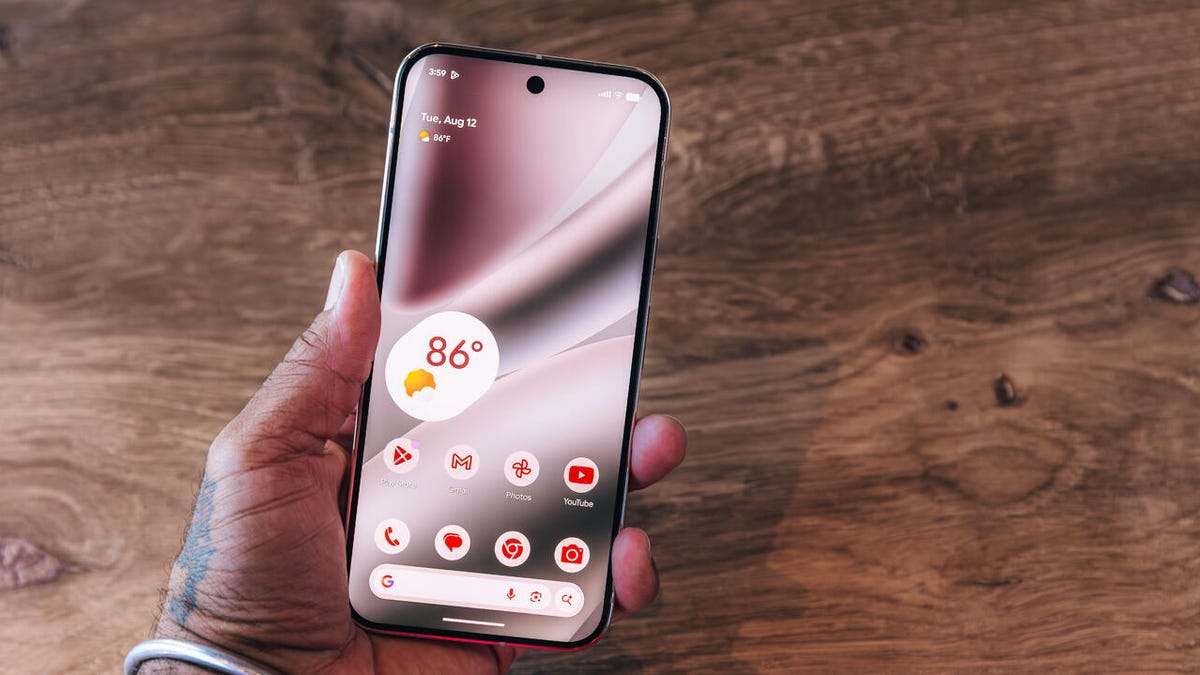
Joseph Maldonado/ZDNET
ZDNET’s key takeaways
- Google’s PixelSnap is the biggest upgrade for me on the company’s new phones.
- The $799 Pixel 10 now comes with a telephoto camera, a sizeable upgrade for the base model.
- Gemini AI is much smarter and more capable than Siri.
Get more in-depth ZDNET tech coverage: Add us as a preferred Google source on Chrome and Chromium browsers.
As a phone reviewer, I can’t stick to a single phone for long, but I’ve been on the iPhone for a while now. That’s because of the extra convenience I get with my Mac Mini and a bunch of MagSafe-compatible chargers, power banks, and other travel accessories.
I always have second thoughts about shifting to Android because it would hinder my workflow and require new backpack accessories. But the Google Pixel 10 is the first smartphone in months that I’m considering dropping iOS for.
Also: Camera Coach on Pixel 10 helps you take better photos as you shoot them
If you’ve been on the fence about switching from an iPhone, the new Pixel 10 phones are the best alternatives you can buy right now. The Pixel 10 seems like the perfect Android phone to switch to. Here are three features that have sold this iPhone user on the Pixel 10.
1. PixelSnap is a long-awaited addition
Kerry Wan/ZDNET
When I first shifted from my iPhone 16 Pro to the iPhone 16e, I thought I’d miss ProMotion the most, but it was MagSafe that had made its mark over the years. I realized how dependent I was on MagSafe when I couldn’t use any of those accessories with Apple’s budget phone.
I’m more confident about switching to the new Google Pixel 10 because it will not make my MagSafe accessories ineffective.
Also: Everything announced at Made by Google 2025: Pixel 10 Pro, Fold, Watch 4, and more
The Google Pixel 10 series includes a new feature called PixelSnap, a Qi2-based MagSafe alternative for Android. This means, theoretically, I can use my new Baseus PicoGo 5,000mAh power bank, Shiftcam SnapStand Max, and more without any issues.
These are some of my travel essentials, and I won’t need to purchase separate on-the-go accessories just because I got a new phone. The addition of PixelSnap is my favorite upgrade on the new Pixels.
2. Smarter voice assistant
Kerry Wan/ZDNET
Apple Intelligence hasn’t been up to the mark, at least for me. While Visual Intelligence is useful, I prefer Samsung’s Galaxy AI suite of features on my Galaxy Z Fold 7. Moreover, I’ve been using Gemini Live more than expected and way more than I have ever used Siri on my iPhone.
While Siri can’t get reminders right or call my contacts in one go, Gemini Live has helped me organize my room and solve daily life problems. It is now getting support for more Google apps like Keep and Maps. So, I can add my thoughts to Google Keep without needing to touch my phone. Since I use Google apps in my workflow, Gemini makes things easier and more intuitive.
Also: PixelSnap is the MagSafe for Android phones we’ve been waiting for – here’s our first look
While I can access Gemini on my iPhone without any issues, Google’s new Pixel-exclusive AI features make a strong case for switching. I’m looking forward to experiencing the new Magic Cue — which is supposed to deliver more personalized and contextual AI — and Camera Coach, which is touted to help compose shots better.
3. Telephoto camera on the base model
Kerry Wan/ZDNET
The base iPhone 16 doesn’t have a telephoto camera, whereas the iPhone 16 Pro sports a comparatively small 5x periscope sensor. I’ve used the latter, and it struggles in low light. To compare, the Google Pixel 10 Pro features a larger sensor with 5x optical zoom, and the base Pixel 10 also gets an additional zoom lens with the same optical zoom.
I’m not expecting exceptional zoom quality from the Pixel 10’s telephoto camera because it is a smaller sensor. However, it should be better than the iPhone 16’s 5x digital zoom. I like shooting architecture photos, and having 5x optical zoom on a $799 phone is a welcome addition.
Also: Why I recommend this $400 Google Pixel over competing models from Samsung and OnePlus
Apart from these three features, I’m also looking forward to going back to the Pixel for all the Google extras. From fun features like Add Me and Best Take to useful Circle to Search and Magic Eraser, all of them add to the Google Pixel experience. While I’m not a fan of comparatively thicker bezels, the Pixel 10’s brighter and stronger display is another nice-to-have addition that should make the experience better.
