


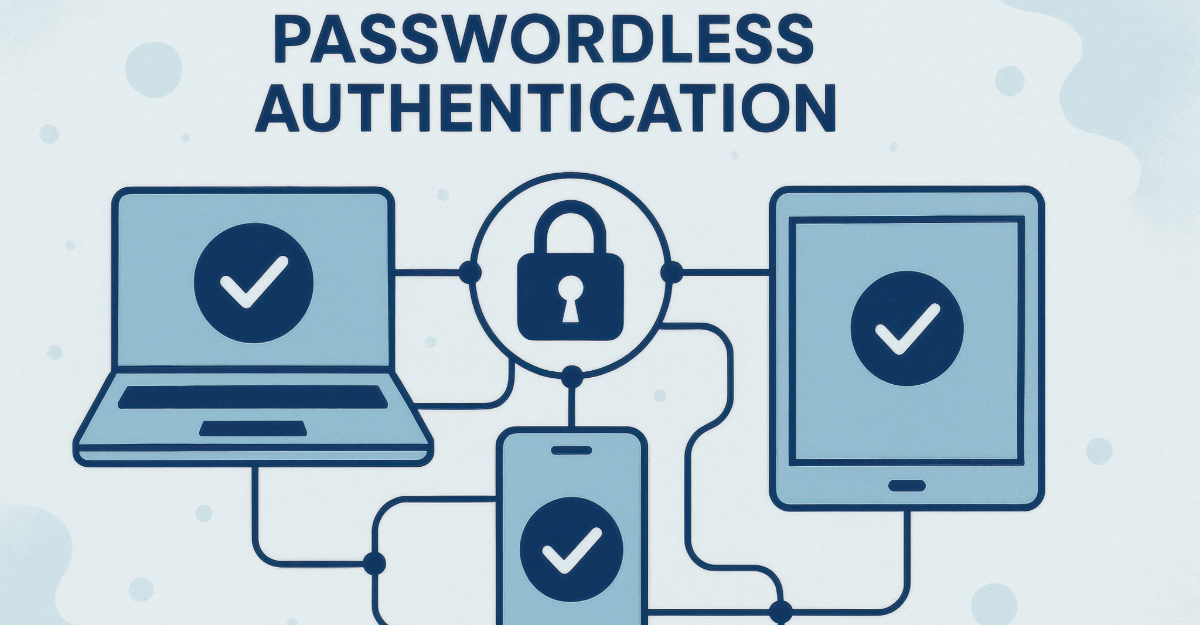
Passwordless Authentication Explained:
Passwords were never built for the way people actually use the internet.
Most people reuse them across dozens of accounts. They forget them, reset them at 2am, and write them on sticky notes because the alternative feels worse. According to IBM's 2024 Cost of a Data Breach Report, compromised credentials remain a primary breach pathway — and the average organization takes 292 days to identify and contain a credential-based attack.
Passwordless authentication is the architectural fix that removes the password from the equation entirely. Not a stronger password. Not another two-factor prompt. The password itself — gone.
But most guides describing passwordless authentication cover the front-end convenience and skip the parts that actually matter. Here are five things worth understanding before you trust the hype. This piece sits inside our broader work on the future of digital privacy and security.
Passwordless authentication replaces memorized passwords with cryptographic key pairs stored on your device. When you log in, your device proves your identity by solving a mathematical challenge using a private key — no password typed, no password stored on a server, no password to steal. The most common implementation is a passkey, built on standards from the FIDO Alliance and backed by Apple, Google, and Microsoft. This article focuses on passkeys as the genuine architectural shift — not magic links or OTPs, which remove the password but do not provide the same cryptographic security.
Table of Contents
1. What Passwordless Authentication Actually Is
Passwordless authentication is an identity verification method that proves who you are without requiring a memorized secret.
The critical word is architectural. This is not a UI improvement where a password is hidden behind a fingerprint scan. True passwordless authentication eliminates the shared secret entirely — the password never exists, never travels over a network, and is never stored on a server that can be breached.
People encounter passwordless authentication in three main forms:
- Passkeys — cryptographic credentials stored on your device, unlocked by biometrics or PIN, built on FIDO2 standards
- Hardware security keys — physical USB or NFC devices like YubiKey that store credentials in tamper-resistant silicon
- Magic links and OTPs — one-time codes or links sent to your registered email or phone
An important distinction: magic links and OTPs remove the password but do not provide the phishing resistance or cryptographic security of passkeys. They still rely on a secondary channel that can be intercepted, SIM-swapped, or socially engineered. NIST SP 800-63-4 classifies OTPs and magic links as restricted authenticators — not phishing-resistant. This article focuses on passkeys as the genuine architectural fix. Magic links remain better than passwords, but they are a different and weaker category.
The full FIDO Alliance specifications govern how passkeys are implemented across platforms.
2. How Passkeys Work — The Cryptographic Reality
The mechanism behind passwordless authentication is public-key cryptography — the same mathematical foundation that secures HTTPS connections.
The Registration Step
When you create a passkey for an account, your device generates a cryptographic key pair:
- Public key — sent to and stored by the service
- Private key — stored on your device
The service stores only the public key. Even if the service is breached, the attacker receives a public key — mathematically useless without the corresponding private key.
Important clarification on private key location: For device-bound passkeys such as hardware security keys, the private key never leaves the physical hardware under any circumstances. For synced passkeys stored in iCloud Keychain or Google Password Manager, the private key is encrypted end-to-end and stored in your cloud account — it can synchronize across your devices, but is always encrypted in transit and at rest. Both types are significantly more secure than passwords. They have different trust assumptions, which Section 4 covers in detail.
The Login Step
When you return to log in:
- The service sends a unique cryptographic challenge to your device
- Your device asks you to prove physical presence — fingerprint, Face ID, or PIN
- Your private key signs the challenge and sends the response back
- The service verifies the signature using the public key it already holds
No password travels over the network. Nothing is typed. Nothing can be intercepted or phished.
Biometrics — The Common Misunderstanding
Your fingerprint or face does not authenticate you to the server. Your biometric unlocks the private key on your local device. The private key then authenticates you to the server. This means your biometric data never leaves your hardware and is never stored in any service database.
Cryptographic Attestation — What Advanced Users Should Know
High-assurance passkeys include a process called attestation — a cryptographic certificate from your device's secure hardware proving that the private key was generated inside a tamper-resistant environment, such as Apple's Secure Enclave or a TPM chip. This prevents software-based key extraction even if the device operating system is compromised. Consumer passkeys on modern smartphones include this. Hardware security keys like YubiKey provide the highest attestation assurance for enterprise and government deployments.
According to the FIDO Alliance Passkey Index 2025, passkeys achieve a 93% login success rate compared to 63% for traditional passwords and legacy SMS-based two-factor authentication — while reducing login time by 73% and cutting sign-in-related help desk incidents by 81%.
For practical transition support, 1Password supports passkeys alongside traditional password management — useful during the transition period when not all services have implemented passkey support yet.
3. Passkeys vs Passwords — The Real Difference
| Feature | Password | Passkey |
|---|---|---|
| Stored where | Server database | Your device or encrypted cloud |
| Can be phished | ✗ Yes — typed on fake sites | ✓ No — bound to specific domain |
| Can be guessed | ✗ Yes | ✓ No — cryptographically generated |
| Can be reused | ✗ Yes — major risk | ✓ No — unique per service |
| Breach impact | ✗ Exposed and usable | ✓ Public key only — useless alone |
| Login time | Slower | ✓ 73% faster (FIDO 2025) |
| Can be forgotten | ✗ Frequently | ✓ Never — device manages it |
The phishing resistance deserves specific emphasis. A passkey is cryptographically bound to the exact domain it was registered for via WebAuthn origin binding. If an attacker creates a fake login page that looks identical to your bank, your passkey will not work there — the domain does not match and the authentication is rejected automatically, with no action required from you.
This is why NIST SP 800-63-4 classifies properly implemented FIDO2 passkeys as phishing-resistant authenticators at Authenticator Assurance Level 2 and 3 — the highest categories. IBM's breach data shows credential-based breaches take 292 days on average to contain. Passkeys eliminate the credential as a breach vector — directly addressing the AI phishing attacks that have made this category so much harder to defend.
4. Synced vs Device-Bound: The Choice Nobody Explains
Most guides treat passkeys as a single technology. They are not. There are two architecturally distinct types, and the choice between them has meaningful security implications.
Synced Passkeys
Synced passkeys are stored in an encrypted cloud keychain — Apple iCloud Keychain, Google Password Manager, or a cross-platform manager. They synchronize across your devices automatically.
How the security actually works: Synced passkeys use end-to-end encryption. Apple and Google both implement E2EE for passkey storage, meaning neither company can read your private key material. Compromise of your iCloud or Google account alone does not give an attacker access to your passkeys — they would also need your device's local encryption key or biometric to decrypt the stored private key material.
Practical limitation: If both your cloud account and your device are compromised together, or if the E2EE implementation has a flaw, synced passkeys carry more risk than device-bound keys. For most people using strong cloud account security, this risk is low.
Best for: Everyday accounts, multi-device workflows, consumer use.
Device-Bound Passkeys
Device-bound passkeys never leave the physical hardware they were created on. Hardware security keys store credentials in tamper-resistant chips with cryptographic attestation. The private key cannot be exported, copied, or accessed remotely under any circumstances.
Best for: High-value accounts — financial, legal, administrative, enterprise, government.
Limitation: Losing the device means losing the credential. Requires hardware purchase. Less convenient for switching between devices.
YubiKey hardware security keys provide the highest-assurance device-bound passkey storage — recommended for financial accounts, email, and any account where breach consequences are serious.
5. The Account Recovery Problem Most Guides Ignore
Here is the part of passwordless authentication that receives almost no coverage in mainstream guides — and it is where most real-world security failures actually happen.
If there is no password, what happens when you lose your phone?
The answer depends on the service's recovery flow — and most recovery flows reintroduce the exact vulnerabilities that passwordless authentication was designed to eliminate.
Common recovery mechanisms and their weaknesses:
- Email recovery link — an attacker who controls your email controls your account recovery
- SMS verification — vulnerable to SIM-swapping attacks, which are well-documented and increasing
- Customer service override — social engineering over the phone bypasses cryptographic authentication entirely and is the most frequently exploited recovery path
- Backup codes — a static shared secret functionally identical to a password in terms of breach risk
NIST SP 800-63-4 explicitly addresses authenticator lifecycle management — the enrollment, storage, recovery, and replacement of credentials over time. Most consumer implementations have not fully aligned with this guidance. The recovery flow is where many passwordless deployments are weakest.
What to do in practice:
- Register passkeys on multiple devices for important accounts before you lose any single device
- Set up a hardware security key as a backup authenticator for high-value accounts
- Use a password manager with passkey support as a fallback layer during the transition period
- Review and understand the recovery flow for each important account before you need it
- The security of your passwordless setup is ultimately as strong as its weakest recovery path
The wider identity layer that connects authentication, recovery, and ongoing risk is covered in digital identity protection. For threats that operate above the authentication layer, see are VPNs still safe.
Key Takeaways
- Passwordless authentication removes the shared secret — no password stored on a server means no password to steal in a breach
- Magic links and OTPs are passwordless but not phishing-resistant — passkeys provide a different and stronger cryptographic architecture
- Your biometric unlocks the device, not the server — biometric data never reaches the service or leaves your hardware
- Passkeys are phishing-resistant by design — cryptographically bound to specific domains via WebAuthn, they cannot work on fake sites
- Synced passkeys use end-to-end encryption — cloud compromise alone does not expose your private key material
- Device-bound passkeys on hardware keys provide the highest assurance — private key never leaves physical silicon
- Recovery flows are the weakest link — register multiple devices and understand your backup options before you need them
- 93% passkey success rate vs 63% for passwords and legacy 2FA — passwordless is more reliable as well as more secure
Frequently Asked Questions
What is passwordless authentication in simple terms?
Passwordless authentication is a way to prove your identity to a website or app without typing a password. Instead of a memorized secret, your device uses a cryptographic key pair — a public key registered with the service and a private key stored on your device. When you log in, you unlock the private key using your fingerprint or face, it signs a challenge from the server, and you are authenticated without anything sensitive ever traveling over the network.
Are passkeys actually safer than passwords?
Yes, for two structural reasons. First, passkeys are phishing-resistant — they are cryptographically bound to specific domains via WebAuthn, so they cannot be used on fake websites even if you are tricked into visiting one. Second, the service never stores your private key, meaning a server breach exposes only a public key that is useless without the private key on your device. According to IBM's 2024 data, compromised credentials take 292 days on average to contain. Passkeys eliminate this attack vector entirely.
What happens to my passkeys if I lose my phone?
For synced passkeys stored in iCloud Keychain or Google Password Manager, recovery happens through your cloud account — the passkeys are end-to-end encrypted and available on any new device you sign in to. For device-bound passkeys on hardware keys, you need a registered backup device or a second hardware key. For all important accounts, register passkeys on multiple devices before you need recovery. Understanding each service's backup flow before you lose a device is the most important practical step.
What is the difference between a passkey and a password manager?
A password manager stores and fills your existing passwords. A passkey replaces the password entirely with a cryptographic credential. Some password managers — including 1Password and Dashlane — now support passkeys, meaning they store and manage passkeys the way they previously managed passwords. During the current transition period, where many services still require passwords, using a password manager that also supports passkeys is the most practical approach.
Do passkeys work across all websites and apps?
Not universally yet, but adoption is accelerating significantly. The FIDO Alliance Passkey Index 2025 found that 93% of accounts at monitored services are eligible for passkeys, and 36% of all sign-ins used passkeys. Major platforms including Google, Apple, Microsoft, GitHub, and PayPal support passkeys. Adoption varies among smaller services. A password manager remains useful for services that have not yet implemented passkey support.
The Techurz Take
The password is not failing because users are careless. It is failing because it was the wrong architecture from the beginning — a shared secret that must be stored somewhere, transmitted somewhere, and remembered by someone. Any system built on those three requirements has structural vulnerabilities that better habits cannot fix.
Passwordless authentication built on public-key cryptography is not an upgrade to passwords. It is a replacement of the underlying architecture. The private key never transmits. The biometric never reaches the server. The credential cannot be phished because it is bound to a specific cryptographic domain. This is what actually fixing the structure looks like.
The honest caveat is that synced versus device-bound keys, recovery flows, and the incomplete adoption across services mean the security is not automatic or uniform. Understanding those three realities separates people who are genuinely more secure from people who have simply changed their login screen.
