

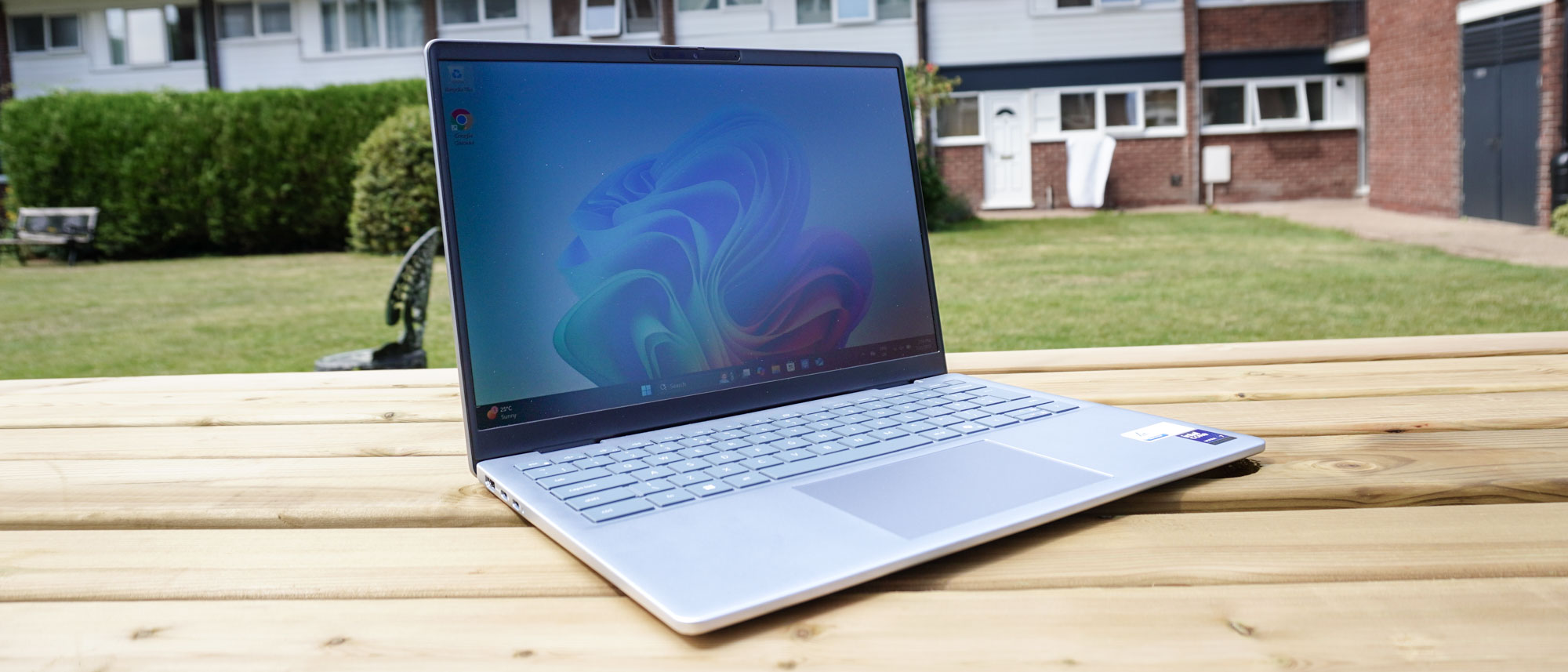
The Dell 14 Plus is the beige cardigan of laptops — not stylish, not exciting, but somehow always reliable. I mean look at it. It’s the most cookie-cutter clamshell with the personality of a corporate email signature. But after a month of using it, I’m thinking “hey, it gets the job done,” and with some gusto too!
That’s unsurprising, given this is essentially the sibling of Dell’s long-running Inspiron brand — dropped in favor of this simpler-yet-more-confusing lineage of Plus, Pro and Pro Max sounding like a line of caffeine pills. But underneath its extraordinarily bland shell, you’ve got a solid workhorse.
And its superpower? Pricing starts at $699. Yes, I know Dell’s website says this is discounted down from $1,099, but like a lot of laptop companies, Dell seems to have fun with big MSRPs to make the actual price look like a discount.
The value for money on what you get here is strong. With Copilot+ PC specs starting from this low, alongside at least an Intel Core Ultra 7 200 series CPU and a 2.5K display, that’s a compelling cost. Plus Dell hasn’t forgotten the ergonomics, as the keyboard and touchpad feel great on this.
But it’s not perfect. That plastic build can flex easily, and the screen isn’t bright enough for use outdoors. For the same price as the one I’m testing (slightly upgraded at $849), you could get the superior M4 MacBook Air. That being said, though, it’s all-round performance, port array and 13+ hour battery life makes it a workhorse.
It’s not sexy. It’s not cool. It’s just useful. And honestly, that might be all you need in a laptop for a college student or general productivity.
Dell 14 Plus: Cheat sheet
- What is it? This is an Inspiron in Plus clothing — a continuation of the budget-to-mid-range laptop lineage for Dell.
- Who is it for? The 14 Plus is a great laptop for students, as well as for general productivity on-the-go.
- What does it cost? Technically, I should say that the MSRP is $1,099, but you’ll never see this for that price. Dell’s inflated retail price to make the actual MSRP look like a deal is in full effect, and you can pick one up from $699.
- What do we like? For the price you pay, this is a real workhorse. The keyboard and touchpad are ergonomically sound to use with nice tactility, the Intel Core Ultra power under the hood is stellar for performance and power efficiency (13+ hour battery life), and all this is in a slim, lightweight chassis.
- What don’t we like? But said chassis has the personality of a filing cabinet that came to life and learned to multitask. The display may be sharp and colorful, but is average in brightness, and that plastic chassis can flex a little under pressure.
Dell 14 Plus: Specs
Swipe to scroll horizontally
Price
From $699
CPU
From Intel Core Ultra 7 256V (Intel Core Ultra 7 258V as tested)
RAM
From 16GB
Storage
From 512GB (1TB as tested)
Display
14-inch 2K (2560 x 1600) IPS screen, 60Hz
Battery
65 Wh
Ports
2x USB-C (1x Thunderbolt 4), 1x USB-A, HDMI 2.1, 3.5mm combo audio
Connectivity
Wi-Fi 7, Bluetooth 5.4
Dimensions
12.36 x 8.9 x 0.67 inches
Weight
3.4 pounds
Dell 14 Plus: The ups
Getting past the snoozefest of opening up yet another paint-by-numbers clamshell, I was low key impressed with the experience when replacing this with my daily driver — especially for its price.
Strong performance and power efficiency
(Image credit: Future)
Intel Core Ultra 200 series has been one of the forgotten gems in the CPU lineup — mostly because Team Blue itself has made the whole affair oh-so confusing. But provided you go Lunar Lake, you can get some strong performance paired with a lot more stamina.
Swipe to scroll horizontally
Laptop
Geekbench 6.4 single-core
Geekbench 6.4 multicore
Blackmagic Disk Speet test (Write/Read MBps)
Handbrake (transcoding 4k video to 1080p mm:ss)
Dell 14 Plus
2721
10890
3456.2 / 3018.2
08:02
13-inch MacBook Air (M4)
3751
14947
1919.7 / 2891.1
05:34
HP Omnibook Ultra Flip 14
2638
10877
3400.7 / 4696.2
06:37
Lenovo IdeaPad Slim 3x
2448
13750
3253.3 / 3652.6
05:16
Lenovo Yoga Slim 7i Aura Edition
2562
10713
3297.3 / 3825.2
07:06
Give or take a slower, cheaper SSD in there, this is pretty good! The removal of hyper-threading is the choice that led to this not being that much faster than the previous gen Intel chips, and you can get faster from other options out there. But in return for removing this power-demanding tech, you’re getting all-day battery life.
(Image credit: Future)
But what’s most impressive here is the cost. The laptops I had to use to compare (bar the MacBook Air) are vastly more expensive than this system. So in the Windows 11 space, you’re getting a lot of bang for your buck.
Ergonomics at the core of it
(Image credit: Future)
Now, with laptops at this price, you normally have to keep your expectations in check when it comes to the keyboard and touchpad — spongey keys and a mushy click are normal.
But Dell’s done something different here, and actually provided a nicely tactile board and a solid mouse experience. I’ve happily typed out this entire review here with its keys nicely spaced-out and offering plenty of depth to make each press feel intentional.
(Image credit: Future)
Then we turn to the touchpad. Looking at how my friends in the industry have reviewed this, it seems to be a bit divisive, with some people saying it’s a bit stiff on the click. But I’d be inclined to disagree — not that it isn’t stiff, but that this quality gives it a more tactile snap on each click.
All-in-all, paired with the power, this is a great low-cost system to get stuff done on.
Dell 14 Plus: The downs
But of course, we’re talking about a lower-end system here in Dell’s family. So to get that cost down, some compromises had to be made.
Display brightness is blah
(Image credit: Future)
Now, I want to be clear here. The display color accuracy is good and the QHD resolution in 16:10 aspect ratio makes it crispy and great for work. But if you do said work anywhere near the outdoors (like I tried for the shot above), you’ll run into some trouble.
Swipe to scroll horizontally
Laptop
Display average brightness (nits)
DCI-P3 color gamut (% color accuracy – closer to 100% = better)
Dell 14 Plus
308.6
78.9
13-inch MacBook Air (M4)
457.8
82.5
HP Omnibook Ultra Flip 14
359.6
84.3
Lenovo IdeaPad Slim 3x
296.2
48.4
Lenovo Yoga Slim 7i Aura Edition
486.6
108.5
For most circumstances indoors or near a brightly lit window, you’re going to be fine. But in direct sunlight, that matte finish of the screen plus how bright it can get will cause problems.
Dull as dishwater
(Image credit: Future)
It’s just another laptop — very forgettable. In a time when we’re seeing some standout design language from laptop makers.
Is this a problem for me? No, and you can see that in the score I’ve given this laptop. But to many, consumer tech is an extension of your personality, and I know aesthetics are critical to that. So this is just a heads up that it’s not ugly, just very bland.
And that plastic construction can flex under some pressure (fortunately, not the keyboard deck).
Dell 14 Plus: Verdict
(Image credit: Future)
And that’s the tale of the tape. It won’t win any design awards — or any awards, really — but it’ll meet your deadlines without drama.
After my time using it as my daily driver, I have no overtly deal-breaking complaints! It’s a strong performer, has the longevity to keep up with my workload on-the-go, and the ergonomics for an enjoyably tactile typing and clicking experience.
Don’t let it being the aesthetic equivalent of plain toast deter you — especially given that warranty coverage that comes with it.
