

The Download
- Use a Bluetooth scanner app to find nearby devices by checking their signal strength.
- Play loud music from lost Bluetooth headphones to help locate them, if they are still connected.
This article explains how to locate a misplaced Bluetooth device using an Android, iPhone, or iPad.
Locating a Lost Bluetooth Device
If the Bluetooth-enabled device has some battery life and was on when you lost it, you can likely find it using an app on your phone or tablet. Here’s how:
-
Turn on Bluetooth on your tablet or phone. This can be easily done on Android via the Quick Settings Menu or on iOS through the iPhone Settings app. The Bluetooth radio must be on to pick up the signal from the lost device.
-
Install a Bluetooth scanner app like LightBlue to detect and list all nearby Bluetooth devices. You can download LightBlue on iPhone or get it for Android.
-
Open the Bluetooth scanner app and grant any necessary permissions, such as access to location and nearby devices, to help locate the Bluetooth device.
-
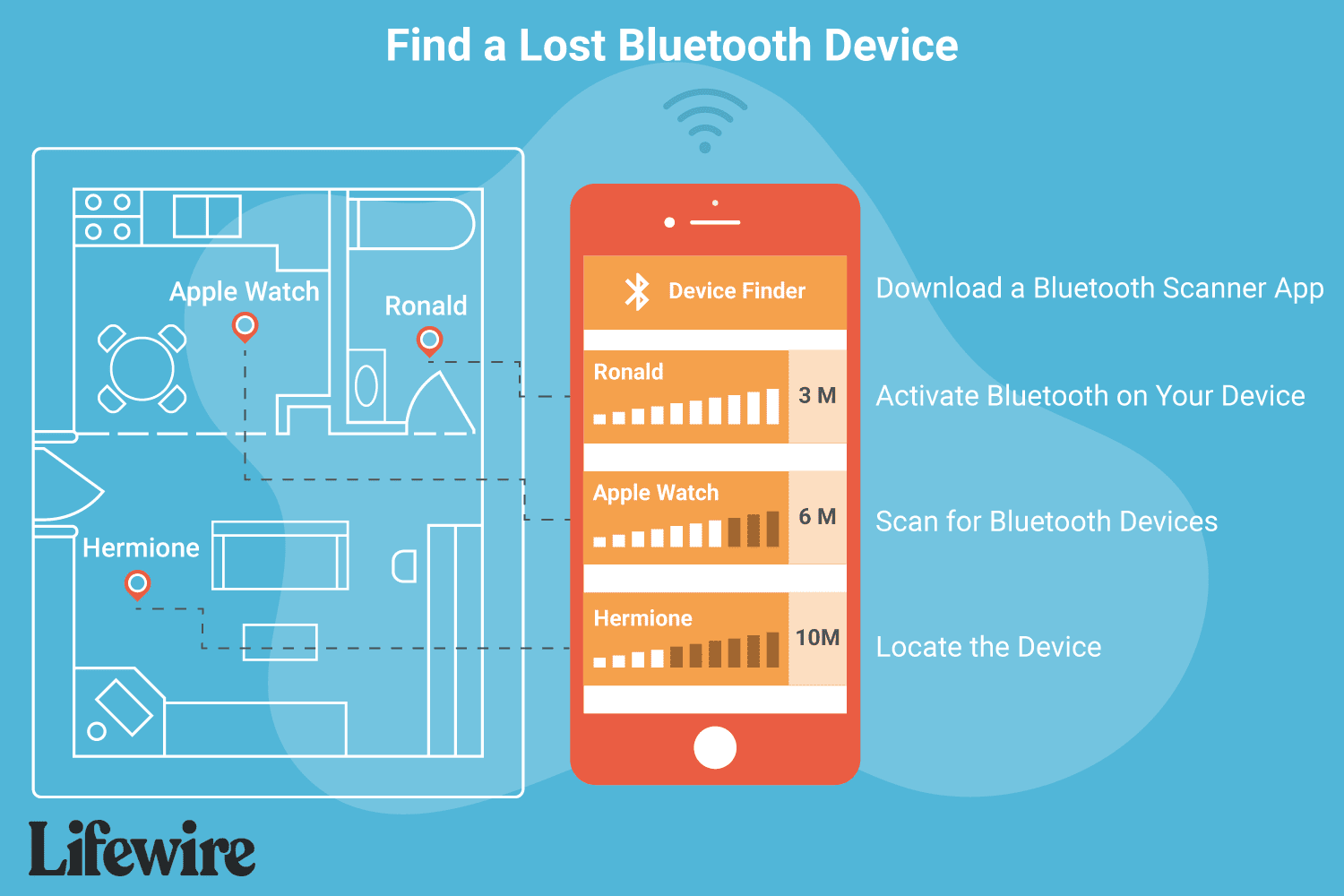
Begin scanning. Find the missing Bluetooth item in the list of discovered devices and note its signal strength. If it doesn’t appear, move around the area where you think it might be until it does.
-
Once the item appears on the list, try to locate it. A drop in signal strength means you’re moving away; an increase (e.g., from -10 dBm to -1 dBm) means you’re getting closer. Keep tracking until you find your device.
Tips for Finding Bluetooth Devices
While apps like LightBlue are useful for tracking Bluetooth devices, here are some additional tips that may assist you:
- Did you lose your headphones or some other audio device? If you’re actively connected to it over Bluetooth, turn on some loud music. Chances are, you can control the volume of the Bluetooth headset on the phone, so crank up the volume and listen for where the music is coming from.
- Some devices can be located through a dedicated finder tool. Assuming you set this up before your device went missing, the Find My app is how you can locate an iPhone and other Apple devices; Find My Device is Google’s tool for locating devices compatible with its network.
FAQ
-
How do I rename a Bluetooth device?
On most Android devices, to change the Bluetooth name, go to Settings > Connected devices > Connection preferences > Bluetooth > Device name. To rename on iOS devices, go to Settings > Bluetooth > Choose connected Bluetooth accessory > Name.
-
How do I unpair a Bluetooth device on my Android?
With Bluetooth turned on, go to Settings > Connected devices. Select the cogwheel next to the device you want to unpair, then choose Forget or Unpair.
Thanks for letting us know!
Subscribe
Tell us why!
Other
Not enough details
Hard to understand
