

Summary
- Key components like CPU, GPU, and RAM are mostly safe to buy used, and they can lead to significant savings.
- Do some research to figure out what parts you should buy and how much they should cost before pulling the trigger.
- The best places to buy used hardware include sites like Facebook Marketplace, eBay, and Jawa, but always test hardware in person if possible.
With so many games to play, there’s never been a better time to build a gaming PC. However, with the high cost of new hardware, it’s hard to justify the price, especially when second-hand options are often much cheaper. The only problem? Avoiding potential scammers.
Know What’s Worth Buying Used
Before we can talk about buying used computer parts, let’s first go over what parts are even worth buying second-hand, and which ones you should stay away from in most circumstances.
Generally speaking, the main “power” components—CPU, RAM, and GPU—are usually safe to buy used for a few key reasons. First, they’re among the most expensive parts of a build, so buying them second-hand can lead to very significant savings. Second, these components don’t degrade much over time, so as long as they work properly (more on that later), they can be a great deal.
Justin Duino / How-To Geek
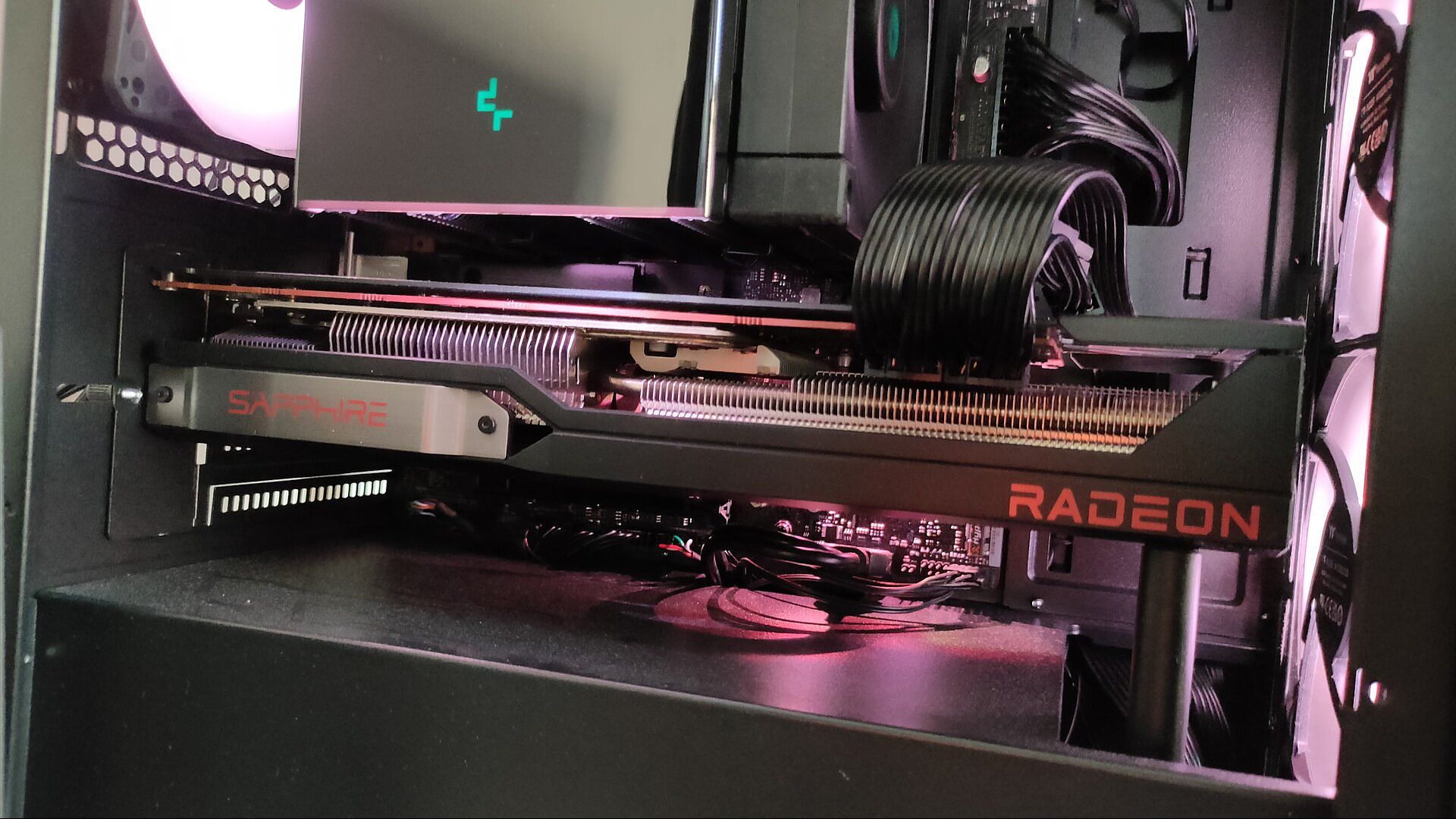
I’ve personally bought several used CPUs, RAM sticks, and GPUs without any issues. I even bought GPUs that mined cryptocurrency, and they still worked flawlessly. That said, your experience may vary, which is exactly why this guide is here to teach you how to buy this stuff and avoid problems.
Motherboards, CPU coolers, fans, RGB strips, computer cases, peripherals, and monitors are in the “maybe” category—these components degrade with age, but they do so slowly. If they don’t have any obvious issues, and you find a good deal, they’re worth buying.
Motherboards, in particular, are complex components; electronic components like capacitors and resistors can go bad and cause issues (the same applies to GPUs, but to a lesser extent). That said, if you’re buying an older CPU, a used motherboard might be your only option. Motherboards can be a slightly safer buy if you’re getting them bundled with the CPU and RAM.
Related
10 Tips For Building a Period Retro Gaming PC
Build the old-school PC of your dreams.
Devices you should be more cautious about include power supplies and storage (SSDs and HDDs). While a good power supply can last up to 10 years without issues, the risk just doesn’t justify the relatively low price of these components. Honestly, you’re better off buying a new budget PSU like the CORSAIR – CX-M Series instead of getting a $200 Platinum PSU for $50.
As for storage, both SSDs and HDDs degrade over time, so while they can be an okay purchase if you find a good deal, you’re still risking losing all your data. That said, if the seller has checked the storage health, and it’s above ~95%, then it could be an okay purchase.
Do Lots of Research Before Buying Anything
Now that you know what hardware is worth buying, it’s time to learn how to identify good deals. This step involves a bit of time and effort on your part, but trust me, every minute you spend learning about the current market prices will be well worth the savings in the end. Regardless of what component you’re planning on buying, you need to learn about the current market prices so that you can determine if the deal is worth the risk.
Start by setting your maximum budget for the component in question. Let’s say you have $400 to spend on a graphics card. First, learn a bit about the current offerings by NVIDIA, AMD, and Intel, then check how they stack up against the past two generations. For instance, AMD sells the RX 9060 XT 16GB for $349, and NVIDIA has the RTX 5060 Ti 8GB for $379. I’m skipping over the Intel B580 because it wouldn’t be a fair comparison given the card’s $250 MSRP.
Related
You Should Probably Wait Before Buying an Intel B580
A good deal with a potentially short expiration date.
Now, let’s see which older GPUs compare to the AMD RX 9060 XT 16GB and NVIDIA RTX 5060 Ti 8GB in terms of performance and price. On the AMD side, the RX 7700 XT (~$370–$400 used) and RX 6800 XT (~$360–$390 used) are strong contenders. NVIDIA’s closest equivalent is the RTX 3080 (~$380–$420 used). I personally picked up a used RX 6800 XT for $330 before the RX 9000 Series launched, and I’ve been very happy with the value I got.
Ismar Hrnjicevic / How-To Geek
Performance can vary quite a bit between these cards due to factors like ray tracing capabilities and upscaling technologies. Also, the new cards currently cost well above MSRP, and used cards cost more than usual, too, due to high demand. These are just rough comparisons, so take them as general estimates.
If you were able to buy the new cards at MSRP, they could actually be a better deal than these used cards. You might sacrifice a bit of raw performance, but you’re getting a warranty, better long-term driver support, and additional features like AMD FSR 4 and NVIDIA Multi-Frame Generation, which can boost performance significantly.
However, since new cards are currently priced well above MSRP, if you need a GPU right now, a well-priced used card is likely the better choice.
Related
How to Buy a Used Graphics Card Without Getting Scammed
A used GPU is a great way to save money on your PC build… as long as you don’t get scammed.
This situation highlights how quickly market conditions can change—a principle that applies to all types of hardware, not just GPUs. Always do your own research based on current prices and trends. Compare benchmarks for the hardware within your budget, but don’t forget to factor in long-term driver support, reliability, and other features.
Where to Buy and How to Recognize Scams
Lucas Gouveia / How-To Geek
The safest places to buy used computer parts are sites that sell refurbished goods, such as Micro Center, Amazon, and Newegg. While you’re unlikely to find the absolute lowest prices, it’s also much harder to get scammed. Many items are inspected, certified, and often include a warranty and return protection.
That said, if you’re looking for the best deals, you’re more likely to find them on general-purpose digital marketplaces like eBay or Facebook Marketplace. These platforms often include local listings, which let you save on shipping and inspect the item in person. Plus, with seller review systems in place, it’s easier to spot trustworthy listings and avoid scams. This is my preferred method for buying most things, especially expensive computer hardware.
Related
Building a Budget PC? 4 Reasons Why Last-Gen Hardware Still Rocks
Most of the performance for way less of the cost.
The third option is specialized used computer hardware platforms like Jawa, Swappa, and even subreddits like HardwareSwap. These sites fall somewhere between the previous two options—potentially better prices than retailers, but with fewer protections and deals than digital marketplaces.
Regardless of the platform, stick to the more popular listings and sellers to avoid scammers. The old proverb of “If something sounds too good to be true, it probably is” definitely holds true here. I’m not saying you should avoid the cheapest options on your site of choice, but be cautious. For example, if someone is selling a used RTX 4070 for $200 while most others list it at $400 or more, there’s a very good chance the card either doesn’t work or doesn’t even exist.
Once you contact the seller, if you find that they’re not answering your questions and are overly eager to sell you the item, be cautious. While there’s always the off chance they just need quick money, scammers often use this tactic to sell broken or stolen parts. They might say something like, “I have other buyers lined up, so if you don’t order now, someone else will take it!” Don’t fall for those tricks.
Inspect and Test the Hardware in Person (If Possible)
Ismar Hrnjicevic / How-To Geek
The most important step of all is to test the hardware in person. While not everyone will agree to these terms, and you might not always find the part you’re looking for locally, that’s okay. If you’re not in a rush, you can simply wait and keep an eye out for a local listing. I’ve bought and sold dozens of computer parts this way, having both had sellers test the hardware for me and tested hardware for my buyers.
Always meet in public, well-lit places when buying or selling used computer parts. Bring a friend if you can and trust your instincts—if something feels off, walk away.
The best and safest way to test hardware is to bring your own test rig to a public space with accessible power outlets where you won’t be disturbed, such as a coworking space or library. You could also ask a local tech shop if they can help you test for a small fee.
Once your test rig is set up, first inspect the computer part for physical wear or damage like bent motherboard (or CPU) pins, then run a stress test and benchmark for at least 15 minutes while monitoring GPU and CPU temperatures. Run a few demanding games as well, since these can reveal issues like GPU artifacting or overheating.
Also, don’t forget that this is your opportunity to ask questions. Don’t be shy—ask about the part’s history and if it has any issues that they’re aware of. If it’s a GPU, ask if the card was used for mining and if the thermal paste and pads have been replaced.
If your only option is to have the computer part shipped to you, contact the seller and ask them for a quick video showing the computer part in action. Even better, ask them for a quick video call and have them run a stress test and some games with MSI Afterburner or the GPU’s overlay enabled.
Related
A Crash-course in PC Benchmarking
The least you need to know in as little time as possible.
What to Do After the Purchase
Once you’ve finally brought the purchased computer part home, there are a few things that you should do. If it’s a dusty GPU or cooler, give it a thorough dusting and wipe it off with a microfiber cloth. If it’s a CPU, clean off the old thermal paste with rubbing alcohol. Next, add it to your PC if you’ve already bought the other components.
If it’s a motherboard or CPU, install the latest chipset drivers and consider updating the BIOS. If it’s a GPU, get the latest drivers. For storage, RAM, and fans, you generally don’t need to install anything, except RGB software if the components have RGB lighting.
Once everything is installed, I usually test the hardware thoroughly with stress tests and games one more time, especially if it’s a graphics card. For example, my friend bought the same graphics card from the same seller as me and only started experiencing problems under load during demanding games. He was able to get a replacement from the seller without issue, but if he hadn’t tested and reported the problem within a few days, the seller might have blamed him and refused the replacement.
Related
7 Things You Should Do After Buying a Used GPU
Get that old card back into shape.
Buying used computer hardware is one of the best ways to save hundreds of dollars on a new build, but only if you do it carefully. Know which parts are worth buying, avoid listings that seem too good to be true, and always test your hardware before committing. With a bit of patience and some hunting for deals, you can assemble a powerful gaming PC—and don’t be afraid to mix and match new and used parts!
