

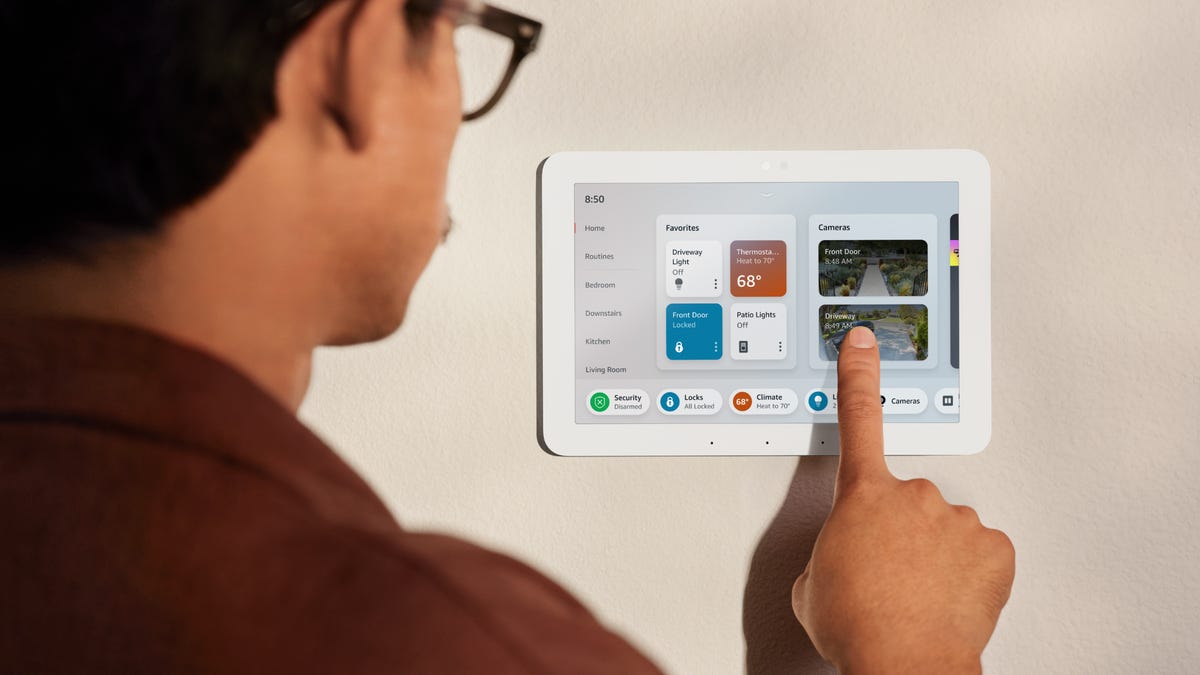
There are numerous reasons to set up the best smart home devices in your living space. For some, it’s about making their home more energy-efficient in the summer months; for others, it’s about making their homes safer with security cameras. A recent CNET survey found that 71% of US adults are taking action to prevent porch thefts, something smart home devices can help deter.
Years ago, having a smart home seemed like living in the future. Now, it’s easier than ever to make your home smart. After all, smart home devices are much more accessible and affordable, so anyone can have the smart home of their dreams. But if you’re just starting to look into making your home smarter, the number of choices can be intimidating, or perhaps you think it’s still very expensive or too technical.
Those concerns are valid, but smart homes are no longer just for techies or the one percent. Here, I’ll explain three easy steps for starting a smart home in 2025.
How to start a smart home
Getting started with a smart home can feel daunting, but it doesn’t have to. The first steps are picking the platform you want to manage your devices with, choosing a few devices, then making it all work together with programmed automations.
Stay with me, and by the end of this, you’ll be ready to begin your smart home journey.
Step 1. Decide on a platform: Google, Amazon or Apple
The Amazon Echo Show 5 is a great smart display for a nightstand or office desk. It provides visual feedback but doesn’t take up too much space.
You’ll first need to decide on a platform to connect and manage your devices. Doing this lets you have a single app to view, control and link together for automations. The smart home standard Matter has opened up interoperability between devices, which is great but also has drawbacks.
I recommend settling on one platform that connects devices from multiple brands and allows you to manage them from a single app. For beginners, we’re going to focus on Google, Amazon and Apple as primary options for a centralized platform. These are the most ubiquitous, and all three offer smart speakers that act as hubs for connecting and controlling your devices.
Using a smaller, third-party platform such as SmartThings, Home Assistant or Aqara can have benefits like flexibility in device connectivity and local processing, but they can also be more finicky. So, going with one of the big three mentioned above will be the best bet for beginners.
If you are an iPhone user with multiple other Apple devices in your home, the best option is Apple HomeKit. While the platform isn’t as robust in device compatibility as Amazon and Google, it is as reliable.
Your options for a hub include the HomePod or HomePod Mini. These smart speakers will help manage devices, allow for more compatibility and make the connections more reliable. But iPhone users aren’t required to use Apple’s smart home platform as Google and Amazon each have apps in the App Store to use those platforms.
The Apple HomePod Mini is a great gateway to starting a smart home for those in the Apple ecosystem as it gives access to Siri and is a Thread border router.
Android users should consider Amazon Alexa and Google Home when starting their smart home. Each platform is compatible with over 50,000 smart home devices from thousands of brands, with Alexa boasting over 100,000.
These two platforms have similarities, but the differences between them are stark. As expected, Google neatly integrates with other Google-owned devices and services like YouTube, Calendar, Gmail and Photos. The same goes for devices where you’ll get the best experience with products in the Google Nest ecosystem. Like Apple, Google’s smart speakers, displays and more can be your hub to connect devices, too.
Amazon Echo devices are available in many styles, but all can be great home assistants.
Amazon Alexa is the only platform with a Zigbee and Matter control built into its Echo speakers and displays. This feature gives the brand a leg up on the competition. As I said before, there is a tight race between Amazon and Google, and the differences will determine your choice. Amazon connects perfectly with Ring products and offers services like Prime Music, Prime Video and others you won’t find on other platforms.
Amazon is also continually improving Alexa, now with a more conversational Alexa Plus. Not only will Alexa Plus be more conversational, but it can also handle more complex commands and even make shopping on Amazon easier than ever. There are also some new AI features like searching through your home security videos or controlling music or movies with your voice. However, Alexa Plus comes at a cost of $20 a month.
While a CNET survey found that about half of US adults (50%) use a home voice assistant since the beginning of the year, Alexa is the most popular among US adults at 27%. Despite that fact, over 50% of Alexa users wouldn’t pay extra for Alexa Plus, as cost and privacy are major concerns.
When considering your platform of choice’s hub, I strongly recommend getting a smart display over a smart speaker if you only get one and can afford it. This is because you can watch Netflix, YouTube and other video services, view your camera and video doorbell feeds and control your other smart devices. For Amazon Alexa, I would go for the Echo Show 8, for Google, the Nest Hub Max and Apple doesn’t have a smart display at this time.
Step 2. Choose a few devices that are easy to integrate
Smart devices come in many shapes and styles, but you don’t have to spend a lot of money to get them.
Picking a platform is essential but isn’t the most fun part of a smart home. That is when you get to start choosing fun devices. Knowing where to start can get overwhelming with so many devices. Aside from the smart speaker or display from the chosen platform, I recommend smart lights or smart plugs as their beginning devices.
These devices offer high impact for low effort and are also some of the most affordable. Smart lights are dimmable and can be set to over 16 million colors, depending on which bulb you choose — we recommend bulbs from Wiz. Of course, getting smart lights means you can control them from anywhere and set schedules to operate automatically.
Nanoleaf light panels are a great way to add ambience to a room in a unique way, and the Element panels add warmth too.
Smart Plugs are very similar to lighting in what’s possible for a low cost. Smart plugs bring smart functionality to things like lamps, coffee makers, fans, etc. Being able to schedule appliances to power on and off automatically and control them remotely can be helpful for many. There are many ways you can use a smart plug to add convenience and functionality to your home.
Of course, there are far more options than plugs and lights for your smart home. Another popular addition is a video doorbell; our top pick here is the Arlo Video Doorbell 2K. These devices are great for keeping an eye on your front door, chatting with visitors and keeping tabs on who’s coming and going, even when you can’t be. Pair your video doorbell with a security camera and lock for more peace of mind, both of which can be controlled through your new smart home hub.
There is likely a smart version of almost every home appliance, including thermostats, vacuum cleaners, lawn mowers, outdoor plugs, light switches, ovens and more.
Step 3. Set up routines and automations
Smart plugs are a quick and easy way to add not only remote control over appliances but also automations.
Once you’re comfortable adding and controlling smart home devices, you can start automating your burgeoning smart home. While there are plenty of complex and unique automations, including these four I love using in my home, it’s best to start simple.
Start by creating a routine for Alexa to turn on your living room lights at sunset or set an automation for your Google Home to start the coffee pot in the morning. These automations are ones I use daily and find impactful. I also connect devices to sensors like this Aqara Motion and Light Sensor P2 for detecting motion in a space or an Eve Door & Window Smart Contact Sensor to can tell you when a door or window has been opened or closed. These sensors, paired with other smart devices, add new layers to your smart home automations.
Google Home is gaining integration from Gemini to help out with Assistant.
A smart home gets more advanced as you begin linking multiple devices for automations. For example, if the temperature in the house reaches a specific temperature to turn on the AC, a fan, close the blinds and turn some lights on. Some third-party services, like IFTTT, provide more ways to automate devices than what’s available in your central platform app and can connect services Google, Amazon or Apple allow.
Once you have a handle on your smart home with a few devices and automations under your belt, you can begin tinkering with different settings and devices to fine-tune your setup. Then, you can start using your smart home for holiday fun, like setting a spooky scene for Halloween. We’ve also put a smart home cheat sheet together to help you along in your journey to find all the fun ways to use your smart home.
