
Close Menu
TechurzTechurz

    Subscribe to Updates

    Get the latest creative news from FooBar about art, design and business.

    What's Hot

    How to get into a16z’s super-competitive Speedrun startup accelerator program

    February 11, 2026

    Twilio co-founder’s fusion power startup raises $450M from Bessemer and Alphabet’s GV

    February 11, 2026

    UpScrolled’s social network is struggling to moderate hate speech after fast growth

    February 11, 2026
    Facebook X (Twitter) Instagram
    Trending
    • How to get into a16z’s super-competitive Speedrun startup accelerator program
    • Twilio co-founder’s fusion power startup raises $450M from Bessemer and Alphabet’s GV
    • UpScrolled’s social network is struggling to moderate hate speech after fast growth
    • Upside Robotics is reducing fertilizer use and waste in corn crops
    • Integrate raises $17M to move defense project management into the 21st century
    • Build a pipeline and close deals with an exhibit table at Disrupt 2026
    • Humanoid robot startup Apptronik has now raised $935M at a $5B+ valuation
    • This Sequoia-backed lab thinks the brain is ‘the floor, not the ceiling’ for AI
    Facebook X (Twitter) Instagram Pinterest Vimeo
    TechurzTechurz
    • Home
    • AI
    • Apps
    • News
    • Guides
    • Opinion
    • Reviews
    • Security
    • Startups
    TechurzTechurz
    Home»Security»Lock down your AT&T account to prevent SIM swapping attacks – here’s how
    Security

    Lock down your AT&T account to prevent SIM swapping attacks – here’s how

    TechurzBy TechurzJuly 1, 2025No Comments3 Mins Read
    Share Facebook Twitter Pinterest LinkedIn Tumblr Reddit Telegram Email
    Lock down your AT&T account to prevent SIM swapping attacks - here's how
    Share
    Facebook Twitter LinkedIn Pinterest Email


    AT&T

    SIM swapping is a popular type of fraud in which someone transfers your mobile number to a SIM in their own device. By intercepting any messages or phone calls sent to you, they’re able to access your two-factor authentication codes and other sensitive information. Now, AT&T is offering customers a way to combat this kind of crime.

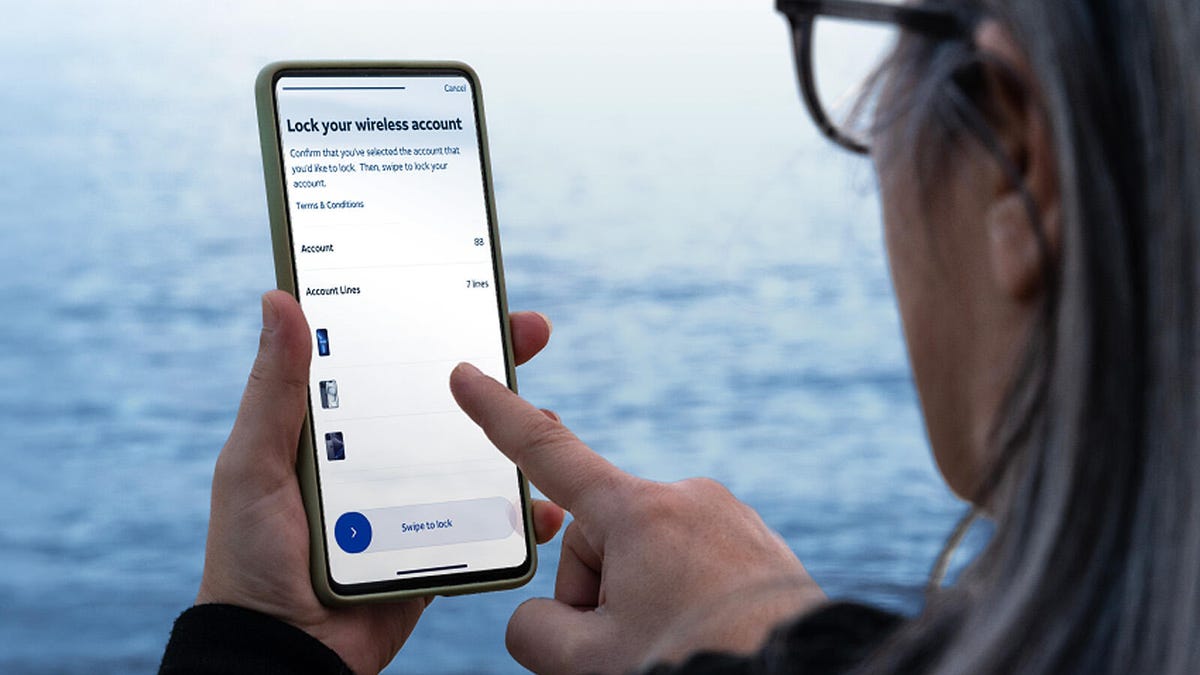
    Available starting today, Wireless Account Lock is an option for AT&T subscribers with postpaid or prepaid wireless accounts. Simply by turning on a switch in the myAT&T app, you can enable Account Lock to prevent unauthorized changes to your account and phone lines.

    Also: Your Android phone is getting a big security upgrade for free – here’s what’s new

    Wireless Account Lock prevents a variety of actions, including:

    • Upgrading your device to a new one
    • Changing a SIM card or eSIM
    • Changing a phone number
    • Transferring a phone number to a different device
    • Changing your billing information
    • Changing the authorized users for your account

    Certain actions are still allowed with Wireless Account Lock turned on. These include:

    • Making a payment
    • Setting up payment arrangements
    • Enrolling in AutoPay
    • Making changes to your plans and add-ons
    • Suspending your service
    • Unlocking a device
    • Managing NumberSync
    • Changing your E911 address
    • Changing your voicemail password

    You can apply Wireless Account Lock to any device on your postpaid or prepaid mobile account with AT&T, including smartphones, tablets, smartwatches, hotspots, and laptops. You need to be the account owner or have primary or secondary access to the account to do this.

    1. To get started, download the myAT&T app for iOS or Android if you don’t already have it.
    2. Sign in to the app and select the number that you want to lock.
    3. Tap Continue, select Profile & Settings, and then tap Account Info & Preferences.
    4. Under Wireless Account Lock, turn on the switch to enable it. Here, you can also disable it when you want to make any otherwise blocked changes to your account.
    5. In response, AT&T will send a confirmation email to your email address and a text to your mobile device.

    Also: 7 ways to lock down your phone’s security – before it’s too late

    Wireless Account Lock isn’t just for consumers. AT&T offers the same feature for business accounts. Like the consumer version, the business variant will prevent device upgrades, SIM or eSIM changes, number transfers, and other actions.

    To enable or disable Account Lock in this instance, sign in to your AT&T business account. Select Account lock settings and turn on Account lock. Here, you’re also able to include or exclude specific features when Account Lock is enabled.

    AT&T now joins the other two major US mobile carriers in trying to help customers combat SIM swapping attacks.

    T-Mobile offers a SIM Protection feature for both postpaid and prepaid accounts. Using the T-Mobile website or the T-Life app for iOS or Android, you’re able to flip the switch to enable this protection. 

    Also: How I upgraded my home Wi-Fi with a VPN-ready router (and why it makes such a big difference)

    Verizon’s SIM Protection and Number Lock features are also accessible to postpaid and prepaid subscribers. Instructions and controls for enabling both options are available on the My Verizon website and the My Verizon app.

    Get the morning’s top stories in your inbox each day with our Tech Today newsletter.

    Account ATT attacks Heres lock prevent sim swapping
    Share. Facebook Twitter Pinterest LinkedIn Tumblr Email
    Previous ArticleThreads now has DMs | The Verge
    Next Article Cloudflare will now block AI bots from crawling its clients’ websites by default
    Techurz
    • Website

    Related Posts

    Opinion

    Supabase hit $5B by turning down million-dollar contracts. Here’s why.

    November 28, 2025
    Opinion

    Astro Teller isn’t afraid of killing ideas; here’s why

    November 18, 2025
    Security

    AI is becoming introspective – and that ‘should be monitored carefully,’ warns Anthropic

    November 3, 2025
    Add A Comment
    Leave A Reply Cancel Reply

    Top Posts

    College social app Fizz expands into grocery delivery

    September 3, 20251,466 Views

    A Former Apple Luminary Sets Out to Create the Ultimate GPU Software

    September 25, 202514 Views

    The Reason Murderbot’s Tone Feels Off

    May 14, 202511 Views
    Stay In Touch
    • Facebook
    • YouTube
    • TikTok
    • WhatsApp
    • Twitter
    • Instagram
    Latest Reviews

    Subscribe to Updates

    Get the latest tech news from FooBar about tech, design and biz.

    Most Popular

    College social app Fizz expands into grocery delivery

    September 3, 20251,466 Views

    A Former Apple Luminary Sets Out to Create the Ultimate GPU Software

    September 25, 202514 Views

    The Reason Murderbot’s Tone Feels Off

    May 14, 202511 Views
    Our Picks

    How to get into a16z’s super-competitive Speedrun startup accelerator program

    February 11, 2026

    Twilio co-founder’s fusion power startup raises $450M from Bessemer and Alphabet’s GV

    February 11, 2026

    UpScrolled’s social network is struggling to moderate hate speech after fast growth

    February 11, 2026

    Subscribe to Updates

    Get the latest creative news from FooBar about art, design and business.

    Facebook X (Twitter) Instagram Pinterest
    • About Us
    • Contact Us
    • Privacy Policy
    • Terms and Conditions
    • Disclaimer
    © 2026 techurz. Designed by Pro.

    Type above and press Enter to search. Press Esc to cancel.