

At a glance
Expert’s Rating
Pros
- Impressive connectivity
- 100W power for charging laptop
- Competitive price
- Gaming port for wireless keyboard/mouse
Cons
- Just one USB 4 port
- No Thunderbolt support
- Modest data transfer speeds
- Unclear info relating to dual-display support
Our Verdict
The use of USB rather than Thunderbolt means that the USB 4 Dock isn’t aimed at professional users who need high-speed data transfer. However, it does provide dual-display support (60Hz) along with an impressive selection of ports and connectors for general use in an office, and a competitive price.
Price When Reviewed
This value will show the geolocated pricing text for product undefined
Best Pricing Today
Best Prices Today: Razer USB 4 Dock
$229.99
- Type: USB-C/USB-A dock
- Ports: 14 (13 available for peripherals)
- Power: 100W for laptop; 180W max
- External Displays: 1x 4K at 120Hz, or 2x 4K at 60Hz
Razer is best known for its range of high-end gaming gear, which is mostly designed for Windows PCs, but it also makes a number of more down-to-earth accessories that are suitable for general use at home or in an office. It makes several docks and hubs that can be used with Macs and PCs, including a fairly expensive Thunderbolt 4 dock that weighs in at around $300/£300.
Now it has launched the less expensive ‘USB 4 Dock’, which manages to provide dual-monitor support along with an impressive selection of ports and connectors for the considerably lower price of $229.99/£229.99 (and Razer prefers USB 4 rather than the official USB4).
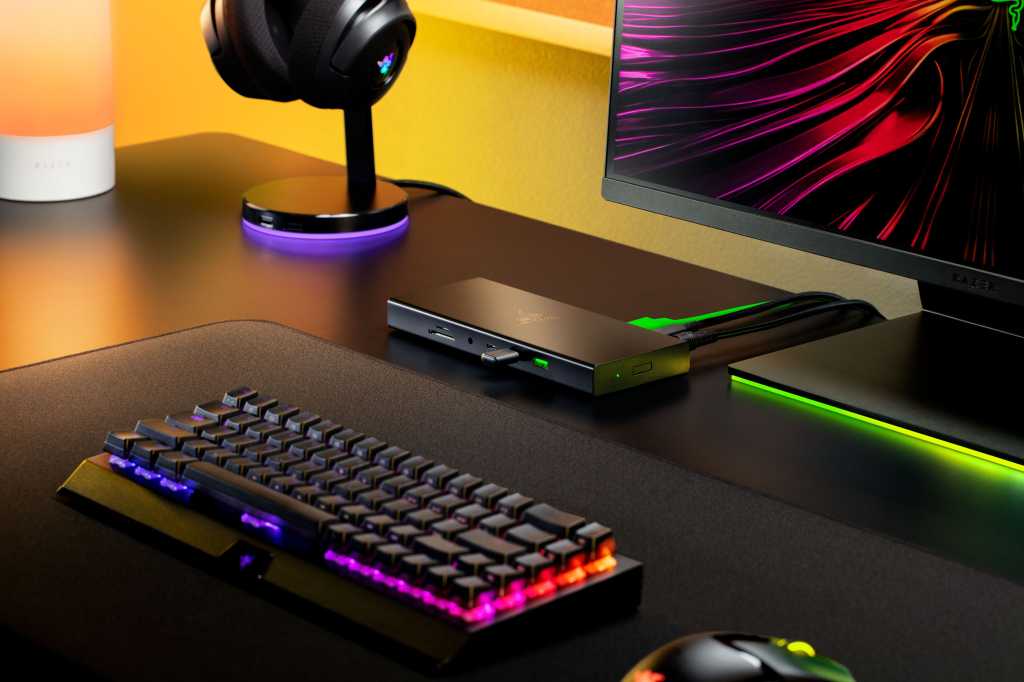
Available in black or Mercury White – which is really just silver, and very similar in tone to the M4 Mac mini – the USB 4 Dock is neatly designed and very sturdily built. The body of the dock is made out of anodized aluminium, which feels very solid and also has a smooth, scratch-resistant finish that looks very smart.
It’s quite compact too, given that Razer has managed to squeeze in no less than 14 separate ports and connectors – although it’s worth noting that the main USB4 port is used to connect the dock to your Mac, leaving 13 ports that are available for connecting a monitor and other accessories.
The USB 4 Dock measures just 22mm high, 190mm wide and 80mm deep, and is fairly light too, weighing 1.1kg, and Razer’s web site does make a point of referring to its “portable design”.
However, it neglects to mention the additional mains power supply that is also included in the box. The power supply is almost as large as the dock itself, and slightly heavier, so the USB 4 Dock really isn’t going to stray very far from your desk at home or in the office. It is, however, very versatile, as that chunky power supply provides 100W of power for charging a MacBook or a PC laptop, along with additional power for all the other ports and connectors on the dock.
On the back of the dock you’ll find the main USB4 port – with USB-C connector – which is used to connect your MacBook or other computer to the dock (with USB4 cable included in the box). Alongside this are both HDMI 2.1 and DisplayPort 1.4 connectors for connecting external monitors – but, again, Razer’s web site proves to be a little unclear here.
The website refers to the dock’s support for dual displays and seems to imply that the first display can run at 4K resolution with 120Hz refresh rate, with a second 4K display running at 60Hz. However, our discussions with Razer confirmed that the USB 4 Dock can run a single 4K display at 120Hz, or two 4K displays at 60Hz, so that’s something to remember if you’re planning to use the USB 4 Dock as part of a multi-monitor set-up.
The rest of the dock’s features are more straightforward. Also located on the back panel is a Gigabit Ethernet port for a wired network connection, and three USB-A (3.2) ports, two of which provide data transfer of 10Gbps while the third runs at 5Gbps. There are even more USB ports on the front as well – two USB-C and one USB-A, with all three running at 10Gbps. And, to keep Razer’s gaming audience happy, there’s one last USB-A port located all on its own on the left-hand edge of the dock, which is specifically designed to hold a 2.4GHz wireless dongle that can provide a low-latency connection for a wireless keyboard and mouse.
The dock provides good audio support too, as the front panel houses a 3.5mm audio connector, which can work with either a microphone or a set of wired headphones. There are also two slots on the front for SD and MicroSD memory cards, for transferring photos or video from a camera.
It’s worth noting though, that there’s just that one USB4 port on the back, which is used to connect your MacBook to the dock, with all the other USB ports supporting USB 3.2. If you need higher performance – perhaps for backing up large video or graphics files onto an SSD – then you may need to look at a more expensive Thunderbolt dock instead.
However, the strength of the USB 4 Dock is its sheer versatility, with 13 ports and connectors available for attaching peripherals and accessories, and the ability to power and charge multiple devices all at the same time.
Should you buy the Razer USB 4 Dock?
Professional users who need the full speed of Thunderbolt 4 – or even Thunderbolt 5 on the latest Macs with M4 Pro chips – might prefer a more expensive Thunderbolt dock for working with large video or graphics files. The USB 4 Dock isn’t in that league for sheer performance, but its versatile selection of ports and connectors will be a real boon for people – like me – who have a selection of SSDs, webcam, keyboard and other accessories in their office that they need to use with their Mac every day.
For more USB Docks to consider for your Mac, read our round up of the Best Thunderbolt and USB-C docking stations.
Connectivity
- 1x USB4 (USB-C) for host computer
- 1x HDMI 2.1
- 1x DisplayPort 1.4
- 2x USB-C (10Gbps)
- 3x USB-A (10Gbps)
- 1x USB-A (5Gbps)
- 1x USB-A (for wireless adaptor)
- 1x Gigabit Ethernet
- 1x 3.5mm audio in/out
- 1x SD
- 1x MicroSD
