

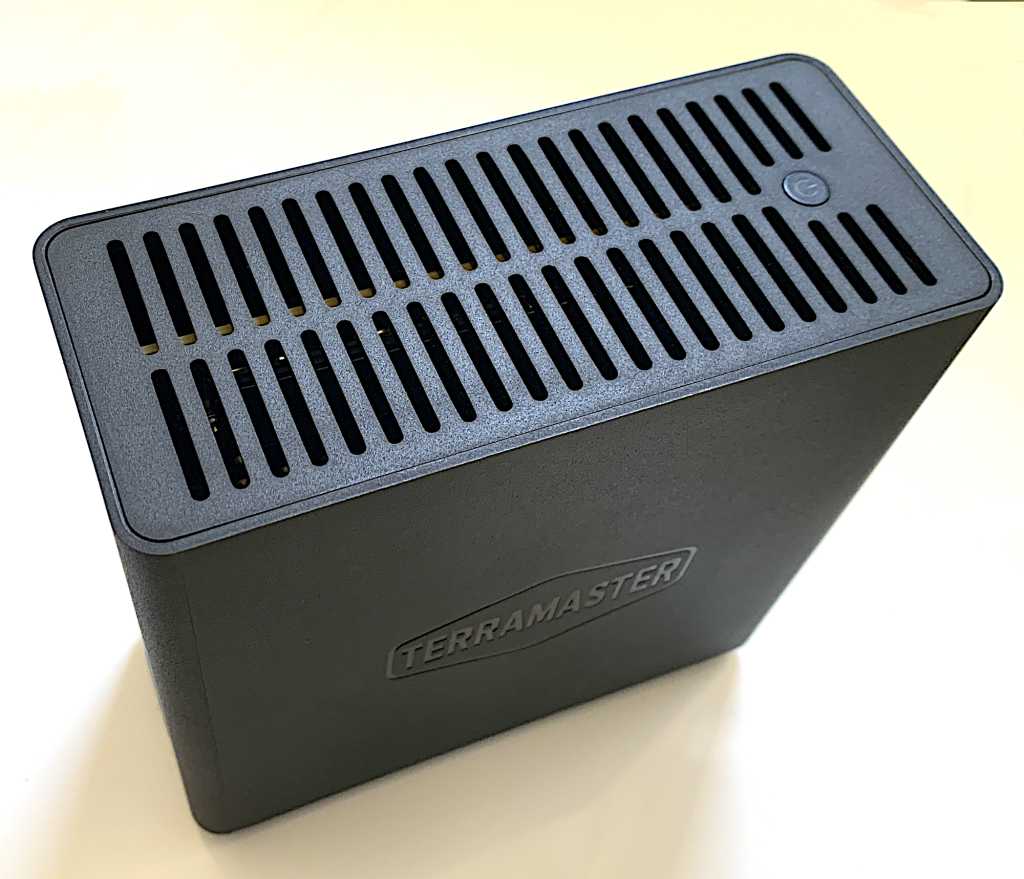
At a glance
Pros
- Easy to populate and use
- Up to 32TB (8TB SSDs) of external storage
- Good performance in single (20GBps) or RAID 0 (40Gbps)
Cons
- Paltry paper documentation
- RAID only via software
Our Verdict
If you want to add gobs of fast storage to your Mac, there’s hardly a better way than TerraMaster’s four-slot USB4 D4 SSD. You provide the NVMe SSDs, but you get nearly 4GBps transfers from them in RAID 0 and 1.8GBps individually.
Price When Reviewed
This value will show the geolocated pricing text for product undefined
Best Pricing Today
Best Prices Today: TerraMaster D4 SSD
$299.99
With Apple’s rather pricey and then some internal storage upgrades, you can get a lot more bang (capacity) for your buck with external solutions. Not that the 4-drive TerraMaster D4 SSD is cheap at $300 sans drives, but even after you add SSDs, it’s a lot less expensive per GB than what Apple charges you.
What are the TerraMaster D4 SSD’s features?
The TerraMaster D4 SSD is a 4-slot (M.2/NVMe) external enclosure utilizing the 40Gbps USB4 protocol. That’s basically Thunderbolt 4 but with better backward and forward compatibility than USB3.2×2. You can see the interior in the image below.
The D4 SSD measures 5.5 inches deep and tall, by about 2.35 inches wide. Relatively speaking, it’s a featherweight for a desktop drive, weighing in at roughly 14.5 ounces, including SSDs. I’d leave it on its side if it’s to be placed in any location where humans might inadvertently knock it about.
Note the additional screw holes so you can fit shorter NVMe SSDs if you want.
I was not in love with the documentation that shipped with the D4, primarily because all they show you is a picture of screwing a 2280 NVMe drive into something that might or might not be the D4. Then there are scan codes for apps, etc.
The 40Gbps USB4/Thunderbolt 4 port, thumb screw, and 12 volt DC port on the back of the D4 SSD.
I prefer not to use my phone in any way shape or form to set up or access storage devices. And I didn’t. Setting up the D4 SSD isn’t rocket science. Removing a single thumb screw allows access to the interior and from there it’s simply the usual M.2 install procedure.
TerraMaster absolutely didn’t want the D4 overheating as you can tell from the two large fans on the bottom of the unit.
Two very large (for the case size) fans keep the D4 SSD very cool and without a lot of noise.
How much is the TerraMaster D4 SSD?
I already gave away the $300 unpopulated price tag, but factoring in current bargain NVMe SSD prices the D4 SSD with 4TB will be around $600, with 8TB around $800 – $850, with 16TB around $1300, and with 32TB approximately $2900.
Okay, that seems a bit pricey when I checked last, an internal 8TB SSD in a Max 4 Studio was $2400. Ahem.
How fast is the TerraMaster D4 SSD?
The speed of the D4 SSD varies with how you use the SSDs inside. If you use them as individual storage devices, you’ll get roughly 1.6 – 1.7GBps . If you use macOS’s RAID and combine them in a RAID 0 array, you’ll get well upwards of 3GB per second.
Note that while I’ve never been a fan of running hard drives in pure RAID 0, I don’t have the same trepidation with far more reliable SSDs.
I tested the D4 SSD on a M4 Mac Studio both using macOS’s software RAID in striped mode 0 and individually. The results were strikingly similar on PCWorld’s test bed, though I haven’t listed those results because of that very redundancy.
As usual, Disk Speed Test was far more conservative on its estimation of write speed than AmorphousDiskMark and ATTO. 2.2GBps writing, and 3.3GBps reading.
BlackMagicDesign’s Disk Speed Test rated the D4 SSD as just a tad slower than the other synthetic benchmarks.
AmorphousDiskMark measured the D4 SSD in RAID 0 at 3.85GBps reading and nearly 3.1GBps writing.
ATTO had read speeds maxing out at around 3.75GBps and write speeds are 2.9GBps.
All the synthetic benchmarks agreed on around 1.5-1.6GBps reading and writing when the SSDs inside the D4 SSD are used individually.
dfgh
sdfgsdfg
Should you buy the TerraMaster D4 SSD?
Though I’d like it to be a little more affordable, the D4 SSD is still a great way to add a ton of fast NVMe storage to your system. I’m sanguine about SSD longevity, so I won’t even say run it in mirrored mode for safekeeping. That aside, always back up your essential data.
