

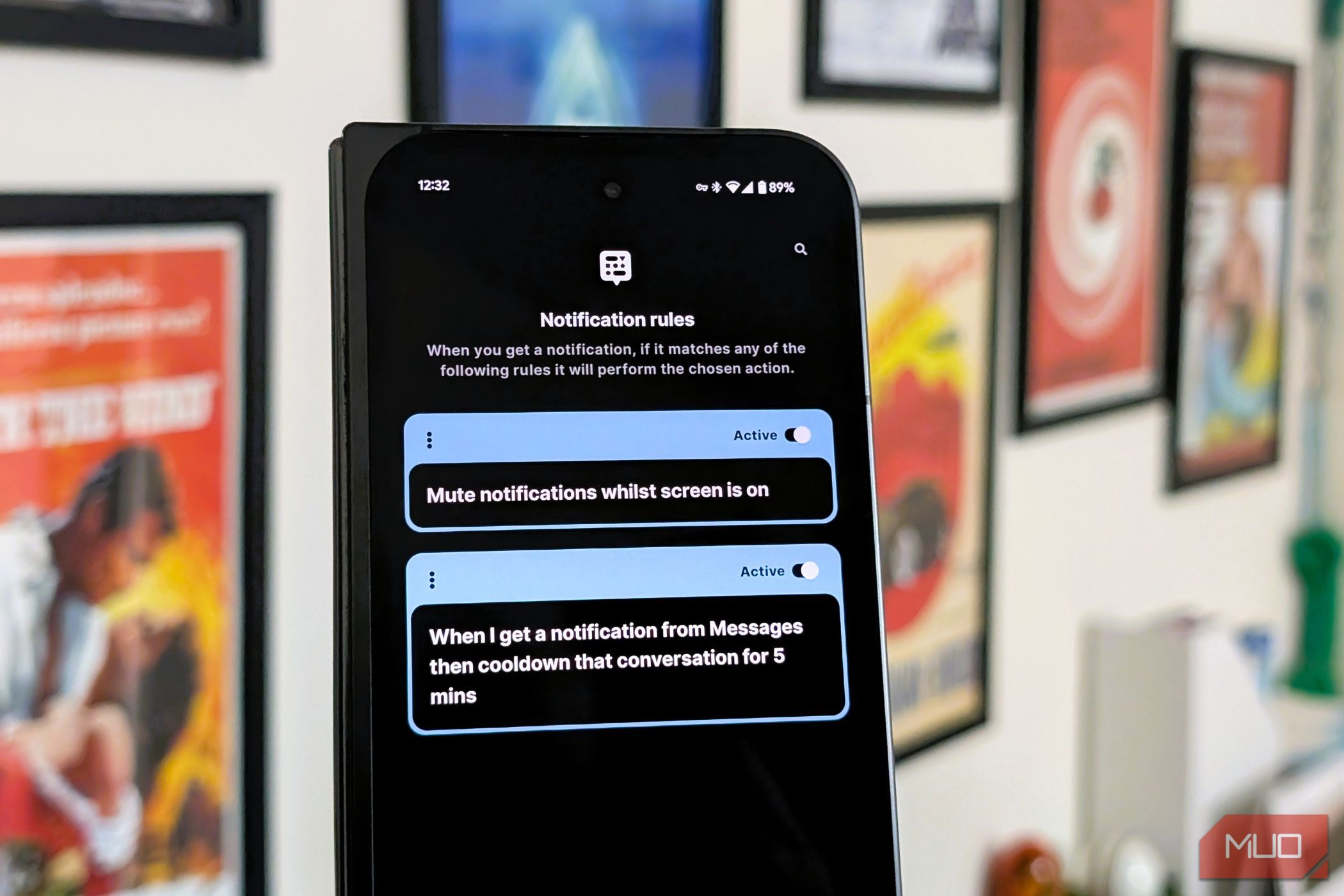
Notifications are supposed to help. But most days, they just hijack your sanity. BuzzKill offers a smarter way to manage the noise, letting you fine-tune exactly which alerts get through so your phone feels less like a megaphone and more like a well-trained assistant.
Granular Notification Control
BuzzKill’s core strength lies in its ability to provide incredibly granular control over how Android notifications behave. While Android itself offers some notification management, BuzzKill takes it to a whole new level. The app isn’t content with merely silencing notifications. Instead, it allows you to define what qualifies as distracting noise and what actually warrants your attention.
Instead of simply blocking or allowing notifications from entire apps, BuzzKill allows you to create custom rules that filter and modify notifications based on specific criteria. These rules can be tailored to an astonishing degree—almost reminiscent of how you might set up filters in Gmail to manage where your emails go.
You can filter notifications by app, keywords (specific words or phrases within the notification text), sender, etc. But the filtering is only half the story. BuzzKill also lets you define actions to be taken when a notification matches your criteria.
These actions include setting custom sounds or vibration patterns for specific notifications (I can distinguish between a text from my wife and a generic app update!), automatically dismissing notifications that you don’t want to see, or even sending an automated reply to messages for acknowledge them when you’re busy. The app will even remind you of a notification until you mark it as seen or snooze it entirely.
This combination of granular filtering and powerful actions makes BuzzKill an incredibly versatile tool. Unlike the native notification settings on most smartphones, which are largely binary—mute or not—BuzzKill lets you create multi-layered rules, which means you’re not forced into the all-or-nothing decisions that the default system and other notification management apps often impose.
Powerful, But Not Always Intuitive
While BuzzKill’s power is undeniable, it comes at the cost of some initial complexity. While clean and functional, the app’s interface can feel overwhelming at first, especially for those unfamiliar with automation tools.
It uses a system of “conditions” and “actions.” while logical, these settings aren’t always immediately intuitive. Setting up rules requires an understanding of the app’s structure, and the multitude of options may overwhelm those unfamiliar with such customization.
The app does provide some helpful examples, but the art and science of creating rules involves a bit of a learning curve. Plus, the sheer number of available actions can lead to an initial sense of decision paralysis.
If you’re new to the world of automation, prepare for a bit of trial and error before you settle on the perfect configuration. Once you’ve invested the time to set up your rules, though, the benefits far outweigh the initial learning curve.
Buzzkill in the Real World
MakeUseOf / Abhishek Baxi
The true test of any app is not in its promise but in how effortlessly it integrates into your daily life, and BuzzKill shines when put to real-world use.
I’m part of several active group chats, which bombard me with notifications throughout the day. Multiple messages often surge within a short period on these apps. With BuzzKill, you can create rules to snooze message notifications from these groups and deliver them in a batch every few hours. This allows me to stay updated without being constantly interrupted.
Of course, I’ve also set up rules to give special attention to notifications from my family and close friends, as well as some important work contacts. These notifications have a unique sound and vibration pattern, ensuring that I never miss an important message. On the other hand, BuzzKill allows me to automatically dismiss notifications from apps that send a constant stream of promotional or informational notifications that I find irrelevant. This is especially helpful when an app doesn’t make it easy to disable those notifications on its own.
Another scenario where BuzzKill proves indispensable is during leisure time. Often, when trying to enjoy a moment of downtime, incessant pings can abruptly disrupt your peace. With a few well-crafted rules, you can ensure that only notifications from select apps break through your downtime’s calm. You can set similar rules for your work hours as well to minimize distractions.
These are just a few examples of how I’m using BuzzKill to customize and control notifications. The possibilities are virtually endless, and the app can be adapted to fit a wide range of individual needs and preferences.
5 Hacks I Use to Declutter My Android Notifications
Cut through the noise.
Download: BuzzKill Notification Manager ($3.99)
By allowing users to customize and control notifications with precision, BuzzKill transforms the chaotic influx of alerts into a manageable stream of information. And while the learning curve could initially seem steep, the payoff—a quieter, more intentional digital existence—is invaluable. The only downside is the learning curve to get started, and the buy-in price.
But there’s a distinct satisfaction in knowing that your phone isn’t dictated by the whims of every notification it receives. In an age where smartphones constantly vie for our attention, this is almost crucial for one’s mental well-being.
