

Screenshot by Jack Wallen/ZDNET
Follow ZDNET: Add us as a preferred source on Google.
ZDNET’s key takeaways
- Voyager Linux is a brilliant option for new users.
- With a customized GNOME desktop, anyone can use this OS.
- The newest release is still in alpha.
Voyager Linux is one of those distributions that tends to go under the radar, which is a shame because it’s so good.
That’s why I’m here.
I’ve reviewed Voyager Linux before (back in 2023) and found it to be user-friendly and elegant.
Now, there’s a new version on the horizon, and I decided to test the alpha release.
I’m brave like that.
Also: 7 Linux terminal basics every beginner should learn first – and why
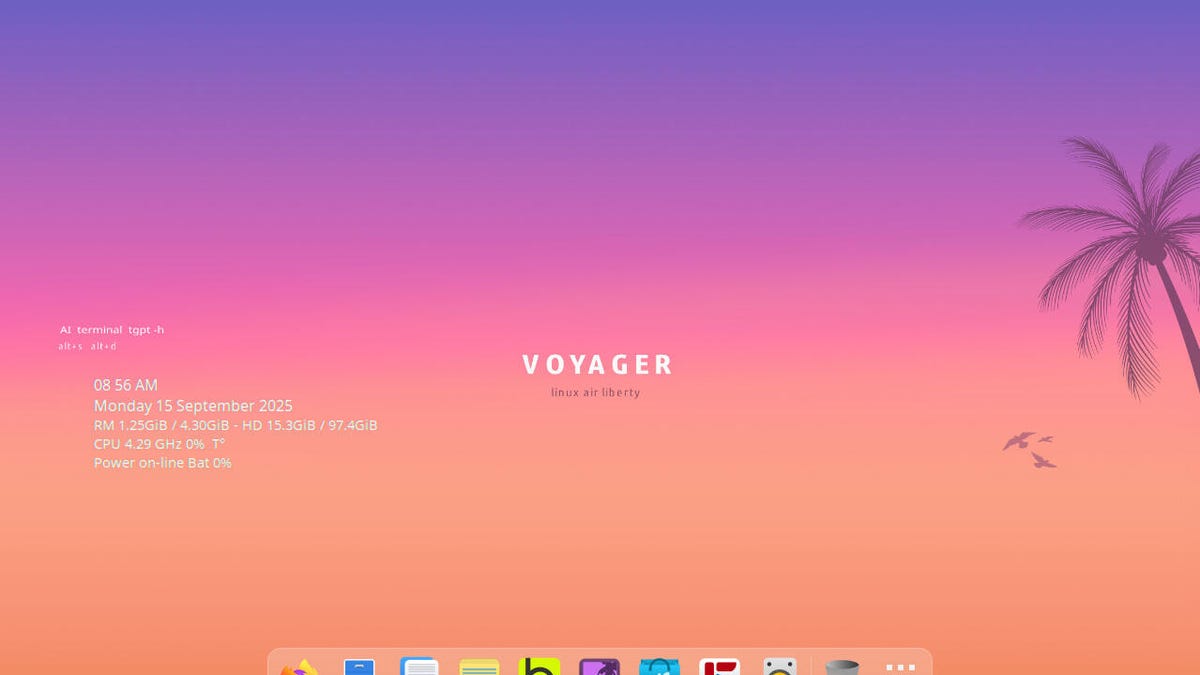
Voyager Linux 25.10 alpha uses a slightly customized GNOME environment to create a desktop that is as clean and elegant as MacOS (at least until we have the new Glass UI). It employs Conky to add a bit of system information (which isn’t really necessary for those new to Linux, but it’s still pretty cool), and includes a handy tool called Box Voyager GNOME. This added feature serves as a hub for various configurations, such as Night Mode, Wallpapers, ChatGPT, GNOME Extensions, Conky, Wine/Gaming, Parental controls, backup, and more.
You can configure and customize all sorts of things from this app.
Screenshot by Jack Wallen/ZDNET
As far as the GNOME desktop is concerned, Voyager follows the dock/panel approach. Its dock, which is nice and slightly transparent, houses application launchers and the app menu, while the top panel adds workspace control, another app menu, and a system tray. The layout is simple enough to use that anyone could log in and feel as if they know what they are doing.
But let’s say you’ve tried a GNOME-based Linux distribution and found it not to your liking because the UI is too different. With Voyager, you have options. For example, instead of using the GNOME App Overview, you can click on the “U” at the top left corner to reveal a more traditional menu.
The ArcMenu gives you a more traditional access to your apps.
Screenshot by Jack Wallen/ZDNET
Let’s say you’re a gamer. What does Voyager have to offer? If you go back to the Box Voyager tool and click on the Wine+Gaming entry, you’ll find options for installing all the tools you need to game on Linux. That includes Wine, Wine Config, Steam, Proton, Lutris, Heroic Games Launcher, PlayOnLinux, Q4wine, and more. If I click on Steam, it opens the app store, where all I have to do is click Install to add Steam to the OS.
Also: 7 most Windows-like Linux distros – if you’re ready to ditch Microsoft
The developers of Voyager really have something special with this tool. My only criticism would be that it could probably use a more obvious name. A new user might see Box Voyager GNOME and not know what purpose it serves. Or, better yet, just have that tool launch at login and give it a more descriptive UI.
That’s a pretty small nit to pick, but I believe it’s an important one.
Default apps
Voyager Linux ships with plenty of preinstalled apps, such as LibreOffice, Firefox, FreeTube, Rhythmbox, KeePassXC, Maps, Weather, Pacman (you remember that game, right?), Pinta (a drawing app), Thunderbird, VLC media player, Easy Effects, Shortwave, GNOME Video Player, and more.
The collection of software is well-rounded enough that most users will find the apps they are looking for. If not, there’s always the Software app store, which includes Flathub support built in, so you can even install proprietary apps like Spotify and Slack.
Where’s the terminal?
Since Voyager is marketed as a Linux distribution for all types of users, it was smart of the developers to remove the terminal launcher from the dock. I find this important because new users won’t see the terminal app launcher and get the impression that they must use the command line interface.
Also: Yes, you can run Windows apps on Linux – here are my top 5 ways
To access the terminal app, you have to either open the App Overview and type terminal or open the ArcMenu (top left corner), go to System Tools, click Tilda or Utilities, and click Terminal.
I like this approach because it shows the developers understand the new user mindset.
Middle mouse click paste
Voyager does something that I wish all Linux distributions would do: It enables middle mouse click paste. When I first started using Linux, you could copy a string of text and then paste it by clicking the middle mouse button. I always found that to be so handy, but at some point, most distributions did away with the feature. Voyager not only includes it but also enables it by default.
Oh, fun! Oh, drat
As I was poking around the various Voyager settings apps, I found a window shading option in Tweaks. This is one of my favorite ways of getting a window out of my way, harkening back to my days with AfterStep. This feature rolls up a window so all you see is the titlebar. It always made for outstanding multitasking.
Sadly, Shading doesn’t work. Given that, I’m curious as to why it was included in the options. You got my hopes up, Voyager, and then you broke my heart.
C’est la vie.
Also: Can’t upgrade your Windows 10 PC? You have 5 options – and just weeks to act
All in all, I found this new alpha version of Voyage to be a real charmer of a distribution. I still believe Voyager is a good distribution for anyone looking to dip their toes in the Linux waters, once their Windows 10 machine is no longer supported.
Wink, wink, nudge, nudge… say no more.
