

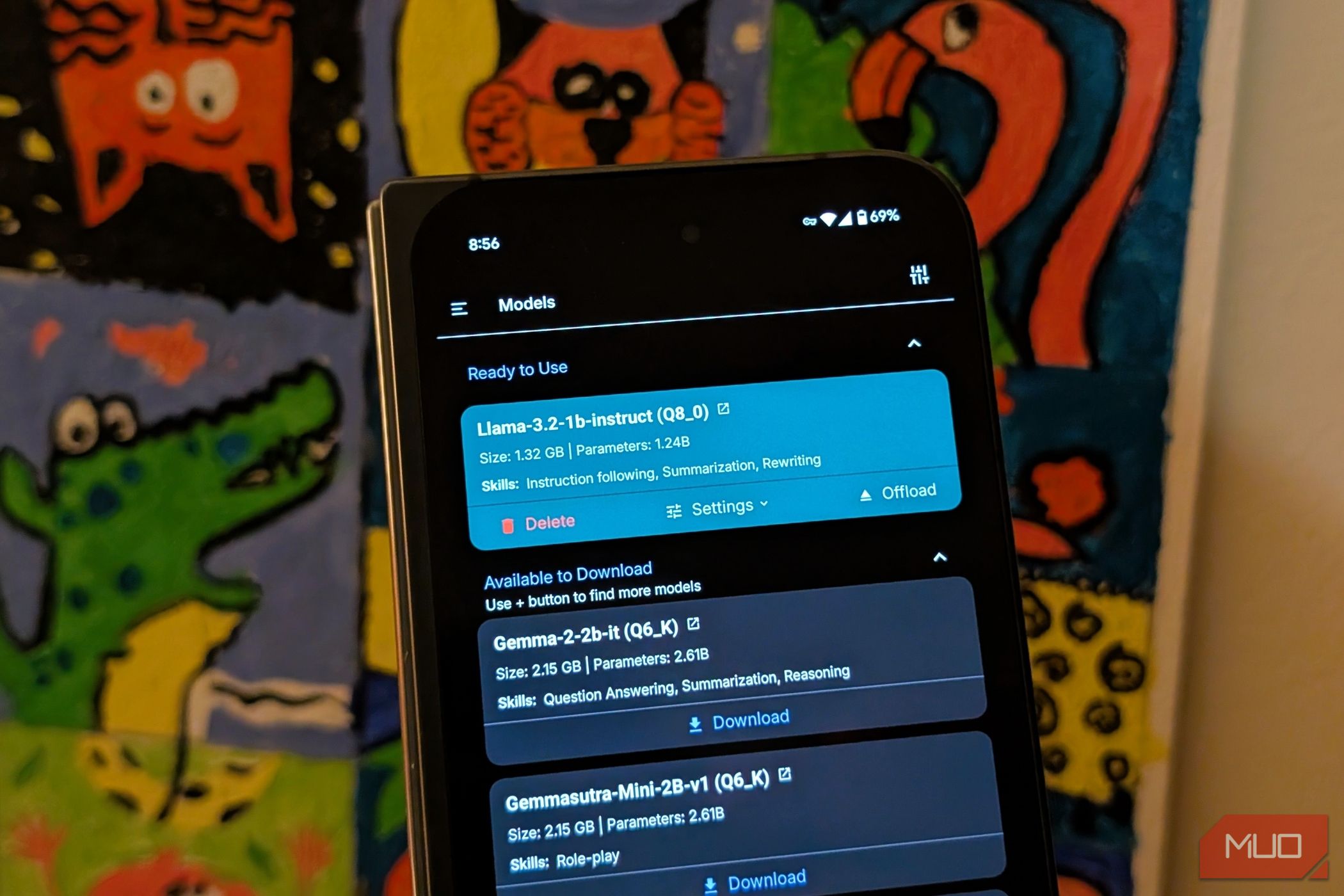
Most popular AI chatbots send our data back and forth for processing on the cloud raising issues about privacy and even data usage. PocketPal AI is a free app that brings the power of AI models locally onto your smartphone.
Why Offline AI Matters
Traditional AI chatbots rely on sending user data to remote servers, meaning elements of your conversation—be they mundane or sensitive—must traverse networks and potentially be stored in the company’s datacenters.
With PocketPal AI, all that processing occurs locally on your device. This helps safeguard your privacy while exploring AI features, especially if you are wary of Big Tech or data breaches or simply prefer that your personal or organizational information stay private.
Moreover, offline AI is indispensable in areas where connectivity is unreliable or even entirely absent. Whether you’re traveling through rural regions with spotty broadband, commuting underground, or aboard an airplane, having an AI that can run independently of an internet connection is a huge asset. Of course, you also save on the data costs.
There’s also a latency benefit since the device isn’t waiting on distant servers to respond. That said, with most tier-one AI chatbots now, interactions feel remarkably immediate when there’s stable connectivity.
In an age where data privacy is scrutinized more than ever, PocketPal AI transforms digital assistance from cloud to on-device. This means that conversations remain ephemeral unless you choose to share or save them after the fact. Essentially, your data never leaves the device.
Getting Started with PocketPal AI
PocketPal AI is a straightforward app. Designed for both Android and iOS, the app allows you to explore advanced language models—small enough to fit comfortably on your phone yet robust enough to carry out meaningful conversations.
The app’s initial setup requires an internet connection—not because it can’t run offline, but because it needs to download your preferred language models before it can support any offline interactions.
Once you have the app installed, the next step is to connect it with a model. The process is straightforward: navigate to the Models section, choose a language model that suits your needs, and tap to download the same. Most models are over a couple of GBs, so choose accordingly and mind the available storage on your smartphone.
In addition to the available models, you can add more from local storage or explore AI models available on the Hugging Face community.
The available models are just listed as is, and if you aren’t aware of them, the names of AI models can be a tad overwhelming. Which one of these models is by Meta? Or Microsoft? What does this model really excel at? I recommend reading up on these models elsewhere to aid your choice.
After downloading the model, you’ll have to load the model into memory—you just have to tap the Load button, really. And then you can start chatting with your very own offline AI chatbot.
There’s a lot more you can do. You can switch between models, adjust inference settings, and even benchmark performance of the models right within the app. This flexibility not only encourages exploration but also allows you to find the right balance between speed and quality. However, these options would be confusing for most and will make sense to only power users.
Balancing Performance and Limitations
While the promise of offline AI is alluring, it’s important to keep in mind that there are trade-offs. In the case of PocketPal AI, performance is intrinsically linked to the device you use. My experience of PocketPal AI on Pixel 9 Pro Fold was pretty good, but your mileage may vary.
Smartphones vary widely in processing power and memory capacity, and this disparity shows when running complex language models on low-end devices. If you have a newer, high-performance phone, you’re more likely to enjoy quicker responses and smoother interactions. However, older devices might struggle with the computational demands, leading to longer wait times or occasional lag in generating responses.
Additionally, the nature of running these models offline means you’re limited to smaller, less resource-intensive versions of AI models. These small language models are perfectly capable of handling everyday queries or generating creative content, but more advanced conversations, nuanced context evaluation, or handling multifaceted queries might require the depth and breadth that only cloud infrastructures can provide. This compromise is the cost of achieving offline functionality.
Thus, while PocketPal AI offers an impressive suite of features, it does so by navigating a fine line between raw computational power and portable convenience. However, even with the constraints, the app’s ability to offer nearly instant responses, maintain user privacy, and operate completely off-grid is nothing short of revolutionary for on-the-go AI interactions.
Download: PocketPal AI for Android | iPhone (Free)
How I Find the Best AI Tools for Any Job
It’s worth taking the time to find the specific AI tool that will make your job easier.
PocketPal AI taps into a growing demand for privacy and the freedom to use AI tools without constant connectivity. While it may not yet rival the full spectrum of capabilities offered by its cloud-based counterparts, it delivers a compelling vision of what AI-powered assistance can be on modern smartphones.
