

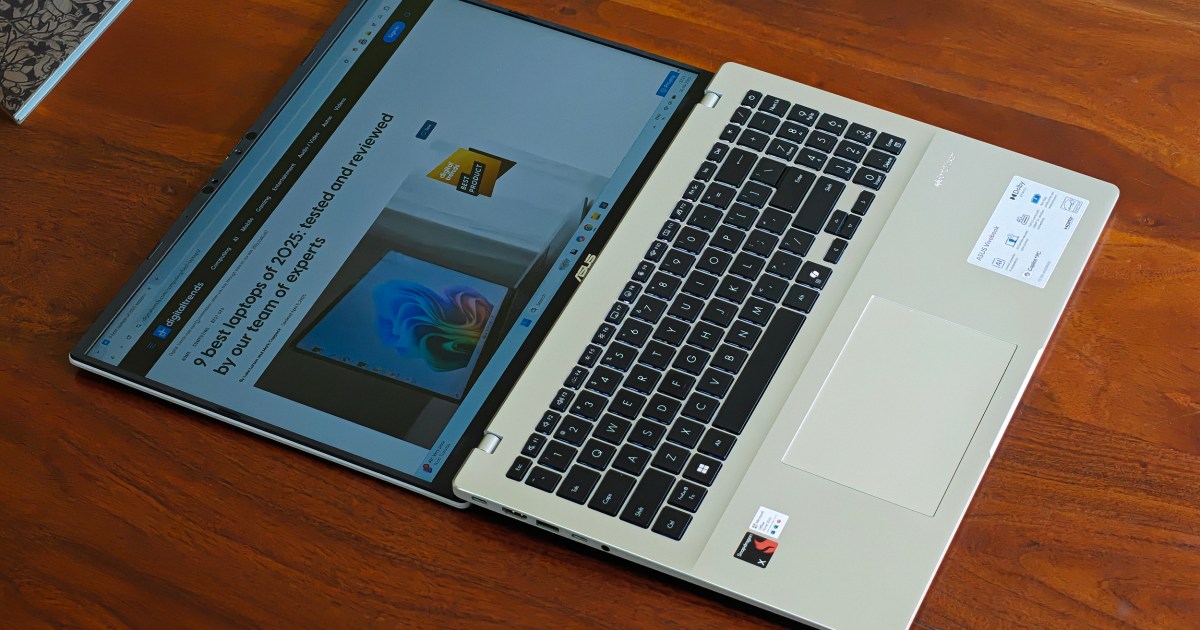
In just over a year, the landscape of Windows laptops has changed with the arrival of machines that draw power from Qualcomm Snapdragon processors, instead of those from Intel. Or even AMD. Think of it as the same kind of transition that Apple pulled off with the Mac, but instead of one, there are multiple brands carrying the torch for Microsoft.
The overarching project is called Windows on Arm, and it has solid a few solid products in the past few months. The ultra-slim Asus ZenBook A14 and the Dell XPS 13 have been my favorite Snapdragon machines so far, and more are yet to come. The core premise behind these machines is to deliver snappy performance (with a special focus on AI) and long battery life in a thin and light chassis.
In their current shape, think of them as the MacBook Air equivalent on the Windows side of the ecosystem. In fact, a couple of Snapdragon devices that I’ve tested even leapfrog Apple’s smash-hit laptop and deliver an astounding multi-day battery life. But can they really beat legacy laptops on the x86 architecture, when the latest generation of Intel chips has also started to embrace the Copilot+ badge for top-tier performance?
Let’s unfold the conundrum:
What about my apps?
Luke Larsen / Digital Trends
Are my Intel-based PC apps going to work on an Arm-based Windows laptop? Yes, they will. If the developer has created a separate codebase for the Arm version of their app, even better. If not, you can still download the Intel (or x86) version of the app and run it on your Snapdragon-powered Arm-based laptop or PC.
One of the biggest challenges with bringing Windows to an entirely different architecture is the situation with non-native software aka the stuff made by other developers. Now, Microsoft has developed an emulation layer that can run x86 apps just fine, with a small performance hit, that is. The secret sauce here is Prism, which essentially translates x86-64 code into ARM64 instructions.
So, if an app was originally developed to run on an x86 PC powered by Intel and AMD processors, it will technically work on Windows on Arm machines with a Qualcomm Snapdragon processor at their heart. Microsoft is using Prism to pull it off, while Apple relied on the Rosetta 2 emulator when it shifted Macs from an Intel (x86) to M-series (Arm) silicon. What about the performance hit that comes with emulation?
Luke Larsen / Digital Trends
Well, it is definitely here, but you likely won’t run into it. Microsoft says that 87 percent of the total app minutes spent by users of Copilot+ PCs are inside software that is now written natively for Windows on Arm. In a nutshell, you won’t have to worry about the emulation hit by Prism, which itself got a performance boost with the Windows 11 24H2 update.
Windows on Arm is right for…
If your primary requirements from a laptop are fast wake up, thin and light design, reliable productivity performance, and above all, a fantastic battery life that can easily last a full day, you can safely pick a Windows on Arm laptop. In my time with Windows on Arm machines, I have noticed that they are pretty fast, especially at running apps for office-based work.
If your typical work day entails browsing, task management software such as Asana or Trello, communication, and workplace platforms such as the Office suite, these laptops will run just fine. Even if you are trying a creative suite of apps such as Adobe InDesign, Photoshop, and Premiere Pro, they work without any major red flags.
Nadeem Sarwar / Digital Trends
If you’re interested in making the best of AI tools, such as Recall or Copilot Deep Research, these machines can handle the workflow without breaking a sweat. At benchmarks, the underlying Snapdragon X series laptops beat Intel and AMD machines, so there’s that. The only major hiccup is the graphics performance, and especially the scalability part of it.
In my time, I never found Windows on Arm a limitation for my work, which is spread across web browsers, task management apps, communication platforms, and a bit of media editing. For a majority of business customers and even students, the experience would be similar, unless you are running specialized software.
Why pick the Windows and Intel combo
Emulation has its limits, and for a certain audience, it totally doesn’t work. Gaming is one such scenario. “Drivers for hardware, games, and apps only work if they’re designed for a Windows 11 Arm-based PC,” says Microsoft. Likewise, any program that requires custom drivers, such as an antivirus package, printing utilities, and virtualization software, will give you a hard time. Games that rely on anti-cheat software simply won’t work.
Mark Coppock / Digital Trends
But there is more to it. There are only three Windows on Arm processors currently on the market viz. Snapdragon X Elite, X Plus, and X. The latter is pretty weak, and often gave me a “processor not supported” warning message for a large number of games in the Xbox Game Pass library. The graphics situation is to blame here. The top-end Snapdragon X Elite won’t fare dramatically better at AAA games, either.
Likewise, if you are planning to run CAD software or engage in hi-res multi-stream video editing, a powerful processor paired with a beefy graphics engine is a must. You will also need a lot of RAM and onboard storage. Unfortunately, even the most powerful Windows on Arm laptops won’t offer the graphics chops needed for that kind of work, nor the memory upgradability you seek.
Gaming laptops are here to stay, and so are mobile workstations with “Pro” grade processors such as the HP Zbook series for creative professionals. In a nutshell, if scalability and flexibility are what you seek, you can skip Windows on Arm.
Another crucial part is the pricing. Windows on Arm laptops are still struggling to go below the $700 price point. That leaves out a huge chunk of buyers. For nearly half the price, or close to the $450 margin, you can get competent laptops with Intel (and AMD) processors that can handle light workloads with ease. So yeah, if affordability and hardware versatility are what you desire, look on the Intel side of the Windows laptop ecosystem.
