

Screenshot by Sabrina Ortiz/ZDNET
ChatGPT can go far beyond writing an email or coding a complex project. Some of the most useful applications are assistance with practical tasks in your everyday life, such as explaining that really complex x-ray diagnosis that is pure jargon or why your electric bill was sky-high (both based on real scenarios that happened to me). However, this requires you to give your personal information.
The privacy question
If you are hesitant about giving ChatGPT your private information, you have good reason to be. The companies behind these popular generative AI tools, such as OpenAI, often use user inputs to further train the models and make them smarter. This becomes especially concerning when you think about inputting personal information, whether it is something as simple as help drafting a difficult text or as personal as medical results.
(Disclosure: Ziff Davis, ZDNET’s parent company, filed an April 2025 lawsuit against OpenAI, alleging it infringed Ziff Davis copyrights in training and operating its AI systems.)
Also: The telltale sign that you used ChatGPT – and a trick to avoid it
However, there is a lot of potential for practical and useful ways for ChatGPT to assist. ChatGPT’s advanced natural language processing (NLP) capabilities, which allow it to generate highly realistic text, also allow it to break down really complex topics in a digestible way, understand dynamic real-life situations, and give real-world advice rooted in sources from the internet and its own understanding of the issue.
Here’s a way you can take advantage of these use cases while still protecting your data.
Temporary chat
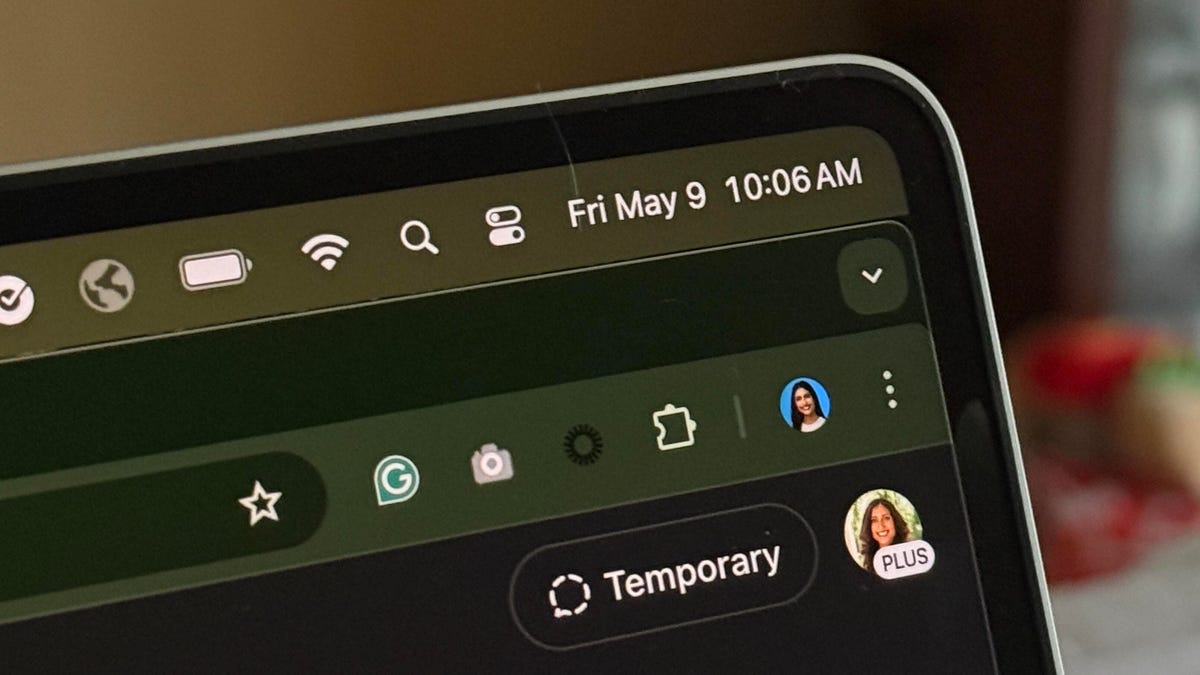
In the same way you click on Incognito mode in Google Chrome or Private Window in Safari when you want privacy, you can turn on Temporary Chat in ChatGPT. The difference is that, unlike the private-browsing modes in Chrome or Safari, access to Temporary Chat in ChatGPT is much easier.
Also: How to use ChatGPT: A beginner’s guide to the most popular AI chatbot
The button is located at the top-right corner of the home page, as seen in the image at the top of the article. Once you click it, the new chat interface immediately appears and you can start chatting. Although it will not use your data to train its models, it warns that “For safety purposes, we may keep a copy of this chat for up to 30 days.”
Screenshot by Sabrina Ortiz/ZDNET
The downside is that you won’t be able to reference the conversation in the future, as it isn’t saved. If you refresh the page, you must start over — a nuisance I often encounter. Also, if you use the Memory feature, which allows ChatGPT to learn more about you to create more personalized answers, anything you input in Temporary Chat won’t be used for it.
Also: ChatGPT privacy tips: Two important ways to limit the data you share with OpenAI
I turn on this feature for most of my tasks, even when they don’t involve personal data. This is mostly because I don’t want to clutter my saved conversations, so only the ones I might revisit are saved in my sidebar. Also, when inputting sensitive data, I redact identifying information — it’s just good practice not to upload that anywhere unless it is an encrypted platform.
For example, if I am uploading an x-ray result or a confusing bank memo, I make sure to include only the body of the content — not information such as my patient identification number, account number, or anything of that nature. Another example is when using ChatGPT to explain a contract or corporate email or client email: it’s smart to redact any identifying information, including names and numbers.
Also: ChatGPT will remember everything you tell it now – like a real personal assistant
If you want ChatGPT to never use your data for training, even when your conversations are saved for future reference, go to Settings, click on Data controls, and turn off the “Improve the model for everyone” feature. With this setting, you can still use Temporary Chat, but the only benefit is that it won’t be saved in your history.
Helpful use cases of ChatGPT when inputting personal data
Now that you know how to input your data into ChatGPT without it being used for further training, here are a few use cases in which it may be useful, including many I have used before:
- Explaining complex documents that confuse you, such as a doctor’s diagnosis, a ridiculously high electric bill, contracts, emails, or reports
- Advising you on how to best handle a complicated relationship with a friend, coworker, or partner — whether drafting a text or dealing with everyday interactions
- Analyzing your medical symptoms and suggesting possible causes and ways to address them
- Inputting your past month’s expenses to create a detailed budget
Also: Is ChatGPT Plus worth your $20? Here’s how it compares to Free and Pro plans
Of course, what you share or don’t share is a matter of comfort level and personal choice. If this is your first interaction with ChatGPT, try broader, less invasive questions. The best way to figure out what role ChatGPT has in your life is to tinker with it and see what actually improves your life.
Alternatives
It is also worth exploring other AI chatbots that can perform similar tasks. For example, Anthropic’s Claude is a great option for privacy concerns, as the company has never automatically used user data to train its models. It has also disclosed that it will not utilize users’ prompts to train its models unless the conversation has been flagged for Trust & Safety review, explicitly reported, or the user has opted in to training.
Get the morning’s top stories in your inbox each day with our Tech Today newsletter.
