
Close Menu
TechurzTechurz

    Subscribe to Updates

    Get the latest creative news from FooBar about art, design and business.

    What's Hot

    Is safety is ‘dead’ at xAI?

    February 14, 2026

    In a changed VC landscape, this exec is doubling down on overlooked founders

    February 14, 2026

    ‘Clueless’ -inspired app Alta partners with brand Public School to start integrating styling tools into websites

    February 14, 2026
    Facebook X (Twitter) Instagram
    Trending
    • Is safety is ‘dead’ at xAI?
    • In a changed VC landscape, this exec is doubling down on overlooked founders
    • ‘Clueless’ -inspired app Alta partners with brand Public School to start integrating styling tools into websites
    • India doubles down on state-backed venture capital, approving $1.1B fund
    • Why top talent is walking away from OpenAI and xAI
    • Fusion startup Helion hits blistering temps as it races toward 2028 deadline
    • AI burnout, billion-dollar bets, and Silicon Valley’s Epstein problem
    • Score, the dating app for people with good credit, is back
    Facebook X (Twitter) Instagram Pinterest Vimeo
    TechurzTechurz
    • Home
    • AI
    • Apps
    • News
    • Guides
    • Opinion
    • Reviews
    • Security
    • Startups
    TechurzTechurz
    Home»Reviews»Your iPhone Has Sudoku, and Here’s Where to Find It
    Reviews

    Your iPhone Has Sudoku, and Here’s Where to Find It

    TechurzBy TechurzJuly 12, 2025No Comments3 Mins Read
    Share Facebook Twitter Pinterest LinkedIn Tumblr Reddit Telegram Email
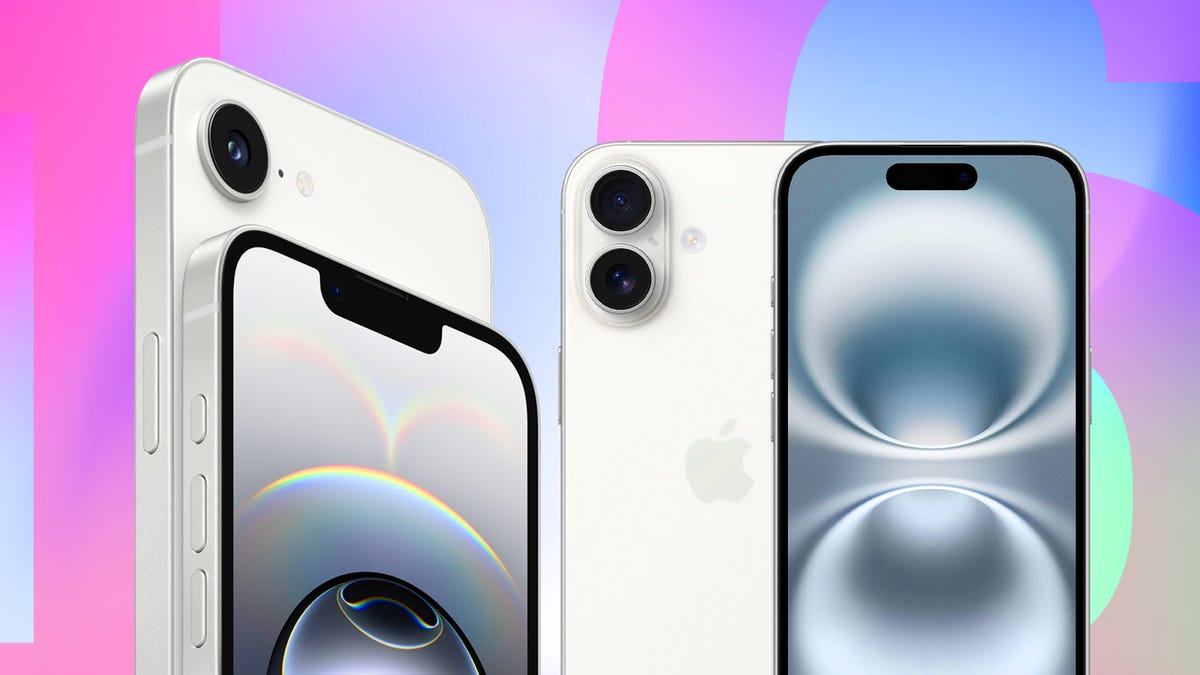
    Two Apple smartphones
    Share
    Facebook Twitter LinkedIn Pinterest Email

    Sudoku is a popular puzzle game that some studies have shown could help the cognitive performance of people over 50 years old. And when Apple released iOS 18.2 in December, that update brought those puzzle games to the News app.

    Everyone can try a few sudoku puzzles for free, but Apple News Plus subscribers can play new puzzles every day. An Apple News Plus subscription is $13 a month and gives you access to daily sudoku and other puzzles, like Quartiles, as well as stories from publications like the New Yorker and the Wall Street Journal.

    Read more: Everything You Need to Know About iOS 18 Before iOS 26

    Here’s where you can find sudoku on your iPhone and what to know about the game.

    Where can I find the sudoku puzzles on iPhone?

    1. Open News.
    2. Tap Following across the bottom of your screen.
    3. Tap Puzzles.
    4. Tap Sudoku.

    There are three puzzles near the top of the menu marked as Free to Play that everyone — even non-Apple News Plus subscribers — can play. These puzzles are usually at least a week old, and Apple also marks these as Easy, Moderate and Challenging, denoting each puzzle’s difficulty. Tap any of these to play. Below the Free to Play puzzles you’ll find new daily puzzles and an archive of puzzles Apple News Plus subscribers can play at their leisure.

    What do I need to know about sudoku on iPhone?

    Apple/CNET

    In sudoku, you have to place the numbers 1 to 9 into a square 9-by-9 grid. There are nine 3-by-3 blocks within that grid, and you have to place the numbers in each block, row and column so there are no duplicate numbers in each. That means a block can’t have the number 2 twice, for example, and the same goes for each row and column.

    On iPhone, you can enter a number into a space by tapping the Pen option beneath the puzzle, tapping the space you want to answer for and then tapping the number at the bottom of the screen. If a particular space can have two or three numbers in it, you can tap Notes next to Pen and then choose all the numbers that can be placed in the space to keep track of things.

    How do I know if a number is in the right spot?

    Here’s how to check your number placements with Autocheck.

    1. Open News.
    2. Tap Following across the bottom of your screen.
    3. Tap Puzzles.
    4. Tap Sudoku.
    5. Tap a puzzle.
    6. Tap the button with a checkmark in the top right.
    7. Tap Autocheck.

    Now if you place a number in the wrong spot, your iPhone will mark the number with a red slash through it. Your iPhone won’t mark numbers placed in the correct spot.

    How do I restart a puzzle if I need to?

    Here’s how to restart a puzzle for any reason.

    1. Open News.
    2. Tap Following across the bottom of your screen.
    3. Tap Puzzles.
    4. Tap Sudoku.
    5. Tap a puzzle.
    6. Tap the button with a checkmark in the top right.
    7. Tap Clear Puzzle.

    All your answers will vanish and you can start the puzzle fresh.

    For more on iOS 18, here’s what you need to know about iOS 18.5 and iOS 18.4, as well as our iOS 18 cheat sheet. You can also check out what you should know about iOS 26 and how the upcoming OS lets us kill the alarm’s 9-minute snooze.

    Watch this: Flagship Phones Don’t Matter if ‘Budget’ Is This Good

    05:10

    Find Heres iPhone Sudoku
    Share. Facebook Twitter Pinterest LinkedIn Tumblr Email
    Previous ArticleWhat Is the Newest Samsung Galaxy Phone? (2025)
    Next Article AWS unveils custom IRHX cooling for Nvidia GPU clusters, skipping third-party solutions
    Techurz
    • Website

    Related Posts

    Opinion

    Supabase hit $5B by turning down million-dollar contracts. Here’s why.

    November 28, 2025
    Opinion

    Find Your Grind raises $5M to grow platform empowering students to explore unique career paths

    November 25, 2025
    Opinion

    Astro Teller isn’t afraid of killing ideas; here’s why

    November 18, 2025
    Add A Comment
    Leave A Reply Cancel Reply

    Top Posts

    College social app Fizz expands into grocery delivery

    September 3, 20251,633 Views

    A Former Apple Luminary Sets Out to Create the Ultimate GPU Software

    September 25, 202514 Views

    The Reason Murderbot’s Tone Feels Off

    May 14, 202511 Views
    Stay In Touch
    • Facebook
    • YouTube
    • TikTok
    • WhatsApp
    • Twitter
    • Instagram
    Latest Reviews

    Subscribe to Updates

    Get the latest tech news from FooBar about tech, design and biz.

    Most Popular

    College social app Fizz expands into grocery delivery

    September 3, 20251,633 Views

    A Former Apple Luminary Sets Out to Create the Ultimate GPU Software

    September 25, 202514 Views

    The Reason Murderbot’s Tone Feels Off

    May 14, 202511 Views
    Our Picks

    Is safety is ‘dead’ at xAI?

    February 14, 2026

    In a changed VC landscape, this exec is doubling down on overlooked founders

    February 14, 2026

    ‘Clueless’ -inspired app Alta partners with brand Public School to start integrating styling tools into websites

    February 14, 2026

    Subscribe to Updates

    Get the latest creative news from FooBar about art, design and business.

    Facebook X (Twitter) Instagram Pinterest
    • About Us
    • Contact Us
    • Privacy Policy
    • Terms and Conditions
    • Disclaimer
    © 2026 techurz. Designed by Pro.

    Type above and press Enter to search. Press Esc to cancel.