


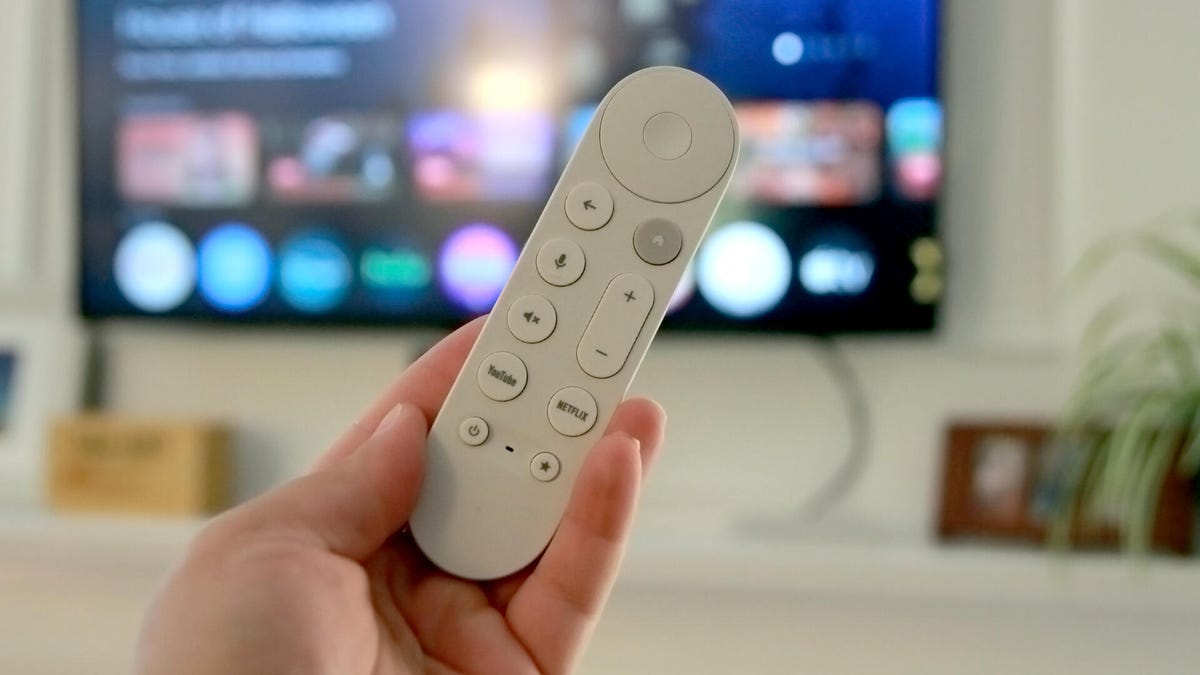
Kerry Wan/ZDNET
Since 2014, Google’s Chromecast has been an affordable means for helping viewers turn their older model TVs into smart TVs, allowing them to stream content from their phones, tablets, and computers to a bigger screen.
Also: Is your Roku TV spying on you? Probably, but here’s how to put an end to it
Alas, the era of the Chromecast has come to an end. Google is replacing it with the Google TV Streamer, promising a faster processor, Thread and Matter integration, and the ability to summarize TV episodes or whole seasons, among other new tricks.
But that doesn’t mean the Chromecast is obsolete yet; in fact, Google has promised to continue providing software and security updates for now. I found a number of cool things anyone can do with their trusty Chromecast that most users are unaware of.
1. Cast your favorite tunes to your TV
Numerous music streaming platforms, such as Spotify, SiriusXM, Amazon Music, and Pandora, can stream music directly to your Chromecast device. Why not get bigger sound from your TV speakers or, better yet, the soundbar you have hooked up to it?
Ensure that your device is on the same Wi-Fi network as the Chromecast, and find the More Devices button or Chromecast icon in your app. Select your Chromecast from the options that appear, and start streaming. When you want to disconnect, use the Google Home app to stop streaming from your music app.
2. Check out Chromecast Preview
The Chromecast Preview Program is a user-opt-in channel that updates your Google device with the latest firmware version before it’s made broadly available. Members of the program can get early access to features and improvements on their devices; in exchange, they help Google find and fix bugs before features are released for broader consumption.
Also: Don’t cancel Netflix yet: I used these secret codes to unlock the full catalog of shows
You can join the Preview Program through the Google Home app by going to settings (Device Information > Preview Program > Join Program). After that, you’ll receive emails about new features. You can opt out and choose Leave Program anytime.
3. Personalize preferences for your denizens
Maria Diaz/ZDNET
Is your partner a Victorian-era drama lover, while you prefer high-action shoot-em-ups? Don’t want your kids to have access to your own watchlist? No problem. Each person in your household can have their unique profile through the Google TV platform on your Chromecast, keeping their customized algorithms (and content recommendations) to themselves.
Also: How to clear your TV cache (and why you shouldn’t wait to do it)
From the Google TV home screen, select Add Account. Sign in to the Google account you want to add, answer the profile setup questions, and add Disney+, Hulu, or any other streaming services that viewer regularly visits.
4. Enjoy YouTube videos in a continuous feed
Normally, to watch YouTube via a Chromecast, you have to select each video one at a time. Because it owns YouTube, Google has made it easy to create an infinite playlist of videos.
From the YouTube app, select Cast and choose your Chromecast device. Picking any YouTube video allows you to play it immediately or add it to your queue. You can add up to a hundred videos (including from YouTube Music) and let them play. You can easily edit this list by previewing a list of upcoming selections.
5. Livestream from your smart home security devices
As long as they’re all linked to the same Wi-Fi network, you can use your Chromecast to access the live feed from other Google Devices, such as the Google Nest Cam or Nest Doorbell. Open the Google Home app on your smartphone or tablet, then tap on the camera you want to view. Hit the Cast icon in the top-right corner of the screen, and select your Chromecast device from the list.
Also: Your Google TV just got a useful feature upgrade for free, and smart home users will love it
Once those are linked, you can also use the Chromecast Voice Remote (what I call the “Hey Google” feature) to request which camera you’d like to show on your TV.
Even though Google has discontinued manufacturing the Chromecast, it remains a reliable and inexpensive way to access oodles of content. The new Google TV Streamer offers all the capabilities of a Chromecast, of course, but they’re currently going for about $100. Until you pick up one of those, you can make the most of your time with the original.
These are just a few of the ways you can maximize the potential of your Chromecast, and I’ll uncover more in future updates.
