


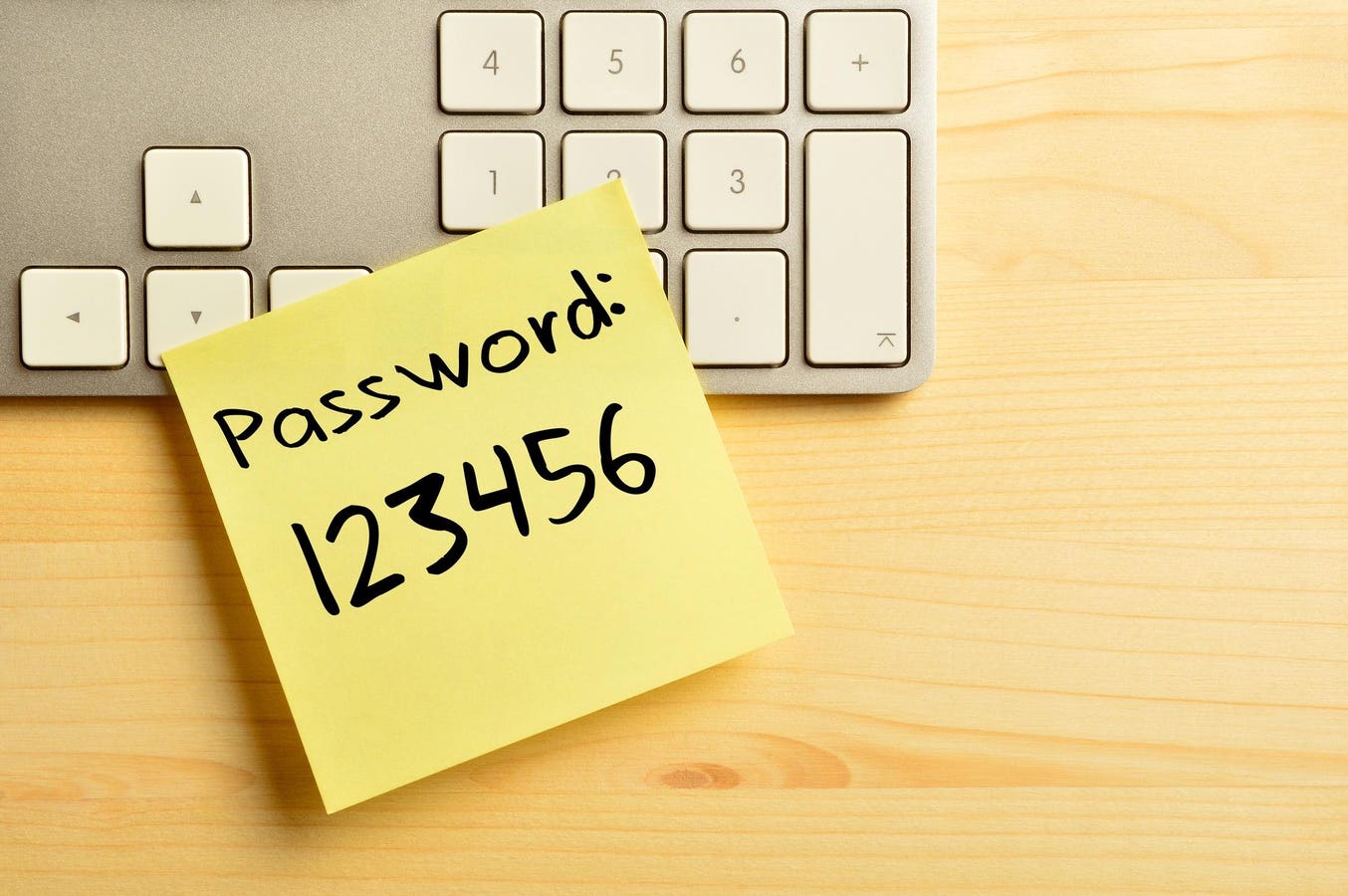
Many passwords are easily guessable by hackers, so make sure you don’t make any rookie mistakes.
getty
The passwords you use for your devices, websites and online services are your first line of defense against hackers. If a criminal cracks your password, they can potentially shut you out of your device, spread spam, install malware or even empty your bank account. Advancements in biometric authentication and passkey technologies have many in the tech security world pushing users toward a passwordless future, but in the meantime, a good password is vital to keep your accounts safe. Often, though, people use passwords that are easy for hackers to guess or crack, putting themselves at risk. We look at the most common password mistakes and how you can avoid them.
What Is A Bad Password?
A bad password, essentially, is one that a criminal can access. They may do this by using automation to check millions of possibilities, or by exploiting personal information you’ve given away online.
A bad password is one that makes things easier for them — one that’s too short, too simple or that’s easy to guess. Criminals often also buy lists of breached passwords on the dark web, and try them all out on the owner’s other accounts — meaning that it’s not only important to have one good password, you need something different for every device and service. It’s also a good idea to change your passwords regularly, just in case they become compromised.
Common Password Mistakes To Avoid
It is, of course, tempting to create a password that you can’t possibly forget — but that often means it’s easy for a hacker to guess too. It’s incredibly common, for example, for people to use “password” or “123456”.
In other cases, people use their children’s names, their favorite sports team, or other words that could easily be guessed from public information or social media posts. And this can and does lead to passwords being hacked — in fact, a survey conducted by Forbes Advisor last year found that 46% of Americans have had their password stolen in the past year. A third believed their password was hacked because it was weak, while three in ten thought it was due to repeatedly using the same password on multiple accounts. Here are nine common mistakes to avoid.
1. Admin
“Admin” is the default password for many systems and devices — and many people never get round to changing it. An analysis of just over 1.8 million passwords by Outpost24, indeed, ranked “admin” as the most popular. As such, it’s one of the first potential passwords to be checked by cyber-criminals.
2. Password
“Password”, too, can be the default email for some systems and devices. On top of this, many users pick “Password” out of choice, as it’s easy to remember. Needless to say, hackers check this one out quickly too — along with “clever” variants such as “password1” or “p@ssw0rd”.
3. 12345
A strong password should contain numbers as well as letters and special symbols — but one made up only of sequential numbers is asking for trouble. Passwords such as “123456”, “123123”, “111111” or “654321” are, though, surprisingly common, and checked out by cybercriminals through automated systems.
4. Qwerty
It may be satisfying to type, but Qwerty is another common and easily-guessable password. Again, tweaks such as “Qwerty123” don’t improve matters much; while this does follow accepted advice to include upper- and lower-case letters and numbers, it’s another first stop for hackers.
5. Amazon123
One easy way to remember the password for a given service is to create one that incorporates the name of that particular website. However, hackers know this too. Worst of all, if cyber criminals discover that “Amazon123” is your password for Amazon, they’ll try, for example, “Mastercard123” on your banking app.
6. Iloveyou
To you, “Iloveyou” may be a deeply individual personal statement — to a hacker, not so much, as terms of endearment are very common passwords. Adding a couple of numbers or symbols would improve matters somewhat, but not enough to make it a strong enough password.
7. Jane1989
While passwords like “Jane1989” might look superficially sound, containing upper- and lower-case letters and numbers, it’s very easily guessable by any cybercriminal that knows your name and year of birth. Similarly, “MydogFido” is a very poor password if you’ve ever posted your dog’s name on social media.
8. NewYorkYankees
Many people like to honor their favorite sports team, which is why the passwords referencing the New York Yankees, the Dallas Cowboys and the Las Vegas Raiders feature heavily in lists of the most hackable passwords. If you really must use something like this, you can make it much less guessable by transforming it in an unpredictable way. Start with “I am the number one fan of the New York Yankees” for example; then pick the first, second or last letter of each word to get “Iatnofotnyy” — then add a random upper-case letter or two, plus at least one other character. “iAtnoFotn#yy36” would be near-impossible to guess.
9. Invalid
It’s a clever idea: when a website tells you that you’ve entered the wrong password, it may tell you that it’s “invalid” or “incorrect” — giving you a helpful reminder. However, using any normal dictionary word is a bad idea, as hackers will often use automation to run through the entire dictionary. One method of creating a password that is widely recommended, though, is to use a sequence of three or more random words — “FlowerUnwanted Armadillo”, for example. Add in a number and a symbol or two, and you’ve got a password that’s genuinely strong.
Bottom Line
Coming up with good passwords isn’t as easy as it sounds. Even if you follow the general advice to include upper- and lower-case letters, numbers and symbols, your password may still be easily guessable by hackers — so make sure you don’t make any rookie mistakes.
Frequently Asked Questions (FAQs)
What Should You Do If Your Password Is Compromised?
If you find yourself locked out of a device or account, or if you spot strange activity, the chances are that your password has been compromised.
You should act quickly if this is the case. Change it immediately to something strong, add two-factor authentication if you don’t already have it, and alert the supplier of the device or service that’s been compromised. It’s also a very good idea to change all your other passwords, too, especially if any of them are the same or similar to the one that’s been hacked.
What Should You Do If You Forget Your Password?
If you follow advice and have a different password for every service you use, and if you don’t use a password manager, then it’s all to easy to forget one.
Generally, most websites or apps have a “Forgot password?” button — clicking it should trigger an email with a link allowing you to reset it. If that doesn’t work, you should contact the support team for the website or app. The issue may be that you’re using a different email account from the one they have, in which case you may need to provide some other form of ID.
What Are Good Password Strength Checkers?
A password strength checker allows you to input a password and, based on sophisticated algorithms, discover just how long it would take a criminal to crack.
Password strength checkers often form part of a password manager that stores all your passwords securely. They’re not always 100% accurate, but give a very good general idea of password strength. There’s a large number of password checkers available online, many offered by security firms. Some of the most popular include Nordpass, Bitwarden, Lastpass, Security.org and Kaspersky.
