

Close Menu
TechurzTechurz
    What's Hot

    Sarvam becomes India’s newest AI unicorn with $234 million funding round led by HCLTech

    June 15, 2026

    As AI agents become employees, NewCore emerges with $66M to give them identities

    June 15, 2026

    Orbio raises $21 million to automate hiring and onboarding for frontline workers

    June 15, 2026
    X (Twitter) Pinterest YouTube LinkedIn WhatsApp
    Tech Pulse
    • Sarvam becomes India’s newest AI unicorn with $234 million funding round led by HCLTech
    • As AI agents become employees, NewCore emerges with $66M to give them identities
    • Orbio raises $21 million to automate hiring and onboarding for frontline workers
    • As AI companies race to go public, who else is along for the ride?
    • As Anthropic suspends access to new models, India debates its AI future
    X (Twitter) Pinterest YouTube LinkedIn WhatsApp
    TechurzTechurz
    • Home
    • Tech Pulse
    • Future Tech
    • AI Systems
    • Cyber Reality
    • Disruption Lab
    • Signals
    TechurzTechurz
    Home - Security - This Android 16 feature solved my biggest problem with phone notifications – how it works
    Security

    This Android 16 feature solved my biggest problem with phone notifications – how it works

    TechurzBy TechurzJuly 31, 2025No Comments3 Mins Read
    Share Facebook Twitter Pinterest LinkedIn Tumblr Reddit Telegram Email
    This Android 16 feature solved my biggest problem with phone notifications - how it works
    Share
    Facebook Twitter LinkedIn Pinterest Email


    Jack Wallen / Elyse Betters Picaro / ZDNET

    Have you ever been relaxing when, out of nowhere, your phone blows up with notifications?

    I’ve been there too many times, which led me to keep my phone on silent mode 24/7. Then Google teased a new feature in Android 15 called Notification Cooldown that promised to change everything. Notification Cooldown didn’t exactly hit the mark in Android 15, but it has made a comeback in the latest iteration (Android 16) to ensure that it works exactly as expected.

    Also: How to clear your Android phone cache (and why you should do it before installing Android 16)

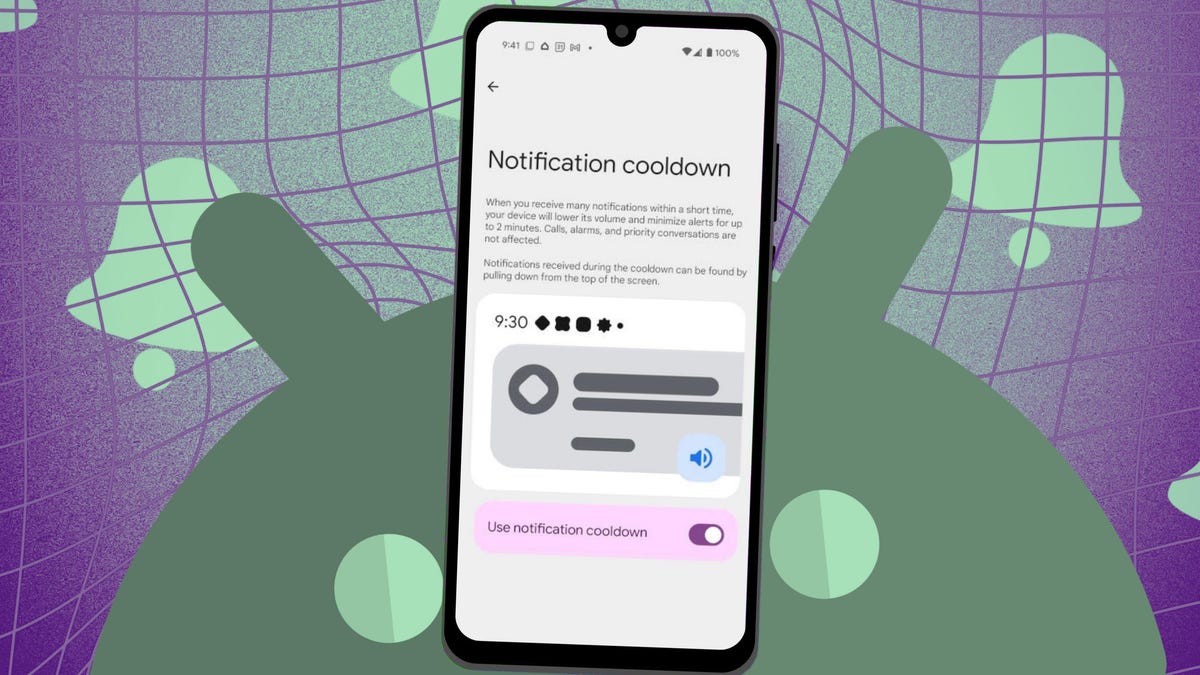
    Notification Cooldown manages how often notifications can be posted by an application over time. This feature is designed specifically to prevent apps from overwhelming users with too many notifications at once.

    What I like about Notification Cooldown is that it helps ensure I don’t miss important notifications because my phone was on silent (which has happened quite a bit).

    The new feature originally arrived with the March 2025 update to help minimize the interruptions that often accompany notifications. Once this feature is enabled, it automatically lowers the volume and minimizes alerts (for up to two minutes) when several notifications arrive in a short amount of time.

    Also: I changed 12 settings on my Android phone to significantly improve the battery life

    For example, a friend of yours discovers a new diner you must try and starts texting you repeatedly to rave about how good it is. With Notification Cooldown enabled, that barrage of texts happens silently, so you don’t have to suffer through the “dings” or put your phone on silent mode.

    Even when Notification Cooldown is activated, you can still pull down the Notification Shade and view that deluge of texts.

    The caveat to using Notification Cooldown is that it cannot be customized so far. You can enable or disable the feature, and that’s it. The feature first appeared on Pixel devices but should trickle down to others over time.

    Notification Cooldown also does not apply to alarms, emergency alerts, and priority conversations.

    How to enable Notification Cooldown

    What you need: To use Notification Cooldown, you’ll need an Android Pixel phone running at least the March 2025 update. Hopefully the feature will arrive on other devices soon.

    From within Settings, locate the Notifications entry and tap it.

    Show more

    Under the General category, you’ll see a listing for Notification Cooldown. Tap that entry.

    Show more

    You can also enable/disable flash notifications, which will flash the phone’s LED when a notification comes in.

    Jack Wallen/ZDNET

    Tap the On/Off slider until it’s in the On position to enable Notification Cooldown. You might discover that the feature is enabled by default. If so, you’re already enjoying Notification Cooldown, so you can unmute your device.

    Show more

    You might find the feature is enabled by default.

    Jack Wallen/ZDNET

    Now that Notification Cooldown has had a chance to gestate, I’ve found the feature works as it was intended, which means those constant interruptions have dramatically lessened.

    Also: How to turn on Android’s Private DNS mode – and why turning it off is a big mistake

    And that, my Android-loving friends, is all there is to Notification Cooldown. Enjoy that newfound peace.

    Get the morning’s top stories in your inbox each day with our Tech Today newsletter.

    Android biggest Feature notifications Phone problem solved works
    Share. Facebook Twitter Pinterest LinkedIn Tumblr Email
    Previous ArticleDropbox is shutting down its password manager
    Next Article Finally, an Android Auto adapter that’s reliable, highly functional, and won’t break the bank
    Techurz
    • Website

    Related Posts

    Opinion

    This chip startup just raised $135M on a bet that AI’s biggest bottleneck isn’t compute — it’s memory

    May 29, 2026
    Opinion

    Korea’s biggest manufacturers back Config, the TSMC of robot data

    May 11, 2026
    Opinion

    Silicon Valley’s two biggest dramas have intersected: LiteLLM and Delve

    March 26, 2026
    Add A Comment
    Latest Tech Pulse

    College social app Fizz expands into grocery delivery

    September 3, 20252,289

    SolarSquare in talks to raise up to $60M as India’s rooftop solar market draws major VC interest

    May 23, 202621

    Future of Digital Privacy and Security: 7 Truths Nobody Tells You

    May 25, 202618
    Stay In Touch
    • YouTube
    • WhatsApp
    • Twitter
    • Pinterest
    • LinkedIn

    Techurz helps readers stay ahead of digital change with clear, practical, future focused technology intelligence written today,searched tomorrow.

    X (Twitter) Pinterest YouTube LinkedIn WhatsApp
    Company
    • About Us
    • Contact Us
    • Our Authors / Editorial Team
    • Write For Us
    • Advertise
    Policy
    • Editorial Policy
    • Privacy Policy
    • Terms and Conditions
    • Affiliate Disclosure
    • Cookie Policy
    • Disclaimer
    • DMCA
    Explore
    • AI Systems
    • Cyber Reality
    • Future Tech
    • Disruption Lab
    • Signals
    • Tech Pulse
    • Sitemap

    Join the Techurz Brief

    The future does not arrive suddenly.
    Stay ahead with fast, sharp tech signals.

    Type above and press Enter to search. Press Esc to cancel.