

Close Menu
TechurzTechurz
    What's Hot

    Anthropic’s latest feud with the Trump admin may actually help it, sales data suggests

    June 16, 2026

    This startup’s super metals could soon be in military drones, luxury watches, and chef’s knives

    June 16, 2026

    Probably raises $9M to build a more reliable kind of AI

    June 16, 2026
    X (Twitter) Pinterest YouTube LinkedIn WhatsApp
    Tech Pulse
    • Anthropic’s latest feud with the Trump admin may actually help it, sales data suggests
    • This startup’s super metals could soon be in military drones, luxury watches, and chef’s knives
    • Probably raises $9M to build a more reliable kind of AI
    • Payments startup Flutterwave hits $3.2B valuation, backed by Ripple
    • Malaysia’s AI agent-powered messaging app Respond.io raises $62.5M, eyes acquisitions
    X (Twitter) Pinterest YouTube LinkedIn WhatsApp
    TechurzTechurz
    • Home
    • Tech Pulse
    • Future Tech
    • AI Systems
    • Cyber Reality
    • Disruption Lab
    • Signals
    TechurzTechurz
    Home - AI - 14 secret phone codes that unlock hidden features on your Android and iPhone
    AI

    14 secret phone codes that unlock hidden features on your Android and iPhone

    TechurzBy TechurzAugust 17, 2025Updated:May 10, 2026No Comments1 Min Read
    Share Facebook Twitter Pinterest LinkedIn Tumblr Reddit Telegram Email
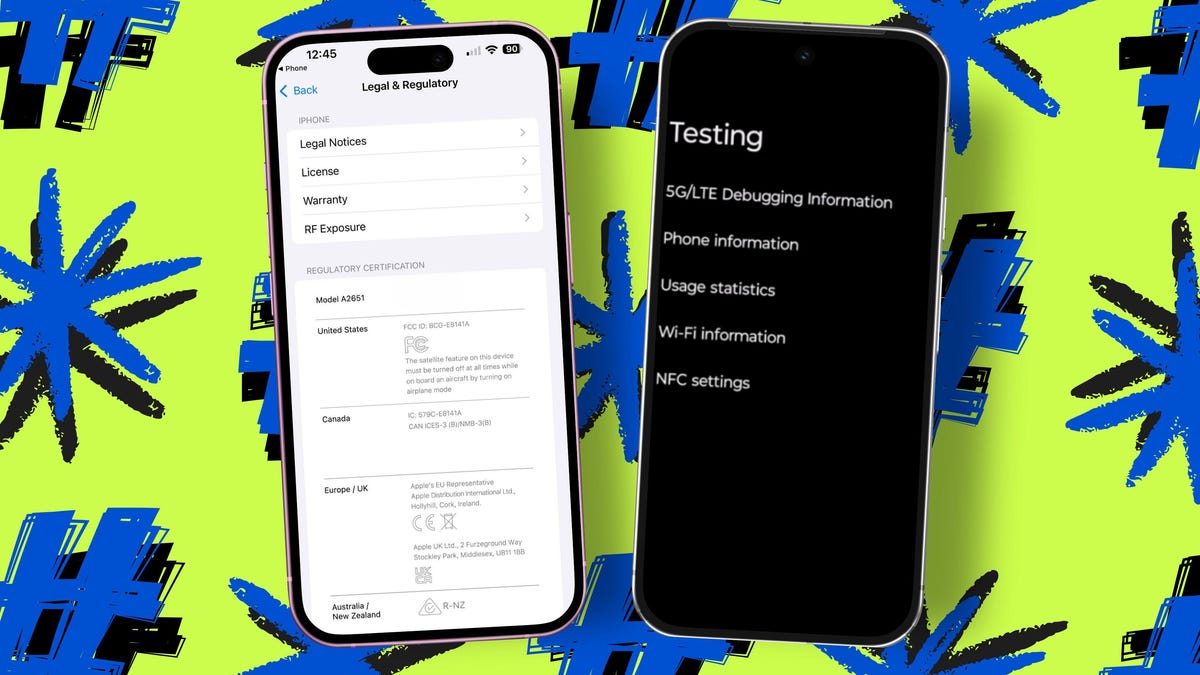
    14 secret phone codes that unlock hidden features on your Android and iPhone
    Share
    Facebook Twitter LinkedIn Pinterest Email

    Some carriers let you dial these codes to see if call forwarding is enabled and which number your phone is currently forwarding calls to — either when you’re busy (*#67#) or for all calls (*#21#). You can change it to forward calls to another number, such as your home, office, or a third-party answering service, in settings.

    On iPhone, to change the forwarding number, go to Settings > Phone > Call Forwarding. On Android, the steps vary, but generally you’ll open the Phone app, tap the three-dot menu, go to Settings > Calling accounts, select your active SIM, and then look for the call forwarding option.

    If you see “Failed/Error” instead of “Enabled/Disabled” displayed after entering these codes — and you don’t see call forwarding in your settings — it likely means your carrier doesn’t support the feature on your plan.

    Android codes features hidden iPhone Phone secret unlock
    Share. Facebook Twitter Pinterest LinkedIn Tumblr Email
    Previous ArticleStop using AI for these 9 work tasks – here’s why
    Next Article How to Switch Chromecast to New Wi-Fi Fast
    Techurz
    • Website

    Related Posts

    AI Systems

    The Future of AI Systems: 7 Architectural Shifts Driving the AI Revolution

    June 13, 2026
    Opinion

    Bluesky launches group chats, as company shifts focus to community features

    June 11, 2026
    Opinion

    Investors back Skye’s AI home screen app for iPhone ahead of launch

    April 27, 2026
    Add A Comment
    Latest Tech Pulse

    College social app Fizz expands into grocery delivery

    September 3, 20252,289

    SolarSquare in talks to raise up to $60M as India’s rooftop solar market draws major VC interest

    May 23, 202622

    Future of Digital Privacy and Security: 7 Truths Nobody Tells You

    May 25, 202619
    Stay In Touch
    • YouTube
    • WhatsApp
    • Twitter
    • Pinterest
    • LinkedIn

    Techurz helps readers stay ahead of digital change with clear, practical, future focused technology intelligence written today,searched tomorrow.

    X (Twitter) Pinterest YouTube LinkedIn WhatsApp
    Company
    • About Us
    • Contact Us
    • Our Authors / Editorial Team
    • Write For Us
    • Advertise
    Policy
    • Editorial Policy
    • Privacy Policy
    • Terms and Conditions
    • Affiliate Disclosure
    • Cookie Policy
    • Disclaimer
    • DMCA
    Explore
    • AI Systems
    • Cyber Reality
    • Future Tech
    • Disruption Lab
    • Signals
    • Tech Pulse
    • Sitemap

    Join the Techurz Brief

    The future does not arrive suddenly.
    Stay ahead with fast, sharp tech signals.

    Type above and press Enter to search. Press Esc to cancel.