


Lance Whitney / Elyse Betters Picaro / ZDNET
Follow ZDNET: Add us as a preferred source on Google.
ZDNET’s key takeaways
- Flyoobe can upgrade an unsupported Windows 10 PC to Windows 11.
- You can install Windows 11 without the usual apps and bloatware.
- The tool is easy to configure and use.
Looking to upgrade your Windows 10 PC to Windows 11 before the OS loses Microsoft support in October? That’s a good idea. But what if your computer doesn’t meet Microsoft’s stringent requirements for version 11? You can always buy a new PC. Before you shell out your money, though, another option is to upgrade your unsupported computer to Windows 11 via a free third-party utility.
And a tool called Flyoobe is one with extra benefits.
Also: How to upgrade an ‘incompatible’ Windows 10 PC to Windows 11 – 2 free options
An alternative to Flyby 11 from the same developer, Flyoobe is designed to install Windows 11 on any computer, supported or unsupported. Similar to the popular Rufus software, Flyoobe works by bypassing Microsoft’s restrictions, which normally require that your PC is equipped with Secure Boot and TPM 2.0, among other features.
Flyoobe also throws in a couple of added bonuses. This version offers out-of-box (OOBE) experience customizations, hence the name Flyoobe. Specifically, you can install Windows 11 as a plain, old vanilla OS without Copilot AI, without any extraneous apps, and without any bloatware that may otherwise clog up your system. Ultimately, you can not only upgrade an unsupported Windows 10 PC but enjoy a flavor of Windows 11 that’s as clean as possible.
How to use Flyoobe to upgrade to Windows 11
To use Flyoobe to upgrade Windows 10 to 11, head to its GitHub page and click the link for Download Flyoobe. At the next screen, click the download link for the version you want. The current version is Flyoobe 1.10. Extract the downloaded ZIP file and run the Flyo.exe file.
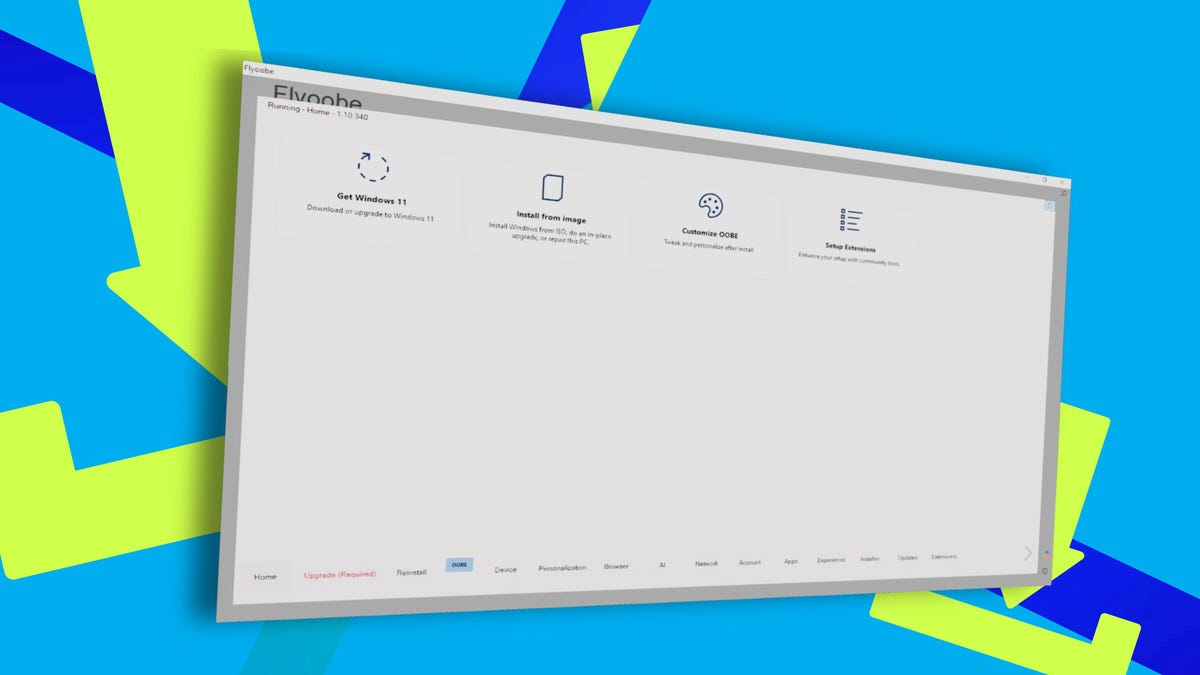
From the home screen, you can opt to download the Windows 11 ISO file directly from Microsoft or point to an existing ISO file if you’ve already downloaded it. But before you do anything, you’ll want to tweak the customizations. At the bottom of the screen are entries for Device, Personalization, Browser, AI, Network, Account, Apps, Experience, Installer, Updates, and Extensions. Yep, those are a lot of choices. But they’re worth exploring.
Also: Can’t upgrade your Windows 10 PC? You have 5 options – and 1 month to decide
If you want Windows 11 with all the fixings, you can just accept the default settings. But if you wish to remove Copilot AI, for example, you would choose the entry for AI and select the options you don’t want, such as the Copilot taskbar icon or the controversial Recall feature for Copilot+ PCs. As another example, clicking the Apps section lets you exclude specific built-in apps such as Paint, Calculator, the Sound Recorder, and Copilot. Overall, the tool is easy to configure and set up.
After you’ve tweaked the settings and set up the Windows 11 ISO file, the installation will kick off, bypassing Microsoft’s restrictions. For example, I used Flyoobe to upgrade a Windows 10 virtual machine to Windows 11, a move that wouldn’t pass muster with Microsoft. But with Flyoobe, the upgrade ran smoothly and effectively. In the end, Windows 11 arrived with all the customizations I had made.
Screenshot by Lance Whitney/ZDNET
Potential pitfalls
Before you try to install Windows 11 on an unsupported PC, there are some potential pitfalls to keep in mind.
You could run into driver conflicts or other incompatibilities. Windows 11 itself may not run as fast or as effectively as it would on a more modern and powerful PC. Microsoft won’t support this process and cautions that you might not receive necessary updates. Still, this can be a useful option if you don’t want to buy a brand-new PC or would just like to hang on to your existing system a while longer.
Also: 7 most Windows-like Linux distros – if you’re ready to ditch Microsoft
Also know that you can still stick with Windows 10 despite the October support deadline. Through its Extended Security Updates (ESU), Microsoft will continue to roll out security patches for the 10-year-old operating system. And you don’t necessarily have to pay for them.
To score the updates, you can redeem Microsoft points. More easily, you can just use the built-in Windows Backup tool to back up and sync your Windows 10 settings to the cloud. In either case, Microsoft promises that you’ll be able to receive the security patches, if only just for another year.
