


Nina Raemont/ZDNET
Apple’s latest lineup of Apple Watches drummed up quite the hype when they were announced during its annual iPhone event. Apple unveiled several new features, like emergency SOS communications via satellite connectivity and FDA-cleared hypertension detection.
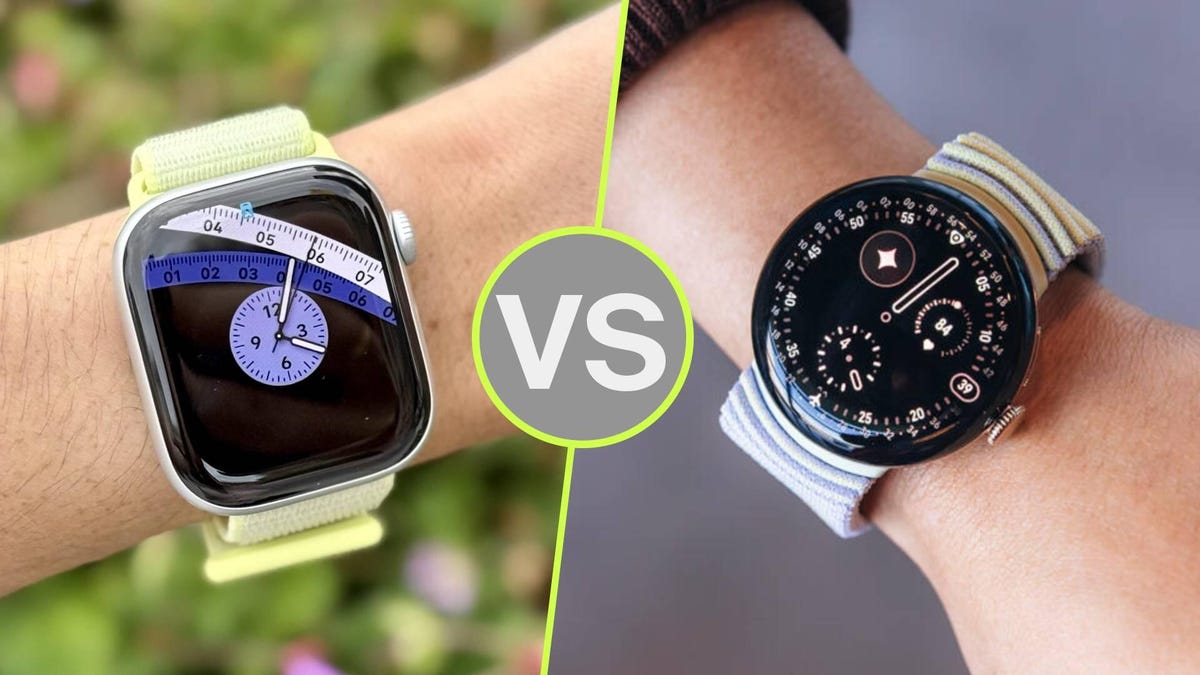
I was physically present in Steve Jobs Theater, and as I watched Apple unveil these features, I couldn’t help but compare the new watch to Google’s Pixel Watch 4. Apple’s new satellite SOS feature bears some striking similarities to Google’s standalone satellite connectivity, for example.
Also: The Apple Watch Series 11 is one feature away from making me ditch my Oura Ring
It made me wonder, what other similarities (and differences) do the two competing smartwatches have? And which of the latest models should you buy?
First: a bit about privacy
The Apple Watch SE 3 (left), Apple Watch Ultra 3 (middle), Apple Watch Series 11 (right).
Nina Raemont/ZDNET
Before I delve into the actual specs, I wanted to mention a big difference between the two brands: privacy. Smartwatches collect lots of health data, including heart rate data, menstrual cycle data, blood oxygen, sleep, and more. That’s some of the most valuable data you can give up.
A recent report published by VPN Mentor rated Apple’s data-sharing practices as “excellent” while Google’s were rated as “good.” Apple shares data only with user permission, and claims to never sell data.
Also: New study will track 40,000 Garmin smartwatch users to better understand pregnancy outcomes
Google shares your data within its ecosystem, and performs opt-in third-party sharing, but no ad targeting. Also note that a “Good” rating is better than other brands’ products, like Samsung or Meta, both of which have received “poor” ratings for their data-sharing to generate personalized ads or biometric data sharing with limited opt-outs.
Still, if data privacy is of the highest importance to you, it’s essential to keep these things in mind before putting a health tracker on your wrist. Now that that’s out of the way, let’s compare.
Specifications
Apple Watch Series 11Google Pixel Watch 4Brightness2,000 nits3,000 nitsWeight42mm: 30.3g, 46mm: 37.8 grams41mm: 31g; 45mm: 36.7gProcessorS10 chip with 64‑bit dual-core processorSnapdragon W5 Gen 2Memory1GB memory, 64GB storage2GB memory, 32GB storageBattery24 hours with always-on enabled30 on 41mm, 40 hours on 45mm with always-on enabledSizes42mm, 46mm41mm, 45mmColorwaysRose Gold, Silver, Jet Black, Space GrayMatte Black, Polished Silver, Champagne Gold, Satin MoonstonePriceStarting at $399Starting at $350
You should buy the Apple Watch Series 11 if…
Nina Raemont/ZDNET
1. You prefer a thinner, lighter watch
I’ve gone hands on with both the Apple Watch Series 11 and the Pixel Watch 4. While I was excited by some of Pixel’s feature updates — like its brighter display — one hardware hurdle I couldn’t jump over was its sheer thickness.
The Series 11 is thin and feels light to wear. The Pixel… does not. While I haven’t gotten to test out the Pixel Watch 4 for more than a few minutes (during demos of the product) I slept with the Pixel Watch 3, which is similar in build. The thicker case and circular build of the Watch 3 made it more challenging to sleep with compared to the Apple Watch Series 11.
2. You want advanced health capabilities
Apple has made investments in its health initiatives in recent years, gathering FDA clearance for several features, including hearing loss in its AirPods Pro, sleep apnea detection, and the recently unveiled hypertension detection.
As a health device, I’d recommend Apple’s Series 11, which I’d describe as a health tracker first and foremost, as opposed to the Pixel Watch 4, which I’d describe as an AI smartwatch that just so happens to have advanced health-tracking capabilities.
Also: Apple Watch SE 3 vs. Watch SE 2: I compared the two models, and there’s a clear winner
There’s no better example of this than Apple’s hypertension detection feature. Over 30 days, the smartwatch tracks your blood pressure and notifies you if you’re above the threshold. It’s a unique feature to Apple, and I don’t see any other wearable offering a high blood pressure detection quite like it.
Pair it with sleep apnea detection, or Apple’s recently re-implemented blood oxygen monitoring, and the result is an advanced suite of certified features. Competing health wearables, like Samsung or Google, pale in comparison to Apple’s health wearable research and development.
You should buy the Pixel Watch 4 if…
Nina Raemont/ZDNET
1. You want a longer battery life
What good is a smartwatch around your wrist if it’s dead? The Apple Watch Series 11 received six more hours of battery life in this upgrade, from 18 to now a full day’s worth, but the Pixel Watch 4 still beats it, with 30 hours of battery life total.
2. You don’t want to pay extra for satellite communications
Both Apple and Google unveiled satellite connectivity features on their smartwatches, allowing users to send messages and get help without a phone nearby. The only difference is its exclusivity to Apple’s higher-end Ultra 3. The Pixel Watch 4, on the other hand, gets this feature at no extra cost or Ultra upgrade.
Also: The 10 Apple Watch features that convinced me to switch to the wearable full-time
3. You want a brighter display
Apple’s Series 11 has a peak brightness of 2,000 nits, while the Pixel Watch 4 offers 1,000 nits more. Both watches are still plenty bright despite their nit difference, and unless you were comparing the two on a particularly bright day, you might not even notice. Out of all the specs to nitpick (pun intended), this might be the least immediately noticeable.
4. You want to pay less for an equally capable device
The Pixel Watch’s starting price begins at $350, while the Apple Watch Series 11 starts at $400.
