


Kyle Kucharski/ZDNET
Choosing the right laptop can feel overwhelming — even for someone like me who’s lived and breathed laptops for years. You get all these options, configurations, and feature lists that it’s impossible not to know up from down. So, to make things easier for you, I’ll be breaking down laptops and their essentials using three broad usage categories: school, work, and gaming.
Also: The best laptops you can buy: Expert tested
Most laptops fall into one of these buckets, and while there is some crossover regarding hardware, each type is designed with a specific purpose in mind. Below, I walk through what defines each category, highlighting key features to look out for and providing example products along the way.
Keep in mind, this advice is based on my own experience and expertise. Ultimately, the best laptop is the one that fits your needs best.
How to pick a laptop for school
Kyle Kucharski/ZDNET
When choosing a school laptop, you’ll want to focus on two things: battery life and durability. Students should get something that can last through a full day of classes and afternoon study sessions. Ideally, look for laptops capable of running for 12 hours or more. I also recommend a sturdy 13- or 14-inch laptop that’s lightweight but tough enough to handle the occasional bump or drop.
Also: The Dell laptop I recommend to most college students is $350 off at Best Buy
Performance is secondary, especially if you’re going to be using it for writing papers and browsing the web. They’re not built for heavy tasks like 3D rendering or gaming (although lightweight titles like “League of Legends” after class will run on almost anything).
One great school laptop is the Dell Inspiron 14 Plus, which offers up to 21 hours of battery life, solid performance from the Snapdragon X Plus chipset, and a vibrant Quad HD display — all for about $600.
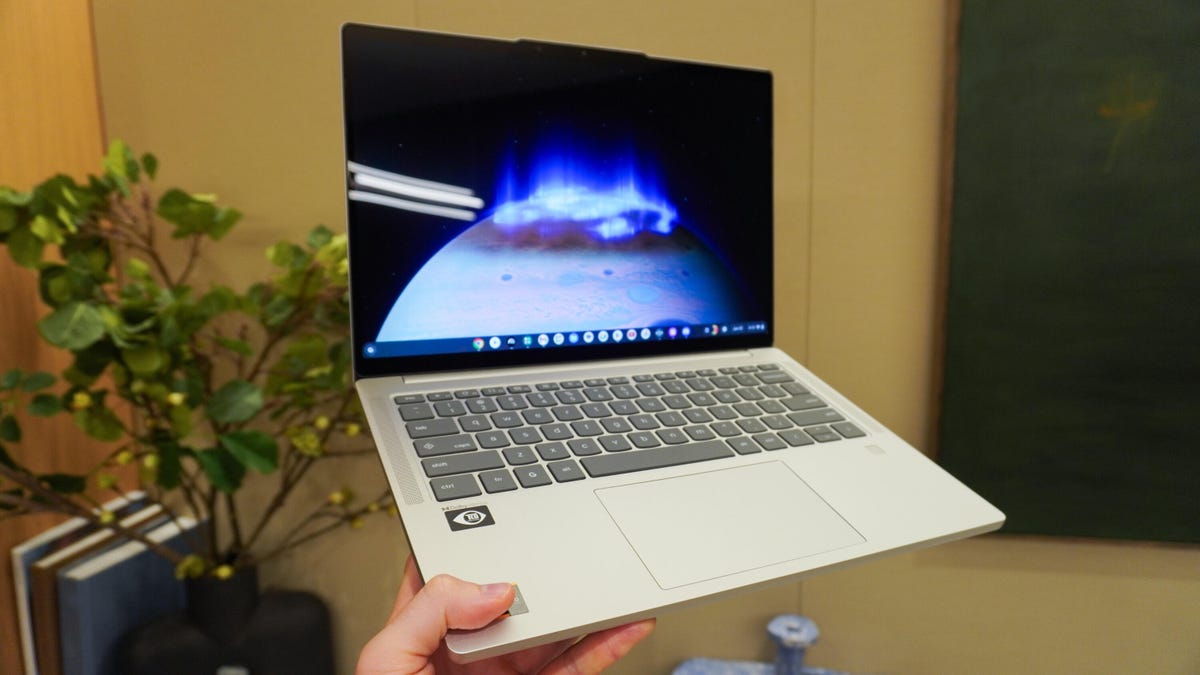
If you like a fast and efficient Chromebook, the Lenovo Chromebook Plus has a gorgeous 2K OLED touchscreen display and marathon battery life — ideal for students who work out of Google’s suite of apps.
Another solid pick is going with a refurbished laptop like the M1 MacBook Air, currently down to $599 at Walmart. The M1 MacBook Air’s thin and light frame might not be durable enough for everyone, but it definitely is easy to carry around.
How to pick a laptop for work
Kerry Wan/ZDNET
Work laptops cover a wide range of devices, but one thing is true for all of them: they need to be powerful. Unlike school laptops, work computers need to be able to handle more demanding tasks like video conferencing, video editing, software programming, data analysis, and graphic design.
Also: One of my favorite budget OLED laptops for work just got even more affordable
So, start by looking for laptops with more powerful processors like Intel’s “Lunar Lake” chip or a CPU from AMD’s Ryzen AI 300 series. These are the companies’ latest chipsets built for demanding workloads. A good example of such a device is the Lenovo ThinkPad X9 Aura Edition, an ultraportable laptop powered by the Intel Core Ultra 7 258V processor that we really love.
If the ThinkPad isn’t your style, there are plenty of alternatives. Want a larger screen and top-tier power? Check out the Dell Premium 16. It has a stunning 4K touchscreen and an Nvidia GeForce RTX 5070, which is a fantastic graphics card for 3D rendering.
Or maybe you want a laptop that can handle high-quality video calls? I recommend the HP EliteBook Ultra G1i. It has a 9MP webcam capable of 1440p video. The 2.8K OLED display with 120Hz refresh rate offers a premium experience, with solid hardware to support it.
How to pick a gaming laptop
Kyle Kucharski/ZDNET
When it comes to gaming laptops, the two most important factors are performance and display. Don’t worry too much about battery life — these machines are power-hungry by design and, speaking from personal experience, they won’t last unplugged for long.
Strong performance is crucial for smooth gameplay, so you’ll want a device with competitive hardware for an immersive experience without graphical issues and slowdowns. I recommend opting for gaming laptops carrying an RTX 50-series graphics card, however, older-gen components still definitely hold up in 2025.
Also: I recommend this Windows laptop to creatives and professionals – even if it’s meant for gamers
For displays, I prioritize high refresh rates over high resolutions. A 120Hz refresh rate, for example, delivers smoother visuals, less motion blur, and lower input lag than a 60Hz screen. And you need that speed for competitive play. I’m perfectly satisfied with a simple 1080 display, but if you want the best, there are plenty of 1440p and 4K options out there — just be prepared to pay a premium for them.
The downside to all this powerful hardware is that they generate a lot of heat, and high temperatures kill laptops. Brands have been putting a lot of effort into the cooling systems of their gaming laptops. The problem here is that computers with robust cooling are very expensive. If cost is an issue, I recommend buying a laptop cooling pad.
I’ve tested a lot of gaming laptops in recent months, and my favorite, without a doubt, has been the Alienware 18 Area-51. It performs incredibly well, has a vibrant display, and a sleek design, with an Nvidia GeForce RTX 5070 GPU. Just keep in mind that weighs nearly 10 pounds.
Another fantastic option is Lenovo’s Legion Pro 7i — a 16-inch gaming behemoth with everything you’d want in a gaming rig: a brilliant 16-inch 240Hz OLED display, 32GB of RAM, (upgradable to 96GB), and a 24-core Intel Core Ultra 9 processor with Nvidia GeForce RTX 5080. Not to mention some sweet RGB lighting.
If you’re looking for something a little more low-key, Asus’ ROG Zephyrus G14 brings a smaller, lighter form factor to the game. You’ve got an AMD Ryzen 9 8945HS CPU and Nvidia GeForce RTX 4060 along wth 16GB of memory and a gorgeous 14-inch OLED display. Plus, while you’re not gaming, this laptop looks a lot more like something you could take to the office.
Is there a laptop that can do all three?
As a matter of fact, yes. While specialized laptops can do one thing really well, there are definitely versatile models out there that can do a little bit of everything.
It goes without saying that the MacBook Pro M4 makes for a fantastic laptop for work, school, or gaming. Gaming on a Mac has blown up over the last few years, with support for more games, and better performance thanks to MetalFX upscaling and support for ray tracing. When it comes to work and school, the MacOS 26 ecosystem is unrivaled for productivity, creative tasks, and integration within Apple’s ecosystem of products.
Another versatile laptop is the new Dell 14 Plus, released earlier this year. It’s not going to compete with the gaming laptops on this list when it comes to the latest titles, but if you’re a casual gamer who likes to play some “League” every now and then, this laptop’s Intel Core Ultra 7 or 9 processor and up to 32GB of RAM carry some solid performance. Plus, it’s competitively-priced at just around $1,000.
Lastly, another affordable option that’s versatile enough for most purposes is the Acer Swift 16 AI. This thin, light, and battery-efficient laptop has a gorgeous 3K OLED display at 120Hz and commendable power under the hood: an Intel Core Ultra 7 or 9 “Lunar Lake” processor. It’s great in the office, light and efficient enough for school, and can handle a variety of games.
I’ve been writing about both software and consumer electronics for almost 10 years now, and in that time, I’ve worked in many different settings, from the traditional office to the home office, and the backyard. The remote experience has made me extremely selective about what I make as my main computer, as I want to make sure the devices I use are able to handle my day-to-day tasks. I’m on my computers all day, practically every day of the week.
Also: Is a refurbished MacBook worth it? I did the math, and here’s my buying advice
I’m also at a point where I’ve tried just about every type of laptop on the market. I know what makes laptops from key categories worthwhile purchases — and which are best left alone.
The advice that I have given are not hard and fast rules. They just aim to provide a foundation of what you should look for in a laptop. Like I always say, what is best for you depends on your needs.
Show more
