

Close Menu
TechurzTechurz
    What's Hot

    Nvidia competitor Etched hits $5B valuation, $1B in sales for AI chip

    June 30, 2026

    Clicks shows off its BlackBerry-inspired phone in a new hands-on video

    June 30, 2026

    Arcturus could halve the grid’s electrical losses using its nano-infused copper

    June 30, 2026
    X (Twitter) Pinterest YouTube LinkedIn WhatsApp
    Tech Pulse
    • Nvidia competitor Etched hits $5B valuation, $1B in sales for AI chip
    • Clicks shows off its BlackBerry-inspired phone in a new hands-on video
    • Arcturus could halve the grid’s electrical losses using its nano-infused copper
    • Arena, the AI leaderboard everyone uses, is now a $100M business
    • Omen AI’s plan to optimize data centers is all wet
    X (Twitter) Pinterest YouTube LinkedIn WhatsApp
    TechurzTechurz
    • Home
    • Tech Pulse
    • Future Tech
    • AI Systems
    • Cyber Reality
    • Disruption Lab
    • Signals
    TechurzTechurz
    Home - News - How to install the iPadOS 26 beta on your iPad (and which models support it)
    News

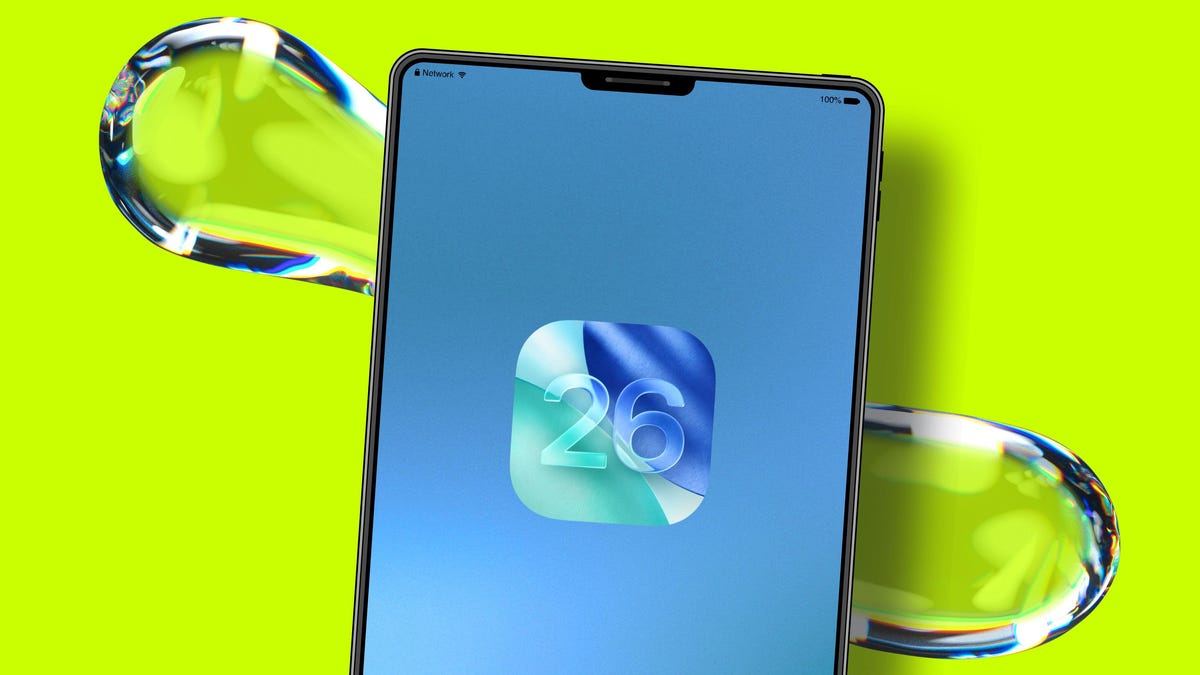
    How to install the iPadOS 26 beta on your iPad (and which models support it)

    TechurzBy TechurzJuly 13, 2025No Comments3 Mins Read
    Share Facebook Twitter Pinterest LinkedIn Tumblr Reddit Telegram Email
    How to install the iPadOS 26 beta on your iPad (and which models support it)
    Share
    Facebook Twitter LinkedIn Pinterest Email

    Table of contents
    1 How do I install the iPadOS 26 public beta?
    2 Which iPads are compatible with iPadOS 26?
    3 When will iPadOS 26 release?
    4 What to do before installing the iPadOS 26 developer beta?
    5 How to submit beta feedback to Apple

    How do I install the iPadOS 26 public beta?

    Once Apple releases the public beta of iPadOS 26, you will not need to go through the above steps to to test the developer beta. Instead, you can follow the steps below. You’ll need an iPad running iPadOS 16.4 or later.

    1. Go to your iPad’s Settings and select General.
    2. Tap Software Update.
    3. Enable Beta Updates by choosing the iPadOS version you’d like to access.
    4. Select iPadOS 26 Public Beta. Your iPad will then receive automatic updates to the latest public beta version as it’s released.

    Which iPads are compatible with iPadOS 26?

    You’ll need an iPad with iPadOS 16.4 or later, which means one of these models:

    • iPad Pro (M4)
    • iPad Pro 12.9-inch (3rd generation or later)
    • iPad Pro 11-inch (1st generation and later)
    • iPad Air (M3)
    • iPad Air (M2)
    • iPad Air (3rd generation and later)
    • iPad (A16)
    • iPad (8th generation and later)
    • iPad Mini (A17 Pro)
    • iPad Mini (5th generation and later)

    Also: Every iPad model that supports iPadOS 26 (and which ones won’t be compatible)

    When will iPadOS 26 release?

    Apple released the third developer beta of iPadOS 26 on July 7, exclusively for registered developers. The public beta is expected to go live in July, opening up early access to anyone to test. The final general release is slated for this fall, most likely in September.

    Also: Apple just gave me a compelling reason to ditch my MacBook for an iPad. Here’s why

    What to do before installing the iPadOS 26 developer beta?

    You can always join the Apple Beta program to get the latest beta versions of iPadOS. Before you download a beta version of an operating system, keep these housekeeping items in mind:

    • Back up your device and personal information.
    • Don’t download beta software, which will likely have bugs and glitches, on your everyday iPad.
    • Beta versions are released so you can test new features and share feedback to improve iPadOS.

    How to submit beta feedback to Apple

    By the time the public beta is released, Apple will have two beta versions of iPadOS: iPadOS 26 public beta and iPadOS 26 developer beta. Both come with a built-in Feedback Assistant app, which can be opened from the Home screen on your iPad. When you experience an issue or something does not work as expected, send your feedback directly to Apple with Feedback Assistant.

    Editor’s note: This article was originally published in June 2025. It was fact-checked and thoroughly updated on July 8, 2025.

    Get the morning’s top stories in your inbox each day with our Tech Today newsletter.

    Beta Install iPad iPadOS models Support
    Share. Facebook Twitter Pinterest LinkedIn Tumblr Email
    Previous ArticleTop 10 trending phones of week 28
    Next Article Why Your Fitbit Won’t Turn On (And How to Fix It)
    Techurz
    • Website

    Related Posts

    Opinion

    Asian AI startups launch Mythos-like models as Anthropic’s export ban drags on

    June 27, 2026
    Opinion

    As Anthropic suspends access to new models, India debates its AI future

    June 14, 2026
    Opinion

    ZeroDrift raises $10M to protect AI models from themselves

    June 2, 2026
    Add A Comment
    Latest Tech Pulse

    College social app Fizz expands into grocery delivery

    September 3, 20252,290

    SolarSquare in talks to raise up to $60M as India’s rooftop solar market draws major VC interest

    May 23, 202622

    Future of Digital Privacy and Security: 7 Truths Nobody Tells You

    May 25, 202619
    Stay In Touch
    • YouTube
    • WhatsApp
    • Twitter
    • Pinterest
    • LinkedIn

    Techurz helps readers stay ahead of digital change with clear, practical, future focused technology intelligence written today,searched tomorrow.

    X (Twitter) Pinterest YouTube LinkedIn WhatsApp
    Company
    • About Us
    • Contact Us
    • Our Authors / Editorial Team
    • Write For Us
    • Advertise
    Policy
    • Editorial Policy
    • Privacy Policy
    • Terms and Conditions
    • Affiliate Disclosure
    • Cookie Policy
    • Disclaimer
    • DMCA
    Explore
    • AI Systems
    • Cyber Reality
    • Future Tech
    • Disruption Lab
    • Signals
    • Tech Pulse
    • Sitemap

    Join the Techurz Brief

    The future does not arrive suddenly.
    Stay ahead with fast, sharp tech signals.

    Type above and press Enter to search. Press Esc to cancel.