

Close Menu
TechurzTechurz
    What's Hot

    Autonomous vehicle hype is back, and Humble Robotics is bringing it to freights

    July 1, 2026

    Builders Stage agenda revealed for Disrupt 2026

    July 1, 2026

    Startup Battlefield Australia application closes in days: Apply before July 6

    June 30, 2026
    X (Twitter) Pinterest YouTube LinkedIn WhatsApp
    Tech Pulse
    • Autonomous vehicle hype is back, and Humble Robotics is bringing it to freights
    • Builders Stage agenda revealed for Disrupt 2026
    • Startup Battlefield Australia application closes in days: Apply before July 6
    • Acti puts AI agents directly into your smartphone keyboard
    • The DeepMind trio who built a poker AI are now making money for quant hedge funds
    X (Twitter) Pinterest YouTube LinkedIn WhatsApp
    TechurzTechurz
    • Home
    • Tech Pulse
    • Future Tech
    • AI Systems
    • Cyber Reality
    • Disruption Lab
    • Signals
    TechurzTechurz
    Home - Guides - How to Turn Off Eco Mode
    Guides

    How to Turn Off Eco Mode

    TechurzBy TechurzJuly 13, 2025Updated:May 12, 2026No Comments3 Mins Read
    Share Facebook Twitter Pinterest LinkedIn Tumblr Reddit Telegram Email
    How to Turn Off Eco Mode
    Share
    Facebook Twitter LinkedIn Pinterest Email


    Table of contents
    1 The Download
    2 How to Turn off Eco Mode on Nest
    3 Nest Eco Mode Tips and Tricks
    4 FAQ

    The Download

    • Tap the touch ring on the Nest to access its menu.
    • From the menu, you can select between Heating, Cooling, Eco, and Off.
    • Select any mode that’s not Eco to disengage Eco mode.

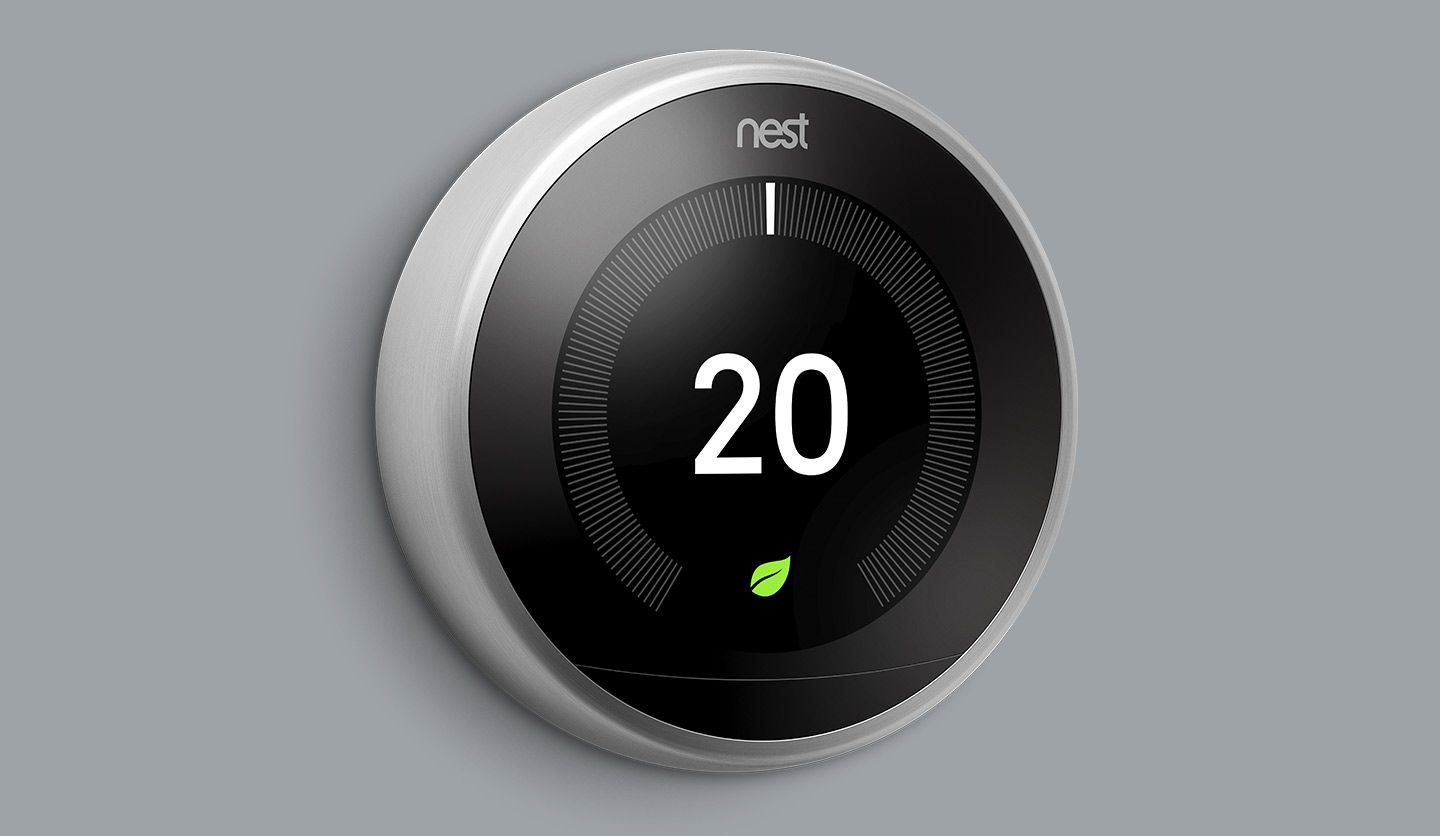
    This article explains how to manually turn off Eco Mode on a Google Nest thermostat.

    How to Turn off Eco Mode on Nest 

    Once your Nest is set up and running, and it’s in Eco Mode, switching it out of Eco Mode is easy to do manually on the Nest thermostat itself.

    The Eco Mode can be a good way to save energy or a good resting setting to leave your home on while you’re away, but you won’t always want it on, so knowing how to turn it off is important.

    1. Tap the ring on your Nest to bring up its menu.

      To turn off Eco Mode, you’ll have to already be in Eco Mode.

    2. Select the Temperature mode icon, and then select another mode instead of Eco Mode, such as Heating, Cooling, or Off.

      Your available modes depend on your equipment.

    3. If you pick Heating or Cooling, you’ll also need to select a temperature to either heat or cool to on Nest.

    Nest Eco Mode Tips and Tricks

    Eco Mode is built to save you energy without fully shutting off heating or cooling, so it’s most effective when you aren’t around.

    Consequently, this is also why if you switch your Nest to Away, either on Nest or in the app, you’ll automatically be switched to Eco Mode. Nest can also automatically detect when nobody’s home and switch to Eco Mode itself.

    However, these systems aren’t always foolproof, so being able to manually turn off Eco Mode is a good thing to know how to do.

    Beyond that, though, it’s useful to know how Eco Mode actually works.

    When a Nest detects your home’s temperature is higher than its cooling setting, it will start cooling until it reaches the desired temperature. It will then turn itself off. Heating works similarly.

    FAQ

    • What is Eco Mode on a Nest ?

      On a Nest thermostat, Eco Mode is a preset temperature range designed to help your home save energy. The thermostat can automatically switch to Eco temperatures when it senses no one is home. When you see Eco on your thermostat, you’ll know that Eco temperatures are active.

    • How do I turn off a Nest thermostat?

      To turn off a Nest thermostat, press the touch bar to bring up its menu and select the mode icon. When the new menu appears, scroll to and select Off. You can also use the Nest app: Tap the thermostat > mode icon > off.

    • How do I reset a Nest thermostat?

      To reset a Nest thermostat, press the touch bar to bring up its menu and select Settings. Turn the ring to scroll through the settings options until you see Reset; press down once to select it. Choose Restart > Factory Reset to remove your settings and restore the device to its out-of-the-box state.

    Thanks for letting us know!

    Get the Latest Tech News Delivered Every Day

    Subscribe

    Tell us why!

    Other

    Not enough details

    Hard to understand

    Eco Mode Turn
    Share. Facebook Twitter Pinterest LinkedIn Tumblr Email
    Previous ArticleHow agentic AI is transforming the very foundations of business strategy
    Next Article Galaxy Z Fold7/Flip7, Watch8 series, OnePlus Nord 5/CE5 official, Week 28 in review
    Techurz
    • Website

    Related Posts

    Opinion

    Forget the feed: Status AI raises $17M to turn social media into interactive entertainment

    May 19, 2026
    Opinion

    Gumloop lands $50M from Benchmark to turn every employee into an AI agent builder

    March 12, 2026
    Opinion

    Stripe wants to turn your AI costs into a profit center

    March 3, 2026
    Add A Comment
    Latest Tech Pulse

    College social app Fizz expands into grocery delivery

    September 3, 20252,290

    SolarSquare in talks to raise up to $60M as India’s rooftop solar market draws major VC interest

    May 23, 202622

    Future of Digital Privacy and Security: 7 Truths Nobody Tells You

    May 25, 202619
    Stay In Touch
    • YouTube
    • WhatsApp
    • Twitter
    • Pinterest
    • LinkedIn

    Techurz helps readers stay ahead of digital change with clear, practical, future focused technology intelligence written today,searched tomorrow.

    X (Twitter) Pinterest YouTube LinkedIn WhatsApp
    Company
    • About Us
    • Contact Us
    • Our Authors / Editorial Team
    • Write For Us
    • Advertise
    Policy
    • Editorial Policy
    • Privacy Policy
    • Terms and Conditions
    • Affiliate Disclosure
    • Cookie Policy
    • Disclaimer
    • DMCA
    Explore
    • AI Systems
    • Cyber Reality
    • Future Tech
    • Disruption Lab
    • Signals
    • Tech Pulse
    • Sitemap

    Join the Techurz Brief

    The future does not arrive suddenly.
    Stay ahead with fast, sharp tech signals.

    Type above and press Enter to search. Press Esc to cancel.