


ZDNET
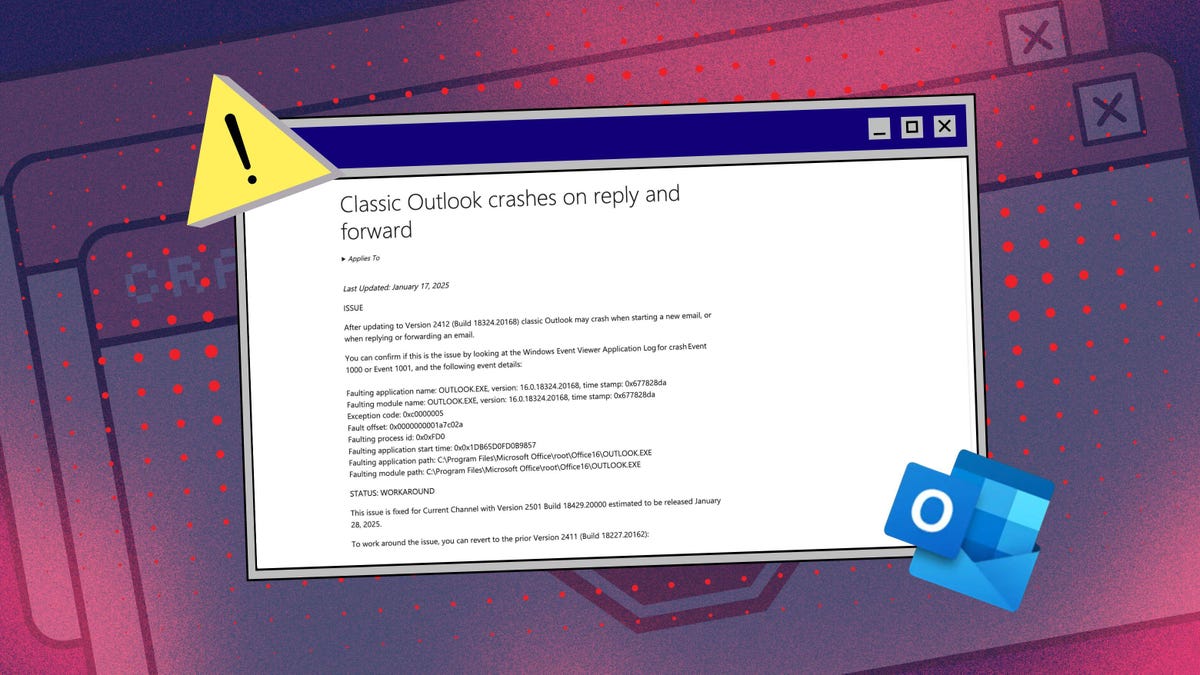
Those of you who use classic Outlook may have noticed the program acting more temperamental than usual. There’s a reason for that. In a recent support article, Microsoft acknowledged that Outlook may crash when you start a new email or when you reply to or forward an existing email.
Well, fret no more because a fix is afoot. On Tuesday, Microsoft confirmed that it has squashed the bug with the latest builds of Outlook for versions 2021, 2024, and several enterprise editions. The fix is also expected to reach Outlook 2016 on July 1 and Outlook 2019 on July 8.
To see which version you’re running, select the File menu in Outlook and click Office Account. The description next to the About Outlook icon indicates the version. To apply the fix via the latest build at any time, select File, click Office Account, select the icon for Update Options, and choose Update Now.
The crash only affects classic Outlook
In its support document, Microsoft explained that the crash is triggered when you open or start a new email. The glitch occurs because Outlook is unable to open the Forms Library, which is home to custom forms you create with the program.
Though a variety of Outlook versions are susceptible to the problem. Microsoft said that it’s finding new cases popping in a virtual desktop infrastructure (VDI) in which the Windows desktop is accessed virtually on a central server.
“This Outlook crash is a clear example of the instability and issues that arise when working with virtual desktops (VDI) – and similar remote hosting technologies – to run essential business apps,” David Matalon, CEO at BYOD security technology provider Venn, told ZDNET. “Traditional VDI solutions host apps and data remotely, routing every click and keystroke from the endpoint to a data center – and then back to the endpoint. It’s a reminder why IT leaders should explore strategies that allow business applications to run locally on the user’s device.”
The problem has affected only classic Outlook, meaning the version that comes with Microsoft Office or Microsoft 365, and not the new Outlook that the software giant has been pushing in Windows.
Also: How to encrypt any email – in Outlook, Gmail, and other popular services
How to see if it’s affecting you
If Outlook is crashing on you and you haven’t yet received the fix, Microsoft suggests the following workaround:
- Open File Explorer and head to the following path: C:\Users\\AppData\Local\Microsoft.
- Confirm whether or not you see a folder named FORMS2.
- If not, make sure Outlook is closed.
- At this location, right-click on any empty area, move your cursor to New in the popup menu, and select folder.
- Name the new folder FORMS2.
Also: Microsoft to force new Outlook app in Windows 10 with no way to block it
You can also check the logs from the Windows Event Viewer for the following data:
Faulting application name: OUTLOOK.EXE, version: 16.0.14334.20090, time stamp: 0x683fe030
Faulting module name: OLMAPI32.DLL, version: 16.0.14334.20090, time stamp: 0x683ff910
Exception code: 0xc0000409
Fault offset: 0x00196e1c
Faulting process id: 0x9100
Faulting application start time: 0x01dbdbe04fe54514
Faulting application path: C:\Program Files (x86)\Microsoft Office\root\Office16\OUTLOOK.EXE
Faulting module path: C:\Program Files (x86)\Microsoft Office\root\Office16\OLMAPI32.DLL
Just note that the pathname for the EXE and DLL files will differ based on your version of Outlook.
“This Outlook crash issue is primarily a business continuity problem rather than a direct security threat, but it creates dangerous blind spots that attackers love to exploit,” J Stephen Kowski, Field CTO at SlashNext Email Security+, told ZDNET.
When email systems are down or unreliable, employees can resort to unsecured alternatives like personal email or messaging apps. Doing so can create new attack vectors as they operate outside corporate security controls.
“Organizations need email security solutions that work independently of the client application, providing consistent protection whether users are on classic Outlook, web-based email, or whatever backup method they’re using during outages,” Kowski said.
Also: This easy email trick will make your inbox clutter vanish – automagically
