

Close Menu
TechurzTechurz
    What's Hot

    Asian AI startups launch Mythos-like models as Anthropic’s export ban drags on

    June 27, 2026

    Corgi, the buzzy Y Combinator-backed insurance tech startup, says it didn’t steal an open source product

    June 26, 2026

    OpenAI poaches Uber India chief to lead its biggest market outside the US

    June 26, 2026
    X (Twitter) Pinterest YouTube LinkedIn WhatsApp
    Tech Pulse
    • Asian AI startups launch Mythos-like models as Anthropic’s export ban drags on
    • Corgi, the buzzy Y Combinator-backed insurance tech startup, says it didn’t steal an open source product
    • OpenAI poaches Uber India chief to lead its biggest market outside the US
    • Early Bird pricing ends tonight for Founder Summit
    • Robotaxis drive miles just to get cleaned and charged; this new startup wants to fix that
    X (Twitter) Pinterest YouTube LinkedIn WhatsApp
    TechurzTechurz
    • Home
    • Tech Pulse
    • Future Tech
    • AI Systems
    • Cyber Reality
    • Disruption Lab
    • Signals
    TechurzTechurz
    Home - AI - Is Instagram Map showing your location? How to check and turn it off
    AI

    Is Instagram Map showing your location? How to check and turn it off

    TechurzBy TechurzAugust 12, 2025Updated:May 10, 2026No Comments2 Mins Read
    Share Facebook Twitter Pinterest LinkedIn Tumblr Reddit Telegram Email
    Is Instagram Map showing your location? How to check and turn it off
    Share
    Facebook Twitter LinkedIn Pinterest Email

    Table of contents
    1 How do I find Instagram Map?
    2 Is Instagram Map’s location sharing on by default?
    3 Can strangers see my real-time location?
    4 How often does Instagram Map update my shared location?
    5 Why am I seeing people on my Map who haven’t opted in?
    6 If I tag a location in a post, will it show up on the Map?
    7 Can I hide certain locations or places from some people?

    How do I find Instagram Map?

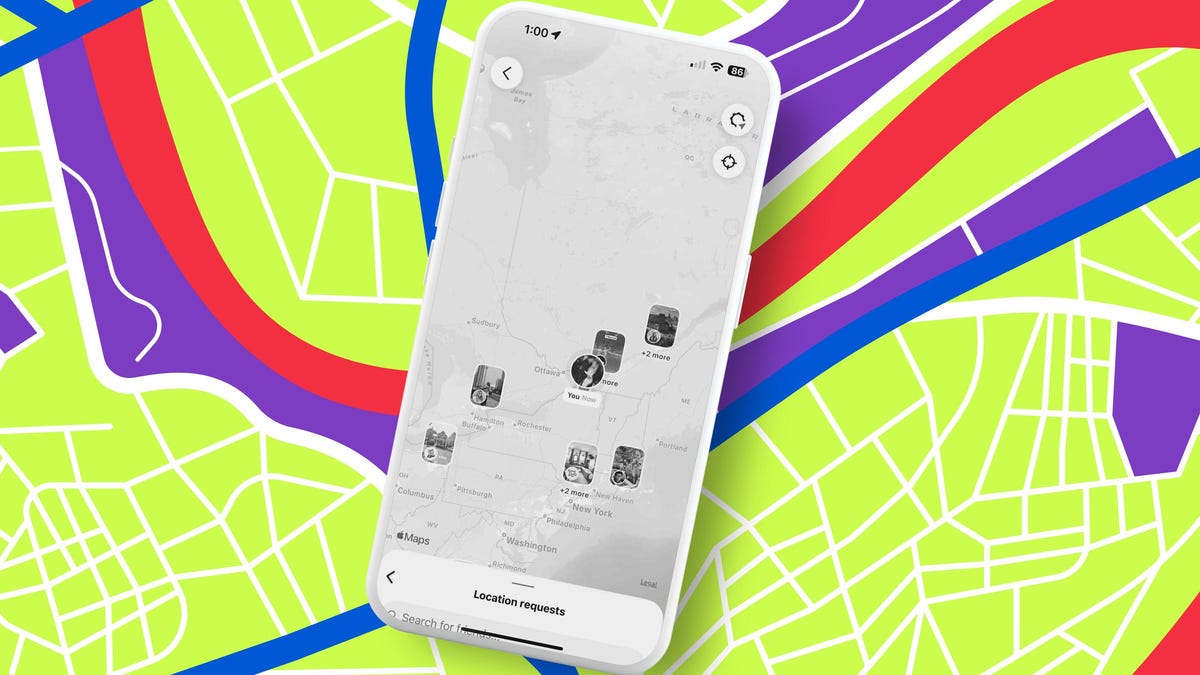
    There a couple of ways you can access Instagram Map:

    • DM Inbox: Tap the Map icon at the top of your Direct Messages tab to launch the interactive map. 
    • Story or post: Tap the location tag in a Story or Post, and then Instagram will open the Map view for that place.

    Also: Best data removal services: Delete yourself from the internet

    Is Instagram Map’s location sharing on by default?

    No. You have to opt in before anyone can see your precise, last-active location in Instagram Map. 

    Can strangers see my real-time location?

    Not unless you share it. Map only shares your precise, last-active location with friends you’ve approved. You can set it to “No one.”

    How often does Instagram Map update my shared location?

    Instagram has said your location updates every time you open the app, and it disappears after 24 hours if you haven’t been active.

    Why am I seeing people on my Map who haven’t opted in?

    According to Instagram head Adam Mosseri, people are seeing location-tagged posts and Reels on Map and assuming that means their live location is being tracked. “Your last reel is showing up on the map, not your current location. Your live location is not being shared, and it will never be unless you decide to share it,” Mosseri wrote on Threads.

    So, if you tag a location in content, it will appear on the map for 24 hours — but this does not share your precise, last-active location (which is what Mosseri calls “live location”). 

    If I tag a location in a post, will it show up on the Map?

    Yes, if your account is public, then tagged posts and Stories can appear on the Map.

    Can I hide certain locations or places from some people?

    Yes, you have the option to choose up to three places to set as hidden. When you’re at a hidden place, no one will see you on the map. You can also choose specific people to hide your location from.

    1. Open Instagram and tap the Messages icon in the top right of your feed.
    2. Tap Map at the top of your inbox. 
    3. Tap the Settings icon in the top right and then Options.
    4. Add a hidden place: Tap Add, drag a pin to the map, click next, and done. 
    5. You can then go back to Options, tap, “Hide from…,” and choose accounts to hide your location.

    Check Instagram Location map showing Turn
    Share. Facebook Twitter Pinterest LinkedIn Tumblr Email
    Previous ArticleI went hands-on with ChatGPT Codex and the vibe was not good – here’s what happened
    Next Article It’s time to replace your TV if you notice any of these 5 issues
    Techurz
    • Website

    Related Posts

    AI Systems

    The Future of AI Systems: 7 Architectural Shifts Driving the AI Revolution

    June 13, 2026
    Opinion

    Beyond Instagram: Introducing the next generation of social apps

    June 6, 2026
    Opinion

    Forget the feed: Status AI raises $17M to turn social media into interactive entertainment

    May 19, 2026
    Add A Comment
    Latest Tech Pulse

    College social app Fizz expands into grocery delivery

    September 3, 20252,290

    SolarSquare in talks to raise up to $60M as India’s rooftop solar market draws major VC interest

    May 23, 202622

    Future of Digital Privacy and Security: 7 Truths Nobody Tells You

    May 25, 202619
    Stay In Touch
    • YouTube
    • WhatsApp
    • Twitter
    • Pinterest
    • LinkedIn

    Techurz helps readers stay ahead of digital change with clear, practical, future focused technology intelligence written today,searched tomorrow.

    X (Twitter) Pinterest YouTube LinkedIn WhatsApp
    Company
    • About Us
    • Contact Us
    • Our Authors / Editorial Team
    • Write For Us
    • Advertise
    Policy
    • Editorial Policy
    • Privacy Policy
    • Terms and Conditions
    • Affiliate Disclosure
    • Cookie Policy
    • Disclaimer
    • DMCA
    Explore
    • AI Systems
    • Cyber Reality
    • Future Tech
    • Disruption Lab
    • Signals
    • Tech Pulse
    • Sitemap

    Join the Techurz Brief

    The future does not arrive suddenly.
    Stay ahead with fast, sharp tech signals.

    Type above and press Enter to search. Press Esc to cancel.