

Close Menu

    Subscribe to Updates

    Get the latest creative news from FooBar about art, design and business.

    What's Hot

    Meridian Ventures launched $35M fund to back MBA-deferred founders

    May 15, 2026

    Lovable just backed a company that’s looking to bring vibe coding to hardware

    May 14, 2026

    Clio’s $500M milestone arrives just as Anthropic ups the ante

    May 14, 2026
    Facebook X (Twitter) Instagram
    Tech Pulse
    • Meridian Ventures launched $35M fund to back MBA-deferred founders
    • Lovable just backed a company that’s looking to bring vibe coding to hardware
    • Clio’s $500M milestone arrives just as Anthropic ups the ante
    • Anduril raises $5B, doubles valuation to $61B
    • Kevin Hartz’s A* just closed its third fund with $450M
    X (Twitter) Pinterest YouTube LinkedIn WhatsApp
    Techurz
    • Home
    • AI Systems
    • Cyber Reality
    • Future Tech
    • Disruption Lab
    • Signals
    • Tech Pulse
    Techurz
    Home - Guides - Mastering Text Highlighting in Pages
    Guides

    Mastering Text Highlighting in Pages

    TechurzBy TechurzJune 8, 2025Updated:May 12, 2026No Comments3 Mins Read
    Share Facebook Twitter Pinterest LinkedIn Tumblr Reddit Telegram Email
    Mastering Text Highlighting in Pages
    Share
    Facebook Twitter LinkedIn Pinterest Email


    The Download

    • Select some text, then click Insert > Highlight to highlight some text.
    • To change your highlight color: View > Comments & Changes > Author Color > select a custom color.
    • To comment on highlighted text: Mouseover highlighted text > Add a Comment > type your comment > click Done.

    This article explains how to highlight text in Pages, including how to leave notes once you’ve highlighted something.

    How Do You Highlight Text in Pages on a Mac?

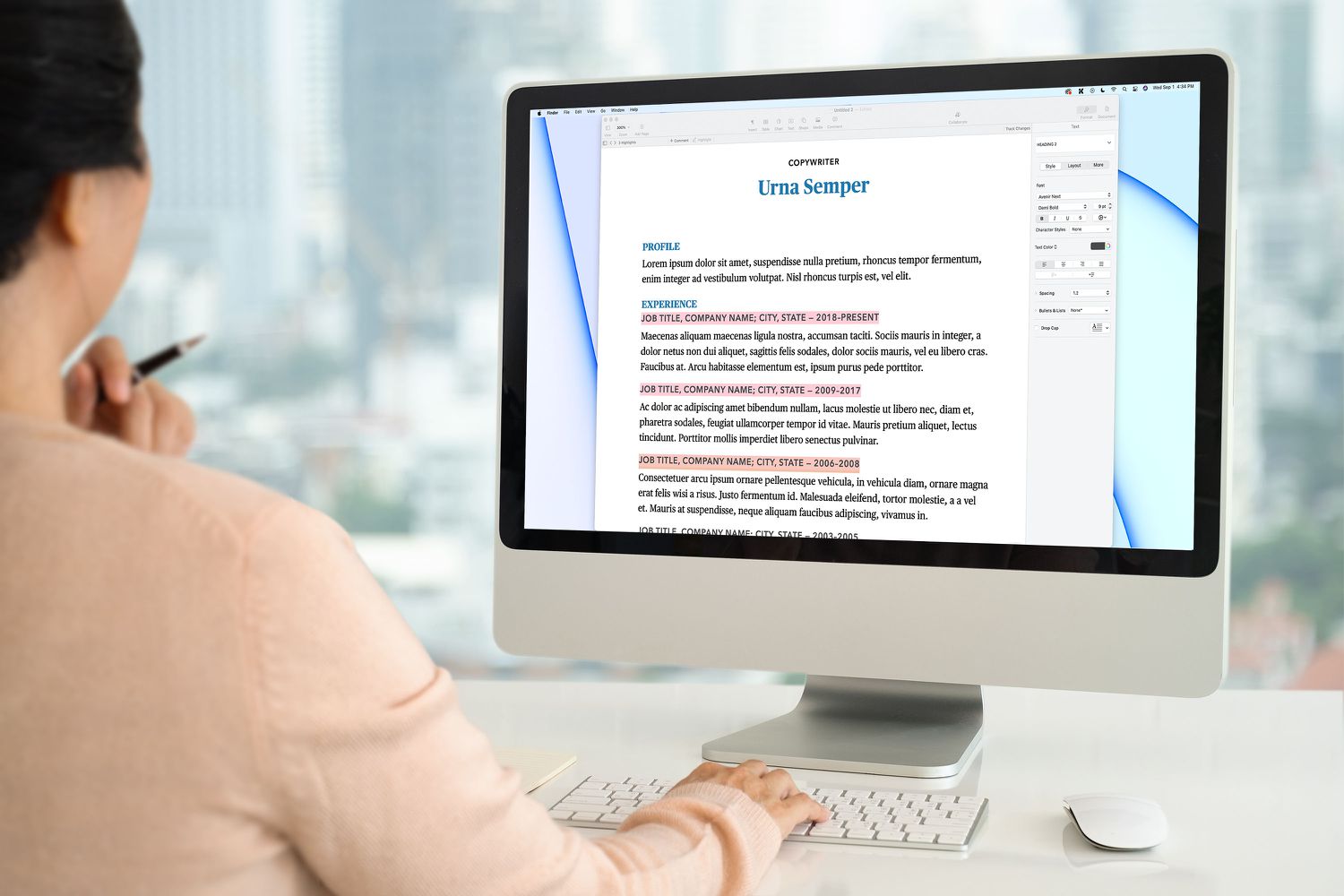
    Pages allows you to highlight text so a specific section stands out from the rest of the document.

    Here’s how to highlight text in Pages on a Mac:

    1. Open a Pages text document.

    2. Select the text you want to highlight.

      Not sure how to select text on a Mac? Position the mouse cursor at the beginning of the text, click and hold the mouse button, drag to the end of the text, then let go of the mouse button. You can also select text by holding down Shift and then moving the cursor with the arrow keys.

    3. Click Insert > Highlight on the menu bar.

    4. Your text is now highlighted.

      The Review Toolbar will now appear at the top of the document. To highlight additional text, select it and click Highlight in this toolbar.

    How to Change the Color of Highlighted Text

    Once you’ve highlighted some text, you can change the highlight color. If your document has multiple people collaborating on it, you can also assign a different color to each person.

    Here’s how to change the color of highlighted text in Pages on a Mac:

    1. Highlight some text using the method described above.

    2. Click View on the menu bar.

    3. Click Comments & Changes.

    4. Click Author Color.

    5. Click the color you want to use for highlights.

      Other people who have access to this document will see this color when you make highlights. They can set their own color using this same method, and you will see their highlights in the color they choose.

    6. Your highlights will change to the color you selected.

    How to Leave Comments on Highlighted Text in Pages on Mac

    When you highlight text in Pages, you can add a comment to the selection to help remind you of why you highlighted the text, or to see if there was some change you wanted to make later.

    Here’s how to leave comments on highlighted text in Pages on a Mac:

    1. Highlight some text using the method described above.

    2. Move your mouse cursor over the highlighted text, and click in the Add a Comment box when it appears.

    3. Type your comment, and click Done.

    4. If you move your mouse over the highlighted text in the future, your note will pop up.

      Comments are also useful if you’re collaborating because the other people who have access to your document will be able to see your comment and leave their own.

    FAQ

    • How do I remove a highlight in Pages?

      To remove highlighted text in Pages, click the highlighted text section > select Delete from the pop-up box that appears. Removing a highlight doesn’t remove any text; it removes only the highlight.

    • How do I highlight text in Pages on an iPad?

      In Pages on your iPad, select the text, and then tap Highlight. To remove the highlight, double-tap on the highlighted text and then tap Remove Highlight.

    Thanks for letting us know!

    Get the Latest Tech News Delivered Every Day

    Subscribe

    Tell us why!

    Other

    Not enough details

    Hard to understand

    Highlighting Mastering Pages text
    Share. Facebook Twitter Pinterest LinkedIn Tumblr Email
    Previous ArticleCall of Duty: Black Ops 7 officially announced and it stars that one Gilmore Girls actor
    Next Article Why Apple’s VisionPro won’t make XR headsets mainstream
    Techurz
    • Website

    Related Posts

    Opinion

    AI agent Poke makes setting up automations as easy as sending a text

    April 8, 2026
    Opinion

    Inception raises $50 million to build diffusion models for code and text

    November 6, 2025
    Cyber Reality

    I found 3 AI content detectors that identify AI text 100% of the time – and an even better option

    October 28, 2025
    Add A Comment
    Leave A Reply Cancel Reply

    Top Posts

    College social app Fizz expands into grocery delivery

    September 3, 20252,288 Views

    A Former Apple Luminary Sets Out to Create the Ultimate GPU Software

    September 25, 202516 Views

    The Reason Murderbot’s Tone Feels Off

    May 14, 202512 Views
    Stay In Touch
    • Facebook
    • YouTube
    • TikTok
    • WhatsApp
    • Twitter
    • Instagram
    Latest Reviews

    Subscribe to Updates

    Get the latest tech news from FooBar about tech, design and biz.

    Most Popular

    College social app Fizz expands into grocery delivery

    September 3, 20252,288 Views

    A Former Apple Luminary Sets Out to Create the Ultimate GPU Software

    September 25, 202516 Views

    The Reason Murderbot’s Tone Feels Off

    May 14, 202512 Views
    Our Picks

    Meridian Ventures launched $35M fund to back MBA-deferred founders

    May 15, 2026

    Lovable just backed a company that’s looking to bring vibe coding to hardware

    May 14, 2026

    Clio’s $500M milestone arrives just as Anthropic ups the ante

    May 14, 2026

    Subscribe to Updates

    Get the latest creative news from FooBar about art, design and business.

    Facebook X (Twitter) Instagram Pinterest
    • About Us
    • Contact Us
    • Privacy Policy
    • Terms and Conditions
    • Disclaimer
    © 2026 techurz. Designed by Pro.

    Type above and press Enter to search. Press Esc to cancel.