

Close Menu
TechurzTechurz
    What's Hot

    Evotrex raises $30M to build the RV that doesn’t need a charging station

    June 9, 2026

    It’s not FAANG anymore. It’s MANGOS.

    June 9, 2026

    Zepto’s IPO filing reveals fast growth, bigger losses, and a valuation question nobody’s answered yet

    June 9, 2026
    X (Twitter) Pinterest YouTube LinkedIn WhatsApp
    Tech Pulse
    • Evotrex raises $30M to build the RV that doesn’t need a charging station
    • It’s not FAANG anymore. It’s MANGOS.
    • Zepto’s IPO filing reveals fast growth, bigger losses, and a valuation question nobody’s answered yet
    • How to apply to Startup Battlefield 2026, what you need ahead of today’s June 8 deadline
    • Beyond Instagram: Introducing the next generation of social apps
    X (Twitter) Pinterest YouTube LinkedIn WhatsApp
    TechurzTechurz
    • Home
    • Tech Pulse
    • Future Tech
    • AI Systems
    • Cyber Reality
    • Disruption Lab
    • Signals
    TechurzTechurz
    Home - AI - Microsoft upgrades Edge with 3 AI features – including a big one for PDFs
    AI

    Microsoft upgrades Edge with 3 AI features – including a big one for PDFs

    TechurzBy TechurzMay 20, 2025Updated:May 10, 2026No Comments3 Mins Read
    Share Facebook Twitter Pinterest LinkedIn Tumblr Reddit Telegram Email
    Microsoft upgrades Edge with 3 AI features - including a big one for PDFs
    Share
    Facebook Twitter LinkedIn Pinterest Email


    Screenshot by Lance Whitney/ZDNET

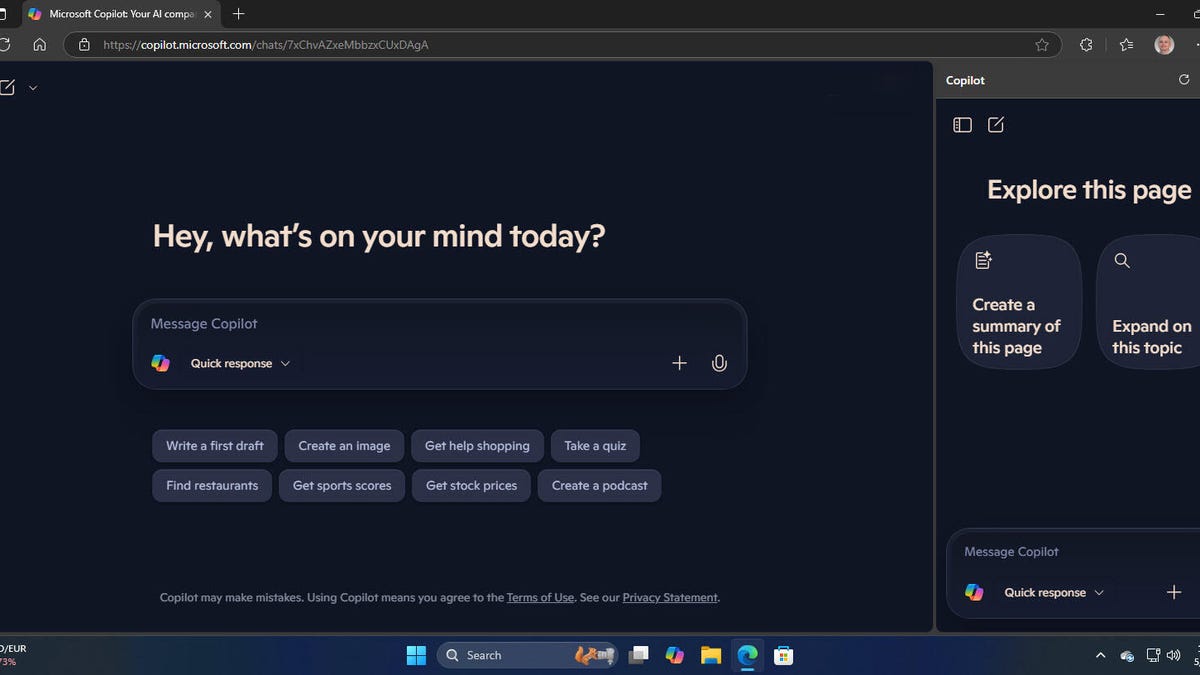
    Microsoft is sprucing up Edge with a few new features to help you better manage and use the browser, especially in the workplace. Announced at Microsoft Build 2025 on Monday are three new skills aimed at individual users and IT administrators.

    PDF translation

    First up is PDF translation. As Microsoft points out, sometimes you may need to translate directions for a new device or train an internal team on global policies based on documents in a different language. Edge is already capable of translating text in a PDF file. But the process is clumsy as you have to manually select the text that you want translated. That’s hardly an ideal method for translating an entire file.

    Coming in June and now available for the Edge Canary build is a more powerful and effective translation skill that can handle whole files in one shot. Here, Edge will be able to translate entire PDFs across more than 70 languages. For this, just open the PDF directly in Edge and click the Translate icon in the address bar. The browser should detect the language used in the file and automatically create a new document with all the words translated into your default language.

    AI-powered agents and file summaries

    Next on the list are a couple of AI-powered tools for Edge for Business. Using an AI chatbot for the same tasks can become repetitive and monotonous. To improve this process, Microsoft is adding agents to 365 Copilot. As one example, a Sales Assistant agent will be able to create leads, monitor interactions with customers, and generate sales insights. Available in early June, the agents will be accessible through Copilot Chat in the Edge for Business sidebar.

    Further, the Copilot Chat in Edge will be able to analyze, summarize, and answer questions about your online Word, Excel, and PowerPoint files. The goal here is to help you work with documents without having to leave Edge. This one is currently in preview mode for commercial users with a Microsoft 365 Copilot license.

    Web content filtering

    One more AI skill on tap is the ability to block inappropriate sites in Edge. IT admins at schools, small businesses, and other organizations often have to ensure that their users don’t visit the wrong types of sites, either accidentally or on purpose. This includes pornographic sites as well as those that try to run scams or install malware.

    In many cases, companies must turn to third-party filtering tools. Even then, they may have to create their own block lists. Now in preview mode for Edge for Business is a web content filtering feature that lets admins block inappropriate sites just by selecting specific categories from daily updated lists. To configure the content filtering, admins would turn to the Edge management service in the Microsoft 365 admin center. You can then keep track of the filtering results through Microsoft’s Power BI.

    Even better, the web content filtering is freely accessible to schools and small businesses that standardize on Edge for Business. The feature is available for managed Windows devices running Windows 10 or 11. Your school or business would just need a Microsoft 365 Education or Business Premium license and use Microsoft Intune.

    Want more stories about AI? Sign up for Innovation, our weekly newsletter.

    Big edge features including Microsoft PDFs upgrades
    Share. Facebook Twitter Pinterest LinkedIn Tumblr Email
    Previous ArticleDiese Unternehmen hat es schon erwischt
    Next Article 5 shows like ‘Forever’ to stream right now
    Techurz
    • Website

    Related Posts

    Opinion

    Helion, the Sam Altman-backed fusion startup, raises $465M to build a power plant for Microsoft

    June 4, 2026
    Opinion

    Parallel Web Systems hits $2B valuation five months after its last big raise

    April 29, 2026
    Opinion

    Another customer of troubled startup Delve suffered a big security incident

    April 23, 2026
    Add A Comment
    Latest Tech Pulse

    College social app Fizz expands into grocery delivery

    September 3, 20252,289

    SolarSquare in talks to raise up to $60M as India’s rooftop solar market draws major VC interest

    May 23, 202621

    A Former Apple Luminary Sets Out to Create the Ultimate GPU Software

    September 25, 202518
    Stay In Touch
    • YouTube
    • WhatsApp
    • Twitter
    • Pinterest
    • LinkedIn

    Techurz helps readers stay ahead of digital change with clear, practical, future focused technology intelligence written today,searched tomorrow.

    X (Twitter) Pinterest YouTube LinkedIn WhatsApp
    Company
    • About Us
    • Contact Us
    • Our Authors / Editorial Team
    • Write For Us
    • Advertise
    Policy
    • Editorial Policy
    • Privacy Policy
    • Terms and Conditions
    • Affiliate Disclosure
    • Cookie Policy
    • Disclaimer
    • DMCA
    Explore
    • AI Systems
    • Cyber Reality
    • Future Tech
    • Disruption Lab
    • Signals
    • Tech Pulse
    • Sitemap

    Join the Techurz Brief

    The future does not arrive suddenly.
    Stay ahead with fast, sharp tech signals.

    Type above and press Enter to search. Press Esc to cancel.