
Close Menu
TechurzTechurz

    Subscribe to Updates

    Get the latest creative news from FooBar about art, design and business.

    What's Hot

    Why top talent is walking away from OpenAI and xAI

    February 13, 2026

    Fusion startup Helion hits blistering temps as it races toward 2028 deadline

    February 13, 2026

    AI burnout, billion-dollar bets, and Silicon Valley’s Epstein problem

    February 13, 2026
    Facebook X (Twitter) Instagram
    Trending
    • Why top talent is walking away from OpenAI and xAI
    • Fusion startup Helion hits blistering temps as it races toward 2028 deadline
    • AI burnout, billion-dollar bets, and Silicon Valley’s Epstein problem
    • Score, the dating app for people with good credit, is back
    • Didero lands $30M to put manufacturing procurement on ‘agentic’ autopilot
    • Eclipse backs all-EV marketplace Ever in $31M funding round
    • Complyance raises $20M to help companies manage risk and compliance
    • Meridian raises $17 million to remake the agentic spreadsheet
    Facebook X (Twitter) Instagram Pinterest Vimeo
    TechurzTechurz
    • Home
    • AI
    • Apps
    • News
    • Guides
    • Opinion
    • Reviews
    • Security
    • Startups
    TechurzTechurz
    Home»Apps»Storage running out on your Mac? Space Lens will show you why
    Apps

    Storage running out on your Mac? Space Lens will show you why

    TechurzBy TechurzJune 22, 2025No Comments3 Mins Read
    Share Facebook Twitter Pinterest LinkedIn Tumblr Reddit Telegram Email
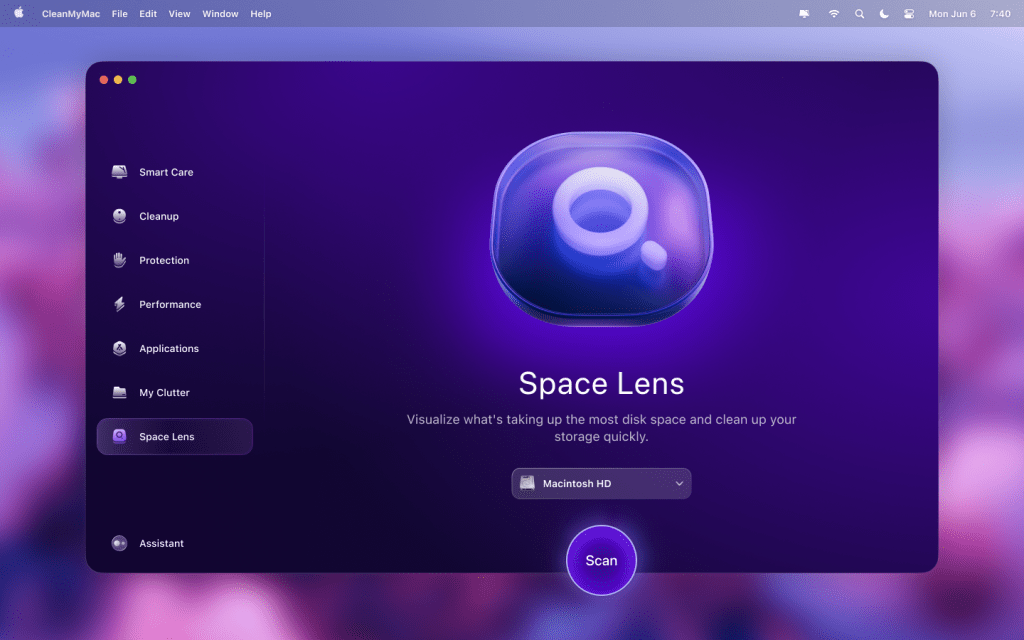
    Space Lens on CleanMyMac
    Share
    Facebook Twitter LinkedIn Pinterest Email


    Keeping track of the files on your Mac can be difficult. All those downloads, large attachments in emails, and duplicate items can scatter themselves across your drive, taking up precious space with things you don’t want or use.

    Locating and managing these files can be a laborious and time-consuming job, which no-one really wants to do. Thankfully, there’s a simple-to-use tool that not only makes it easy to see what’s stealing your storage capacity but can also remove the offending articles with just a few clicks. So, here’s why Space Lens in CleanMyMac could be the most useful addition to your Mac.

    What is Space Lens?

    Space Lens is a purpose-built visual disk explorer that can identify and show unnecessary files on your Mac, then help you optimise your storage space by safely deleting them. Rather than an intimidating list of files names though, the information is presented through a user-friendly bubble-map design that makes it instantly understandable: The bigger the bubble, the bigger the file.

    MacPaw

    Accompanying this is a panel where you can select the files you no longer need, then just click the Review and Remove button to claim back all that space on your drive. It’s so simple, and as the scans are run in real-time, you know that the information you’re seeing is completely up to date.

    All the power of CleanMyMac

    Unlike some other scanners, which will identify files but not let you do anything with them, Space Lens comes as part of the CleanMyMac all-in-one toolkit, so it can fix the problems it discovers.

    This not only allows you to use Space Lens to find and remove large, unwanted files, but it can also find duplicate photos, unused applications, and even sizeable hidden files. The whole interface follows the visual nature of Space Lens, so you won’t get lost or overwhelmed by information. Just follow the easy-to-understand guide, and you’ll quickly be able to reclaim your storage space, speed up your Mac, and even check for and eradicate malware that has somehow found its way onto your system.

    MacPaw

    The CleanMyMac one-click Smart Care feature will take care of all the maintenance, while also showing you what is going to be removed, so it will never delete anything you didn’t want to lose or important system files that your Mac needs.

    Speed up your Mac and claim back your storage with CleanMyMac

    If you find you’re running low on storage or that your Mac isn’t as fast as it used to be, then there’s a good chance that the cluttered files on your drive are causing the problem. With CleanMyMac you’ll be able to sort out these issues in just a few minutes, leaving you with a machine that’s had a spring-clean and is back to its best.

    You can sign up for a 7-day free trial of CleanMyMac, and there are a range of subscription options if you want to keep your Mac working at peak efficiency all the time. These include annual subscriptions for 1 Mac ($39.95/£30.95), 2 Macs ($63.95/£49.95) or 5 Macs ($127.95/£99.95), or there’s the one-time subscriptions that mean you’ll never have to pay again, with coverage for 1 Mac costing $119.95/£101.95, 2 Macs $191.95/£162.95, and 5 Macs setting you back a very reasonable $383.95/£325.95.

    Don’t let junk files steal the space and speed of your Mac. With Space Lens you’ll be able to see what’s causing the problems and get it sorted in just a click or two.

    Lens Mac running show Space storage
    Share. Facebook Twitter Pinterest LinkedIn Tumblr Email
    Previous ArticleMicrosoft’s Free Upgrade Deadline For 400 Million Windows Users
    Next Article Apple is reportedly considering the acquisition of Perplexity AI
    Techurz
    • Website

    Related Posts

    Opinion

    HomeBoost’s app will show you where to save on your utility bills

    January 31, 2026
    Opinion

    Northwood Space secures a $100M Series B and a $50M Space Force contract

    January 27, 2026
    Opinion

    This startup will send 1,000 people’s ashes to space — affordably — in 2027

    January 23, 2026
    Add A Comment
    Leave A Reply Cancel Reply

    Top Posts

    College social app Fizz expands into grocery delivery

    September 3, 20251,572 Views

    A Former Apple Luminary Sets Out to Create the Ultimate GPU Software

    September 25, 202514 Views

    The Reason Murderbot’s Tone Feels Off

    May 14, 202511 Views
    Stay In Touch
    • Facebook
    • YouTube
    • TikTok
    • WhatsApp
    • Twitter
    • Instagram
    Latest Reviews

    Subscribe to Updates

    Get the latest tech news from FooBar about tech, design and biz.

    Most Popular

    College social app Fizz expands into grocery delivery

    September 3, 20251,572 Views

    A Former Apple Luminary Sets Out to Create the Ultimate GPU Software

    September 25, 202514 Views

    The Reason Murderbot’s Tone Feels Off

    May 14, 202511 Views
    Our Picks

    Why top talent is walking away from OpenAI and xAI

    February 13, 2026

    Fusion startup Helion hits blistering temps as it races toward 2028 deadline

    February 13, 2026

    AI burnout, billion-dollar bets, and Silicon Valley’s Epstein problem

    February 13, 2026

    Subscribe to Updates

    Get the latest creative news from FooBar about art, design and business.

    Facebook X (Twitter) Instagram Pinterest
    • About Us
    • Contact Us
    • Privacy Policy
    • Terms and Conditions
    • Disclaimer
    © 2026 techurz. Designed by Pro.

    Type above and press Enter to search. Press Esc to cancel.