

Close Menu
TechurzTechurz
    What's Hot

    This young startup is taking on a fragrance industry that hasn’t changed in a almost half century

    May 21, 2026

    Maka Kids is redefining kids’ screen time with a streaming app optimized for well-being, not engagement

    May 21, 2026

    Beauty booking startup Fresha hits $1 billion valuation with KKR backing

    May 21, 2026
    Facebook X (Twitter) Instagram
    Tech Pulse
    • This young startup is taking on a fragrance industry that hasn’t changed in a almost half century
    • Maka Kids is redefining kids’ screen time with a streaming app optimized for well-being, not engagement
    • Beauty booking startup Fresha hits $1 billion valuation with KKR backing
    • General Catalyst just led a $63M bet on India’s travel payments market
    • Clouted wants to take the guesswork out of making short videos go viral
    X (Twitter) Pinterest YouTube LinkedIn WhatsApp
    TechurzTechurz
    • Home
    • Tech Pulse
    • Future Tech
    • AI Systems
    • Cyber Reality
    • Disruption Lab
    • Signals
    TechurzTechurz
    Home - Apps - Storage running out on your Mac? Space Lens will show you why
    Apps

    Storage running out on your Mac? Space Lens will show you why

    TechurzBy TechurzJune 22, 2025No Comments3 Mins Read
    Share Facebook Twitter Pinterest LinkedIn Tumblr Reddit Telegram Email
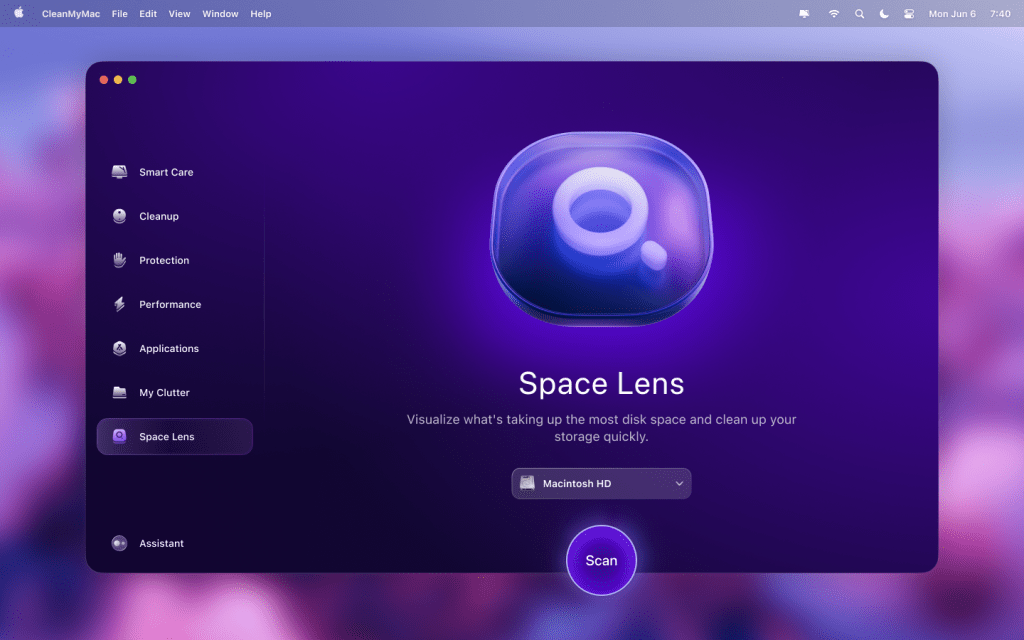
    Space Lens on CleanMyMac
    Share
    Facebook Twitter LinkedIn Pinterest Email


    Keeping track of the files on your Mac can be difficult. All those downloads, large attachments in emails, and duplicate items can scatter themselves across your drive, taking up precious space with things you don’t want or use.

    Locating and managing these files can be a laborious and time-consuming job, which no-one really wants to do. Thankfully, there’s a simple-to-use tool that not only makes it easy to see what’s stealing your storage capacity but can also remove the offending articles with just a few clicks. So, here’s why Space Lens in CleanMyMac could be the most useful addition to your Mac.

    What is Space Lens?

    Space Lens is a purpose-built visual disk explorer that can identify and show unnecessary files on your Mac, then help you optimise your storage space by safely deleting them. Rather than an intimidating list of files names though, the information is presented through a user-friendly bubble-map design that makes it instantly understandable: The bigger the bubble, the bigger the file.

    MacPaw

    Accompanying this is a panel where you can select the files you no longer need, then just click the Review and Remove button to claim back all that space on your drive. It’s so simple, and as the scans are run in real-time, you know that the information you’re seeing is completely up to date.

    All the power of CleanMyMac

    Unlike some other scanners, which will identify files but not let you do anything with them, Space Lens comes as part of the CleanMyMac all-in-one toolkit, so it can fix the problems it discovers.

    This not only allows you to use Space Lens to find and remove large, unwanted files, but it can also find duplicate photos, unused applications, and even sizeable hidden files. The whole interface follows the visual nature of Space Lens, so you won’t get lost or overwhelmed by information. Just follow the easy-to-understand guide, and you’ll quickly be able to reclaim your storage space, speed up your Mac, and even check for and eradicate malware that has somehow found its way onto your system.

    MacPaw

    The CleanMyMac one-click Smart Care feature will take care of all the maintenance, while also showing you what is going to be removed, so it will never delete anything you didn’t want to lose or important system files that your Mac needs.

    Speed up your Mac and claim back your storage with CleanMyMac

    If you find you’re running low on storage or that your Mac isn’t as fast as it used to be, then there’s a good chance that the cluttered files on your drive are causing the problem. With CleanMyMac you’ll be able to sort out these issues in just a few minutes, leaving you with a machine that’s had a spring-clean and is back to its best.

    You can sign up for a 7-day free trial of CleanMyMac, and there are a range of subscription options if you want to keep your Mac working at peak efficiency all the time. These include annual subscriptions for 1 Mac ($39.95/£30.95), 2 Macs ($63.95/£49.95) or 5 Macs ($127.95/£99.95), or there’s the one-time subscriptions that mean you’ll never have to pay again, with coverage for 1 Mac costing $119.95/£101.95, 2 Macs $191.95/£162.95, and 5 Macs setting you back a very reasonable $383.95/£325.95.

    Don’t let junk files steal the space and speed of your Mac. With Space Lens you’ll be able to see what’s causing the problems and get it sorted in just a click or two.

    Lens Mac running show Space storage
    Share. Facebook Twitter Pinterest LinkedIn Tumblr Email
    Previous ArticleMicrosoft’s Free Upgrade Deadline For 400 Million Windows Users
    Next Article Apple is reportedly considering the acquisition of Perplexity AI
    Techurz
    • Website

    Related Posts

    Opinion

    India’s first space tech unicorn emerges as Skyroot gears up for orbital launch

    May 7, 2026
    Opinion

    From the Startup Battlefield stage to the International Space Station: geCKo Materials built a sticky product

    April 16, 2026
    Opinion

    K2 to launch its first high-powered satellite for space compute

    March 19, 2026
    Add A Comment
    Latest Tech Pulse

    College social app Fizz expands into grocery delivery

    September 3, 20252,288 Views

    A Former Apple Luminary Sets Out to Create the Ultimate GPU Software

    September 25, 202516 Views

    AI is becoming introspective – and that ‘should be monitored carefully,’ warns Anthropic

    November 3, 202512 Views
    Stay In Touch
    • YouTube
    • WhatsApp
    • Twitter
    • Pinterest
    • LinkedIn

    Techurz helps readers stay ahead of digital change with clear, practical, future-focused technology intelligence - written today, searched tomorrow.

    X (Twitter) Pinterest YouTube LinkedIn WhatsApp
    Company
    • About Us
    • Contact Us
    • Our Authors / Editorial Team
    • Write For Us
    • Advertise
    Policy
    • Editorial Policy
    • Privacy Policy
    • Terms and Conditions
    • Affiliate Disclosure
    • Cookie Policy
    • Disclaimer
    • DMCA
    Explore
    • AI Systems
    • Cyber Reality
    • Future Tech
    • Disruption Lab
    • Signals
    • Tech Pulse
    • Sitemap

    Join the Techurz Brief

    The future does not arrive suddenly.
    Stay ahead with fast, sharp tech signals.

    Type above and press Enter to search. Press Esc to cancel.