


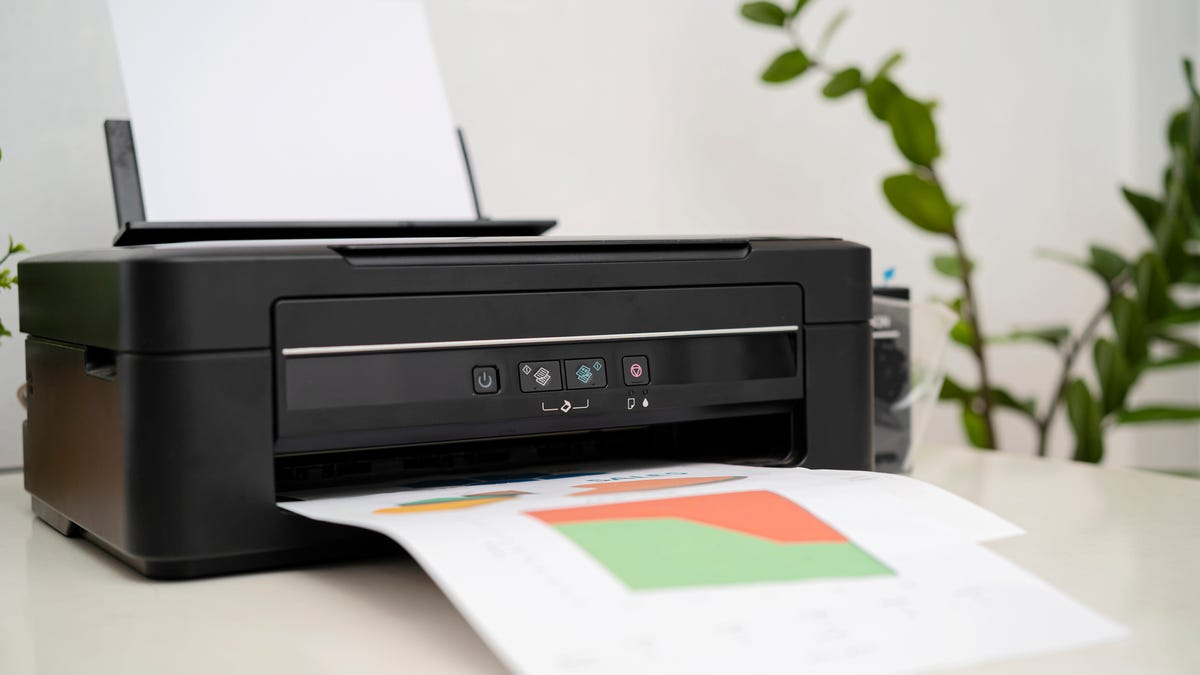
Technology is always advancing, but printers are far from obsolete. A quality machine can accomplish multiple tasks to make school and work easier. It’s also easier than ever to turn your digital documents and photos into hard copy. Today’s printers connect seamlessly to with computers, iPhones, Androids, and tablets,
Naturally, there’s tons of printers on the market. Our team has gone hands-on with the best machines to help you choose which is right for you.
What is the best printer right now?
Our overall top pick is the $240 Epson Ecotank EcoTank ET-4800. This wireless all-in-one printer can save you a small fortune with its refillable ink cartridges and dual-sided printing, scanning, and copying capabilities.
Read on to find out the rest of our top printer picks for 2025.
Also: The best HDMI cables you can buy
The best printers of 2025
Show less
The Epson Ecotank EcoTank ET-4800 printer comes with ink tanks that can be refilled from bottled ink.
Epson estimates that one set of ink bottles is the equivalent of about 90 cartridges. Customers who have bought this printer say that if you print often, especially in color, this cartridge-free approach can save you a lot of money in the long run.
Also: The best inkjet printers
When it comes to speed, the $240 Ecotank’s prints 10 pages per minute for black and white, and five pages per minute for color.
A big advantage is that it includes enough ink to print 4,500 pages in black and 7,500 in color, which may justify the printer’s upfront cost. In addition, it has an auto-document feeder, two-sided printing, and an integrated scanner, and copier.
Epson EcoTank ET-4800 features: Functions: Fax, scan, copy, and print two-sided | Pages Per Minute rate (PPM): 5 PPM (color), 10 PPM (monochrome) | Connectivity: Wi-Fi, wired
Read More
Show Expert Take Show less
Show less
If you’re looking for a quality printer under $100, this is the one. For only $49, you can print from your Android or iOS device, as well as your computer, via Wi-Fi. Additionally, you can quickly scan and copy documents.
The Canon Pixma can print at a speed of 9.9 pages per minute for black and white and 5.7 pages per minute for color. It also has a larger 100-sheet paper tray.
Also: This Anker 3D printer blew me away with how fast and easy it is to use
Additionally, the printer’s wireless setup is easy, allowing you to start printing quickly.
Canon Pixma MG3620 features: Functions: Scan, print, copy, two-sided printing | PPM Rate: 5.7 PPM (color), 9.9 PPM (monochrome) | Connectivity: Wi-Fi
Read More
Show Expert Take Show less
Show less
The Canon ImagePrograf Professional PRO-310 printer is for those looking to maximize the quality of their images in hard copy. The 13-inch inkjet printer comes with a 9-color setup, the Chroma Optimizer ink system, an LCD monitor, and the Lucia Pro II ink system monitor to improve speed and hardware performance.
Also: The best photo printers
At $850, it’s obviously an expensive printer, but it prints high-quality photos. So, if you’re a professional photographer, this is the printer to get.
Canon ImagePrograf Professional PRO-310 features: Functions: Print photos | PPM Rate: 2 PPM | Connectivity: Wi-Fi, USB
Read More
Show Expert Take Show less
Show less
This portable printer is more for fun than anything else. It spits out snapshot-sized prints, similar to old-fashioned Polaroid photos. You can add fun filters and frames to your pictures and even print photos from videos, making it a fun option to bring to parties or vacations.
It takes about 15 seconds for a photo to print. You can pick between rich color sets or the more natural photos captured on your smartphone. This printer comes with 20 sheets, sticker frames, and a protective case.
Fujifilm Instax Mini Link 3 features: Functions: Print photos | PPM rate: 15-second printing | Connectivity: Bluetooth
Read More
Show Expert Take Show less
Show less
If you’re looking for a mobile printing solution to produce hard image copies on-the-go, the $129 Kodak Dock Premium instant photo printer is the best portable option.
This mobile printer connects to your Android or iOS mobile device via Bluetooth and can print color images at a 4 x 6 ratio, arguably one of the most popular image sizes for displaying photos.
The Kodak Dock Premium is for those looking to print photos at a reasonable size and quality rather than for professionals or on-the-go fun.
Kodak Dock Premium features: Functions: Print photos | PPM Rate: 1 PPM | Connectivity: Bluetooth, USB
Read More
Show Expert Take Show less
Show less
Most laser printers are pretty large, but if your home office is small, the HP Laserjet M110w is only 7.45 x 13.63 x 6.26 inches, meaning it can fit comfortably on your desk.
Review: HP Laserjet Pro MFP
It connects via Bluetooth, Wi-Fi, and USB and can print up to 21 pages per minute (PPM). This printer utilizes the HP Smart App so you can print, scan, and copy anywhere with your phone. This option isn’t suitable for high-volume printing or heavy workloads, but it could be perfect if you’re in a pinch.
HP Laserjet M110w features: Functions: Print, scan, copy | PPM Rate: 21 PPM | Connectivity: USB, HP Smart app
Read More
Show Expert Take Show less
Show less
The Brother MFC-L2900DW is a monochrome laser printer, so it prints lots of pages quickly and efficiently. The printer itself is relatively compact, offers a 250-sheet paper capacity, and a print speed of 36 pages per minute.
Also: The best laser printers
This powerful little printer can connect via USB or Wi-Fi, and you can even print directly from your smartphone. Its 50-page auto document feeder enables single-pass duplex scanning, making it a great option for multi-page scanning and copying. It can also print from and scan to online services, including Google Docs and Dropbox.
It’s reasonably priced at $300 on Amazon. If you’re looking for a compact printer able to handle printing jobs daily at your small business, consider this option.
Brother MFC-L2900DW features: Functions: Print, duplex copy and scan | PPM Rate: 36 PPM | Connectivity: Amazon Alexa compatible, Wi-Fi, and USB
Read More
Show Expert Take Show less
Show less
The Epson Workforce Pro WF-4830 is a great workhorse if you need a high paper capacity or to print a lot of monochrome or color pages without breaking the bank.
You can expect 25 PPM speeds for monochrome printing or 12 PPM for color. A benefit of this device is its 500-sheet capacity, made up of two 250-capacity paper trays.
Epson Workforce Pro WF-4830 features: Functions: Print, automatic two-sided printing, copy, fax, scan | PPM Rate: 12 – 25 PPM | Connectivity: Amazon Alexa compatible, wireless, Ethernet
Read More
Show Expert Take Show less
To help you decide on the best printer for you, we’ve categorized some of the most important aspects of each of our recommendations for you to consider.
Printer
Price
Speed (pages per minute for monochrome, color)
Type
Epson Ecotank EcoTank ET-4800
$240
10 PPM, 5 PPM
Inkjet
Canon Pixma MG3620
$64
9.9 PPM
Inkjet
Canon Imageprograf PRO-310
$850
2 PPM
Photo
Fujifilm Instax Mini Link 3
$135
15-second printing
Photo
Kodak Dock Premium
$129
1 PPM
Photo
HP LaserJet M110w
$149
21 PPM
Laser
Brother MFC-L2900DW
$300
36 PPM
Laser
Epson Workforce Pro WF-4830
$170
25 PPM, 12 PPM
Inkjet
Show more
Choose this printer…
If you want…
Epson Ecotank EcoTank ET-4800
The best overall option that will save you money on ink cartridges. One set of the included ink bottles is the equivalent of about 90 cartridges.
Canon Pixma MG3620
A budget-friendly inkjet printer under $100 that prints fast. The Canon Pixma can print at a speed of 9.9 PPM for black and white and 5.7 PPM for color.
Canon Imageprograf Pro-PRO-310
A photo printer for professionals for high-quality photos. It comes with a 9-color setup and the Chroma Optimizer ink system.
Fujifilm Instax Mini Link 3
A mini photo printer that’s portable and fun. You can even add fun filters and frames to your photos before printing.
Kodak Dock Premium
A printer that can print 4 x 6 photos and works with phones and tablets. This mobile printer connects to your Android or iOS mobile device via Bluetooth.
HP Laserjet M110w
A compact and wireless laser printer for small home office spaces. This printer utilizes the HP Smart App so you can print, scan, and copy from your phone.
Brother MFC-L2900DW
A laser printer suitable for small businesses. The PPM rate is reasonable – as is its price – and it can print directly from cloud services including Google Docs.
Epson Workforce Pro WF-4830
A high-capacity printer. This fast, affordable inkjet printer has a combined paper trap capacity of 500.
Show more
We chose these printers through extensive research and testing the products ourselves. We also spoke to several professionals who use and recommend our top picks. In addition, we paid attention to the following factors:
- Printer type: You may need a different printer based on your home or office needs, so we focused on three types of printers: inkjet, photo, and laser. These are the most common types of printers on the market today and are suitable for home office use.
- PPM: Pages per minute (PPM) is an important factor in determining a printer’s overall speed. The numbers will vary based on color, black-and-white ink, and the printer type. For example, laser printers can print much faster than inkjet ones.
- Price: Printers vary in price range from affordable to expensive, so we considered different price points for different needs.
- Size: Not every home office has a lot of space available, so we included space-saving, compact printers.
- Additional features: We included printers that provide useful features like cloud storage, mobile connectivity and printing, tray extensions, and more.
- Customer reviews: We examined online reviews and ratings, noting user feedback and any issues experienced by customers.
Show more
An inkjet printer uses ink to print documents. These devices have come a long way from the frustrating days when you ran out of ink. Now, inkjet printers have zero-waste cartridges, connection to Wi-Fi and cloud services, and the ability to print directly from your smartphone.
Show more
Photo printers offer a wide variety of formats along with some unexpected gimmicks. Interestingly, two of our top photo printers are from old school film brands Fujifilm and Kodak.
I’ve included smaller photo printers that are for more casual and fun printing, as well as one high-quality option for those photos that you want to frame and remember.
Show more
Where inkjet printers use ink to print, laser printers use — you guessed it — lasers.
Laser printers are best for handling heavy volumes of text-based documents because they print at faster speeds. They’re also economical and eco-friendly because you won’t have to worry about buying and properly disposing cartridges.
Show more
Ink and toner will degrade over time, especially if their packaging has been opened or they’re stored in less-than-optimal conditions. However, as toner is a form of dry powder rather than ink, it will generally last a lot longer.
Show more
Most images are in JPEG format, which is the best compressed-image format for printing photos or artwork. TIFF and PDF formats are also excellent for photo printing. It’s worth noting that the higher a photo’s resolution, the longer it will take to print. For example, a PSD Photoshop file contains a huge amount of information and will take longer to print in comparison to JPEG or PNG files.
Show more
The average lifespan of a printer is three to five years, but that also depends on the printer type. For example, laser printers will usually last longer than inkjet printers.
If you don’t use your printer often, be sure to turn it on once every two weeks to prevent the nozzles from clogging. If you leave a printer off and unused for too long, it’s more likely to malfunction.
Show more
Your aging printer might be nearing the end of its life if you’re noticing errors associated with the paper tray, printing inaccuracies, connection failures, or strange noises like squeaking and crunching.
Show more
Yes, although I suspect that many of us — myself included — do not put printer maintenance at the top of the housekeeping priority list. To extend your printer’s life, you should activate any self-cleaning and self-maintenance options every so often, keep inkwell slots clean, and use a cloth to clear away any dust or debris that could interrupt the printing cycle.
Show more
