

Close Menu
TechurzTechurz
    What's Hot

    The DOJ is investigating a16z. What does this mean for venture capital?

    August 21, 2026

    Starcloud raises $250 million for orbital data centers as launch options dry up

    August 21, 2026

    Learn what VCs actually want, from a founder who’s raised $1B

    August 21, 2026
    X (Twitter) Pinterest YouTube LinkedIn WhatsApp
    Tech Pulse
    • The DOJ is investigating a16z. What does this mean for venture capital?
    • Starcloud raises $250 million for orbital data centers as launch options dry up
    • Learn what VCs actually want, from a founder who’s raised $1B
    • AI data startup Micro1 reaches $500M gross run rate amid AI training boom
    • Castelion hits $13B valuation to mass-produce hypersonic missiles
    X (Twitter) Pinterest YouTube LinkedIn WhatsApp
    TechurzTechurz
    • Home
    • Tech Pulse
    • Future Tech
    • AI Systems
    • Cyber Reality
    • Disruption Lab
    • Signals
    TechurzTechurz
    Home - Guides - The Google Play Store Can Now Answer All Your App Questions
    Guides

    The Google Play Store Can Now Answer All Your App Questions

    TechurzBy TechurzMay 29, 2025Updated:May 12, 2026No Comments3 Mins Read
    Share Facebook Twitter Pinterest LinkedIn Tumblr Reddit Telegram Email
    The Google Play Store Can Now Answer All Your App Questions
    Share
    Facebook Twitter LinkedIn Pinterest Email


    Summary

    • Google is adding an “Ask Play about this app” feature in Play Store listings using AI.
    • Users can ask questions about app features without needing to install it.
    • The feature is currently available on limited apps, but still has AI pitfalls in accuracy.

    If you’ve ever found yourself scrolling through an app’s description in the Play Store, searching for a specific detail or just trying to figure out if it’s worth a download, you’re not alone. What if you could simply ask the app your questions? Well, now you can.

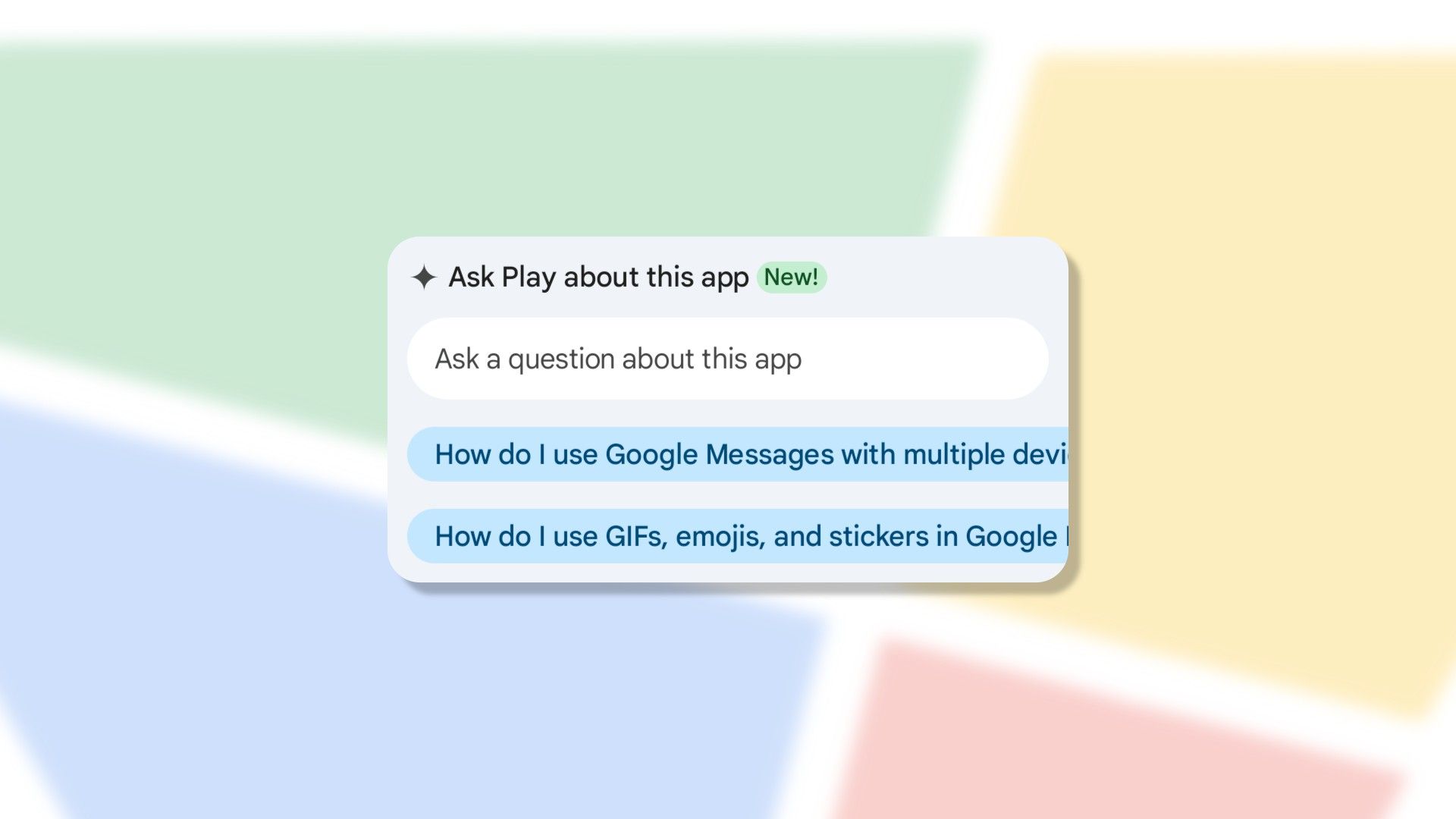
    Google is rolling out a new “Ask Play about this app” feature in the Play Store, and it’s a pretty clever use of AI. It puts Gemini right there in the app listing, ready to answer your questions about features, compatibility, or anything else that’s not immediately obvious from the screenshots and description. There are even some suggested questions you can tap to get started.

    Instead of wading through reviews or trying to piece together information, you can use the prompt to simply type in your query. Let’s say you’re wondering if a particular game has offline play, or if a photo editor supports a specific file format. Previously, you’d probably need to install the app and check for yourself or resort to a separate Google search. Now, the Play Store is effectively doing the work for you.

    Related

    This App Brings One of the iPhone’s Best Features to Android

    Even the biggest Android diehards have to admit that iPhones have some nice features. AssistiveTouch is firmly one of them. It’s that little floating button that lets you do almost anything without straining your thumb. You can get that on your Android device with a handy app.

    Currently, the feature is available for a limited number of apps, mostly Google’s own. It usually appears in the app listing, but sometimes shows up in search results as well. I was able to find it on Google Messages, Google Calendar, Google Keep, Instagram, and Apple Music. As handy as it sounds, it does still ultimately have all the same pitfalls of AI. For example, I asked if Apple Music has AI playlists, and it confidently told me it does. This is not true.

    All that being said, the concept appears to be a good use of AI. I’ve certainly downloaded many apps only to quickly uninstall them after finding out they can’t do something I was looking for. App descriptions aren’t always the most, well, descriptive. As long as the AI responses are generally accurate, it could be a useful addition to the Play Store, which isn’t always the most helpful to begin with.

    Source: Android Auhtority

    Related

    The Google Play Store Has a Big Problem

    I manually search for apps in the Play Store all the time, but I can’t remember the last time the Play Store introduced me to an app I hadn’t already heard of. The store is terrible at this vitally important part of its job.

    Answer app Google play Questions Store
    Share. Facebook Twitter Pinterest LinkedIn Tumblr Email
    Previous ArticleEA has canceled Cliffhanger Games’ Black Panther game and closed the studio to ‘sharpen our focus’ elsewhere
    Next Article 10 Leadership Myths You Need to Stop Believing
    Techurz
    • Website

    Related Posts

    Opinion

    Meet Wrinkles, an AI app that uncovers the hidden stories of the places around you

    August 4, 2026
    Opinion

    AegisAI, founded by former Google security execs, lands $36M to stop AI-driven spear phishing

    July 23, 2026
    Opinion

    Savi’s app aims to protect consumers from realistic AI scams like kidnappers demanding ransom

    July 7, 2026
    Add A Comment
    Latest Tech Pulse

    College social app Fizz expands into grocery delivery

    September 3, 20252,290

    12 Father’s Day E-Card Sites That Are Actually Good

    June 4, 202523

    SolarSquare in talks to raise up to $60M as India’s rooftop solar market draws major VC interest

    May 23, 202622
    Stay In Touch
    • YouTube
    • WhatsApp
    • Twitter
    • Pinterest
    • LinkedIn

    Techurz helps readers stay ahead of digital change with clear, practical, future focused technology intelligence written today,searched tomorrow.

    X (Twitter) Pinterest YouTube LinkedIn WhatsApp
    Company
    • About Us
    • Contact Us
    • Our Authors / Editorial Team
    • Write For Us
    • Advertise
    Policy
    • Editorial Policy
    • Privacy Policy
    • Terms and Conditions
    • Affiliate Disclosure
    • Cookie Policy
    • Disclaimer
    • DMCA
    Explore
    • AI Systems
    • Cyber Reality
    • Future Tech
    • Disruption Lab
    • Signals
    • Tech Pulse
    • Sitemap

    Join the Techurz Brief

    The future does not arrive suddenly.
    Stay ahead with fast, sharp tech signals.

    Type above and press Enter to search. Press Esc to cancel.