


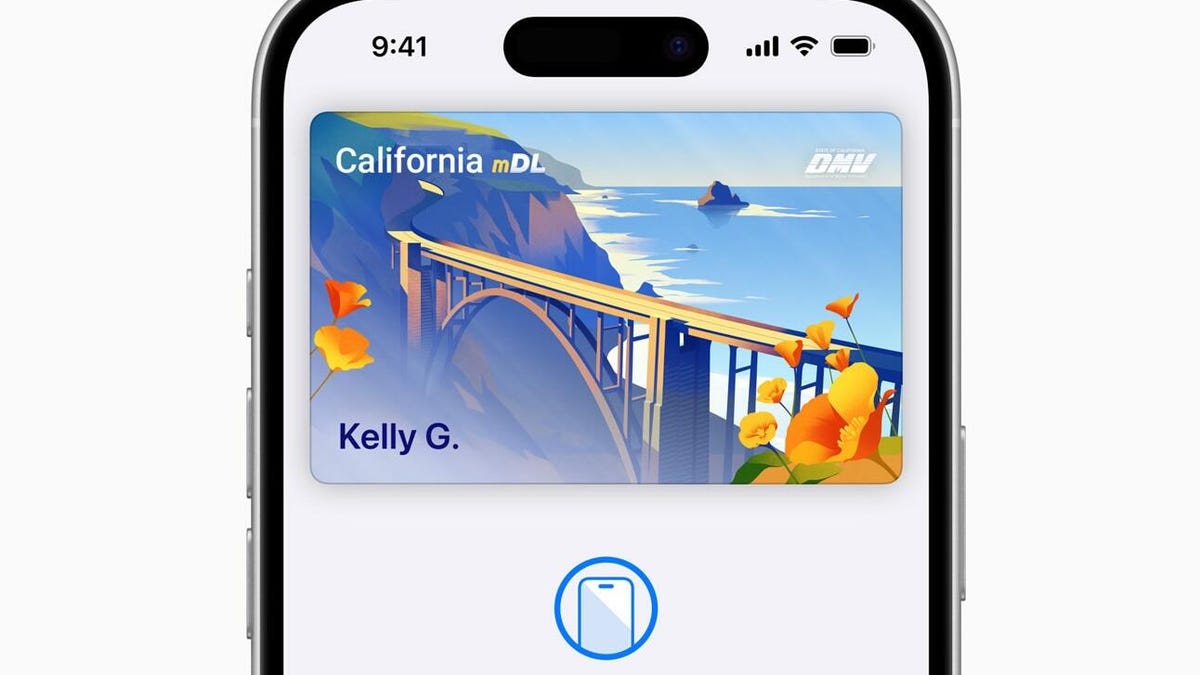
Apple Wallet on your iPhone allows you to store transit and boarding passes, along with concert tickets and rewards cards, which frees up precious space in your physical wallet if you carry one. The next move is to digitize one of your most important items: your driver’s license or ID.
Right now, a select number of states currently allow you to add your driver’s license to Apple Wallet. People that enable the feature in Apple Wallet will be able to use their iPhones to get through TSA checkpoints at airports for a much snappier security experience.
It’s going to take some time before all states have a digital ID system up and running. Below, we’ll cover what states currently support digital IDs via Apple Wallet and how to add one to your iPhone. Plus, we’ll go over some of the new features headed to Apple Wallet once iOS 26 is released later this fall.
For more, don’t miss our visual comparison of iOS 18 to iOS 26.
These states support digital IDs on iPhones right now
Only a handful of states support digital IDs in Apple Wallet. One key factor is how each state implements its Mobile Driver’s License system. For instance, Louisiana, New York, Utah and Virginia all support mobile driver’s licenses but require separate apps for digital IDs.
States and regions that support digital IDs in Apple Wallet:
- Arizona
- California
- Colorado
- Georgia
- Hawaii
- Iowa
- Maryland
- New Mexico
- Ohio
- Puerto Rico
Some states were originally announced to support Apple’s digital ID, but haven’t quite got there yet.
The number of states supported in Apple Wallet is about half of what the TSA currently allows. Collectively, it accepts digital IDs across Apple Wallet, Google Wallet, Samsung Wallet and state-based mobile apps in 15 states.
How to add your ID or driver’s license to Apple Wallet
If you live in a state that supports digital IDs for Apple Wallet, it’s easy to add it. After it’s added, you’ll need to verify your identity, which can take a little longer, but is still a straightforward process.
- Open Apple Wallet.
- Tap the Add button.
- Tap Driver’s License or ID and select your location.
- If applicable, choose whether you want to add your ID to your iPhone only or both your iPhone and your Apple Watch.
- Follow the steps to scan your license or ID.
(Make sure you scan your ID in a well-lit environment and the photo is in focus.)
Once it’s scanned, you’ll be prompted to confirm your identity with a selfie photo. According to Apple, you may be asked to complete a number of facial or head movements for identification purposes.
To ensure an easier verification process, Apple suggests that you:
- Stand in front of a plain background with neutral, light paint.
- Be in a well-lit area, ideally indoors.
- Take off sunglasses, masks, hats or other accessories that could block your face.
- Hold your iPhone steady.
When you’re finished, submit your information by confirming with Touch or Face ID. Your biometrics will be bound to the ID, so only you can use it.
How to transfer your digital ID to another iPhone
If you upgrade your iPhone, you’ll need to transfer your ID or driver’s license to it.
- During initial setup, tap Wallet.
- Select your ID.
- Follow the steps.
- Tap to confirm you want to move your driver’s license or ID to the new device.
Digital passports are coming to Apple Wallet with iOS 26
Creating a digital ID from your physical passport is coming to your iPhone later this year.
While states are taking time to implement digital ID systems, Apple announced a new feature coming in iOS 26 later this year: You can add a digital passport to Apple Wallet.
When that feature is available, iPhone users will be able to scan their passports to create a digital version for identity verification during domestic travel. You won’t be able to use it for international travel, and it’s not a full replacement for a physical passport (so keep your physical one on you), but it should work at the 250-plus supported TSA checkpoints.
During its WWDC keynote earlier this month, Apple said that the digital ID made from your passport can also be used “in apps and in person,” but it didn’t give any specifics.
This is essentially what can be done on Android through Google Wallet.
Verify with Wallet ID verification could make ordering alcohol easier
Also headed to iPhones this fall is an easier way for you to prove your age using your digital ID. Say you want to have a bottle of wine sent to your place via Uber Eats. Typically, when the driver arrives, you’ll need to present your ID and have it scanned to complete the transaction, but with the new Verify with Wallet, your stored digital ID will be used to verify your age. (I do wonder if things might get more complicated when the delivery arrives if you’re not the one receiving it.)
Verify with Wallet will be supported by Chime, Turo, Uber Eats and U.S. Bank.
For more, don’t miss what you should know about flying domestically without a Real ID in 2025.
