

Close Menu
TechurzTechurz
    What's Hot

    AI chipmaker Groq confirms $650M raise, re-staffs after Nvidia’s $20B not-acqui-hire deal

    June 22, 2026

    WhatsApp gets new chief as Meta taps India’s CRED founder Kunal Shah, and invests $900M in startup

    June 22, 2026

    Founder Summit pass rates increase June 26

    June 22, 2026
    X (Twitter) Pinterest YouTube LinkedIn WhatsApp
    Tech Pulse
    • AI chipmaker Groq confirms $650M raise, re-staffs after Nvidia’s $20B not-acqui-hire deal
    • WhatsApp gets new chief as Meta taps India’s CRED founder Kunal Shah, and invests $900M in startup
    • Founder Summit pass rates increase June 26
    • Ethan Thornton is trying to do everything all at once
    • Founders Fund’s outlier bet on humanely killed fish
    X (Twitter) Pinterest YouTube LinkedIn WhatsApp
    TechurzTechurz
    • Home
    • Tech Pulse
    • Future Tech
    • AI Systems
    • Cyber Reality
    • Disruption Lab
    • Signals
    TechurzTechurz
    Home - Cyber Reality - This AirPods hack is a game-changer for frequent flyers – how to find it in your iPhone settings
    Cyber Reality

    This AirPods hack is a game-changer for frequent flyers – how to find it in your iPhone settings

    TechurzBy TechurzNovember 2, 2025Updated:May 10, 2026No Comments3 Mins Read
    Share Facebook Twitter Pinterest LinkedIn Tumblr Reddit Telegram Email
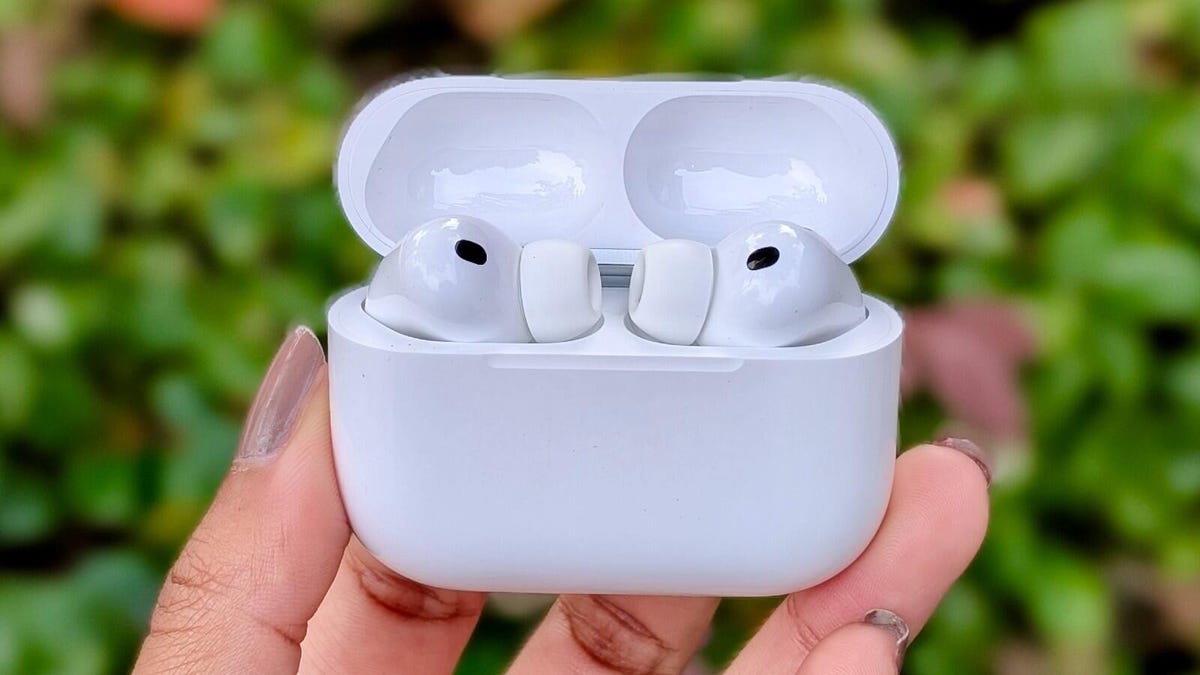
    This AirPods hack is a game-changer for frequent flyers - how to find it in your iPhone settings
    Share
    Facebook Twitter LinkedIn Pinterest Email


    Jada Jones/ZDNET

    Follow ZDNET: Add us as a preferred source on Google.

    Table of contents
    1 ZDNET’s key takeaways
    2 What is AirPods sleep detection?
    3 How does it work?

    ZDNET’s key takeaways

    • Your AirPods can detect when you’ve fallen asleep and pause your media.
    • The AirPods likely use an accelerometer, not a heart rate sensor, to detect when you’ve fallen asleep.
    • The feature requires a pair of AirPods Pro 2, Pro 3, or AirPods 4, and iOS 26.

    If you’re like me, the one place you can fall asleep upright is on an airplane, but you need a pair of noise-canceling headphones to do so. Most of the time, I’ll fall asleep during a “Real Housewives” scene and wake up two episodes later.

    Also: Your Sony headphones just got a useful Bluetooth upgrade with the latest software patch 

    There’s a feature in your iPhone’s settings that can enable some AirPods to pause your audio content when they detect that you’ve fallen asleep. Here’s how to turn it on, and how it worked when I tried it.

    What is AirPods sleep detection?

    In the iOS 26 software update, Apple implemented a new sleep detection feature for AirPods. This feature is disabled by default, so you’ll need to access your iPhone settings to enable it. If you do, put your AirPods Pro 2, Pro 3, or AirPods 4 in your ear and play media. Your AirPods can then detect when you fall asleep and respond by pausing the media. 

    When your AirPods are connected to your iPhone, open your phone’s settings, tap on your AirPods’ settings, and scroll down to “Pause Media When Falling Asleep.”

    How does it work?

    I’ve only tried the sleep detection feature with the AirPods Pro 3. Each time I wore my AirPods while flying, I connected them to my MacBook and played my TV show. The feature worked each time, as I woke up to a sleeping MacBook, but my show was paused a few minutes after I fell asleep. 

    Also: These QuietComfort Ultra headphones show Bose still does one thing better than Apple

    Since the AirPods 4 and AirPods Pro 2 lack in-ear heart rate monitoring and are not compatible with this feature, it’s likely that the AirPods use their internal accelerometer, rather than your heart rate, to detect sleep. These accelerometers are the same sensors that are responsible for wear detection, the feature that pauses your media when you remove an earbud from one ear.

    Apple Watch also uses its accelerometer to detect when you’ve fallen asleep, relying on a lack of movement to determine when you’ve fallen asleep. 

    However, unlike the Apple Watch, the AirPods Pro 3 do not passively track your heart rate, so there’s no heart rate data for sleep in your iPhone’s Health app when you fall asleep wearing the AirPods Pro 3 without an Apple Watch. To track your heart rate with the Pro 3 earbuds, you must start a workout in the Fitness app.

    AirPods Find flyers Frequent gamechanger hack iPhone Settings
    Share. Facebook Twitter Pinterest LinkedIn Tumblr Email
    Previous ArticleDNS Poisoning Flaw, Supply-Chain Heist, Rust Malware Trick and New RATs Rising
    Next Article PhantomRaven Malware Found in 126 npm Packages Stealing GitHub Tokens From Devs
    Techurz
    • Website

    Related Posts

    Cyber Reality

    Digital Identity Protection: 7 Hidden Risks Most Users Miss

    May 25, 2026
    Cyber Reality

    Neural Data Policy: 7 Risks That Brain Privacy Laws Miss

    May 25, 2026
    Cyber Reality

    How AI Changing Cyber Crime: 7 Critical Shifts to Watch

    May 25, 2026
    Add A Comment
    Latest Tech Pulse

    College social app Fizz expands into grocery delivery

    September 3, 20252,289

    SolarSquare in talks to raise up to $60M as India’s rooftop solar market draws major VC interest

    May 23, 202622

    Future of Digital Privacy and Security: 7 Truths Nobody Tells You

    May 25, 202619
    Stay In Touch
    • YouTube
    • WhatsApp
    • Twitter
    • Pinterest
    • LinkedIn

    Techurz helps readers stay ahead of digital change with clear, practical, future focused technology intelligence written today,searched tomorrow.

    X (Twitter) Pinterest YouTube LinkedIn WhatsApp
    Company
    • About Us
    • Contact Us
    • Our Authors / Editorial Team
    • Write For Us
    • Advertise
    Policy
    • Editorial Policy
    • Privacy Policy
    • Terms and Conditions
    • Affiliate Disclosure
    • Cookie Policy
    • Disclaimer
    • DMCA
    Explore
    • AI Systems
    • Cyber Reality
    • Future Tech
    • Disruption Lab
    • Signals
    • Tech Pulse
    • Sitemap

    Join the Techurz Brief

    The future does not arrive suddenly.
    Stay ahead with fast, sharp tech signals.

    Type above and press Enter to search. Press Esc to cancel.