


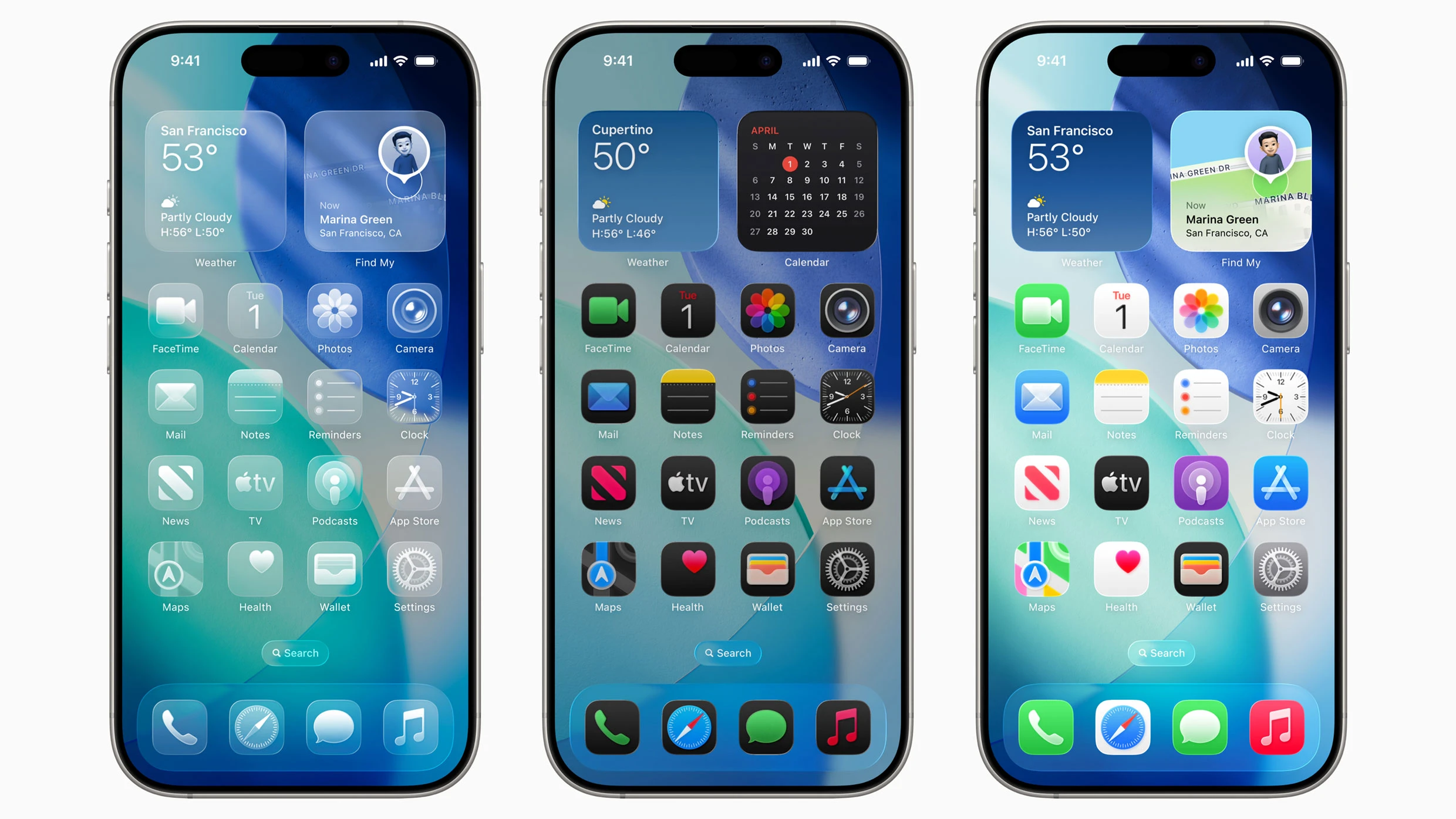
Almost every article you’re going to read about Apple’s just-announced iOS 26 operating system for the iPhone is going to focus on its new “Liquid Glass” design.
And don’t get me wrong—that design certainly looks refreshing (and is strangely reminiscent of the wax soda bottle candies I loved as a kid). The Liquid Glass interface features transparent and reflective UI elements that allow the content behind buttons, toolbars, and icons to show through.
But what I’m most excited about, when it comes to iOS 26, is something else. It’s a lot less flashy, but it’s arguably more useful to the 90% of iPhone users out there who couldn’t care less about the new look, or artificial intelligence improvements, for that matter. I’m talking about the people who still use their iPhone as a phone. You know, to make phone calls. Because iOS 26 includes the most significant upgrades to the actual phone call functions of the iPhone we’ve seen in years—and it’s about time.
iOS 26’s new design is nice—but not waiting on hold is nicer
We’ve all been there: calling the bank or doctor’s office or customer service hotline only to be immediately placed on hold, subjected to the same background music for what seems like an eternity, waiting for an actual human being to pick up at the other end. If there’s one experience that will put even the most patient person in a foul mood, this is it.
[Photo: Apple]
That’s why a new feature of the Phone app in iOS 26 is my favorite out of all the new ones Apple announced today. Called “Hold Assist,” it solves a real-world problem nearly every iPhone user—scratch that, any phone user since the dawn of the telephone era—has faced. With Hold Assist in iOS 26, you never need to wait on hold again.
Now, when you call a phone number and are placed on hold, you can tell your iPhone to stay on the line and wait for you instead of having to do it yourself. The iPhone will kill the hold music and allow you to continue using your device as normal, alerting you as soon as a live person comes on the line.
Bonus: Not having to wait on hold for hours means no more hearing that hold music playing in your head at night while trying to fall asleep.
Who’s calling and why? Let your iPhone worry about that
Another drawback of telephones is that anyone with your number can call you—including cold callers, spammers, and bill collectors. Oftentimes, these people will try to obfuscate their phone numbers, so you need to pick up to see who’s on the other end of the line. But that’s where another great new feature of the Phone app comes in: Call Screening.
[Photo: Apple]
In iOS 26, if the phone receives a call from an unknown caller, it will answer the call itself—without even ringing. The iPhone will then wait until the caller has shared their name and the reason for their phone call. Only then will it ring. When it does, you’ll see the name of the person and the reason for their call displayed on your screen, enabling you to decide whether or not you want to pick up.
This feature takes the anxiety and uncertainty out of answering phone calls—something nearly everyone has felt at some point.
Making the “phone” in “smartphone” great again
In addition to Hold Assist and Call Screening, iOS 26 is also adding several other new features to the Phone app, including the ability to live translate a call with someone who speaks another language into the language you speak, and a completely redesigned calls screen that makes it easier to see your recent calls and quickly make a call to your favorite contacts.
And, yeah, I get it: Being excited about these kinds of features seems a bit baffling. After all, it’s 2025, and making calls on a phone feels so 20th century. Our phones are now internet browsers, cameras, gaming devices, and AI assistants. But companies have focused on innovating those modern features for so long that they’ve often neglected trying to improve the main thing our phones were initially designed for.
The need to make and receive phone calls has not gone away. Not everyone uses their phone to converse with a chatbot, edit videos, or manage their wallets, but nearly everyone still relies on it to make calls. So, while it may seem like a dull area for innovation, the calling experience remains one of the most universally used aspects of our phones, and therefore anything that improves upon it is something worth picking up for.
Developers already have access to iOS 26. The operating system will become available to general users as a free download this fall.
The final deadline for Fast Company’s Next Big Things in Tech Awards is Friday, June 20, at 11:59 p.m. PT. Apply today.
