


If you’re buying the new iPhone 16E to replace your old iPhone, don’t just transfer data and sell your old device — you need to clear out all the personal data first. It’s important to know how to reset your Apple phone, whether you’re selling your old device or making it a hand-me-down for a relative, you need to make sure it’s wiped clean before you hand it off to a new owner. Here’s how to factory reset your iPhone.
No matter the reason you want to wipe your iPhone clean, it all boils down to making sure that all your personal data is gone. This can be sensitive and personal information, like family photos you definitely don’t want to hand off to a stranger. It also includes the litany of private details that your iPhone stores, from credit card information to contacts to everything in your apps.
Thankfully, it’s easy to factory reset your iPhone, although you’ll be asked several times to make sure you’re ready to clear it completely. You’ll also want to prepare before wiping your phone. Here’s how to do it.
Read more: Unresponsive iPhone? Here’s How to Force Restart Your Apple Device
Don’t go further without backing up your iPhone
The first step is to make sure all the data you want to keep is safely backed up. This can easily be done over iCloud, although you can also make a manual backup.
The same way you’d want to back up your iPhone before updating to iOS 18, head to Settings > [your name] > iCloud > iCloud Backup and tap Back Up Now. This should take a little while, but you’ll be able to restore from this online backup if you need to.
You can also manually create a backup by connecting your iPhone to your computer, although the process differs between PC and Mac. You can still download iTunes to your Windows PC, through which you’ll sync your iPhone and create a backup through that software. With the end of iTunes on Mac in 2019, you’ll have to go through Finder to manage your iPhone, but otherwise, the process of backing up is relatively straightforward.
Note that iPhones are good at moving data wirelessly from one device to another in close proximity, making it easy to seamlessly transfer from your old device to a new one. After waking up your new iPhone, follow the on-screen instructions on your new iPhone to use its camera to scan your old device and let the process continue. It’s still smart to save a backup when you’re getting rid of your old iPhone.
Digitally sign out of every account you can
This is the most tedious step but a necessary part of the process, but it’s important to sign out of apps and services you’ve logged into. You should prioritize apps with more sensitive data, but it’s a good idea to ensure you’re fully logged out of anything with personally identifiable information.
You won’t want someone popping into email, contacts and calendar accounts, so head to Settings > Apps > Mail/Contacts/Calendar > Accounts to manually unlink those.
Bank and payment apps, external email and messaging apps, workplace software like Slack or authentication apps and even digital community apps like Discord are good to log out of. Lastly, if you’re selling your iPhone or giving it to someone else, make sure to disable Find My before erasing your phone. Go to Settings > [your name] > Find My.
Apple’s iPhone 16, 16 Plus Show Off Bolder Colors and Buttons
See all photos
If you’re moving to a new iPhone, transfer your cell service
If you’re about to reset an older iPhone that used to be your daily driver linked to your carrier account, you’ll want to transfer service to your new iPhone before factory wiping your device. Why? Because you’ll probably use your older iPhone to call your carrier to switch that service over. Don’t get stuck without a phone like I did.
You used to be able to yank your SIM card out of your old phone and stick it in the new one to carry service over. Not so much these days, as the iPhone 14 and later models sold in the US don’t come with a physical SIM card — it’s eSIM all the way. You’ll need to call your carrier to transfer your data plan over to your new iPhone, but it’s a pretty effortless process. If worse comes to worst (like if you’ve already wiped your old iPhone), you can bring your new iPhone into any of your carrier’s retail stores and they can digitally transfer service over to it.
If you’re just clearing out an old iPhone or will still use this one after resetting it, proceed to the next step.
Finally, here’s how to factory reset your iPhone
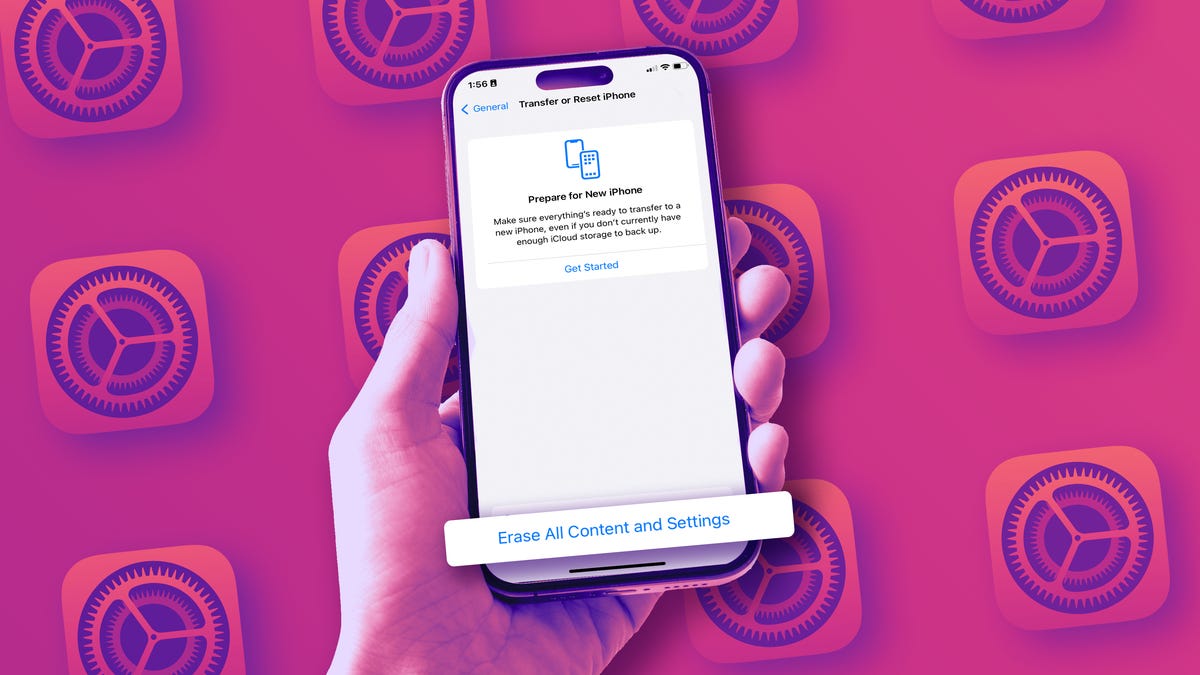
If you’ve done the above and are ready to reset your iPhone, open up the Settings app. Then tap General > Transfer or Reset iPhone > Erase All Content and Settings and confirm. You’ll be asked to enter your iPhone’s PIN code, then enter your Apple ID password (to unlink the device from your account and turn off Find My capability if you haven’t already).
Once you’ve done that, the screen will turn black and you’ll get a black progress bar at the bottom (similar to if you were updating to a new version of iOS). In a few minutes, the word “Hello” will appear on the screen in different languages, just like it did the first time you activated your iPhone. Congratulations, it’s been successfully reset.
That done, you’re now free to hand it off or send it on its way to a new owner.
