


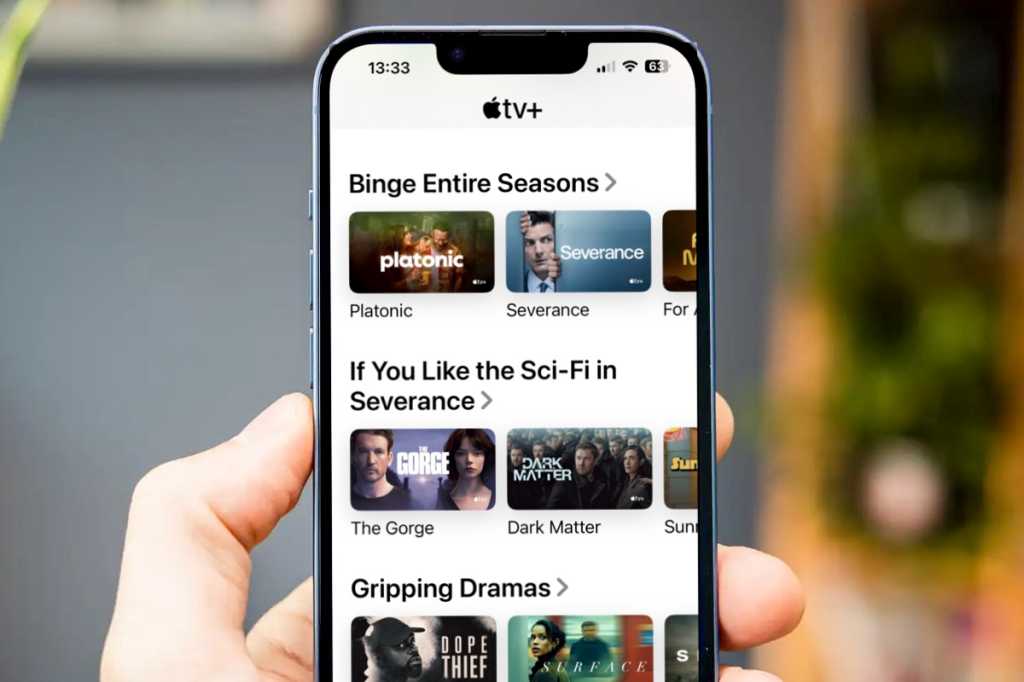
Apple TV+, the streaming service from Apple, arrived at the end of 2019 so it’s been here a while now, but it’s only recently come into its own as more and more people have discovered the great shows on offer. If you want to watch shows including Severence, Ted Lasso and For All Mankind, as well as movies like Tetris and Greyhound, and a couple of MLB games every Friday night, you might be wondering if you can really justify yet another subscription.
The good news is that you don’t have to commit to a subscription: you can subscribe for a month (for $12.99/£9.99) and cancel Apple TV+ at any time. But there are ways that you can get Apple TV for free and we are here to show you how to do that.
From time to time Apple also offers a discount on Apple TV+. For example in April 2025 we were able to re-subscribe to Apple TV+ for $2.99/£2.99 a month for three months, which is a good saving on the usual $12.99/£9.99 price. This deal expires on April 24, 2025. You can get more information about the deal on Apple’s webpage.
If you want to learn more about what you can watch on Apple TV+ read everything you can watch on Apple TV+, and our list of the new shows coming to Apple TV+.
How to watch Apple TV+ for free
There are a number of ways in which you can watch shows on Apple TV+ for free. Apple offers limited-time trials (discussed below), and the service also allows you to watch the first episode of many shows for free. In fact there are several dozen episodes available to watch for free including the first episodes of Ted Lasso, The Morning Show, See, Trying, and more. Read about What is free on Apple TV+? in our separate article.
Beyond the free episodes, Apple offers a free seven-day trial which might be long enough for you to binge a whole series (if you don’t sleep for a week). But there are also longer trials available both from Apple and from other companies who bundle a free Apple TV+ subscription with their services, read on for the details of the best Apple TV deals and free trial codes.
For example, there is the option to get a free year subscription to Apple TV+ with T-Mobile (if you live in the US), you can also get three months free Apple TV+ with a PlayStation 5. Find out more about these deals below.
Apple TV+ trials
Apple offers various trials so that you can try out Apple TV+ before you subscribe.
Unfortunately, none of these offers are available if you or your Family have previously accepted an Apple TV+ 1 year free offer from when the service first launched.
Once the trial period is up the $12.99/£9.99 a month subscription will start immediately – but you can easily cancel this. To avoid paying you need to cancel the subscription the day before it is due to renew.
Get 7 days of Apple TV+ free
If you want to watch a show, and have plenty of time in the immediate future, you could activate your free seven-day trial and binge-watch it!
The 7-day trial might sound attractive if you think you can watch a whole series in a week. But make sure the whole series is available, as Apple typically adds new episodes on a weekly basis.
You can subscribe to Apple TV+ on Apple’s website here, or via the Apple TV app on your device.
The 7-day trial will automatically auto-renew into a monthly subscription though, so you will need to be prepared to cancel within the week if you don’t want to be out of pocket.
The easiest way to cancel a subscription go to Settings and click on the Apple ID section on your iPhone. Tap on Subscriptions. Locate Apple TV+ in the Active list and then Cancel Subscription. More details on how to cancel your subscription below. Note that you won’t find Apple TV+ in the Active list until the trial ends.
Get 1 month of Apple TV+ free
As long as you’ve never used Apple TV+ before, you can actually get a free month if you sign up for the one-month trial of Apple One. That trial will also include free one-month trials for Apple Music, Apple Arcade, Apple News+, Apple Fitness+, and iCloud+.
At the end of the month’s trial, the subscription starts at $19.95/£18.95 a month as an individual, but there are different plans available. You can cancel at any time. Read: Apple One: What you need to know.
Apple TV+ subscription deals
Get 3 months of Apple TV+ for free with an Apple hardware purchase
Apple offers three months of Apple TV+ for free to anyone with a new iPhone, iPad, Apple TV, or Mac.
You can get three months of Apple TV+ when you purchase a iPhone, iPad, Apple TV or Mac from Apple. Apple Watch, HomePod, AirPods, and various other Apple devices do not qualify. In short, your device qualifies if it’s a new Apple device that can actually run the TV app and watch Apple TV+ content.
Once the three months is up the $12.99/£9.99 a month subscription will start immediately unless you cancel it.
It is necessary to claim the deal within 90 days of setting up your new device.
Get Apple TV+ free with an Apple Music student subscription
Another way to get Apple TV+ for free is to sign up for a student subscription to Apple Music. If you qualify as a student in Higher Education you will be able to get Apple Music for half price, and as an added benefit Apple is bundling free Apple TV+ subscriptions with student subscriptions to Apple Music. You qualify for free Apple TV+ for as long as you subscribe as a student.
A student subscription to Apple Music costs $5.99/£5.99 a month.
Head to this Apple page for more details.
Get 12 months Apple TV+ for the price of 8
One way to save money is to pay Apple for the year up-front.
When you sign up for the service rather than choosing to pay monthly (which has the benefit of being able to cancel at any time) opt to pay yearly. That will cost you $99.99/£89 up-front, which works out at $8.33/£7.41 a month, rather than the standard $9.99/£8.99 a month. Or $9.99/£8.99 a month for 10 months instead of 12.
- On your iPhone, go to Settings and click on your Apple ID info at the top.
- Tap on Subscriptions.
- Beside Apple TV+ tap on See All Plans.
- Switch to Annual Plan to save money (you won’t be able to cancel this subscription until the end of the 12 months though).
Other Apple TV+ Deals
It’s not only Apple that offers free Apple TV+ trials. Some third parties offer even longer deals than Apple does. You’ll find U.S. and U.K deals below.
Just remember that at the end of the trial you may need to cancel with Apple if you don’t want the subscription to start.
Get Apple TV+ for free with PlayStation 5
There is a 3 month Apple TV free deal with PlayStation 5 (there was a six-month deal, but that deal ended on July 31, 2023.)
PlayStation 4 users can also apply for the deal.
U.S. Apple TV+ deals
Get Apple TV+ for free with T-Mobile
T-Mobile offers Apple TV+ for free on a number of its smartphone plans: Experience More, Experience Beyond, Magenta MAX, Magenta Plus, Magenta MAX Welcome, Magenta Amplified, ONE Amplified, and ONE Plus. Details here.
U.K. Apple TV+ deals
Get 3 months of Apple TV+ for free with EE
New subscribers and existing customers can get up to 3 months free Apple TV+. If you are an existing Apple TV+ member you will still be able to take advantage of the deal, but you will need to cancel your existing subscription with Apple.
Customers only need to text TV PLUS to 150 and EE will send an activation code. Alternatively, log into the EE website or app and go to Plan & Add-ons > Add-ons >Apple TV+.
After the three months is up customers will be billed £9.99 a month as per Apple’s usual Apple TV+ cost.
EE does note that you may get the error message that: “This subscription is being used with another Apple ID” and they suggest that you change the Apple ID associated =with the subscription to solve this.
Get 6 months of Apple TV+ for free with EE TV
EE is also bundling Apple TV+ with EE TV. An Apple TV set top box is included in the deal.
EE TV includes over 70 Freeview channels including BBC, ITV, Channel 4 and Channel 5. Also included are Sky channels from NOW, Netflix, TNT Sport, discovery+ and more. Apple TV+ is available to new EE TV customers with a six-month free trial.
Get 3 months of Apple TV+ for free with Vodafone
You can get a 3-month Apple TV+ subscription if you sign up to a Vodafone Xtra Broadband plan.
After your broadband has been connected, Vodafone will send you an email within 14 days with a link to redeem your subscription. You’ll also get an Apple TV box.
Sadly a deal that ran until September 4, 2024 gave customers 24-months free Apple TV!
Get 3 months of Apple TV+ for free with Sky TV in the U.K.
Apple
There’s a great deal in the UK right now for Sky TV subscribers, although its not as good as it has been in the past. You caa grab three months of Apple TV+ for free (sadly, not that long ago this was six months).
The offer is open to both new and existing Apple TV+ subscribers. You’ll need an iCloud account to sign up for Apple TV+. Existing subscribers can redeem the offer and their subscription automatically states that the next renewal is six months later.
To get VIP, log into the My Sky app on your iOS or Android device. Then click on the Sky VIP star on the bottom right-hand corner, tap ‘giveaways’ and scroll down to the bottom of the page.
Sky VIPs can redeem this offer through the VIP section of the MySky app under the Gifts & Discounts category.
All UK-based Sky subscribers can become Sky VIPs if they have one or more active Sky TV, Broadband, Talk and/or Sky Mobile products.
Get 3 months of Apple TV+ for free with Currys
During Black Friday 2024 Curry’s offered four months free.
Foundry
Throughout the year, Curry’s has a deal where you can get three months of Apple TV+ and Apple Arcade, Apple News+ and Apple Fitness if you buy an eligible product from the store, which includes all audio products over £49, all laptops, desktops, games consoles, tablets, TV’s, smart home, smart watches, mobile or any Apple product over £99. After five days you should receive an email from Currys including the link to get three months of Apple services for free.
Sign up for the Currys Perks Loyalty Scheme to qualify.
Get 3 months of Apple TV+ for free with O2
O2 is offering three months of Apple TV on eligible tariffs and with purchases of Apple products. Details here.
Since you would get three months free Apple TV with a new iPhone it’s not clear what O2 is offing in addition to that.
How to claim your free trial of Apple TV+ from Apple
Having made a qualifying purchase, or decided to try out the free 7-day trial, all you need to do is:
- Make sure the device is running the latest software.
- Open the TV app on your new Mac, iPhone, iPad, or Apple TV.
- Sign in to your Apple ID.
- Click on the show you want to watch—you should see the option to Enjoy Three Months Free. Note: This will only appear if you have purchased a new device, otherwise you will only see the 7-day trial offer.
- Click Continue.
- Confirm that you want to activate the free trial.
- You will see a message that the free trial will commence immediately and will run until the end of the trial at which point it will renew for a monthly subscription. If you want to cancel the subscription you can do so.
You have 90 days from buying a new device to start the free year’s subscription, so as long as you purchased your new Apple product recently then you should be ok to activate your trial. Also, if you stop the free trial before it ends you can’t restart it.
What if you are thinking of buying a new Apple device later? Will you be able to switch from a subscription to the free trial? We think that the way to do this would be to cancel your subscription before signing up again via the three-month trial.
You can also share a subscription to TV+ with six family members—yourself and five others.
To do this you all need to be part of the same Family Sharing group.
By linking your Apple accounts together under the Family Sharing group you will all be able to:
- Share music purchased from the iTunes Store
- Share access to Apple Music (as long as you have a family Apple Music subscription)
- Share apps bought from the App Store (in app purchases can’t be shared though)
- Share Apple Books
- Access games on Apple’s Arcade gaming platform (with a subscription)
- Share a News+ subscription
- Share an iCloud storage plan
One of your family members will need to be the family organizer, who basically chooses who joins the group, and has to put up their bank details to pay for any purchases.
It’s supposed to be family members in the same household. While you could set this up with other ‘family’ members we think the frustration of having all the payments for everything going through the ‘organiser’s’ bank account could make this a hard sell. However, if does at least mean that you and your partner don’t both have to subscribe to the service in order to watch shows on both of your iPhones.
How to cancel an Apple TV+ subscription
So that’s a few ways to get Apple TV+ for free, at least for a short time, or by sharing a subscription with a family member.
However, we think the best way to get access to Apple TV+ is to subscribe as usual but just cancel at any time. You could watch everything you want this month and then stop subscribing next month and it would only cost you £9.99/$12.99. Sign up for Apple TV+ here.
To cancel your Apple TV+ subscription follow these steps:
- Open the Settings app on your iPhone or iPad.
- Tap on the Apple ID section at the top with your name.
- Tap on Subscriptions.
- Now tap on any subscription you wish to cancel (in this case Apple TV+).
- On the next page tap on Cancel Subscription.
