

Close Menu
TechurzTechurz
    What's Hot

    IQM, Europe’s first public quantum company, admits the future of the tech is uncertain

    July 2, 2026

    Indian tech tycoon bets $30M of his own money to build AI alternative to Microsoft Office

    July 2, 2026

    Bending Spoons defies SaaS slump, surges 40% on first day of trading

    July 1, 2026
    X (Twitter) Pinterest YouTube LinkedIn WhatsApp
    Tech Pulse
    • IQM, Europe’s first public quantum company, admits the future of the tech is uncertain
    • Indian tech tycoon bets $30M of his own money to build AI alternative to Microsoft Office
    • Bending Spoons defies SaaS slump, surges 40% on first day of trading
    • Humble Robotics’ CEO says the tech finally caught up to the vision for autonomous vehicles
    • Autonomous vehicle hype is back, and Humble Robotics is bringing it to freights
    X (Twitter) Pinterest YouTube LinkedIn WhatsApp
    TechurzTechurz
    • Home
    • Tech Pulse
    • Future Tech
    • AI Systems
    • Cyber Reality
    • Disruption Lab
    • Signals
    TechurzTechurz
    Home - Guides - Apple Watch Screen Upside Down? Here’s the Fix
    Guides

    Apple Watch Screen Upside Down? Here’s the Fix

    TechurzBy TechurzJuly 13, 2025Updated:May 12, 2026No Comments4 Mins Read
    Share Facebook Twitter Pinterest LinkedIn Tumblr Reddit Telegram Email
    Apple Watch Screen Upside Down? Here's the Fix
    Share
    Facebook Twitter LinkedIn Pinterest Email


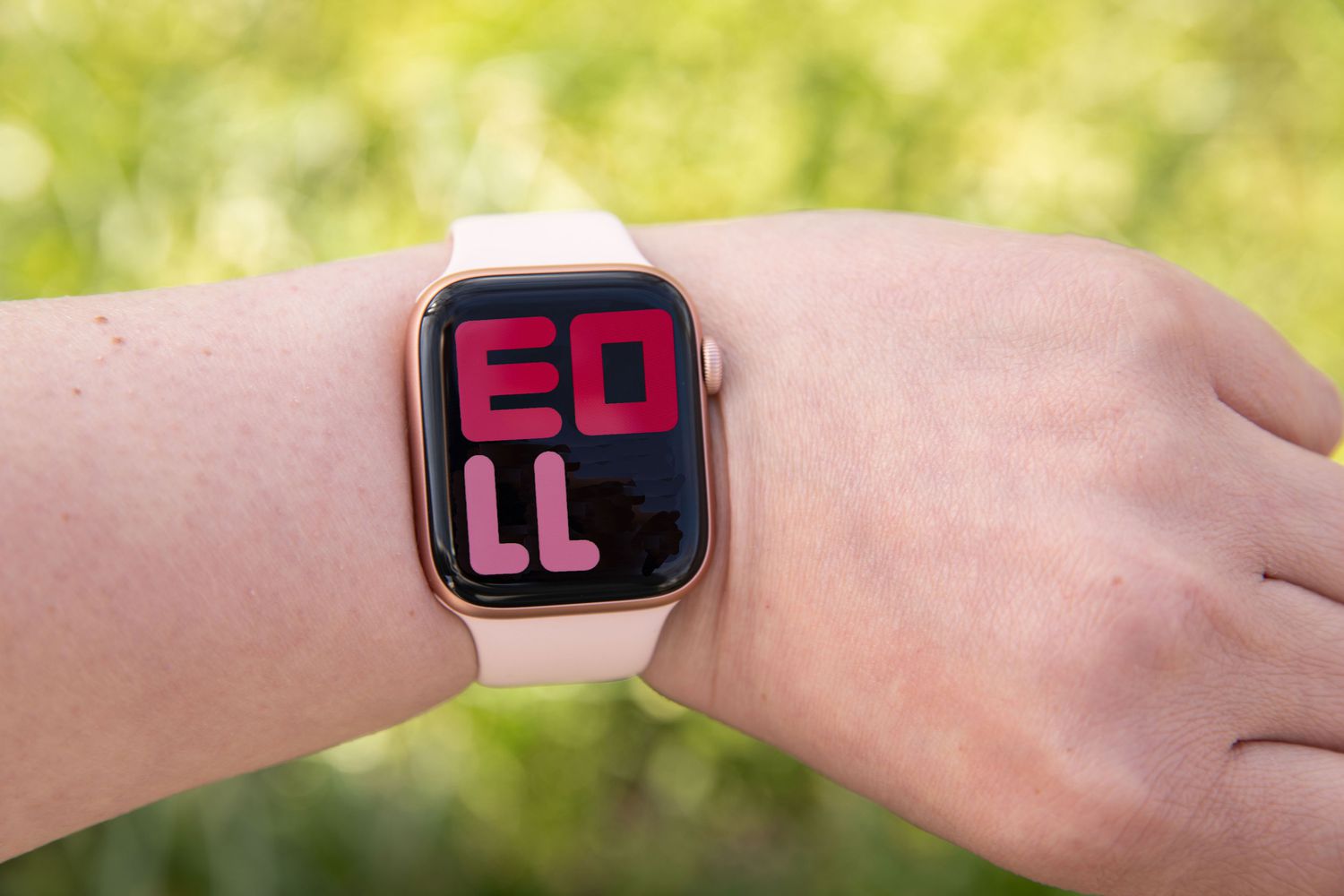
    Apple Watches are reliable, popular wearable devices, but they occasionally experience glitches. A common glitch is an Apple Watch displaying upside down.

    An upside-down watch display takes most of the utility out of the device. Most likely, however, the watch’s orientation is set differently than how you want to wear it, and it’s an easy fix.

    Table of contents
    1 How to Fix an Upside-Down Screen on Apple Watch
    2 Causes of an Apple Watch Displaying Upside Down
    3 FAQ

    How to Fix an Upside-Down Screen on Apple Watch

    Try the following straightforward fixes to get your Apple Watch to display correctly. Try these solutions in the order presented (easiest to most difficult) for your best chances of success.

    1. Check the Watch app settings on your iPhone. The most likely problem is that your watch orientation setting is incorrect. In the iPhone’s Watch app, go to General > Watch Orientation and choose the correct wrist and digital crown position. If the settings look fine, try switching them to other options and switching back.

      Because the Apple Watch uses a screen instead of a pre-printed watch face, you can change the screen to accommodate if you want to wear the watch with the digital crown on a different side than how it comes out of the box.

    2. Modify settings on your Apple Watch. If the iOS app doesn’t work, press the Digital Crown on your Apple Watch to open the Apps screen and select Settings > General > Orientation.

    3. Restart your Apple Watch. Restarting a device often fixes glitches. On your Apple Watch, hold the Side button until the Power Off switch appears, and then swipe right to turn off the device. Wait around 30 seconds, and then press and hold the Side button again until the Apple Watch starts back up.

    4. Do a hard restart on the Apple Watch. If you can’t turn off your watch, try a hard restart. Hold the Side Button and Digital Crown simultaneously for a few seconds until the Apple logo appears on the screen, and then release the buttons and let the watch start up.

    5. Update the Apple Watch system software. In some cases, a misbehaving Apple Watch needs a software update. In the Watch app for iOS, go to General > Software Update to see if a new version of watchOS is available. If so, follow the on-screen directions to install it.

    6. Reset the Apple Watch to factory settings. This is the last resort. A reset completely deletes your Apple Watch data and returns all settings to their defaults. In the Watch app, go to General > Reset and follow the prompts.

      If nothing else works and you need to take this measure, you can restore your data from a backup.

    If the upside-down display is the only problem the Apple Watch is experiencing, you can still use it while wearing it upside down. However, you may not get accurate results with features like the accelerometer or heart rate sensor, so it’s best to fix the issue.

    Causes of an Apple Watch Displaying Upside Down

    An upside-down Apple Watch display is usually due to a software setting, assuming you’re wearing the device correctly.

    Usually, adjusting the settings is enough to fix the issue. However, you might also need to reset it.

    FAQ

    • How do I wear my Apple Watch upside down?

      If you want to wear your watch upside down, you can take the band off your Apple Watch and put it back together so that the digital crown is facing the opposite direction. Then, flip the screen orientation ​by going to Settings > General > Orientation.

    • Why should I wear my Apple Watch upside down?

      Changing which side the digital crown is on can help prevent you from accidentally pressing the button while doing pushups or other workouts. It also lets you more easily control the crown with your thumb.

    Thanks for letting us know!

    Get the Latest Tech News Delivered Every Day

    Subscribe

    Tell us why!

    Other

    Not enough details

    Hard to understand

    Apple fix Heres Screen Upside Watch
    Share. Facebook Twitter Pinterest LinkedIn Tumblr Email
    Previous ArticleBest Black Friday in July 2025 deals at Best Buy: The best offers that end tomorrow
    Next Article Need a cheap air fryer? These 3 Prime Day deals will get you the popular kitchen appliance for under AU$100
    Techurz
    • Website

    Related Posts

    Opinion

    Robotaxis drive miles just to get cleaned and charged; this new startup wants to fix that

    June 26, 2026
    Opinion

    Here’s why Slate changed the battery in its cheap EV truck

    June 24, 2026
    Opinion

    Coralogix raises $200M on bet that someone needs to watch the AI agents

    June 3, 2026
    Add A Comment
    Latest Tech Pulse

    College social app Fizz expands into grocery delivery

    September 3, 20252,290

    12 Father’s Day E-Card Sites That Are Actually Good

    June 4, 202523

    SolarSquare in talks to raise up to $60M as India’s rooftop solar market draws major VC interest

    May 23, 202622
    Stay In Touch
    • YouTube
    • WhatsApp
    • Twitter
    • Pinterest
    • LinkedIn

    Techurz helps readers stay ahead of digital change with clear, practical, future focused technology intelligence written today,searched tomorrow.

    X (Twitter) Pinterest YouTube LinkedIn WhatsApp
    Company
    • About Us
    • Contact Us
    • Our Authors / Editorial Team
    • Write For Us
    • Advertise
    Policy
    • Editorial Policy
    • Privacy Policy
    • Terms and Conditions
    • Affiliate Disclosure
    • Cookie Policy
    • Disclaimer
    • DMCA
    Explore
    • AI Systems
    • Cyber Reality
    • Future Tech
    • Disruption Lab
    • Signals
    • Tech Pulse
    • Sitemap

    Join the Techurz Brief

    The future does not arrive suddenly.
    Stay ahead with fast, sharp tech signals.

    Type above and press Enter to search. Press Esc to cancel.