


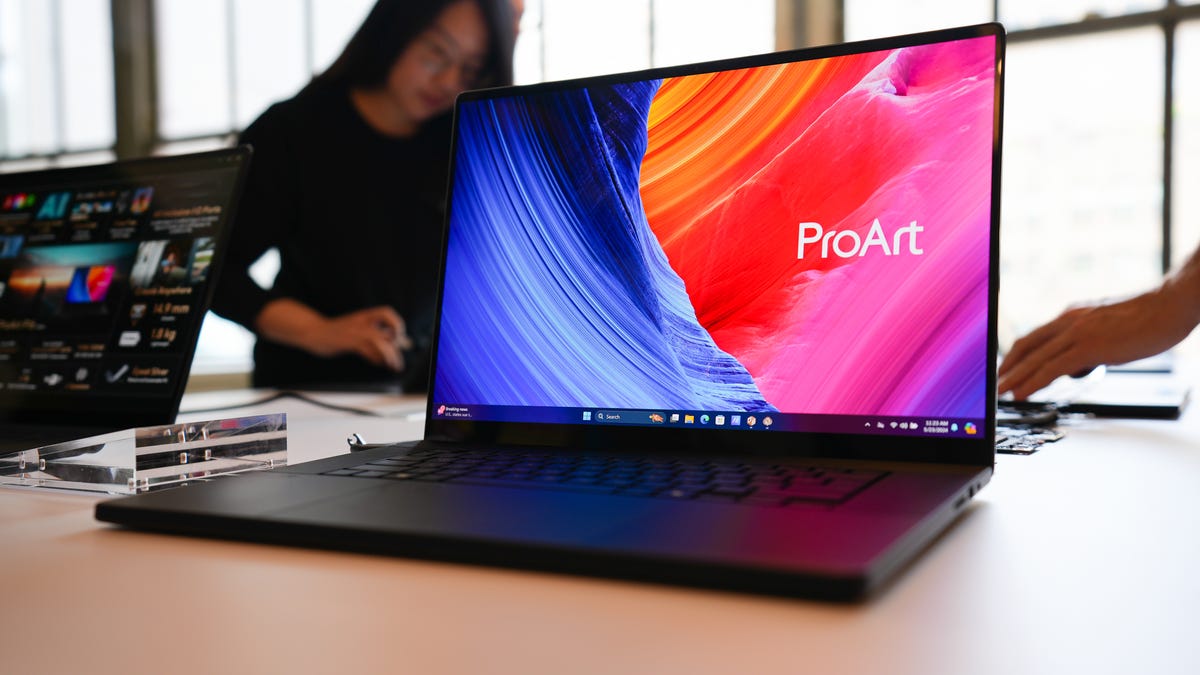
ZDNET’s key takeaways
- Asus’ ProArt P16 is on sale for $2,500 at Best Buy.
- This year’s model keeps much of what made the previous generation so good, with key hardware improvements.
- It also means it has the same problems as before, such as running hot.
If you’re familiar with Asus’ creator-focused laptops, you’ll feel right at home using the 2025 ProArt P16. It is nearly identical to its predecessor in terms of design and purpose, as the laptop is meant for creative professionals looking for a high-performance machine. It sticks with what worked last time, making a few key adjustments.
Also: The best laptops for graphic designers: Expert tested
First off, the ProArt P16 has a lightweight physical design, making it easy to carry around. I found the keyboard to be too mushy for my liking. It doesn’t have a great typing feel, but the keycaps are quiet, so that’s a plus. The touchpad takes up a large portion of the wrist rest, enabling better comfort and ease of use. On either side of the keyboard is a pair of Harman/Kardon speakers delivering strong audio output.
So far, things are looking good for the ProArt P16, and things get even better once you look inside.
A creative powerhouse
My review unit came loaded with some solid hardware, indeed. It houses an AMD Ryzen AI HX 370 processor, an Nvidia GeForce RTX 5070 graphics card, and 32GB of RAM. Yes, you can game this; no, I don’t recommend doing so. It overheats fast, and the display only has a refresh rate of 60Hz. Large heat vents are located at the bottom, expelling hot air. I do not recommend placing the computer on your lap unless you want your legs to be cooked.
Also: Finally, an ultraportable Windows laptop I’d use at the office (even though it’s for gamers)
Asus’ ProCreator Hub greatly contributed to my enjoyment, and it reminded me of MSI’s Center app, which has a similar function. The app has various laptop features in one central location, one being the ability to instantly change how the device performs without having to go into BIOS. By making the right adjustments to the hardware, the ProArt P16 can exceed expectations for performance and battery life.
Cesar Cadenas/ZDNET
Below is a benchmark test results table comparing the 2025 ProArt P16 to its predecessor, as well as the M4 MacBook Pro and the MSI Stealth 16 AI, another laptop with a similar purpose. You’ll notice that Asus’ new machine outperforms most of its rivals across the various benchmark rendering tests. There are instances where it falls behind, but it isn’t a large gap.
If you’re looking for a powerful alternative to your old MacBook, this ProArt laptop is your best bet in 2025.
Cinebench 24 MC
Geekbench 6.2.2 SC
Geekbench 6.2.2 MC
Asus ProArt P16 (2025)
1,211
2,896
15,194
Apple MacBook Pro M4
906
3,823
14,849
Asus ProArt P16 (2024)
1,096
2,904
12,787
MSI Stealth 16 AI
1,129
2,687
15,883
The Creator Hub offers utility beyond tweaking performance. The WorkSmart tool lets you group multiple apps together. So when you click one of these groups, all those apps open simultaneously, saving you time. Color Control allows users to actively adjust the screen output on the fly. For example, you could tweak the blue light output so it’s easier on your eyes or change which color gamut is being shown.
You might change the gamut to DCI-P3 to show off “movie-grade colors”. Display P3 is best “suited for displaying vivid colors on mobile devices and laptops.” You don’t have to mess with the output, since the screen is impressive on its own. Asus’ ProArt P16 has a high-quality 16-inch 4K OLED display. Images are stunning as colors practically leap out. The screen had two downsides: the 60Hz refresh rate, as mentioned earlier, and the display’s glossiness. So much light is reflected that it can be hard to see the screen under bright conditions.
Cesar Cadenas/ZDNET
Editing on the ProArt P16
Up in the upper left-hand corner of the touchpad is the DialPad, which allows you to customize your own controls in each app. The physical design offers more precise control than the touchpad, which makes cycling through different tools easier than you’d assume.
I tried incorporating the DialPad into my workflow to edit a video on CapCut, a photograph on Pixlr, and render 3D models in Blender using the DialPad, and found out that it’s best used in conjunction with the touchpad. It works best as an supplemental tool for quick access to change brush sizes or cycling through video clips, but it isn’t designed to replace the touchpad or mouse altogether.
Cesar Cadenas/ZDNET
Alone, it’s great at executing delicate procedures, like cleaning up specific areas in a photo. The problem is that it lacks haptic feedback: pressing down doesn’t result in the “click” you’d expect. So to click and drag an effect on a video’s timeline or grab the corner of a model in Blender, you’ll have to use the touchpad.
Fortunately, using both simultaneously isn’t difficult. Your left hand can be the DialPad while your right is on the touchpad, and it all feels natural. Using just the touchpad is an option, but it’s difficult to maintain the same level of accuracy.
Also: This ultraportable Asus laptop is my favorite MacBook Air alternative (and it’s better in some ways)
I also have to give credit to the hardware. Rendering 3D environments in Blender took very little time to complete. I was able to hop between my 4K editing and 20 different Chrome tabs without any hiccups. The only time I experienced any slowdown was when I was playing 10 different livestreams in 4K on YouTube — but apart from niche cases, it’s solid.
ZDNET’s buying advice
Over at Best Buy, the Asus ProArt P16 is on sale for $2,500, which is more than what I was expecting. Last year’s ProArt is retailing for just $2,000. I recommend grabbing the 2025 laptop if you want the best of the best and don’t mind paying a bit more. As shown in the performance tests, there is a sizable gap between the two devices.
That said, the 2024 version is definitely still competitive, so if you’re looking for a powerful graphics-minded laptop and want to save some money, I’d highly recommend it, especially if it sees some additional price drops.
