


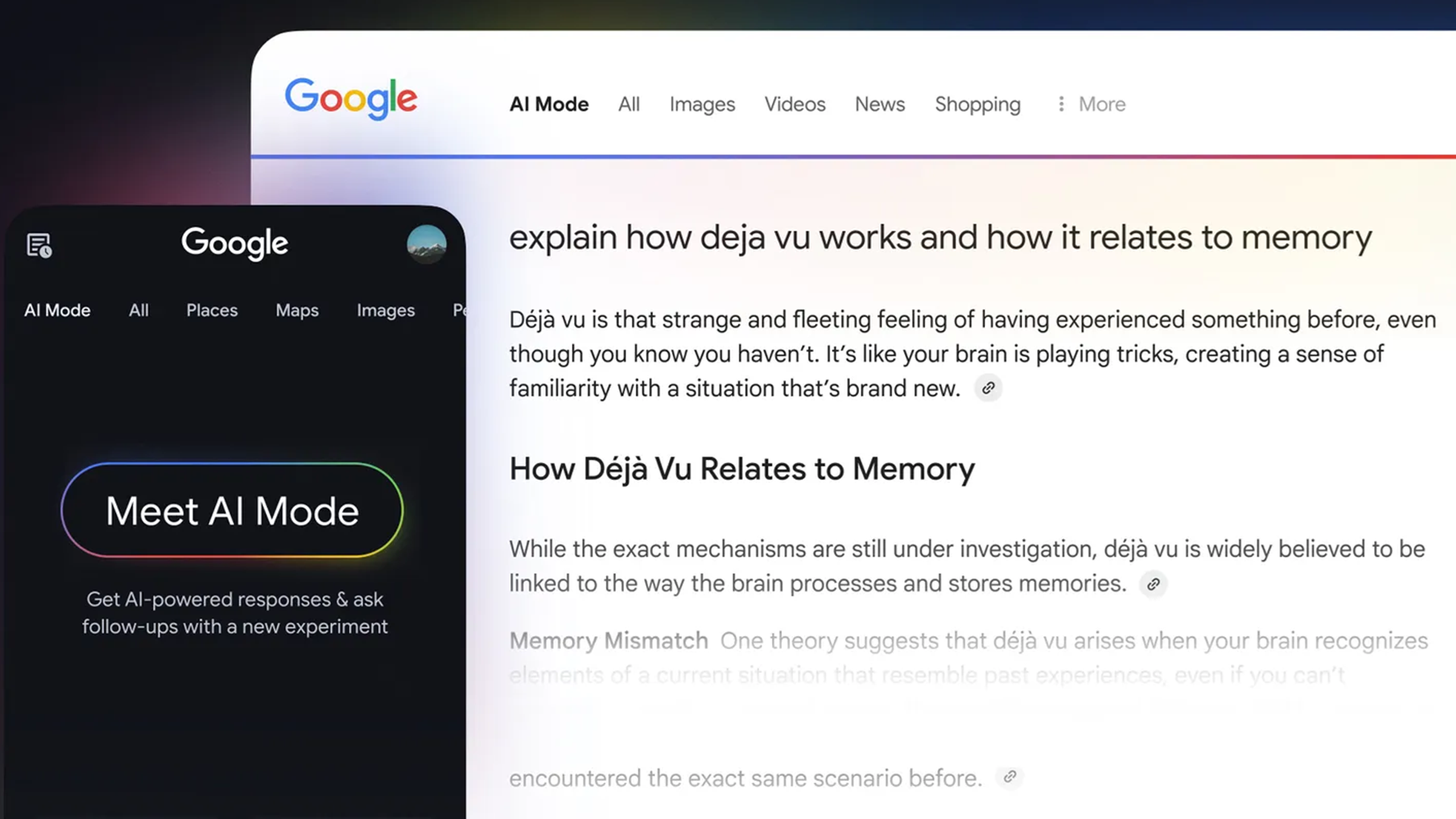
Google made another major move to incorporate AI into everything it does this week when it featured its AI Mode as part of the famous Google Doodle, claiming that AI Mode will let you “search like never before.”
It is true that AI Mode can help answer complex topics and offers a distinctly different experience from traditional Google Search. AI Mode works by sending out multiple related questions based on your initial single prompt. The responses from AI Mode are more comprehensive because they are based on simultaneous hunts by Google’s Gemini AI.
I’ve been playing around with AI Mode for months, since it was a limited experiment. You don’t need a long course to learn how to use it well, but I’ve definitely developed some tricks through trial and error.
You may like
Since it now seems like Google has begun a major push to get more users to try AI Mode, I thought I’d share some of the lessons and shortcuts I’ve found that help when turning to the new Google Search star.
Describe, don’t just search
(Image credit: Jake Ingle, Unsplash)
The biggest mistake is to think that using AI Mode is like looking up things online in 2011. It’s about more than just keywords; it’s about laying out details and context for AI Mode to consider. Treat it like you’re texting a friend.
Don’t just ask about the weather this weekend; put it in terms of the whole plan. “What’s the weather like this weekend for a person who forgot they agreed to go hiking but also might cancel last minute?”
You’ll receive plenty of temperature and trail condition details, as well as several alternative indoor activities to suggest if you’re reluctant to go out. Don’t be shy. Let AI Mode see the real you to get the most out of it.
Show pictures and audio, don’t just type
(Image credit: LG)
AI Mode can handle more than just your writing. You can communicate with it using your voice, upload images, or both, in addition to typing a question. For instance, I’ve taken a picture of my vegetable drawer and asked about what to make from it by voice, describing the main dish I was planning and what would go well with it.
The AI not only identified the plants without labels, but it even suggested which ones looked close to going bad that I should use up beforehand. The chard sautéed with garlic and miso went down a treat, and I didn’t have to throw it out a few days later.
(Image credit: Shutterstock)
Shopping is not my favorite activity, so I do appreciate any shortcut in the process. AI Mode is great for that. Want a suit for the summer you won’t sweat through? Ask in AI Mode, and it will scan reviews, compare prices, and even check if it’s on sale near you. It will also display numerous options on the right side of the screen.
That said, be cautious about blindly trusting AI Mode’s shopping ideas. I do like how it can help narrow my options and highlight some ideas I might not have thought of, but it can get derailed by the way marketing speak glosses over any issues.
Get personal
(Image credit: Shutterstock)
AI Mode doesn’t act in a vacuum. If you’re signed into Google, it uses information about your preferences and learns more about you as you use it. That can be great if you take advantage of its memory.
You might be discussing some of your favorite meals one day, then find it suggesting restaurants with those kinds of food when you ask it to organize a vacation itinerary. If you include more about yourself in your early interactions, those can pay off in faster, more immediately useful responses months later.
And if it gets something wrong about you or you discover a new favorite ice cream flavor, just let it know and it will adjust its memory of you to match.
Always follow up
(Image credit: Shutterstock / Blue Planet Studio)
The best element of AI Mode, in my opinion, is that you don’t have to hope your initial prompt is enough. The first thing you ask AI Mode might bring up things you hadn’t considered, or be too focused on one aspect of your question. However, there’s considerable power in follow-up queries.
For example, I asked it, “Should I lease or buy a car in 2025?” It gave me a thoughtful answer, with charts and financial logic. However, it then added a small button at the bottom: “Want a cost comparison based on your driving habits?” I said yes and discussed my driving needs.
The AI recalculated everything and spit out a monthly breakdown that made way more sense for my limited driving needs and seriously tempted me to start calling up dealerships. So, don’t just ask a question and be done, talk back to it and guide it toward the answers you want. AI Mode can keep pace and keep up with the context.
