


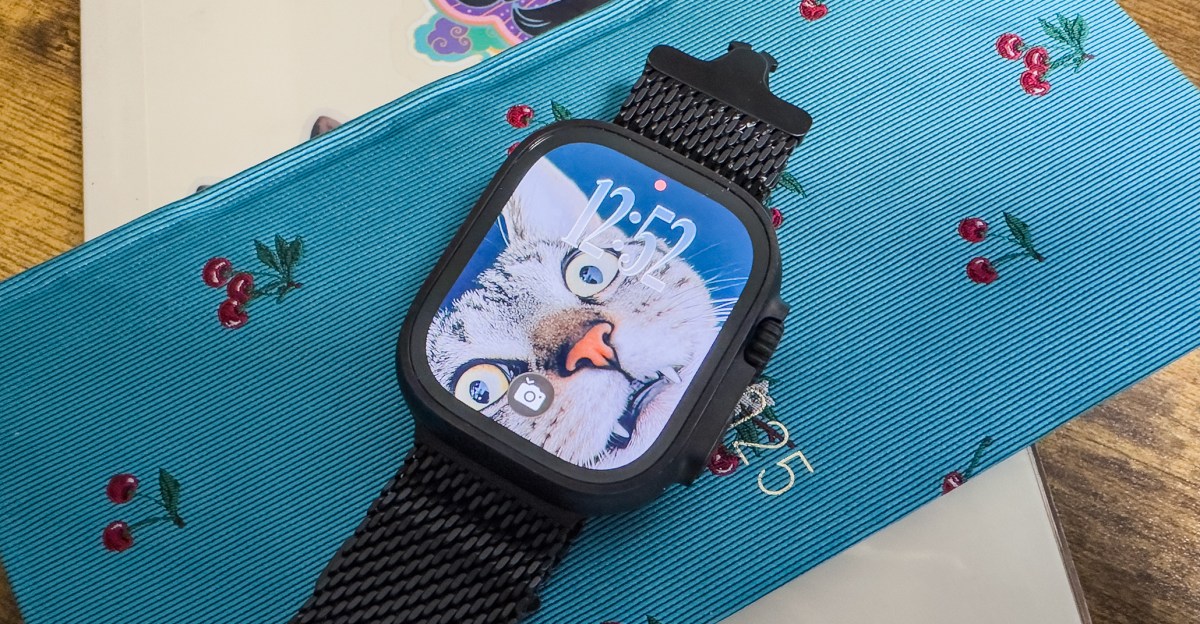
Apple just launched the watchOS 26 public beta, which means everyone can now try the latest software heading to the Apple Watch this fall. That includes new Apple Intelligence features, such as Workout Buddy, new messaging features, the Wrist Flick gesture, and more.
I’ve been using the developer beta and have some thoughts to share. Apple Intelligence doesn’t arrive on watchOS 26 with a bang. So, why bring it to the watch now, and why this particular set of features?
David Clark, Apple’s senior director of software engineering for watchOS, told me it was a matter of highlighting the Apple Watch’s “core competencies”: fitness and staying connected.
AI fitness features are all the rage. Fitness tracking generates a mountain of data, and contextualizing it into digestible insights is a Herculean task — a task AI is supposedly good at. Even so, while watching the Workout Buddy sizzle reel during the WWDC keynote, I morphed into Tina from Bob’s Burgers. In it, you see a woman run through a neighborhood as an AI-generated voice reads out her pace and other stats. Minutes after the keynote ended, my phone buzzed with texts. They all asked the same question: how much am I going to hate this Workout Buddy?
That description pretty much sums it up. If you were hoping for a chatbot, this isn’t it.
After using it, I’d venture: not that much, actually. Workout Buddy is more subtle than the sizzle reel implied.
“An important challenge to be considered when applying any technology, AI or otherwise, is how can real value be added to an experience?” explains Clark. He notes Apple Watch is already adept at tracking activities, but with Workout Buddy, the goal was to “bring something that was less technical data” and more motivational.
Workout Buddy begins every session with a pep talk and ends with a summary of what you just did. The middle of your workout is where the AI magic is supposed to happen.
On a run, Clark says, Workout Buddy will note your pace whenever you hit a mile. You might also get a celebratory message if you hit your 100th mile of the year, and so on. Running lends itself to a chattier Workout Buddy. In a walk or a high-intensity interval training session, Clark says, you might not hear from Workout Buddy at all.
In my walks, I only heard from Workout Buddy at the beginning and end of my workouts. The “contextual bit” was that the AI told me of my progress toward closing my rings for the day, and whether I was making good progress compared to my average. It was much chattier during my runs, reading out my segment times, what music I listened to, or if I’d closed a ring.
Workout Buddy doesn’t feel like AI. (Though you need your watch to be paired to an Apple Intelligence-capable phone to use the feature.) It’s not a chatbot. You can’t ask questions about your data — or anything else for that matter — during a workout. Audio cues for stats aren’t new, either. Plenty of fitness apps have been doing that for years. Technically, the AI-powered bits are twofold. Workout Buddy voices have been trained on Apple Fitness Plus trainers. (You can choose from three at the moment.) And it’s pulling historical tidbits from your data and notifying you in real time.
Most fitness apps tend to motivate you with historical data as badges within the app. It’s not something that’s typically delivered in real time as an audio cue. Because I haven’t hit too many running milestones this year — my PRs are sadly nonexistent so far — I can’t adequately say Workout Buddy helped me feel more motivated. Was it nice to hear I was on track to close my rings at the end of a workout? Sure. If you’re a longtime runner like me, milestones aren’t an everyday thing. But from past experience, I’d appreciate a Workout Buddy giving me an encouraging stat at mile 10 of a half-marathon.
I wish you could customize Workout Buddy. It’d be cool to tweak the settings so I’d get 30 percent more motivation during a race or gain insights to take it slow during hot weather. Perhaps this is where Workout Buddy is headed. But for now, this feels like a more cautious implementation.
It’s all in the subtleties
It’s a little clearer as to why Workout Buddy gets the marquee billing when you see the other ways Apple Intelligence shows up on the wrist. While it’s on guardrails, it’s more overtly AI than the rest of watchOS 26’s Apple Intelligence features.
A lot of the Apple Intelligence features you’ll see on the Watch this year will be an extension of what’s available on the phone. That includes Live Translations and Smart Actions (i.e., if you get texted your share of a bill, you can tap to send it via Apple Cash) in Messages. But there are other features that are more broadly AI-powered outside the Apple Intelligence nomenclature. One such feature is the improved Smart Stack.
This little tweak helps me notice and use the Smart Stack a lot more.
The Smart Stack was first introduced in watchOS 10, and is meant to surface the widgets you need at the right time. This year, you also get a small icon on your watchface prompting you toward a widget when you might need it. It sounds silly, but it’s a clever tweak.
According to Clark, the improved Smart Stack algorithm now incorporates multiple signals from apps. That includes Live Activity data, environmental cues (e.g., if you’re in a remote location without LTE or Wi-Fi), or recently used apps.
Smart Stack has always been hard to notice. The Uber widget popping up has generally been the Smart Stack use case I’m most aware of. But the other day, I was making dinner, and while setting a timer, I saw a prompt for the weather widget. Apparently, a giant flood warning was issued because of an impending torrential downpour. That led my spouse and me to swap our cars so their fancy sports car could sit in the garage. It’s a small thing, but useful nonetheless.
This is honestly the most you’ll probably notice Liquid Glass on the watch — on the passcode screen.
Double tap, or the pinchy pinch, is handy. But it might be dethroned by Wrist Flick, or the flippy flip. When you get a notification you don’t want, you can just twist your wrist to dismiss it. It is hands-down my favorite addition to watchOS 26.
“The thing we wanted to accomplish with this was rounding out the story of ‘I’m either going to take action or I’m going to decide that’s not for me now,’” says Clark. “There’s a really nice symmetry to motioning away from what you’re viewing to acknowledge ‘I’m kind of done with that, I’m dismissing that.’”
Wrist Flick has been super useful for me, a receiver of Too Many Notifications. It takes a second to remember to use it. But the combination of Double Tap and Wrist Flick has made me into a notification triage machine. I wonder why we haven’t always had this as a default.
I’ve been testing the developer betas, and a lot could change before the final version of watchOS 26 arrives this fall. But based on what I’ve seen in watchOS 26? It’s the features that fade into the background that left the strongest impression.
Photography by Victoria Song / The Verge
Follow topics and authors from this story to see more like this in your personalized homepage feed and to receive email updates.
- AppleClose
Apple
Posts from this topic will be added to your daily email digest and your homepage feed.
PlusFollow
See All Apple
- GadgetsClose
Gadgets
Posts from this topic will be added to your daily email digest and your homepage feed.
PlusFollow
See All Gadgets
- Hands-onClose
Hands-on
Posts from this topic will be added to your daily email digest and your homepage feed.
PlusFollow
See All Hands-on
- ReviewsClose
Reviews
Posts from this topic will be added to your daily email digest and your homepage feed.
PlusFollow
See All Reviews
- SmartwatchClose
Smartwatch
Posts from this topic will be added to your daily email digest and your homepage feed.
PlusFollow
See All Smartwatch
- Smartwatch ReviewsClose
Smartwatch Reviews
Posts from this topic will be added to your daily email digest and your homepage feed.
PlusFollow
See All Smartwatch Reviews
- TechClose
Tech
Posts from this topic will be added to your daily email digest and your homepage feed.
PlusFollow
See All Tech
- WearableClose
Wearable
Posts from this topic will be added to your daily email digest and your homepage feed.
PlusFollow
See All Wearable
